Office and HQ
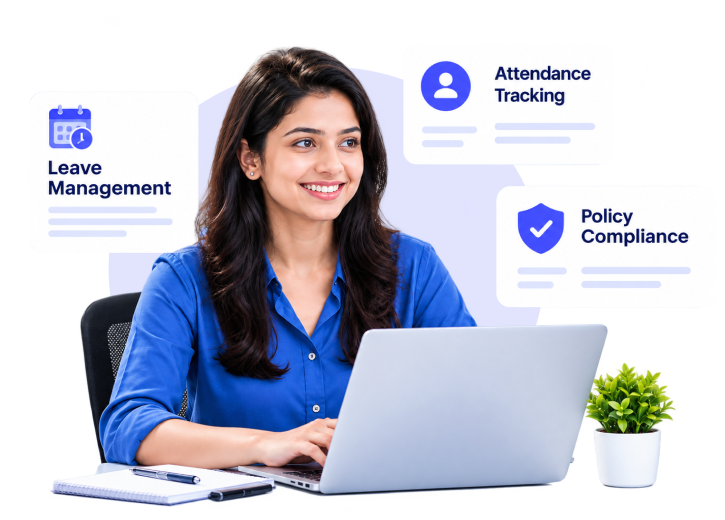
Employees submit leave requests online from the employee self-service portal, and HR controls policies, approvals, and balances all from the single employee leave management software, so the team can view who is off.
Spreadsheets result in missed requests, slow approval cycles, and inaccurate balances. Our leave management software takes this pain away by handling leave requests and approvals in real time with employee leave balances, letting employees apply for leave online and track leave balances, applying CL, PL, and SL policies automatically for every employee.
Book a Free Demo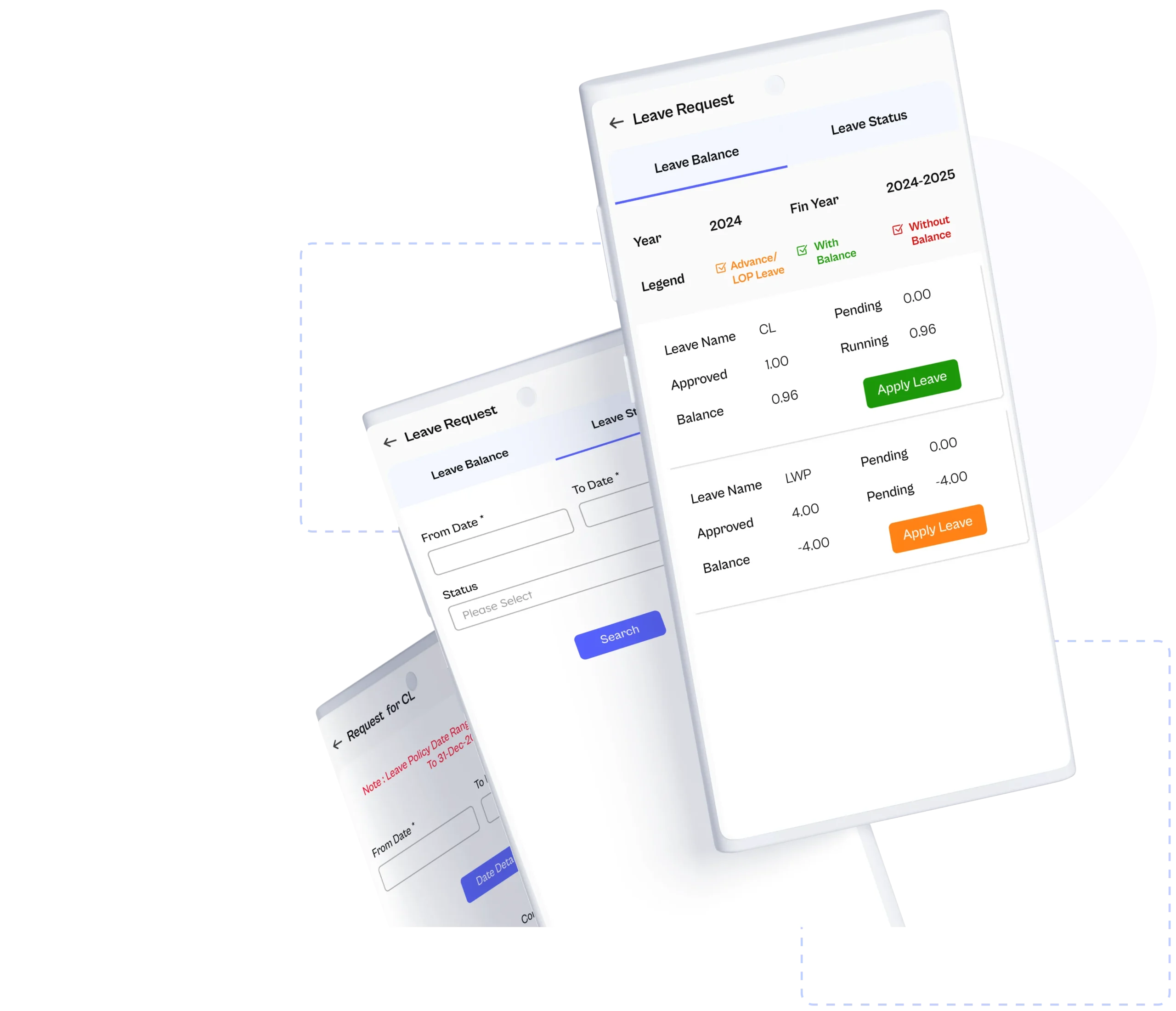
Every request, policy, and balance is handled automatically, so leave stays accurate for employees, managers, and HR teams.
Each organization has its own leave policies for different groups, locations, and departments, and it is difficult to track them manually. Savvy HRMS software enables HR to design different leave policies and administer them on one platform.

Leave rules such as sandwich days, carry forward, and clubbing are complex to monitor manually and usually result in conflicts. With savvy HRMS leave management software, your HR team can set up a rule once and let the system take care of the rest.

The process of requesting leave is so complicated that employees have to bother HR or at least fill out some forms just to apply for leave. With Savvy HRMS leave management software, let your employees apply for leave through the company portal or through the mobile app, so they can apply leave online easily.

Leave requests get stuck when they are waiting for an approver who is too busy. Savvy HRMS leave management software allows the HR team to create a leave approval process by leave type, so requests go straight to the right person first.

It is unnecessary for an employee and a manager to be seated at their desk to handle leave applications. Savvy HRMS makes all leave application processes, approval steps, and balances available through the mobile app and enables leave applications to flow smoothly, regardless of the location of the employees.

Year-end leave calculations may take HR days when spreadsheets are used, and any mistake or error in entry can affect many employees. Savvy HRMS leave management software automatically carries forward leave balances according to company policy guidelines, which makes a new leave year start accurately.

Calculating leave encashment requires a number of hours or even days, which results in errors at the year-end or during final settlements. Savvy HRMS leave management software does this on an automatic basis using the policy and pays the calculated amount using payroll software.

Having information spread across different documents hampers the audit and planning procedure. With Savvy HRMS leave management software, users can convert all their leave-related queries and information into adequate reports and graphs quickly with leave reports and analytics.

When employees and managers do not understand there is a problem, the approval process can be delayed. Savvy HRMS leave management software will send out alerts and notifications to ensure each request and approval is sent in a timely manner.

Leave management software is a complete, digital module that simplifies the leave application, leave approval, and leave tracking process for a company. It tracks leave types such as CL, PL, SL, policies, balances, accruals, and approvals, and integrates with attendance management software and payroll software. This saves HR's valuable time and reduces manual data entry errors by providing real-time leave information.
Every leave type, every rule, every balance. Savvy HRMS leave management software handles them all in one place.
Casual leave is for short, unscheduled absences. Leave management software enables HR to define yearly limits and accrual periods, so employees can submit leave requests online and view leave balances without having to check with HR.
Sick leave manages absences for medical reasons, including the ability to attach files such as medical certificates. Approvers can track the request, and employee leave management software deducts time from the balance once approved.
Privilege leave accumulates over time. HR can allocate an accrual monthly, quarterly or annually, as well as pro-rata and carry forward limits so leave balances remain accurate throughout the leave year.
Specific leaves such as maternity and paternity can have their own eligibility and approval processes. Multi-level approval and document uploads can help you effectively manage long leaves in compliance with regulations.
Comp-offs are earned on extra working days and credited as per rules set by HR. Comp-off processing requires no manual intervention as it applies automatically and is reflected on attendance management software, so records stay consistent.
When the balance is over, one can avail advance leave or loss of pay. LOP is automatically calculated and flows to payroll software through payroll integration for correct salary.
Short leave lets employees ask for short leave for a few hours. They can file a leave request from the portal or mobile app, and their manager gets a mobile leave request alert.
Leave management software allows HR to configure any other leave type to fit your policy, with its own eligibility, accrual, approval and encashment rules, and apply it to selected groups, locations or departments.
Using Excel or spreadsheets for leave management can be confusing, prone to mistakes, and impossible to scale as teams grow. Savvy HRMS leave management software offers businesses of any size automated policies, approvals, and leave balances in real time on a single platform.
Savvy HRMS leave management software is made specifically for businesses of all sizes, from small organizations to organizations with thousands of employees; all leave groups and processes are managed through a single platform.
You can set specific leave types, accrual periods, and rules for each leave group, location, and department through the employee leave management software that lets HR apply the right policy to the right department automatically.
Employees can submit leave requests through the portal, mobile app, or email, while managers can approve them from anywhere, at any time.
In India, leave management software needs to comply with ESI employees, carry forward, encashment, and government register formats. Savvy HRMS supports these, helping organizations of every size follow their policies and remain audit-ready every time.
Approved Leave, LOPs, and encashment are entered automatically into Payroll management software, and leave is reflected in the attendance management software, keeping the salary and attendance system accurate and error-free.
Leave management with HRMS integration works alongside the attendance system, payroll software, and core HR software in India, so businesses don’t need separate tools for each of them and keep employee data in a single place.
Leaves, leave registers, monthly graphs, and consolidated balance views give HR teams and managers clarity on leave in the teams and assist both small and large businesses in planning replacements accordingly.
From leave applications to approval, to final encashment, Savvy HRMS cloud-based leave management software handles everything on a single platform. This ensures you have the precise, up-to-date leave figures for HR to process payroll and compliance.
Set leave policies by group, company, location, or department with multiple leave types, calendar, academic, or financial year cycles, and distinct policies for ESI users. Pro-rata, monthly, quarterly, and yearly accruals are automatically managed within the employee leave management software.
Define the rules for sandwich, ABS, clubbing, and carry forward, as well as leave on pay (LOP) and advance leave. Apply comp off, lapsing rules, and current balance rules in leave management software, so HR doesn't have to verify every request manually.

Employees apply for leave through the employee self-service portal or mobile app, plan long leaves in advance, and can request short leave and roll back applied leave instantly without contacting HR for every single change.
Set multi-level approval, enable approvers to modify leave before approving, and set up custom approval routes for special leave. Managers can approve leave through email, and time-based auto-approve or auto-reject pending leave requests so they don't get stuck.
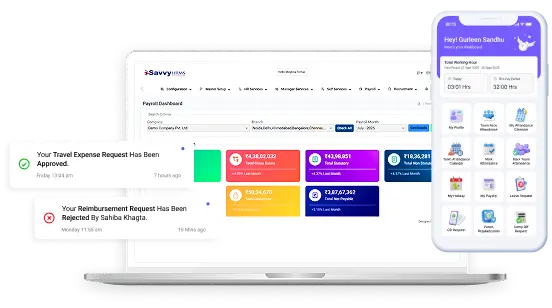
The Savvy HRMS mobile app enables employees to apply for leave, view balances, initiate short leave and work from home requests, and managers to approve the same on mobile, with a notification that keeps both employees and managers instantly informed of requests and approvals.
Any unused leave can be carried forward automatically but only up to a certain limit based on leave type. The HR team can make manual changes to the balance and upload any carry forwards using the bulk feature, which ensures year-end closing happens quickly.
Encashment is automatically calculated at year-end, at Full & Final settlement, and when an employee requests encashment. Custom policies & maximum limits restrict payment as per policy; approved calculations are directly sent to payroll software with no manual calculation.
Leave balance records, registers, monthly graphs, and the leave calendar clearly show leave usage, while automated emails and scheduled reports keep the HR department and managers informed.
Accurate leave balances benefit everyone, from HR and managers to employees, business owners, and payroll teams. Savvy HRMS leave management software provides real-time records and payroll-ready leave data.
Savvy HRMS leave management software can free HR teams from working on spreadsheets and calculating leave balances, so they have more time to invest in their people and policies.
Managers have instant visibility of who is on leave and respond to requests immediately, so they can schedule work and set cover without having to email HR or check spreadsheets.
Employees are provided with transparent leave balances and straightforward procedures to apply, track, and roll back leave, eliminating errors and preventing complaints about leave taken and remaining.
Business owners get accurate leave information, manageable leave liability, and policy compliance without the register. Savvy HRMS leave management software adapts with your growing business needs.
Leave management software provides payroll teams with the right leave, LOP, and encashment information, reducing the number of leaves that require correction, so payroll runs faster and more accurately each month.
Every industry has its specific rules regarding shifts, holidays, and leaves. Savvy HRMS leave management software adapts to how your workforce works, from manufacturing companies and hospitals to offices and field teams.
| Industry | Description |
|---|---|
| manufacturing Manufacturing | Factories work on rotating shifts, and leave rules apply to specific groups of workers. Savvy HRMS leave management software implements leave rules based on plants or departments. Meanwhile, comp-off and LOP are integrated with attendance management software. |
| corporate_fare IT and Corporate | Corporate groups need leave requests to be fast and easy. Employees request leave online or through a mobile app and can see how much leave balance they have. Managers review leave requests with multi-level approval by email or phone. |
| shopping_bag_speed FMCG | FMCG companies operate plants, depots and sales teams in various locations. With employee leave management software, one set of leave policies, location-specific holiday calendars, and leave balances are available in one place for HR. |
| health_and_safety Healthcare | The hospitals have all time operations and staff work on different shifts and urgent leave needs. Savvy HRMS handles short leaves, comp-off, and instant approval, with approved leaves shown in the attendance management software. |
| warehouse Logistics | Desk time is often limited for drivers and field staff. Mobile leave requests enable field teams to request, check balances, and get approvals on the field, while managers receive real-time notifications every time. |
| sell Retail & Hospitality | Stores, hotels, and restaurants have weekends and festival peaks. Leave management software in India helps HR with clubbing and sandwich rules & holiday calendars of each outlet to plan the cover stays. |
| school Educational Institutions | Schools and colleges work by academic year, in which the teaching and non-teaching staff have separate leave rules. We have incorporated academic year cycles, carry forward limits, and leave reports and analytics for management. |
Built-in policies, approval at a click & payroll done in sync. Savvy HRMS leave management software provides the right leave balances, compliance & scale for Indian businesses.
Leave management software in India must manage CL, PL, and SL, ESI users, sandwich rules, carry forward, and encashment. Savvy HRMS allows HR to set up all of them per group, company, or location.
Employees request leave online through the employee self-service portal by planning long leaves well in advance and requesting short leave, avoiding paper forms, lengthy email conversations, and follow-up cycles with HR.
Leave management software allows employees and managers to view leave balances instantly. Accruals, carry forward, and approved leaves are updated immediately so that nobody has to ping HR to ask how many leaves one has left.
Create multi-level approval chains, allow approvers to modify the leave request before approving, and delete pending requests with auto-approve or auto-reject, so that no leave is held up waiting for one busy manager or approver.
Leave balance, LOP, and encashment are imported into payroll software by means of a standard payroll integration, which means the salary will have the correct leave balance every month with no workarounds, no double entries, and no last-minute calculations on closure.
Smooth HRMS Integration leave is integrated with attendance, payroll, and core HR within a single HRMS software in India so that once the leave is approved, the employee is shown in the attendance management software and the data is consistent across the board.
Mobile leave requests let employees submit leave requests, view balances, and begin a short leave from the Savvy HRMS mobile app; supervisors approve leave requests on the go and are instantly notified when employees submit new requests.
Leave reports and analytics include leave ledgers, registers, monthly and consolidated balance views to enable HR and managers to identify and analyse leave trends across teams, to plan cover in advance and to be ready for audits.
HR can handle the holiday calendar and working days, along with your leave policies (with a monthly leave calendar showing who is off each day). This way, your teams can assign work around holidays and plan ahead, leaving them with no surprises or unexpected gaps.
Savvy HRMS leave management software scales to support teams of all sizes, from small to mid-market to enterprise. Manage multiple teams, companies, and locations on one platform so leave data stays accurate and consistent as headcount and policies expand.
You may have members of your team working in the field or from home, in addition to employees working at a desk. No matter where they work, time off should be hassle-free. Savvy HRMS simplifies requests, approvals, and balances.
Employees submit leave requests online from the employee self-service portal, and HR controls policies, approvals, and balances all from the single employee leave management software, so the team can view who is off.
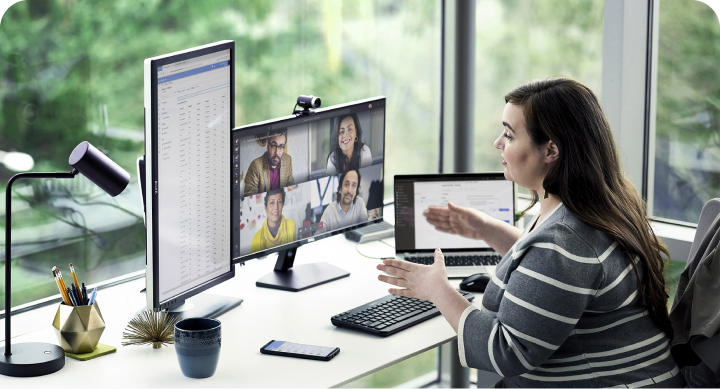
Remote employees submit leave requests, view leave balances, and request short leave and work from home using the mobile app. In this way, mobile leave requests get approval in no time, and the HR team spends less time on manual follow-ups.

Field staff spend their days in the field. They can request leave, view leave balances, and receive approval notifications on their mobile devices, while managers are able to approve leave on the move.

Plants work in shifts; leave must be mapped accordingly with the worker groups and their attendance. Savvy HRMS manages leave policy shift-wise, with comp-off, LOP, and approved leave, integrated with the attendance management software.
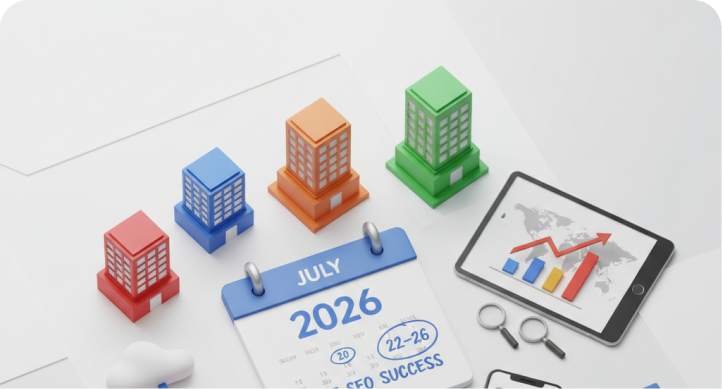
Companies with different locations can set leave policies, holiday calendars, and approval paths for each site, while HR gets one view of leave reports and analytics for the group, ready for payroll software.
Not every leave management software fits how Indian businesses work. See how Savvy HRMS compares with general Leave Management software providers.
| Feature | Savvy HRMS Leave Management Software | General Other Providers |
|---|---|---|
| Leave policies | Policies by group, company, location and department, with calendar, academic or financial year cycles and separate rules for ESI users | Often one common policy for all employees |
| Leave rules | Sandwich, ABS, clubbing, carry forward, comp-off, LOP and advance leave rules set once and applied automatically | Limited rule options, with manual checks by HR |
| Approvals | Multi-level approval, approval with modification, custom paths for special leaves, email approvals and time-based auto-approve or auto-reject | Basic single-level approval |
| Apply leave online and on mobile | Employees apply leave online through the portal or mobile app, check balances, and start short leave or work from home requests | Often portal-only, with limited mobile features |
| Year-end and encashment | Auto carry forward with limits, bulk upload, and encashment at year-end, at F&F or on request | Manual year-end calculations in spreadsheets |
| Payroll integration | Leave, LOP and encashment flow into payroll software, with no re-entry | Separate tools, with manual transfer to payroll |
| HRMS integration | Leave, attendance, payroll and core HR work together in one HRMS software in India | Leave often sold as a standalone tool |
| Reports and analytics | Leave ledgers, registers, monthly graphs, consolidated balances and government-format reports | Basic leave reports |
| Alerts | Automatic email triggers, scheduled daily, weekly or monthly reports and customized alerts | Fixed notifications |
| Built for India | Leave management software in India with ESI policies, CL, PL and SL, and government-format registers | Often designed for global policies |
From Delhi NCR to Bengaluru, Mumbai to Chennai, every city has its own holidays, leave rules, and state regulations. Savvy HRMS leave management software keeps them all on one platform.
Teams across India use our leave management software to save time and keep balances accurate.
Smart HRMS is more than just a product we work with - it has been a trusted partner. From seamless implementation, to quick support when we need it, the team has always been professional, friendly and supportive. For Indiamart, this software has become a fundamental part of our HR organization; allowing us to bring more efficiency and order to everyday activity.
MR. Neeraj
HR Manager, Indiamart
Prior to utilizing Savvy HRMS, we dealt with manual processes that created errors and took more time than expected. Once we began using their system, the difference was clear; tasks were easier, quicker, and more reliable. It solved bottlenecks and improved efficiency in our HR functions. Savvy has assisted us in achieving results that we once thought we would never see.
MR. Gaurav Mathur
IT Manager, HPL
We've been using Savvy HRMS since 2021, and it has been a dependable, end-to-end solution for our HR needs. Their strong HR domain expertise, proactive consultants, and highly responsive team have helped us automate processes, reduce manual work, and improve accuracy across attendance, payroll, and leave management. Truly a reliable HRMS partner.
MR. Ramesh Vadaga
AVP - HR, Sona Comstar
Every HR process connects to the next. Explore other Savvy HRMS modules that work together on one cloud-based HRM software platform.
Approved leave, half days and holidays sync with attendance records, so absences are marked correctly and employees are not flagged as absent for leave already approved.
Learn moreLeave encashment, LOP and unpaid leave carry into salary processing, so deductions, payslips and F&F settlement reflect each employee’s leave record accurately.
Learn moreEmployee records, joining dates, departments and reporting managers drive leave policies and approvals, keeping eligibility and balances tied to updated employee data.
Learn moreLeave history gives managers context during reviews, so goals, timelines and ratings are set with a clear view of an employee’s available working days.
Learn moreEmployees apply for leave, check balances and track requests from their phones, while managers approve or reject them on the go, without waiting at a desk.
Learn moreLeave management software is a web-based system that automates employees' leave requests and managers' approvals. It controls leave types, policies, accruals and balances centrally and integrates with attendance management software and payroll software. It eliminates spreadsheets, minimizes mistakes and provides HR, managers and staff with live, accurate leave data.
Cloud-based Leave management software hosted on the cloud is easy to adopt and adapt. Give your team the freedom to access it from anywhere on any device in minutes. With centralized data and instant updates from anywhere, it's easy for HR, Managers, and employees to use, manage and track leave. Savvy HRMS provides it with enhanced security and accessibility.
Employees submit leave requests online or through the mobile app, and the leave management software compares policy and balance. The system forwards the requests to the correct approver, automatically deducts leave once approved, and shares data with payroll and attendance, so HR doesn't have to manually calculate and update balances.
Leave management software eliminates manual tracking errors, enforces leave policies uniformly, and ensures balances are correct. HR saves time, managers can approve more easily and employees have visible records. Accurate leave data informs payroll and attendance, reducing issues and ensuring compliance as companies scale across teams and locations.
Find leave rules by group, location and department, support for CL, PL, SL and ESI users, carry forward and encashment rules and reports, government format registers. See for payroll and attendance integration, a mobile app, multi-level approval, and reports. Leave management software in India should be designed around your policies, not the other way around.
Automating employee leave requests removes spreadsheets and email chains, so employees apply online, managers approve them quickly, and balances update instantly. HR saves hours on manual tracking, policy errors drop, and payroll receives accurate leave and LOP data. Employees also get clear, real-time records, which minimizes issues and repeated queries to HR.
The best option for your organization should be based on your requirements. However, always compare ratings in addition to features. To track employee leaves in the best way, select a leave management software that shows approved leave, LOP, and comp-offs in attendance reports. Savvy HRMS leave management software provides an integration with attendance management software and payroll.
A good absence tracking system will have custom leave types and policies, real-time balances, multi-level approval, mobile requests, a leave calendar, and instant notifications. Additionally, it will also include leave reports and insights, accruals and carry-forward, and connect it to attendance and payroll so absences are recorded once and used everywhere.
You can purchase leave management software with payroll integration from HRMS vendors. An HRMS like Savvy HRMS has leave management, attendance, and payroll on a single platform, so leaves approved, LOP, and encashment get automatically accounted for in the payroll. Reach us on the website or call up the sales team for a demo or quote.
An up-to-date leave management software removes the workload of HR. Rules are implemented without the need for HR to do anything; approval follows pre-established pathways and balances, and accruals and carry forwards update automatically. HR can focus less on answering leave questions and fixing spreadsheets, and more on the people, with nothing to do for payroll but provide the clean data each month.
Time off solutions include spreadsheets, individual leave management tools, and full HRMS systems. Spreadsheets are low cost but easy to make mistakes. Leave management software only manages requests & balances; payroll integration is optional. Leave, attendance & payroll HR software in India helps keep policies, records, & salaries consistent across departments.
Leave management software can configure sick, privilege, maternity, paternity, comp-off, loss of pay, advance, and short leave, as well as allow entering custom leave types. Every leave type has its own rules for eligibility, accruals, approvals, and encashment. It can be marked for use for individuals, groups, locations, departments, etc. Employees can apply online and view each type's balance in real-time.
Leave management software credits leave automatically as per policy, monthly, quarterly, annually, or pro-rata for new joiners. Leave in LOP and comp-offs is updated instantly. Employees view their leave balance anytime and don't have to wait for HR to manually recalculate or adjust the balance at the time of month-end or year-end.
Encash Leave saves leave days as pay. Leave is calculated from the balance and policy by the software at year-end, at full and final settlement or on employee request. HR determines eligibility and maximum limits; the accurate leave amount approved by HR is sent to payroll software. Flexible leave policies define leave types that can be encashed.
Yes. With the mobile app, employees can see leave balances, request short leave, and apply for leave; managers approve leave on the go and get instant leave notifications. Request leave on mobile from the Savvy HRMS mobile app or email; approve leave without logging in. Request leave online from a web portal also.
Leave management software sends the approved leave, LOP, and encashment to payroll software, while the approved leave is displayed in attendance management software, making the records match. Save HRMS' integrated payroll, attendance management, and HR software can prevent HR from entering data twice, and the salary will show the correct leave information on time.
Multi-level approval routes a leave request through multiple approvers, rather than from a reporting manager then to HR, depending on policy. Approvers can change the dates before approving, custom routes can be used for special leaves, and leave requests are cleared with time-based auto-approve or auto-reject so requests don't ever get stuck. Managers can approve through email too.
Leave management software carries forward balances to a new leave year at year-end. You can set a maximum carry forward limit, enable carry forward for more than a year, make manual adjustments, or import balances in bulk to ensure your leave year starts correctly- no spreadsheets required.
Yes, leave management software in India must have the ability to handle CL, PL, and SL rules; rules different to ESI users; sandwich and clubbing rules; calendar, academic, or financial year cycles; and government formats for leave registers. Savvy HRMS enables HR to adapt policies by group, company, location, or department to reflect the way India business actually works.
Leave reports and analytics includes leave type-wise reports, leave ledgers and registers, monthly leave analysis graphs, consolidated balance views, and a monthly leave calendar are available in our leave management software. HR can generate government-format reports and auto-email reports on a daily, weekly, or monthly basis. These reports can help with audits and leave trend analysis across teams.
SAAVY HRMS is an integrated HR management software that automates and simplifies your key HR operations.
Every HR Process. One Platform.
Book a Free Demo Today!