





Office-Based Teams
All work gets assigned, tracked, and completed from a single dashboard. Schedule management and auto-reminders maintain the day's workflows, so managers stop tracking down progress through calls, chat, and repeated meetings.
When there are too many spreadsheets, chats, and calls, deadlines slip, ownership gets blurred, and managers don't know what's left to do. Savvy HRMS task management system manages the creation, planning, tracking, and completion of each task, all on a single online platform that keeps teams organized, on schedule, and makes project management easier for growing teams.
Book a Free Demo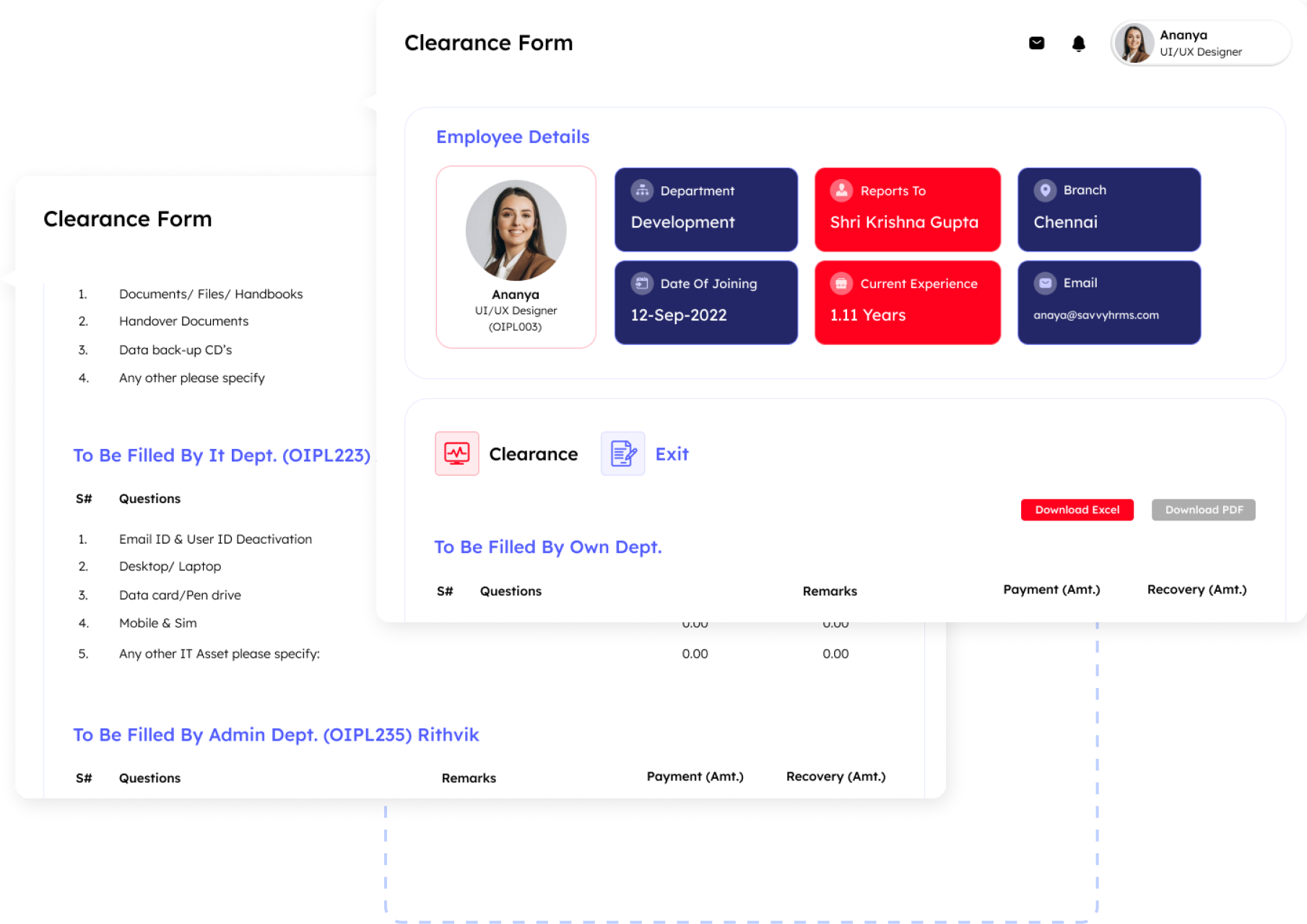
Ownership gets blurred, and deadlines fall through the cracks when tasks are found in chats and sheets. Savvy HRMS employee task management system assigns, tracks, and closes all tasks on a single platform.
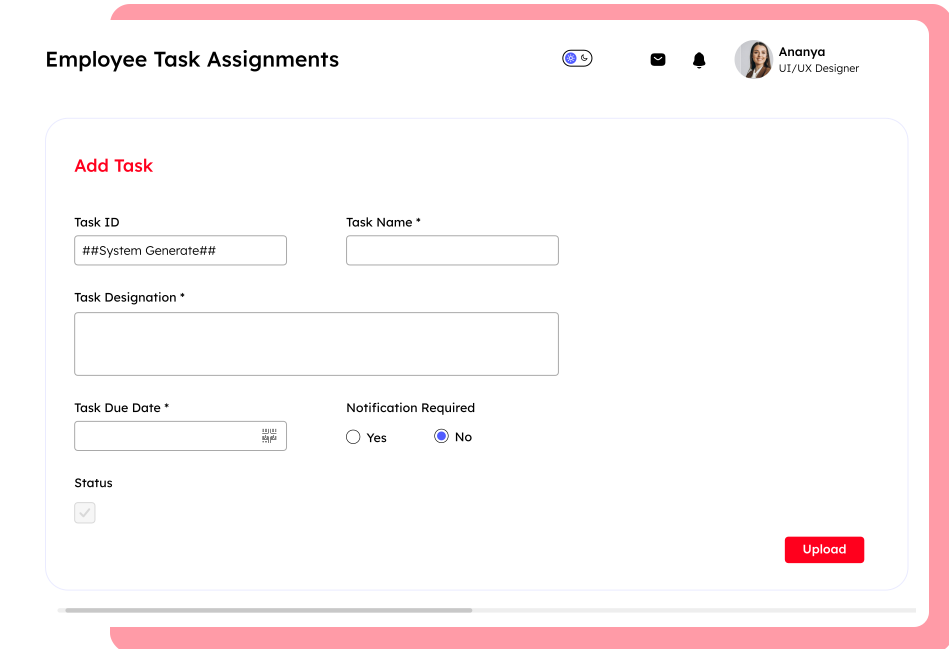
Workflows break and work doesn't get done, when every manager has their own way of creating a task. Savvy HRMS task management system empowers you to create custom workflows, assign tasks, and set due dates, so every task starts with clear ownership and a timeline.
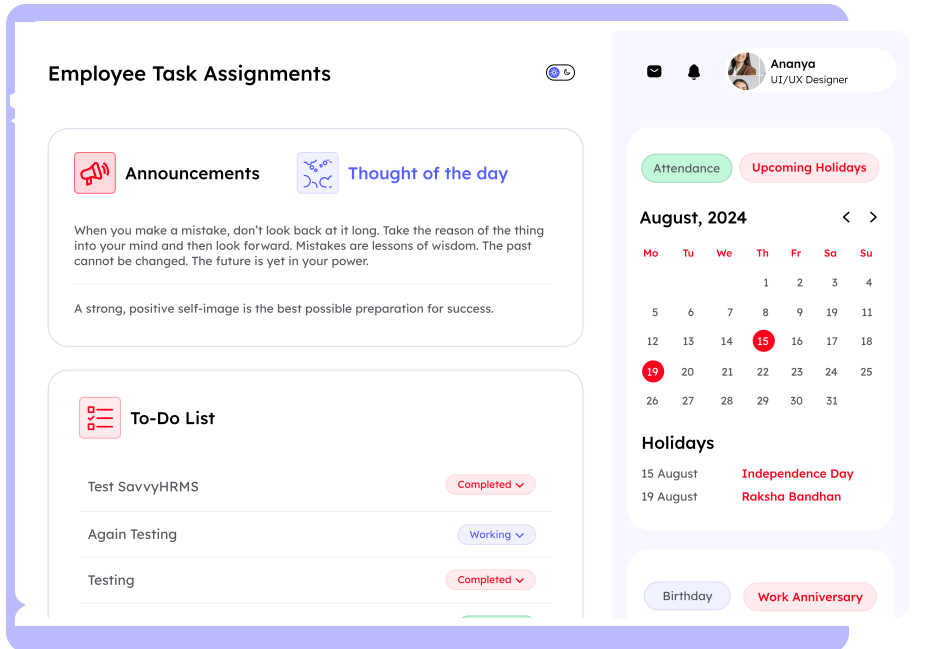
When task status stays in chats and personal notes, managers keep reminding; missed tasks go unnoticed. Savvy HRMS online task management system shows live status, personal checklists, and auto-reminders in a single window so you always know what's done and what's not.
When tasks are done without a check, incorrect information gets passed on, and no one knows what was really done. Savvy HRMS task management system allows managers to approve work done, add comments, and close tasks, so every closure is verified and recorded for project management.
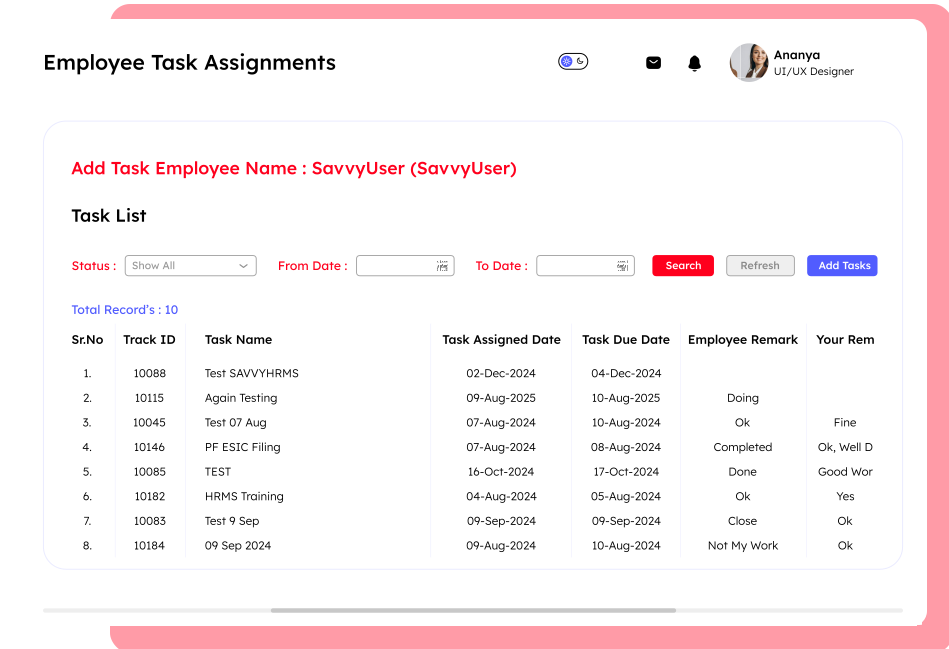
When task data stays in chats and sheets, managers cannot see what was done, what is delayed, or how long work takes. Savvy HRMS task management system transforms every task into ready reports, so teams and managers can track progress and plan the workforce with facts.
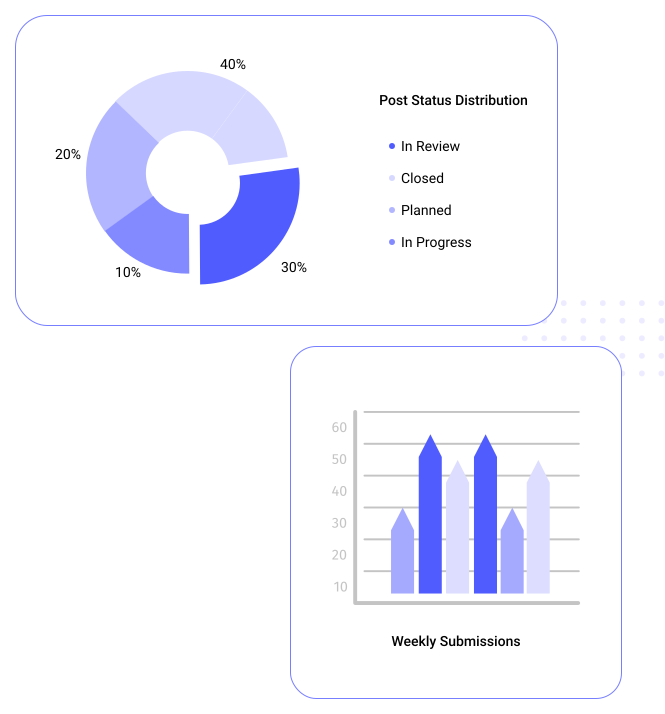
A task management system is a software application that is used to plan, assign, track, and complete tasks from beginning to end. It provides owners, due dates, and a real-time status of all tasks, so teams know what's undone and what's been completed. Employee task management software replaces chats and spreadsheets, supporting project management, schedule management, and timely, accurate work for different teams.
Every task moves through clear stages, from idea to finished result. Understanding these stages helps teams plan, manage progress, and complete work on time.
Every task begins with an accurate statement of the task, what it's for, why it matters, and what result is to be achieved, so employees understand the work before anyone begins.
The tasks are divided into steps, prioritized, and assigned deadlines. The most important tasks are done first, preventing the team from doing work that is not important or missing deadlines.
Each task is assigned to the right person based on skill set, expertise, capacity, and current workload, with defined ownership and accountability so everyone knows what needs to be done and when.
Team members work on assigned tasks and monitor their progress by status updates, deadlines, and reminders, allowing managers to identify delays quickly and maintain a smooth workflow without constant follow-ups and confusion.
Completed work is reviewed against the expected result, with feedback shared and corrections made where needed, so quality stays consistent before the task is formally approved and closed by the owner.
When the task is approved, the task is marked complete, and its results are recorded. Time and effort data show teams whether they are meeting targets and let them plan more accurately and work more efficiently next time.
Missed deadlines and lack of ownership hold back every business. Savvy HRMS task management system helps your teams stay organized, visible, and on track for teams of every size.
Whether you manage a small business or multiple departments, task management software scales with your growing team, so assigning, managing, and reviewing work stays simple as your business grows and changes.
Each piece of work has an owner, a deadline, and a priority. That means everyone knows what they are supposed to do, and managers always know who is responsible for each piece of work.
Managers see task status, pending work, and delays displayed on a single screen, helping them to step in earlier, distribute work equally, and monitor progress without running after information through calls, email, or spreadsheets.
Automatic reminders and alerts notify employees of approaching deadlines and alert managers if work is late, helping to eliminate missed deadlines and last-minute pressure on teams, projects, and departments.
The task management component is integrated with the attendance, leave, and performance modules so workloads are based on who is available, and completed tasks can support appraisals, providing managers with a clear picture of the team's overall contribution.
Teams share updates, comments, and files on a task so discussions stay focused in one place. This reduces long email threads and keeps everyone in sync, no matter where they are working from.
Reports on task completion, workload, and delays provide managers with the clean information they need to manage resources, simplify procedures, and identify high performers across departments, locations, and business units, with data they can trust and act on.
Cloud-based HRM software lets employees and managers create, update, and review tasks from any device, so office, remote, and field teams stay connected to the same priorities and deadlines every day.
Whether it’s about creating a task, approving it, or determining its status, the Savvy HRMS cloud-based task management system gives you everything in just one platform.

Create tasks that include a title, description, and attachments, then assign them to one or more employees. Each task has a specific owner, so everyone knows who's responsible, work begins immediately, and nothing gets missed.

Prioritize and set deadlines for all of the work so employees know what to complete first. Teams are working on important tasks, and managers are scheduling workload against real deadlines rather than guesswork or repeated reminders.
Follow each task as it goes through pending, in progress, and completed. Managers see the overall progress of all teams on one screen, identify bottlenecks early, and keep the work flowing without follow-up calls or meetings.
Tasks will auto-remind employees when they are soon to be due, and auto-notify managers when they are overdue or have been completed. In this way, deadlines can be avoided, and managers don't have to follow up on things manually when teams are busy.
Teams discuss work on the task itself, with comments, file sharing, and updates all kept in one place. This reduces long email threads, and everyone has the full context for every assignment, no matter when they join.
Completed work can go to a manager for viewing prior to closing. Feedback and corrections are recorded on the task, so quality is checked, rework is visible, and each approval is documented.
View reports on all tasks finished, scheduled, and overdue tasks by employee, team, or department. Leaders can identify workload patterns and delays for more accurate workload planning, balanced assignment, and fair recognition of performance.
Control who can create, assign, update, or view tasks according to the role. Employees see their own work, managers see their teams, and admins have access to everything, keeping task data organized, controlled, and appropriately visible to each user.
The best task management helps everyone, from HR and managers to employees, finance, and business owners. Savvy HRMS task management system gives clear ownership, live tracking, and on-time delivery on one online platform.
Savvy HRMS employee task management system allows HR teams to no longer assign work and chase work using sheets and calls, and helps them to focus on planning, policies, and people rather than follow-ups.
Managers see who owns each task and where work is stuck without even asking for updates. They can approve work that has been completed, give feedback, and track progress. This helps to keep things on track.
Employees are always clear on what they need to do and by when. With this online task management system, employees can update the status, manage their to-do list, and receive reminders so nothing slips through the cracks.
Finance and management have visibility of workload, delays, and completion rates. Work is planned against schedules, making resource utilization efficient and decisions in the workforce management system based on facts.
Business owner gets organized work that is tracked and delivered on time. Platform scales with your business and integrates with core HR software so work and employee records stay in one place.
Each industry has its own style of work scheduling, whether it is shift-wise plant work, field visits, etc. Savvy HRMS task management software adapts workflows, deadlines, and tracking to match how your teams work.
| Industry | Description |
|---|---|
| manufacturing Manufacturing | Plants work on 'shifts', maintenance, and quality control. The task management system prioritizes work shift-wise, sets a deadline, and auto-reminds, so every check is done on time, and delays show up early. |
| corporate_fare IT and Corporate | IT teams are busy managing projects, approvals, and changing priorities. The IT employee task management system handles project management, real-time status, and TAT reports that help managers get work updates, workload reports and delivery on time. |
| shopping_bag_speed FMCG | Sales and field teams work across regions and visit plans. Assign tasks by location, have mobile updates, and view reports to know which areas are behind to keep field work on track. |
| health_and_safety Healthcare | Hospitals require duty tasks and compliance checklists for every shift. Workflow management software distributes duties per shift, provides reminders, and captures completion notes, so important work is never missed or left undocumented. |
| warehouse Logistics | Planning, dispatching, and field operations require turnaround time (TAT). An online task management system helps to track status in real time and shows TAT reports and identifies lags when they are spotted and corrected quickly. |
| sell Retail and Hospitality | Stores, hotels, and restaurants need daily outlet checklists. Work plan management software lets managers reassign tasks quickly when staff changes, so every outlet follows the same routine without gaps. |
| school Educational Institutions | Educational institutions work in cycles to plan their academic and admin activities. Schedule management and approvals are used to ensure tasks are on track for teaching and non-teaching staff, and reports of completion provide coverage of which things are completed and which are not. |
Scattered projects and missed deadlines slow down the progress for all teams. Savvy HRMS task management system gives businesses one online platform to plan, assign, track, and close work with clear ownership.
Savvy HRMS task management software is designed around how your industry and your business operate in India, with workflows, deadlines, and approvals that flow with your plant shifts, multi- location sales teams, and more.
Create workflows that fit your teams' processes, assign tasks in just a few clicks, and set due and closing dates. Our workflow management software helps ensure each task goes through the same steps from assignment to close.
Employees update task status as work progresses and maintain personal to-do lists, while auto-reminders flag missed tasks. The employee work tracking system provides managers real-time progress updates, no calls, no chats, no questions.
Managers approve finished tasks, input comments or notes, and close a task only if the work has been truly completed, so all closures are confirmed, and your project management is kept accurate, organized, and easy to review.
Detailed task completion reports, status-wise views, and turnaround time (TAT) are there to tell you what is done, what is pending, and what is delayed, so the planning of workforce management system and schedule management is based on facts, rather than guesswork.
Task data runs in the same system as your core HR software and payroll management, so all your employee records, work schedules, and reviews remain within a single integrated system, with no duplication of data between tasks, employees, or payouts.
Savvy HRMS offers online task management system implementation support in Noida and across India. Our team helps you set up workflows, assignments, and reports, with guidance from people who know the product well.
Employees can work from offices, homes, plants, or in the field, but all work needs to stay on schedule. With the Savvy HRMS task management system, organize, track, and update every task, status, and deadline, no matter where your people work.
All work gets assigned, tracked, and completed from a single dashboard. Schedule management and auto-reminders maintain the day's workflows, so managers stop tracking down progress through calls, chat, and repeated meetings.
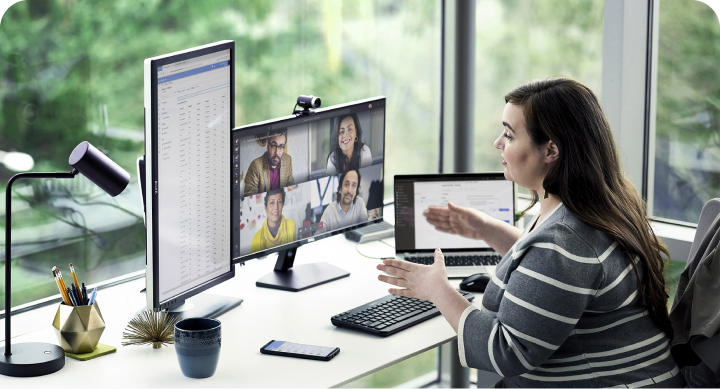
Employees working from home or on different schedules update task status, keep personal to-do lists, and get reminders online. The online task management system keeps everyone on the same live data from anywhere.

On-site and field staff update task status in real time as work progresses. Managers view all progress and TAT in real time from the employee work tracking system, without waiting for the team to return.

Handovers are important for rotational shifts. Assign work as per shift, update finished work, and close work by documenting it, so the work plan management software shows the work to be taken by the following shift without any confusion.
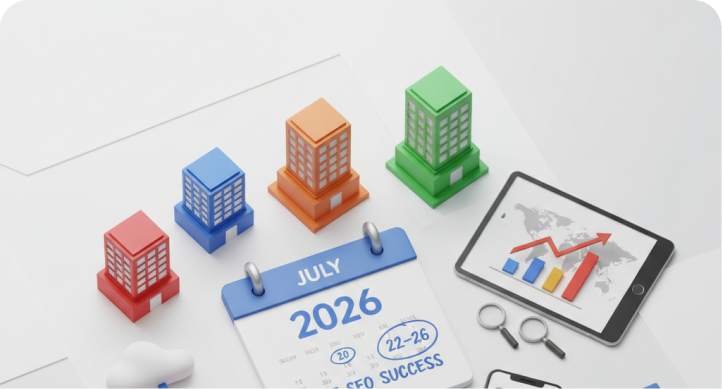
Branches, plants, and regions work simultaneously. One workflow, one set of reports, and one view allow management to plan using a workforce management system that shows workload and delays across all locations.

Contract and temporary employees frequently come and go. Quickly assign tasks, communicate deadlines, and keep track of completion rates in the system, so your work continues smoothly and project management remains organized as teams change.
Task management software is not the same for every organization. See how Savvy HRMS handles task setup, tracking, approvals, and reporting differently from general providers.
| Feature | Savvy HRMS Task Management Software | Other Task Management Software Providers |
|---|---|---|
| Task Setup | Custom task workflows, easy assignment to team members, and fixed deadlines and closing dates | Fixed templates with limited customization |
| Status Tracking | Real-time status updates and personal to-do lists in one employee task management system | Status shared through calls, chats, or separate sheets |
| Reminders | Auto-reminders for every pending and missed task | Manual follow-ups by managers |
| Approval and Closure | Manager approval, completion notes, and task closure with a clear record | Tasks marked done without review or notes |
| Reports and TAT | Detailed task completion, status-wise, and turnaround time (TAT) reports | Limited reports, with analysis built in spreadsheets |
| Schedule and Work Planning | Work plan management software and schedule management in one view | Work plans kept in separate tools |
| Core HR and Payroll Connection | Task data connected with core HR software and payroll management, so records are not maintained twice | Separate systems, with employee data re-entered |
| Workforce Visibility | Employee work tracking by team, location, and project in one workforce management system | No consolidated view across teams or locations |
From head office to every branch, Savvy HRMS task management system keeps work planned and delivered on time. Select your city below to explore the task management system near you.
Teams across India use our task management system to save time and keep records accurate.
For a large manufacturing organization like ours, Savvy HRMS proved to be the right solution. Centralized attendance, smooth biometric integration, and automated payroll significantly reduced processing time, removed paperwork, and provided transparent, real-time reports supporting our workforce management and data-driven decisions.
Mr. Nirbhay Kumar Azad
IT Head, Astemo
Switching to Savvy HRMS was a game-changer for our HR operations. From automated payroll and compliance to mobile attendance and performance insights, everything is now simplified. Employee queries have reduced significantly, and HR has better data to drive decisions that positively impact our company.
Ms. Upasana Sachdeva
Manager HR, Kiwi Tech
What once took days of manual effort is now completed smoothly with Savvy HRMS. Automated attendance, one-day payroll processing, structured performance management, and quick approvals through email reduced HR workload significantly and improved employee experience across all locations.
Mr. Naveen Chaudhary
Head HR, Kalpakaaru
Every HR process connects to the next. Explore other Savvy HRMS modules that work together on one cloud-based HRM software platform.
Roles, teams, and reports come from a single employee database, so tasks are assigned to the right person every time.
Learn moreAttendance and shifts sit beside task plans, so work is assigned shift-wise and managers see who is available.
Learn moreApproved leave is displayed when tasks are being scheduled so that deadlines can be scheduled around absences and no task is left unattended.
Learn moreTask completion and workload data support incentive and overtime reviews, so payroll runs on records, not follow-ups.
Learn moreCompleted tasks, turnaround time, and approvals feed into appraisals, so reviews reflect actual work delivered.
Learn moreA task management system is a type of software that facilitates and tracks every step of the task lifecycle. Managers create tasks with owners and deadlines. Employees update the task's state along the way, and the system automatically logs reminders, updates, and reports, so you never lose ownership of a task and you always know its current state.
Today's teams operate from home, offices, and remote locations, and tasks get buried in chats and Excel spreadsheets. With a task management system, ownership, due dates, and live status are all in one place. This minimizes missed deadlines, improves accountability, and lets managers distribute workload and plan work effectively with real-time data.
Begin with your requirements (task assignment, deadlines, reminders, reports). Ensure that the software is simple to use, affordable, and scalable. Validate it with your actual workflow using a demo or a trial, and get feedback from your team before making a decision.
List your standard work types, then create workflows for these. Enter the staff and teams, assign owners, and set closing and due dates. Enable auto-reminders and auto-approvals, and select your reports. Train your team, implement in one department, monitor after a few weeks before rolling out to the rest of your organization.
Key features include custom workflows, simple task assignment, deadline setting, live task status and updates, To-Do lists, and auto-reminders. Auto-approve, auto-close, and commenting on each task ensure quality and clarity. Status, completion, and TAT reports are available to alert you to delays. Connect with HR and teams in other locations anytime, anywhere with mobile access.
Industries that would also benefit from the task management software include manufacturing (for shift planning and maintenance activities), IT (for project, task, and approval work), healthcare (for duty planning and clinical documentation), retail and hospitality (for outlet planning and visitor tracking), logistics (for dispatch planning and delivery planning), and education (for instructional and administrative planning).
When tasks linked to key HR, attendance, leave, and payroll processes are assigned by HR based on correct employee data, shift availability, and authorized leave. Onboarding, leaver, and compliance tasks are assigned a single owner with a deadline. No duplicate entry, as employee records stay in a single system and HR spends less time on follow-up.
When it comes to small business HR, the best software for small businesses in India is the perfect one for local implementation, cloud access, and integration with HR, attendance, leave, and payroll data. It provides multi-site support and shift support with cloud-based pricing per user. With Savvy HRMS, you'll get a task management system for small, medium, and large teams.
Yes. HR managers can see the number of tasks completed, in progress, and overdue by employee, team, or department, plus average turnaround time. You can identify bottlenecked teams, lagging tasks, and overdue projects so you don't have to comb through chats and spreadsheets to get the full picture.
An online task management system allows employees to access their work on any device and stay on the same page, wherever they are, be it in the field, office, or out of town. It offers real-time status, automated reminders, and all tasks tracked in one place. Managers spend less time on follow-up, and deadlines are hit more often, without additional meetings or software.
AI chatbots allow you to initiate tasks, check progress, and set reminders with a text prompt, reducing clicks. They can respond to all the questions, compile a list of incomplete work, and identify any overdue tasks. Not all task management systems support all chatbot features, so consider what chatbot features each tool is capable of.
A task management system focuses on tasks, owners, due dates, and state. Project management software involves the broader planning process, including budget, timeline, dependencies, and resources. Many teams depend on task management software for their everyday work and turn to a project tool for larger projects, or combine both into one platform.
Pricing depends on the number of users and features, and on whether or not setup and training are included in your subscription cost. Most cloud-based task management systems will be charged per user per month. Search for a set of features that fit your needs (workflows, reminders, approvals, reports, etc.) and get a quote based on your team size.
The best cloud-based task management systems encrypt data, use passwords and restricted login, and back everything up regularly. Look at audit trails to see who created or altered a task. Before you buy, understand where data is stored, who will have access to what tasks, and how data is deleted.
Many systems connect with email and calendar tools, so task deadlines appear on personal calendars and updates reach inboxes. This helps employees plan their day without switching apps. Integration options vary by provider, so check which email, calendar, and HR systems are supported and whether setup needs technical help.
Begin with a quick demo of how to access, modify, and complete tasks. Provide a basic, one-page reference, and start with one team first, as a pilot. Appoint a few champions who can help other employees, and collect user feedback during the first few weeks so processes can be refined before wider deployment.
Remote and field staff log tasks, record notes, and get alerts online or on-the-go, all without having to go back to the office. Managers view real-time status and turnaround time from anywhere. This keeps work visible across all locations and reduces delays caused by waiting for verbal updates or end-of-day reports.
Common mistakes include building overly complex workflows, skipping employee training, and implementing it for everyone at once. Others are not defining owners and deadlines clearly, and ignoring reports after launch. Start simple, pilot with one team, set clear rules for updating status, and review results regularly to improve.
Depending on the size of your company, teams, and workflows to set up, implementation can take time. It generally involves configuring workflows, inviting users, configuring approvals and reports, and training managers. The best providers assist with implementation and testing so you can launch with a pilot department and then grow.
Yes, Savvy HRMS provides a task management system in Noida and supports businesses across India. Companies in Noida and Delhi NCR can use it for task assignment, tracking, approvals, and reports on one platform, with implementation guidance and ongoing support from the Savvy HRMS team.
SAAVY HRMS is an integrated HR management software that automates and simplifies your key HR operations.

Every HR Process. One Platform.
Book a Free Demo Today!