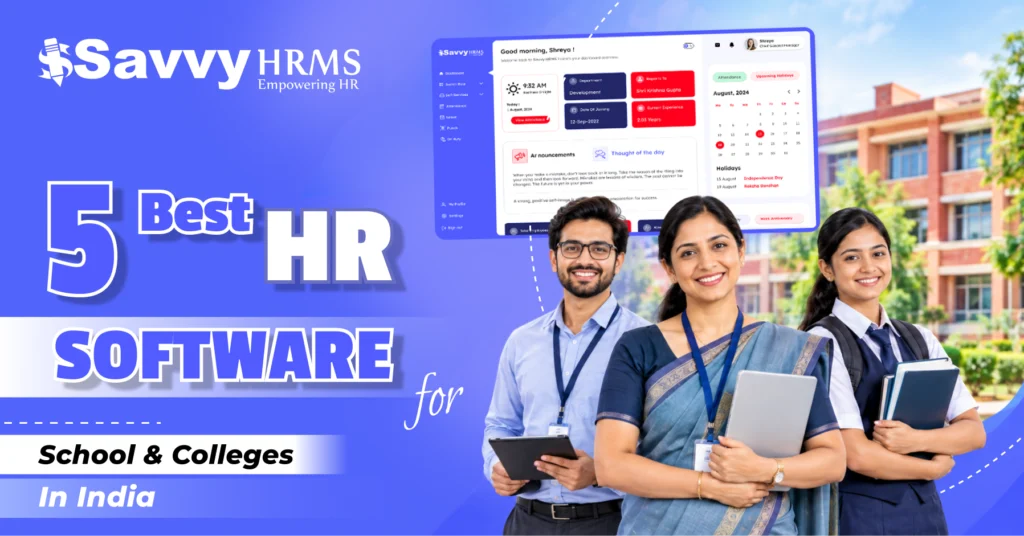
5 Best HR Software for Schools and Colleges in India for 2026


-
AuthorRuchika Rajput
-
 Last Updated
September 08, 2026
Last Updated
September 08, 2026
-
 Reading Time
17 Mins
Reading Time
17 Mins
Best HR software for schools and colleges should do much more than maintain employee records. Schools and colleges need to manage teachers, faculty, administrative teams, support staff, attendance, leave, payroll, compliance, documents, and employee lifecycle processes efficiently.
Educational institutions also operate differently from regular businesses. Academic sessions, semesters, examinations, vacations, substitute arrangements, visiting faculty, and different employee categories can make HR administration more complicated than conventional corporate workplaces.
The right HR software for schools and colleges can bring these processes together on one platform. From faculty attendance and academic-year leave to payroll, compliance, employee documents, and self-service, HRMS software can help institutions reduce manual work and improve HR accuracy.
Why Do Schools and Colleges Need HR Software in 2026?
Managing HR manually becomes increasingly difficult as schools and colleges grow. HR teams may have to maintain employee information, attendance sheets, leave records, salary calculations, documents, and compliance information across multiple spreadsheets and systems.
Educational institutions often manage several employee categories, including teachers, professors, visiting faculty, administrative staff, librarians, laboratory employees, transport staff, security personnel, and contractual workers.
Each group may follow different working schedules, attendance rules, salary structures, or leave policies. This makes manual HR administration time-consuming and increases the possibility of errors.
HR software for schools and colleges provides a centralized system where employee information and HR processes can be managed more efficiently.
Key reasons institutions need HR software include:
- Centralized employee information
- Automated attendance management
- Digital leave management
- Faculty and staff payroll automation
- Employee document management
- Certification and training tracking
- Employee self-service
- Recruitment and onboarding
- Performance management
- Statutory compliance management
- Multi-campus workforce management
- HR analytics and reporting
For growing educational groups, HRMS software can also provide management with a consolidated view of employees across different schools, departments, and campuses.
How Did We Rank This HR Software for Schools and Colleges?
We ranked these 5 HR software platforms based on their ability to address the specific HR requirements of educational institutions in India.
Instead of focusing only on the number of features offered, we considered practical factors that influence whether an HRMS can work effectively in a school or college environment.
Our ranking criteria included:
- Core HR Management: Ability to manage employee records, departments, designations, documents, organizational structures, and employee lifecycle activities.
- Payroll Management: Salary processing, salary structures, deductions, payslips, payroll reports, and statutory payroll requirements.
- Attendance and Leave: Biometric attendance, mobile attendance, shift management, leave policies, approvals, attendance regularization, and payroll integration.
- Academic-Year Flexibility: Ability to configure leave and HR policies according to academic calendars and institutional requirements.
- Employee Self-Service: Availability of employee portals or mobile applications for leave, attendance, payslips, documents, and HR requests.
- Customization: Ability to configure workflows, policies, employee categories, approval structures, and organizational requirements.
- Integrations: Compatibility with biometric devices, ERP systems, accounting software, APIs, and other business applications.
- Scalability: Suitability for small schools, large colleges, universities, and multi-campus educational groups.
- Ease of Use: User-friendliness for HR administrators, teachers, faculty, and other employees.
- India-Specific Requirements: Ability to support payroll and statutory processes relevant to Indian organizations.
At a Glance
| Rank | HR Software | Best For | Overall Fit |
| 1 | Savvy HRMS | Comprehensive HR, payroll, attendance, and compliance | ⭐⭐⭐⭐⭐ Excellent |
| 2 | People HR | Simple HR administration for smaller institutions | ⭐⭐⭐⭐ Good |
| 3 | BambooHR | Modern global HR management and employee experience | ⭐⭐⭐⭐ Good |
| 4 | HR Mantra | Configurable HR, payroll and workforce management | ⭐⭐⭐⭐ Good |
| 5 | uKnowva HRMS | Customizable and AI-enabled HR automation | ⭐⭐⭐⭐ Good |
1. Savvy HRMS
Overview
Savvy HRMS is a comprehensive HRMS platform designed to manage core HR, attendance, leave, payroll, statutory compliance, recruitment, performance, learning, expenses, employee assets, helpdesk, and other workforce processes. Its configurable HR policies can also support institutions with different employee categories and academic-year requirements.
Key Capabilities
- Centralizes employee records, documents, departments, designations, and organizational information.
- Automates attendance using biometric, mobile, geo-tagging, and related methods.
- Supports flexible leave policies for different employee groups and requirements.
- Connects attendance and leave data directly with payroll processing.
- Automates salary calculations, deductions, payslips, reimbursements, and payroll processes.
- Supports statutory payroll requirements including PF, ESIC, professional tax, and related processes.
- Provides employee self-service through web and mobile HR access.
- Covers recruitment, performance, learning, expenses, assets, helpdesk, and employee lifecycle.
- Supports integrations with biometric devices, ERP systems, accounting platforms, and APIs.
Savvy HRMS offers a broad collection of HR modules, making it suitable for institutions that want to manage multiple HR functions through one centralized platform.
Its payroll capabilities can also help organizations manage salary structures, salary components, deductions, reimbursements, loans, statutory requirements, and payroll reporting.
Who Should Choose Savvy HRMS?
Savvy HRMS is suitable for schools, colleges, universities, and educational groups that want a comprehensive HR platform covering employee management, faculty attendance, leave, payroll, compliance, recruitment, performance, and employee self-service.
Who Might Not Need Savvy HRMS?
Very small institutions with only a handful of employees and extremely basic requirements may not require a comprehensive HRMS. A simpler employee-management or payroll solution could be sufficient for their needs.
Best For
Savvy HRMS is best for Indian schools and colleges looking for an integrated HR platform for faculty and staff management, attendance, leave, payroll, statutory compliance, employee self-service, recruitment, performance, and broader HR automation.
2. People HR
Overview
People HR is a cloud-based HR platform focused on employee records, absence management, onboarding, documents, performance, timesheets, workflows, and employee self-service. It can be useful for smaller organizations looking for straightforward HR administration and employee management.
Key Capabilities
- Centralizes employee information, documents, job history, and organizational details.
- Supports leave, absence requests, approvals, and employee self-service.
- Provides onboarding workflows, digital documents, tasks, and employee information.
- Supports qualification, certification, training, and professional-development tracking.
- Provides performance reviews, appraisals, goals, feedback, and development tools.
- Supports integrations with payroll, recruitment, attendance, and business applications.
Who Should Choose People HR?
People HR can suit smaller educational organizations that prioritize simple employee records, absence management, onboarding, documentation, training, and performance management.
Who Might Not Need People HR?
Indian schools and colleges requiring extensive India-specific payroll, statutory compliance, academic-year policies, or highly localized workflows should carefully assess whether the platform meets those requirements.
Best For
People HR is best for smaller institutions looking for straightforward employee management, absence tracking, onboarding, documentation, training, performance management, and cloud-based HR administration.
3. BambooHR
Overview
BambooHR is a widely recognized HR platform covering employee records, recruitment, onboarding, payroll, benefits, time tracking, performance, compensation, reporting, and employee experience. Its connected HR ecosystem makes it attractive to organizations seeking modern workforce management.
Key Capabilities
- Maintains centralized employee information and HR records efficiently.
- Supports recruitment, applicant tracking, onboarding, and employee lifecycle management.
- Provides time tracking and attendance capabilities for workforce management.
- Connects employee information with payroll to reduce repetitive administration.
- Offers performance management, compensation, reporting, and employee experience tools.
- Provides integrations with payroll, accounting, and other business applications.
Who Should Choose BambooHR?
BambooHR can suit educational organizations seeking a modern HR platform with strong employee experience, recruitment, onboarding, performance management, reporting, and integration capabilities.
Who Might Not Need BambooHR?
Indian institutions primarily requiring localized statutory payroll, academic-year policies, or specialized education-sector HR workflows should carefully evaluate these requirements before selecting the platform.
Best For
BambooHR is best for globally oriented educational organizations looking for modern employee management, onboarding, performance, time tracking, payroll, reporting, and HR integrations.
4. HR Mantra
Overview
HR Mantra is an Indian HRMS and payroll platform offering employee management, recruitment, attendance, leave, payroll, training, performance appraisal, and employee lifecycle management. Its configurable approach can support organizations with complex HR structures and workflows.
Key Capabilities
- Manages recruitment, staffing, employee records, onboarding, and employee lifecycle.
- Automates attendance, leave applications, approvals, and payroll workflows.
- Supports payroll processing with statutory deductions and compliance management.
- Integrates biometric attendance information with HR and payroll operations.
- Provides performance appraisal, training, learning, and employee development capabilities.
- Supports employee self-service for attendance, leave, claims, and payslips.
Who Should Choose HR Mantra?
Schools, colleges, and educational groups with complex employee structures, biometric attendance requirements, multiple workflows, and detailed payroll processes can consider HR Mantra.
Who Might Not Need HR Mantra?
Smaller institutions that only require basic employee records, attendance, leave, and simple payroll may find a broader platform unnecessary.
Best For
HR Mantra is best for educational institutions requiring configurable HR, payroll, attendance, staffing, employee lifecycle management, biometric integration, performance, and workforce automation.
5. uKnowva HRMS
Overview
uKnowva HRMS is an AI-enabled HR platform designed to automate employee lifecycle processes. It covers core HR, payroll, attendance, onboarding, performance, analytics, employee self-service, workflows, and customizable integrations.
Key Capabilities
- Centralizes employee profiles, documents, calendars, and HR information.
- Supports mobile, biometric, QR, geo-fencing, and geo-tagging attendance.
- Provides leave management with balances, approvals, and compensatory-off tracking.
- Supports payroll, expenses, compensation, investments, and tax-related processes.
- Offers customizable onboarding, probation, exit, helpdesk, and HR workflows.
- Provides APIs and integrations for external HR and enterprise applications.
Who Should Choose uKnowva HRMS?
Educational institutions seeking customizable workflows, AI-enabled HR analytics, mobile HR, employee lifecycle automation, and integration capabilities can consider uKnowva HRMS.
Who Might Not Need uKnowva HRMS?
Institutions with straightforward HR requirements may not need an extensively customizable HR platform and could prefer a simpler HRMS with fewer configuration requirements.
Best For
uKnowva HRMS is best for educational organizations looking for customizable workflows, AI-supported HR automation, mobile HR, integrations, attendance management, and employee lifecycle management.
| HR Software | Best For | Biggest Advantage | Potential Integration | Ideal Employee Size |
| Savvy HRMS | Schools, colleges and educational groups | Comprehensive HR, payroll and compliance | ERP, biometric, accounting, APIs | 50 – 10,000+ |
| People HR | Smaller institutions | Simple HR administration | Payroll, ATS, BI, APIs | 10 – 500+ |
| BambooHR | Global-oriented institutions | Strong employee experience | Payroll, accounting, HR applications | 50 – 1,000+ |
| HR Mantra | Complex Indian HR operations | Configurable HR and payroll | Biometric, payroll, enterprise systems | 100 – 5,000+ |
| uKnowva HRMS | Customizable HR automation | Flexible workflows and integrations | APIs, webhooks, ERP systems | 100 – 5,000+ |
Employee-size ranges are indicative and should not be treated as fixed technical limits. Actual suitability depends on modules, implementation requirements, integrations, and workforce complexity.
What Features Should Educational Institutions Look for in HR Software?
The best HR software for schools and colleges should address the specific operational requirements of educational institutions rather than simply provide basic employee management.
1. Centralized Employee Management
The platform should maintain teacher, faculty, administrative, technical, and support staff information in one centralized database.
2. Faculty Attendance Management
Schools and colleges should look for biometric, mobile, QR, geo-tagging, shift, and attendance regularization capabilities.
3. Flexible Leave Management
The HRMS should allow institutions to create different leave policies for teachers, faculty, administrative staff, contractual employees, and other groups.
4. Academic-Year Policies
Academic institutions should check whether the HRMS can support academic-year leave and policy configurations alongside conventional calendar or financial-year requirements.
5. Payroll Automation
The software should connect attendance, leave, salary structures, deductions, allowances, reimbursements, and payroll calculations.
6. Statutory Compliance
Indian institutions should evaluate support for applicable payroll compliance requirements, including PF, ESI, professional tax, TDS, and other relevant obligations.
7. Employee Self-Service
Teachers and employees should be able to apply for leave, check attendance, access payslips, update information, and submit HR requests independently.
8. Document Management
The platform should provide centralized storage for appointment letters, qualifications, certifications, contracts, employee documents, and training records.
9. Certification Tracking
Institutions can benefit from tracking qualifications, certifications, training completion, expiry dates, and professional development.
10. Recruitment and Onboarding
The HRMS should help manage faculty recruitment, candidate records, onboarding documents, approvals, and joining formalities.
11. Multi-Campus Management
Educational groups should consider platforms that allow centralized management of multiple schools, colleges, departments, and locations.
12. HR Analytics
Dashboards and reports can help administrators understand employee headcount, attendance, leave, payroll, turnover, recruitment, and other workforce trends.
Key Benefits of Using HR Software in Schools and Colleges
Implementing HR software can transform how educational institutions manage their workforce.
1. Reduced Manual HR Work
Automation eliminates repetitive tasks such as maintaining spreadsheets, calculating leave balances, preparing attendance reports, and manually transferring payroll inputs.
2. More Accurate Payroll
Connecting attendance, leave, employee information, and payroll can reduce duplicate data entry and calculation errors.
3. Faster Employee Services
Teachers and staff can submit leave requests, access payslips, check attendance, and raise HR requests digitally.
4. Centralized Employee Information
HR teams can access employee records, documents, salary information, attendance, and other HR data from a single system.
5. Improved Compliance Management
Automated payroll and centralized employee records can help HR teams manage applicable statutory processes more consistently.
6. Better Multi-Campus Visibility
Management can obtain centralized workforce information across different campuses, schools, departments, or locations.
7. Improved Data Security
Role-based access controls can help ensure that employees and administrators only access information relevant to their responsibilities.
8. Better Workforce Decisions
HR dashboards and reports can help management identify attendance patterns, workforce trends, recruitment requirements, and other HR insights.
9. Improved Employee Experience
Self-service capabilities allow teachers and staff to complete routine HR activities without depending on HR teams for every request.
How Does HR Software Simplify Faculty and Staff Payroll?
Payroll can become complicated when an institution has different employee categories and salary structures.
Teachers, professors, administrative employees, visiting faculty, contractual workers, and support staff may have different compensation arrangements. Attendance, leave, overtime, allowances, deductions, reimbursements, and other payroll inputs can further increase complexity.
HR software for colleges can bring these processes together.
A general automated payroll workflow can look like:
Employee Data → Attendance → Leave → Payroll Inputs → Salary Calculation → Statutory Deductions → Payslip → Payroll Reports
Instead of manually collecting attendance and leave information every month, HR teams can use centralized information to prepare payroll.
HR software can help institutions:
- Create different salary structures
- Manage salary components
- Calculate attendance-based adjustments
- Process leave-related deductions
- Manage allowances and deductions
- Process reimbursements
- Calculate applicable statutory deductions
- Generate digital payslips
- Maintain payroll records
- Generate payroll reports
This reduces manual intervention and provides HR teams with a more structured payroll process.
For larger educational groups, centralized payroll can also provide better visibility across multiple campuses while allowing different salary structures and policies where required.
How Can HR Software Help Manage Teacher Attendance and Leave?
Teacher and faculty attendance can be more complicated than standard office attendance.
Teachers may have classes, lectures, examination duties, meetings, workshops, academic events, administrative responsibilities, and different working schedules.
An HRMS can centralize attendance and connect it with leave and payroll.
Depending on the platform, institutions can use:
- Biometric attendance
- Mobile attendance
- QR attendance
- Geo-tagging
- Geo-fencing
- Shift management
- Attendance regularization
- Leave approvals
- Overtime management
- Compensatory leave
- Employee self-service
The biggest advantage comes when attendance and leave are connected with payroll.
For example, approved leave can automatically be reflected in attendance records, while relevant attendance or leave information can flow into payroll according to configured policies.
This can reduce manual reconciliation and help HR teams maintain more accurate employee records.
For schools and colleges, institutions should also check whether the HRMS supports academic-year leave management, because their leave cycle may not always match a standard corporate calendar.
What Are the Challenges of Implementing HR Software in Educational Institutions?
Although HR software can simplify HR management, implementation requires proper planning.
1. Multiple Employee Categories
Teachers, professors, administrative employees, contractual workers, and support staff may follow different policies. The system should accommodate these differences.
2. Data Migration
Institutions may have employee data spread across spreadsheets, physical files, payroll software, and other systems.
3. Multiple Campuses
Large education groups may need centralized management while allowing individual campuses to maintain their own HR processes.
4. Employee Adoption
Teachers and staff need proper training to use employee self-service, mobile applications, attendance tools, and digital workflows.
5. Existing Integrations
Institutions may already use biometric machines, ERP systems, accounting platforms, or education-management software.
6. Policy Configuration
Attendance, leave, salary, approval, access, and employee categories should be configured before implementation.
7. Data Security
HR software contains sensitive employee information. Institutions should evaluate user permissions, access controls, authentication, backups, and security practices.
8. Implementation Support
Institutions should understand implementation timelines, data migration, configuration, training, support, and post-implementation services before selecting a vendor.
A structured implementation approach can help:
Requirement Analysis → Data Preparation → Policy Configuration → Integration → Testing → Training → Rollout → Monitoring
How Much Does HR Software Cost for Schools and Colleges in India?
There is no fixed price for HR software for schools and colleges in India.
The cost can vary based on several factors:
- Number of employees
- Number of campuses
- Modules required
- Payroll requirements
- Attendance requirements
- Biometric integration
- ERP integration
- Customization
- Implementation
- Training
- Customer support
- Contract duration
Some HR software providers use per-employee pricing, while others offer customized pricing based on workforce size and selected modules.
For example, a school with 100 employees and basic HR requirements may have very different costs from a university with several thousand employees, multiple campuses, complex payroll, biometric attendance, and extensive integrations.
Therefore, educational institutions should not evaluate software based only on subscription price.
Instead, consider the total cost of ownership:
Software Cost + Implementation + Migration + Integration + Hardware + Training + Support
Institutions should also consider the potential savings generated through automation.
If HR teams spend several working days every month preparing attendance reports, reconciling leave, processing payroll, and maintaining employee records, automation can reduce that administrative workload.
The right HRMS is therefore not necessarily the cheapest platform. It is the one that provides the required capabilities at a reasonable overall cost.
How to Choose the Right HR Software for Your School or College?
Choosing the right HR software requires a clear understanding of your institution’s HR requirements.
Step 1: Identify Employee Categories
List all employee groups, including:
- Teachers
- Professors
- Visiting faculty
- Administrative staff
- Librarians
- Laboratory staff
- Transport staff
- Security personnel
- Contract employees
- Support staff
Identify which groups require different policies.
Step 2: Understand Your Payroll Structure
Review salary components, allowances, deductions, reimbursements, overtime, attendance adjustments, and statutory requirements.
Step 3: Evaluate Attendance Requirements
Determine whether you need biometric, mobile, QR, geo-tagging, geo-fencing, shift management, or other attendance options.
Step 4: Check Academic-Year Support
If your institution follows an academic calendar, confirm that the HRMS can configure leave and other relevant policies accordingly.
Step 5: Evaluate Employee Self-Service
Check whether teachers and staff can:
- Apply for leave
- View attendance
- Access payslips
- Update profiles
- Access documents
- Submit expenses
- Raise HR requests
Step 6: Check Integration Capabilities
If you already use biometric devices, ERP software, accounting systems, or other platforms, check whether the HRMS can integrate with them.
Step 7: Consider Scalability
Choose a system that can accommodate future employee growth, new departments, additional campuses, and changing HR requirements.
Step 8: Evaluate Security
Review role-based access, user permissions, authentication, data security, backups, and administrative controls.
Step 9: Compare Total Cost
Compare subscription fees along with implementation, integration, customization, training, support, and hardware costs.
Step 10: Take a Relevant Demo
Instead of asking for a generic product demonstration, ask the vendor to demonstrate your actual workflow:
Faculty onboarding → Attendance → Leave → Payroll → Payslip → Reporting
This gives your HR team a much better understanding of whether the platform fits your institution.
Conclusion
The right HR software for schools and colleges can simplify employee management, attendance, leave, payroll, compliance, documentation, and employee self-service. Among the 5 platforms, Savvy HRMS offers a comprehensive solution to help educational institutions manage their complete HR operations efficiently.
With Savvy HRMS, schools and colleges can simplify daily HR processes, improve payroll accuracy, simplify attendance and leave management, and give employees easy access to essential HR services. It provides institutions with a centralized platform to manage their workforce more efficiently and focus on creating a better workplace for educators and staff.











Looking to simplify HR management for your school or college?
Explore Savvy HRMS and simplify attendance, leave, payroll, compliance, and your complete employee lifecycle from one platform.
Frequently Asked Questions (FAQs)
1. What is HR software for schools and colleges?
HR software for schools and colleges is a centralized system that helps manage employee records, attendance, leave, payroll, recruitment, performance, compliance, and other HR processes for teaching and non-teaching staff.
2. What are the benefits of using HR software in educational institutions?
HR software reduces manual work, improves payroll accuracy, simplifies attendance and leave management, centralizes employee data, supports compliance, and gives employees easy access to HR services.
3. Can HR software manage teacher and staff attendance?
Yes. HR software can manage attendance, shifts, working hours, overtime, attendance regularization, and leave for teachers, administrative staff, and other employees. It can also integrate with biometric attendance systems.
4. Can HR software automate payroll for schools and colleges?
Yes. HR software can automate salary calculations, deductions, statutory contributions, payslips, reimbursements, loans, and other payroll processes, helping institutions reduce errors and save administrative time.
5. How do schools and colleges choose the right HR software?
Institutions should consider features such as payroll, attendance, leave management, employee self-service, compliance, reporting, integrations, security, scalability, ease of use, and overall suitability for their workforce size.