Pay and Taxes: How Can You File Your Income Tax Return Online?


-
AuthorHRMS
-
 Last Updated
October 24, 2026
Last Updated
October 24, 2026
-
 Reading Time
16 Mins
Reading Time
16 Mins
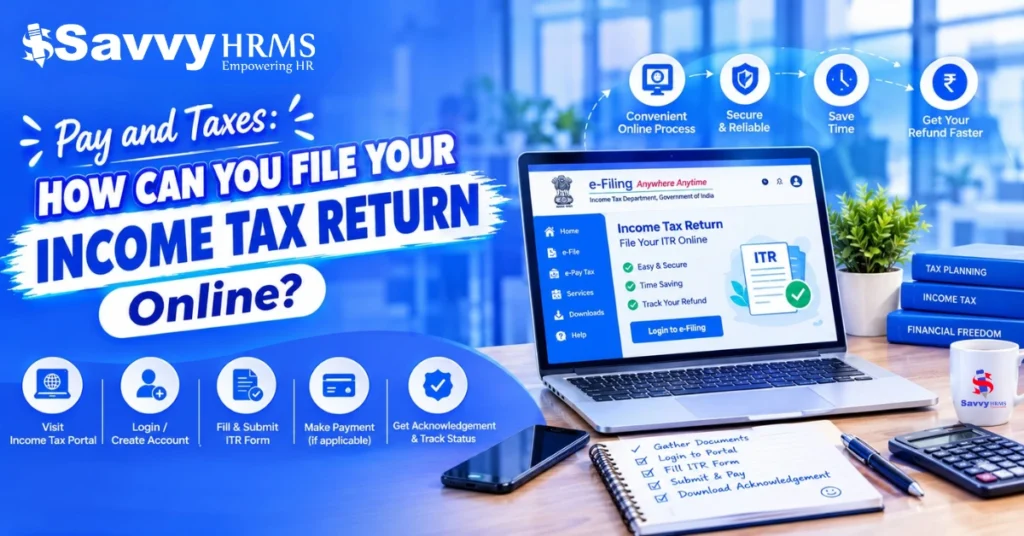
Pay and taxes go hand in hand when filing your income tax return in India. You can file your ITR online through the official Income Tax Department e-Filing Portal by following these steps:
- Keep your documents ready, including Form 16, salary slips, Form 26AS, AIS, bank statements, and relevant deduction records.
- Select the appropriate ITR form according to your income type and applicable filing rules.
- Compare the old and new tax regimes to understand your tax liability.
- Enter your income details, review pre-filled information, and submit your return online.
- Pay any outstanding tax through the official e-Pay Tax facility.
- Verify your ITR within the applicable deadline.
- Track your return and refund status through the e-Filing Portal.
Always review your income and tax details carefully before submitting your return.
Filing an income tax return (ITR) online allows taxpayers to report their income, claim eligible deductions, review taxes already paid, and determine whether they owe additional tax or qualify for a refund. In India, individuals can file their returns through the official Income Tax Department e-Filing Portal.
The process involves preparing the required documents, selecting the appropriate ITR form, checking income details, calculating tax liability, submitting the return, and completing verification. Understanding how pay and taxes work together can help salaried employees, freelancers, and self-employed professionals complete these steps correctly.
This guide explains how to file your income tax return online, what documents you need, how to pay income tax online, and how to check your refund status.
What Is an Income Tax Return (ITR)?
An Income Tax Return (ITR) is a form that taxpayers submit to the Income Tax Department to report their income, applicable deductions, tax payments and tax liability for a financial year. It helps the department assess the information provided and determine whether additional tax is payable or a refund is due.
Which ITR Form Should You Choose?
The correct Income Tax Return (ITR) form depends on your income sources, total income, residential status, and other eligibility conditions. Choosing the right form is an important step when you file your income tax return online
Here is a general overview of the main ITR forms used by individual taxpayers:
| ITR Form | Who Generally Uses It? |
| ITR-1 (Sahaj) | Eligible resident individuals with relatively simple income, such as salary, one house property, and other permitted sources, subject to the applicable conditions. |
| ITR-2 | Individuals and Hindu Undivided Families (HUFs) who do not have income from profits and gains of business or profession and are not eligible for ITR-1. |
| ITR-3 | Individuals and HUFs who have income from profits and gains of business or profession. |
| ITR-4 (Sugam) | Eligible resident individuals, HUFs, and firms other than LLPs opting for specified presumptive taxation provisions, subject to the applicable conditions. |
How Can You Choose the Right ITR Form?
Before selecting a form, check your income sources, residential status, and eligibility for the relevant assessment year or tax year. For example, a salaried employee may not automatically qualify for ITR-1 if they have income or circumstances that fall outside its eligibility rules.
The Income Tax Department updates ITR forms and eligibility conditions when required. Always confirm the applicable form and instructions on the official Income Tax Department e-Filing Portal before submitting your return.
What Documents Do You Need to File Your Income Tax Return Online?
Before you begin online ITR filing, keep the documents and financial details related to your income, taxes paid, and eligible deductions ready. The exact list depends on whether you earn a salary, run a business, work as a freelancer, or receive income from other sources.
What Documents Are Required to File ITR for a Salaried Employee?
If you work for an employer, prepare the following documents and details:
- PAN and Aadhaar details: Keep your identification details ready for portal access and verification.
- Form 16: Use the certificate issued by your employer to check your salary income and tax deducted at source (TDS).
- Salary slips: Refer to your payslips to verify salary components and deductions.
- Form 26AS: Check the tax credits and taxes paid or deducted against your PAN.
- Annual Information Statement (AIS): Review reported financial transactions, interest income, and other information relevant to your return.
- Bank statements and interest certificates: Check savings account interest, fixed deposit interest, and other bank income.
- Investment and deduction records: Keep applicable insurance receipts, eligible investment proofs, donation receipts, and other supporting records.
- House rent and home loan details: Keep rent receipts, rental agreement, or home loan interest certificates if relevant to your claims.
- Bank account details: Verify your account information, particularly if you expect an income tax refund.
These are common documents required for ITR filing for salaried taxpayers. However, Employers can use payroll software to organize salary records, process TDS, and make payroll information easier to review during tax season. However, employees should still check their own Form 16, Form 26AS, and AIS before filing.
What Documents Do Self-Employed Individuals and Freelancers Need?
If you run a business or work independently, the documents you need may include:
- Income records: Invoices, receipts, sales records, and details of professional fees or business income.
- Expense records: Bills and receipts for business expenses relevant to your income calculations.
- Bank statements: Review business and personal transactions that relate to your taxable income.
- Books of accounts and financial statements: Keep these ready where applicable to your business and filing requirements.
- Form 26AS and AIS: Reconcile TDS, tax payments, and other reported financial information.
- Advance tax and self-assessment tax details: Keep challans or payment records for taxes already paid.
- Investment and deduction records: Gather supporting documents for any deductions or claims you are eligible to make.
- Capital gains records: If applicable, keep statements for the sale of shares, securities, property, or other assets.
For self-employed tax payments, it is also useful to maintain records of advance tax instalments and self-assessment tax payments, where applicable. The documents required depend on your income sources and the ITR form applicable to you. Check the relevant form instructions on the official Income Tax Department e-Filing Portal before you start.
Do You Need to Upload These Documents With Your ITR?
Generally, individual ITR forms are annexure-less, meaning you do not attach supporting documents such as Form 16 or investment proofs when submitting the return. However, you should retain relevant records in case the Income Tax Department asks you to provide them later.
Before submitting your return, compare the details you enter with your supporting records and resolve any differences in reported income or tax credits.
What Is the Difference Between a Financial Year and an Assessment Year?
A financial year is the period in which you earn income, while an assessment year traditionally refers to the following year in which that income is reported and assessed under the earlier income tax framework. Understanding the difference helps you select the correct filing period when submitting your income tax return online.
| Basis | Financial Year (FY) | Assessment Year (AY) |
| Meaning | The period during which income is earned. | The year in which income from the preceding financial year is reported and assessed under the earlier framework. |
| Period | 1 April to 31 March. | 1 April to 31 March of the following year. |
| Example | FY 2025–26 runs from 1 April 2025 to 31 March 2026. | AY 2026–27 relates to income earned during FY 2025–26. |
What Is a Tax Year Under the Income-tax Act, 2025?
The Income-tax Act, 2025 introduces the term tax year for the period beginning 1 April 2026. A tax year runs from 1 April to 31 March and aligns with the period in which the income is earned.
For example, income earned from 1 April 2026 to 31 March 2027 falls within tax year 2026–27. The assessment-year terminology remains relevant when dealing with income earned in earlier periods under the previous framework.
Before filing, confirm the applicable year and follow the instructions displayed on the official Income Tax Department e-Filing Portal.
How Should You Choose Between the Old and New Tax Regimes?
When filing your income tax return, check which tax regime applies to you and compare your tax liability under the available options. The old and new regimes have different tax rates, deductions, and exemptions, so the most suitable option depends on your income and circumstances.
The new tax regime is the default regime for eligible taxpayers. The old regime may allow certain deductions and exemptions that are restricted or unavailable under the new regime.
Before deciding, consider the following:
- Your income: Review your salary, business or professional income, interest, and other taxable income.
- Eligible deductions and exemptions: Check which deductions you can claim under each regime. For example, the rules for claiming certain investments and house rent allowance exemptions differ.
- Your estimated tax liability: Use the Income Tax Department’s official tax calculator to compare the tax payable under both regimes, where you are eligible to choose.
- Rules for switching regimes: The process and flexibility for choosing a regime depend on whether you earn business or professional income.
Taxpayers without business or professional income can generally choose their eligible regime when filing their return, subject to the applicable rules and deadline. Those with business or professional income may have additional conditions, including Form 10-IEA in relevant cases.
Do not assume that one regime is always better for everyone. Compare your figures and review the current rules before submitting your return.
How Can You File Your Income Tax Return Through the Official Portal?
You can file your return through the Income Tax Department e-Filing Portal. The portal provides online filing services and official instructions for different ITR forms.
Follow these steps to understand the ITR filing process in India.
Step 1: Log in to the Income Tax e-Filing Portal
Open the official portal and sign in using your credentials. If you have not registered, complete the registration process according to the portal’s instructions.
Keep your PAN and registered contact details available, as you may need to complete additional authentication steps to access certain services.
Step 2: Select the Assessment Year
After logging in, navigate to e-File → Income Tax Returns → File Income Tax Return.
Select the assessment year applicable to the income you want to report and choose online filing if that option is available for your return.
For example, income earned during financial year 2025–26 is generally reported under assessment year 2026–27. Always confirm the correct year before proceeding.
Step 3: Choose the Correct ITR Form
Select the form that matches your income sources and eligibility. The appropriate form depends on factors such as salary income, business or professional income, capital gains and other financial circumstances.
If you are unsure which form applies to you, use the portal’s guidance for identifying the applicable ITR form and do not select a form solely because it appears simpler.
Step 4: Review Your Pre-Filled Information
The portal may display information already available from your profile and other reporting sources. Review your personal details, salary, other income, TDS, and tax-payment information.
Compare these details with Form 16, AIS, Form 26AS and your own financial records. Correct any missing or inaccurate information before proceeding.
Pre-filled information is intended to help with filing, but you remain responsible for ensuring that your return accurately reports your income.
Step 5: Enter Income and Claim Applicable Deductions
Complete the relevant sections of your ITR form. Report your salary, interest income, rental income, capital gains, business income or other applicable income sources.
Enter deductions and exemptions that you are eligible to claim under the applicable rules and tax regime. Always review your tax-regime choice carefully because the available deductions may differ between regimes.
Confirm each section after checking the information entered.
Step 6: Review Your Tax Calculation
After completing the relevant sections, review the tax computation displayed by the portal. Check your total income, deductions, tax liability and credits for taxes already paid.
The result may show that:
- You have no additional tax to pay.
- You need to pay additional tax.
- You may be eligible for a tax refund.
If the calculation shows an amount payable, review the details and complete the required payment before final submission, following the portal’s instructions.
Step 7: Validate and Submit Your Return
Preview your return and check for errors or missing information. Use the validation process provided by the portal to identify issues that need correction.
Once the return is complete and validated, submit it. Save your acknowledgement number and filing confirmation for future reference.
Important: Submitting your ITR is not the final step. You must also complete the required verification process within the applicable time limit.
How Can You Pay Income Tax Online?
If your tax deducted at source, advance tax, and other eligible tax credits do not cover your final tax liability, you may need to pay the remaining amount. Understanding pay and taxes is particularly important at this stage because submitting a return and paying the outstanding tax are separate steps.
The Income Tax Department provides an e-Pay Tax service through its official portal. Taxpayers can use this service to generate a challan and select an available payment method.
If you want to pay income tax through the official portal, follow these steps:
- Visit the official Income Tax e-Filing Portal.
- Open the e-Pay Tax service, available through the portal’s pre-login or post-login options.
- Select the applicable tax-payment category and enter the required tax-year or assessment-year details.
- Choose the appropriate payment type, such as self-assessment tax, if applicable.
- Enter and review the tax amount and other required details.
- Select an available payment method and follow the payment instructions.
- Save the challan receipt and confirm the payment status.
Available payment methods may include net banking, debit card, a payment gateway supporting options such as UPI or credit card, RTGS/NEFT, and payment at selected bank counters. The exact options depend on the selected route and participating bank.
For income tax payment online, use the official portal to check the payment methods currently available for your selected tax category. You may also be directed to the tax-payment workflow while preparing your return if the portal calculates an amount payable.
How to Verify Your ITR Online?
After submitting your return, complete e-verification to finish the filing process. The Income Tax Department generally requires taxpayers to verify their returns within 30 days of filing, subject to applicable rules and procedures for delayed verification.
You can use an available verification method, such as Aadhaar OTP, net banking, an eligible bank or demat account electronic verification code (EVC), or a Digital Signature Certificate (DSC), depending on your circumstances.
To verify your return:
- Log in to the official e-Filing Portal.
- Navigate to e-File → Income Tax Returns → e-Verify Return, or use the verification option shown after filing.
- Select the return awaiting verification.
- Choose an available verification method and follow the instructions.
- Confirm that the portal displays successful verification and save the confirmation.
If you selected the option to verify later, return to the portal and complete the process within the applicable deadline.
For detailed instructions, consult the Income Tax Department’s e-Verification User Manual.
How to Check Income Tax Refund Status?
An income tax refund may be due when you pay more tax than you owe. However, a refund is not guaranteed just because you file a return claiming one. Your ITR must be verified and processed, and the department must confirm the refundable amount.
To understand how to check income tax refund status, follow these steps:
- Visit the Income Tax e-Filing Portal and log in.
- Navigate to e-File → Income Tax Returns → View Filed Returns.
- Select the relevant assessment year.
- Open the return details to view its processing status and any available refund information.
If your refund has not arrived, check for an outstanding notice, an adjustment, or a refund-failure message. Also confirm that your bank account is pre-validated and that the account details are correct.
What Common Mistakes Should You Avoid When Filing ITR Online?
A few checks can help you reduce errors and avoid unnecessary delays.
- Selecting the wrong ITR form: Check your income sources and eligibility before choosing a form.
- Missing income sources: Report all applicable income, not just the salary shown in Form 16.
- Ignoring AIS or Form 26AS differences: Investigate discrepancies and correct the information where necessary.
- Claiming ineligible deductions: Check whether each deduction is allowed under the applicable rules and tax regime.
- Overlooking tax payable: Review the final tax computation and pay any amount due.
- Entering incorrect bank details: Confirm the account information used for refund purposes.
- Forgetting e-verification: Verify the return within the applicable deadline and retain the confirmation.
- Ignoring filing-status updates: Check the portal for processing messages, notices or requests for further action.
Reviewing your return carefully before submission can help you identify issues early and make the process easier to manage.
Conclusion
Understanding pay and taxes starts with knowing how to report your income, calculate your tax liability and complete the required filing steps. India’s official Income Tax Department e-Filing Portal allows eligible taxpayers to file their returns online, pay additional income tax when required, verify their returns and track refund status.
Before submitting your ITR, prepare your documents, check your income details, select the appropriate form, review the tax calculation and complete verification within the applicable deadline. These steps can help salaried employees and self-employed individuals manage their tax-filing responsibilities more confidently.
For the latest filing instructions, tax-payment options and verification requirements, always refer to the official Income Tax Department website.











Looking for an Easier Way to Manage Payroll and Tax Records?
Frequently Asked Questions
Can I file my income tax return online for free?
Yes. You can use the official Income Tax Department e-Filing Portal to file your return without paying a private filing platform. You may still need to pay any tax due and any applicable charges or fees associated with a selected payment method.
Can I file my ITR without Form 16?
Yes. Form 16 is useful for salaried employees, but it is not the only source of information for preparing an ITR. You can use salary records, bank statements, AIS, Form 26AS and other relevant documents to report your income accurately.
How can I pay income tax online?
Use the official portal’s e-Pay Tax service. Select the appropriate payment category, enter the required details, choose an available payment method and save your challan receipt. Confirm that the payment is recorded before completing your return.
Can I file my ITR without a bank account?
The filing and payment requirements are different. The available tax-payment methods may include payment at selected authorised bank counters, subject to eligibility and applicable limits. However, a bank account may be needed for electronic payment methods and is important for receiving refunds. Check the current portal instructions for your circumstances.
Can self-employed individuals file ITR online?
Yes. Self-employed individuals can file through the official portal using the ITR form applicable to their income and circumstances. They should maintain records of income and expenses and check whether advance tax or self-assessment tax is payable.