Best Learning Management Systems for Corporate Training in India


-
AuthorRuchika Rajput
-
 Last Updated
October 22, 2026
Last Updated
October 22, 2026
-
 Reading Time
16 Mins
Reading Time
16 Mins
TL;DR
A learning management system helps Indian businesses organize employee training, simplify onboarding, and track learning progress across teams.
- Compare Savvy HRMS, Qandle, Darwinbox, Keka, Zoho Learn, and Adobe Learning Manager to find a platform that matches your company’s training needs.
- Review each provider’s features for course management, employee induction, assessments, skill development, and training reports.
- Prioritize capabilities such as compliance training, progress tracking, mobile learning, and integration with existing HR software.
- Before choosing a platform, verify feature availability, implementation requirements, and the total cost.
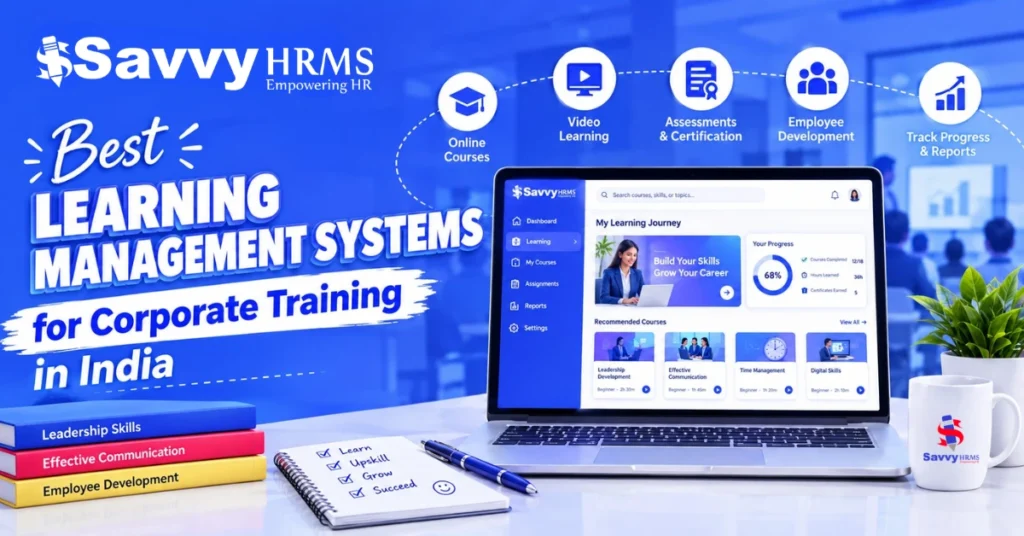
The best learning management system for corporate training in India is one that fits a company’s training goals, workforce size, budget, and existing HR software. Platforms such as Savvy HRMS, Qandle, Darwinbox, Keka, Zoho Learn, and Adobe Learning Manager offer options businesses can evaluate for employee onboarding, training delivery, and learning progress tracking.
The need for structured workplace learning is clear. A NITI Aayog report published in 2026, citing World Development Indicators, found that only 7.7% of firms in India provided formal training to permanent, full-time employees in 2022, compared with 35.9% in 2014. This highlights the importance of building more structured approaches to employee training and development.
As businesses grow, managing training through spreadsheets and separate sessions can make it harder to maintain consistent records and track progress across departments and locations. In this guide, we compare six learning management systems, look at their key features, and explain what businesses should consider when choosing a platform for employee training.
What Is a Learning Management System?
A learning management system is software that helps organizations create, organize, deliver, and track training programs. Businesses use learning management system software to train employees, manage onboarding, develop professional skills, deliver compliance courses, and monitor learning progress.
An LMS typically allows administrators to assign training materials, organize courses, assess employee knowledge, and review completion reports. Employees can access the learning resources available to them, complete assigned activities, and track their progress.
When choosing a learning management system online, businesses should consider how easily employees can access courses, complete assignments, and track their learning progress. The right learning management system for employee training should match the company’s training needs and workforce requirements.
For corporate training, a learning management system can support several activities:
- Employee onboarding: Deliver induction materials, company policies, role-specific training, and assessments to new hires.
- Skill development: Assign learning programs based on job responsibilities, performance requirements, and identified skill gaps.
- Compliance training: Distribute mandatory training, set deadlines, and maintain records of completion.
- Workforce development: Organize ongoing learning programs to help employees build capabilities for current and future roles.
- Training evaluation: Review participation, assessment results, course completion, and other available learning indicators.
The exact capabilities depend on the platform. Some systems primarily manage online courses, while others support instructor-led sessions, blended learning, knowledge management, and integration with HR processes.
How We Evaluate Each Learning Management System
To compare the best learning management systems for corporate training in India, we consider how well each platform supports employee learning, training administration, and workforce development. The evaluation focuses on practical features that HR teams, L&D managers, and business leaders should assess before selecting a solution.
When comparing employee training software, we also consider how well each platform supports everyday training tasks, from assigning courses to monitoring completion. This helps businesses identify an LMS for corporate training that fits their learning goals and existing HR processes.
We evaluate each system using the following criteria:
1. Training and course management
We examine the available tools for creating courses, organizing training materials, scheduling sessions, and assigning learning activities to employees.
2. Employee onboarding and skill development
We assess how each platform supports induction programs, role-based learning paths, skill-gap identification, and ongoing employee development.
3. Assessments and progress tracking
We look at capabilities for conducting quizzes and assessments, tracking course completion, monitoring employee progress, and reviewing training outcomes.
4. Compliance training and reporting
We consider features for assigning mandatory training, managing deadlines, recording completion, and generating reports for internal reviews.
5. Integration with HR systems
We evaluate how the platform connects with employee records, performance management, and other HR processes, where supported.
6. Accessibility and learning experience
We consider mobile access, content formats, ease of use, and support for employees working across different locations or shifts.
7. Pricing and implementation
We consider pricing transparency, available plans, implementation requirements, scalability, and the potential costs of integrations or additional services.
Our comparison is based on publicly available product information and official vendor resources. Feature availability, integrations, and pricing may vary by plan or contract, so businesses should confirm these details with the respective vendors before making a purchase decision.
The goal is to help businesses understand each platform’s strengths, identify the most suitable use cases, and choose a learning management system that matches their training requirements and budget.
Comparison Table: Best Learning Management Systems for Corporate Training in India (2026)
The table compares each platform by its primary use case, learning capabilities, HRMS integration, and pricing approach. Confirm plan-specific features and availability directly with vendors before choosing a solution.
| Platform | Best For | Mobile / Offline Learning | Multilingual Support | Assessments & Certifications | Indian HRMS Integration | Pricing Model | Trial / Demo |
| Savvy HRMS | Businesses managing employee training alongside HR operations | Mobile-based learning | Confirm available languages | Employee assessments and training reports | Integrated HRMS workflows | Customize Plan | Contact for demo |
| Qandle | Companies connecting employee learning with skills and career development | Mobile and Offline Support | Confirm available languages | Quizzes, skill analytics, and learning paths | Offer HRMS integrations | Customize Plan | Contact for demo |
| Darwinbox | Enterprises managing learning alongside broader HCM processes | Confirm capabilities for the selected solution | Confirm available languages | Depends on the learning solution selected | Native and partner-based options; verify scope | Custom pricing | Contact vendor |
| Keka | Indian businesses combining employee development with HR workflows | Mobile-based learning | Confirm available languages | Learning paths, skill-gap tracking, and training progress | Native Keka HR ecosystem; confirm plan details | Customize Plan | Contact for demo |
| Zoho Learn | Businesses needing employee training and knowledge management | Mobile-based learning | Confirm from vendor | Assessments, assignments, and certificates | Zoho ecosystem, including relevant Zoho integrations | Customize Plan | Check current trial |
| Adobe Learning Manager | Enterprises managing structured learning across large or diverse workforces | Mobile learning; verify offline capabilities | Supports multiple languages; confirm requirements | Certifications, assessments, and learning paths | Confirm specific Indian HRMS support | Custom pricing | Contact vendor |
Note: This is a feature-based comparison, not a hands-on ranking. Mobile/offline access, language support, integrations, trials, and pricing can vary by product version or subscription. Items marked for verification should be confirmed with the vendor rather than treated as confirmed capabilities.
1. Savvy HRMS
Savvy HRMS offers a Learning & Development module for planning, scheduling, and tracking classroom and on-the-job training. It comes with a training management system than a self-paced e-learning platform. The module covers induction, annual training plans, skill matrices, assessments, and training reports, all inside the same HRMS that handles attendance, payroll, and performance.
Key features of Savvy HRMS
- Plan skill development through DOJO training, skill matrices, and QR-based training attendance.
- Organize department-wise induction topics, training checklists, attendance, feedback, and completion tracking.
- Schedule training programs and sessions, coordinate participants, reserve rooms, and allocate training budgets.
- Plan monthly or quarterly training through the Annual Training Plan (ATP), and manage employee nominations using the training calendar.
- Assess learning progress with customizable pre-training and post-training tests.
- Review training participation, assessment results, and Training Needs Identification (TNI) reports to identify skill gaps and development needs.
Who should consider Savvy HRMS?
Savvy HRMS is worth evaluating for businesses that want to organize employee induction, scheduled training, skill development, assessments, and reporting through a structured HR system.
Companies should assess how its learning features fit their existing training processes, particularly if they need planned sessions and skill-matrix-based development rather than only self-paced online courses.
2. Qandle
Qandle offers learning and development software that focuses on personalized employee learning, skill growth, and connections between training and performance. Their approach is relevant to organizations that want to move beyond assigning the same courses to every employee.
Key features of Qandle
- Create personalized learning paths based on employee roles.
- Analyze employee skills to identify development gaps.
- Encourage participation through points, badges, quizzes, and challenges.
- Organize courses, videos, PDFs, quizzes, and microlearning content.
Who should consider Qandle?
Qandle is worth evaluating for organizations that want to connect employee learning with skill development, performance management, and career growth. Its role-based learning approach may be useful when different departments need different training plans.
3. Darwinbox
Darwinbox brings HR and talent management into one platform, helping businesses manage employee-related processes in a connected way. When evaluating it for employee development, consider how its learning features support training needs, skill development, and overall workforce growth.
What should businesses evaluate?
- Connect learning systems with employee records and HR processes.
- Evaluate support for role-based training and workforce development.
- Review user permissions, reporting, integrations, and implementation requirements.
- Explore learning partners such as Docebo for additional capabilities.
Who should consider Darwinbox?
For businesses that want to connect employee training with broader HR processes, Darwinbox is worth evaluating for enterprises that want to connect learning with broader HR and talent management processes. Confirm whether the required learning capabilities are native or delivered through an integrated LMS partner.
4. Keka
Keka offers learning management capabilities within its HRMS environment. Their training and development features cover course creation, employee upskilling, personalized learning paths, and compliance training.
Key features of Keka
- Create courses using available tools and AI-assisted content.
- Identify skill gaps and recommend relevant employee training.
- Make learning interactive through quizzes, videos, and flashcards.
- Personalize learning paths around employee roles and development goals.
Who should consider Keka?
Keka is worth evaluating for organizations that want to combine employee training, compliance assignments, and skill development with broader HR workflows.
5. Zoho Learn
Zoho Learn combines learning management with knowledge management. They help organizations create training courses while also organizing internal documentation, guides, standard operating procedures, and other business knowledge.
Key features of Zoho Learn
- Build structured online courses using customizable templates.
- Combine text, videos, audio, images, and documents.
- Let employees access training through the mobile app.
- Centralize SOPs, policies, manuals, and internal knowledge.
Who should consider Zoho Learn?
Zoho Learn is worth considering for businesses that need online employee training alongside a centralized knowledge base.
6. Adobe Learning Manager
Adobe Learning Manager is a learning management platform designed to deliver and manage learning experiences for employees, customers, and partners. It is particularly relevant for organizations with more advanced learning requirements, multiple learner groups, and structured development programs.
Key features of Adobe Learning Manager
- Combine self-paced courses with classroom and virtual training.
- Support SCORM, AICC, xAPI, video, and document formats.
- Manage certifications, completion requirements, and renewal schedules.
- Track learner progress, engagement, and completion through analytics.
Who should consider Adobe Learning Manager?
Adobe Learning Manager is worth evaluating for enterprises that require structured learning journeys, multiple delivery formats, detailed learning administration, and advanced analytics.
What Features Should You Look for in a Corporate Learning Management System?
The features you need depend on your training goals, workforce, and existing systems. Before comparing vendors, identify the capabilities that are essential for delivering courses, monitoring progress, and managing training records.
1. Course Creation and Content Management
Check whether administrators can create courses, upload existing materials, organize lessons, and update content. If you already use e-learning formats such as SCORM, confirm compatibility before selecting a platform.
2. Employee Onboarding
An employee onboarding learning management system can help HR teams organize induction materials, assign role-specific courses, and monitor whether new hires complete their required training.
3. Learning Paths and Skill Development
Evaluate whether the platform supports structured learning paths, competency tracking, and skill-gap identification. These features can help you organize training around job responsibilities and employee development goals.
4. Compliance Training Management
Check whether the LMS supports mandatory course assignments, deadlines, reminders, completion records, and recurring training. Confirm that its reports meet your organization’s record-keeping requirements. An LMS can help manage training records, but it does not automatically guarantee legal compliance.
5. Assessments and Certifications
Review the available options for quizzes, tests, assignments, and certificates. If your organization needs to measure learning before and after training or renew certifications periodically, confirm that the platform supports those workflows.
6. Reporting and Analytics
For teams comparing staff training management software, useful reporting should make it easier to review participation, identify incomplete courses, and understand where employees may need additional support. Employee training tracking software can also help managers monitor progress against defined learning goals.
7. Mobile and Remote Learning
Evaluate mobile usability, offline access, language options, and flexibility for employees working across locations or shifts. Test the learning experience on the devices your workforce actually uses rather than relying only on a feature list.
8. HRMS and Business-System Integrations
If you already use an HRMS, check whether the LMS can exchange employee information and support relevant workflows, such as assigning onboarding courses. Also review single sign-on, data permissions, security requirements, implementation effort, and integration costs.
How Does an LMS Help with Employee Training and Workforce Development?
A learning management system helps organizations organize training in a more consistent way. Instead of coordinating every course through separate emails and spreadsheets, HR teams can use a central platform to deliver learning activities and review progress. The results depend on the quality of the training, employee participation, and how well learning objectives align with business needs.
Employee Onboarding and Role-Specific Training
An LMS can give new employees a structured starting point through induction materials, company policies, and role-specific courses. HR teams can review assigned training and identify new hires who have not completed essential learning activities.
Compliance and Mandatory Training
Organizations can use an LMS to assign required courses, set deadlines, and maintain completion records. Where supported, reminders and reports can help HR teams follow up on outstanding training and prepare information for internal reviews.
Upskilling and Career Development
Learning programs can help employees build skills relevant to their current responsibilities or future roles. Learning paths and assessments can give managers a clearer view of development needs and help them plan appropriate training.
Training Remote and Frontline Employees
Employees working in different offices, factories, warehouses, or shifts may not be able to attend the same training session. An online employee training platform can make learning materials available across locations, particularly when mobile access and self-paced courses are supported.
Measuring Training Effectiveness
Course completion alone does not show whether training has improved employee performance. Businesses should also consider assessment results, employee feedback, demonstrated skills, and relevant job-performance indicators. Comparing these measures against defined learning objectives provides a more useful picture of training outcomes.
How to Choose the Right Learning Management System for Your Company
Once you understand the features you need, use the following steps to shortlist and evaluate platforms before making a purchase.
Step 1: Define Your Training Goals
Decide what you want the LMS to support first, such as onboarding, compliance training, technical skills, product knowledge, or ongoing employee development. Clear priorities will help you avoid paying for unnecessary features.
Step 2: Map Your Workforce Requirements
Document your employee numbers, departments, locations, languages, work schedules, and access needs. Include remote and frontline employees so the chosen platform fits the way your workforce operates.
Step 3: Create a Shortlist
Compare vendors against your essential requirements rather than their total number of features. Record which capabilities are confirmed, which need verification, and which would require a separate tool or integration.
Check whether the platform’s learning management system training features support your course formats, assessment needs, and reporting requirements. A suitable learning management system for workforce development should also support the skills employees need to build as their roles and business priorities change.
Step 4: Check Integration and Implementation Needs
Ask vendors how the LMS will work with your current HRMS, identity management tools, and course libraries. Confirm data migration, setup timelines, administrator training, technical support, and any additional integration charges.
Step 5: Compare the Total Cost
Review subscription fees alongside implementation, content licensing, integrations, support, hosting where applicable, and future user growth. Ask vendors to clarify what is included in the quote and whether additional charges may apply.
Step 6: Test a Real Training Workflow
Use a trial or demo to walk through a realistic task. For example, create an induction course, assign it to a group of new employees, set a deadline, review assessment results, and generate a completion report. Use the results to identify gaps before committing to a platform.
How Much Does a Learning Management System Cost in India?
The cost of a learning management system depends on the vendor, number of learners, available features, hosting model, content requirements, and implementation needs.
Common pricing approaches include:
- Subscription plans: Monthly or annual charges, sometimes based on the number of users or active learners.
- Enterprise pricing: Customized quotes based on workforce size, required modules, integrations, security, and support.
- Open-source deployment: Software may be available without a license fee, but hosting, implementation, maintenance, and support can add costs.
- Additional services: Course development, content libraries, system integrations, migration, and administrator training may be charged separately.
Before comparing prices, confirm what each quotation includes. Check user limits, storage, reporting, integrations, support, renewal terms, and any charges for adding more learners.
For the six platforms in this guide, request current commercial details directly from the vendors wherever public pricing is not clearly available.
Conclusion
Choosing the right learning management system starts with understanding how your organization trains employees and measures development. Some businesses need structured induction programs and training reports, while others require personalized learning paths, centralized knowledge resources, or enterprise-scale learning experiences.
Savvy HRMS, Qandle, Darwinbox, Keka, Zoho Learn, and Adobe Learning Manager represent different approaches to corporate learning and development. Comparing their actual capabilities, integration requirements, implementation needs, and total costs can help businesses identify the right fit.
Before making a decision, define your essential requirements, test the platform against a real training workflow, and confirm the features available in the proposed plan. This will help you choose an LMS that supports employee learning while remaining practical for HR teams to manage.











Looking for a Structured Way to Manage Employee Training?
Book a Free Demo
Frequently Asked Questions
1. What is the best learning management system for corporate training in India?
The best LMS depends on your training needs, workforce, and budget. Compare Savvy HRMS, Qandle, Darwinbox, Keka, Zoho Learn, and Adobe Learning Manager based on their verified capabilities, integrations, and implementation requirements.
2. Which learning management system is best for employee training?
Look for an LMS that supports your required courses, learning paths, assessments, and progress reports. Mobile access, compliance-training records, and HRMS integration may also matter, depending on your workforce and training goals.
3. Can a learning management system be used for employee onboarding?
Yes. An LMS can deliver induction materials, company policies, role-specific courses, and assessments. Available assignment and reporting features can help HR teams monitor training progress and identify incomplete activities.
4. Can an LMS track compliance training?
An LMS may support mandatory course assignments, deadlines, reminders, completion records, and reports. The available features vary by platform, and using an LMS alone does not guarantee compliance with applicable laws or regulations.
5. Is an online learning management system suitable for small businesses?
Yes. An online LMS can help small businesses organize courses and monitor employee progress. Compare ease of administration, learner limits, essential features, subscription costs, and integration needs before choosing a platform.
6. How can companies measure employee training effectiveness?
Companies can review assessment results, completion rates, employee feedback, demonstrated skills, and relevant job-performance indicators. Comparing these measures with defined learning objectives helps determine whether training is achieving its intended outcomes.