


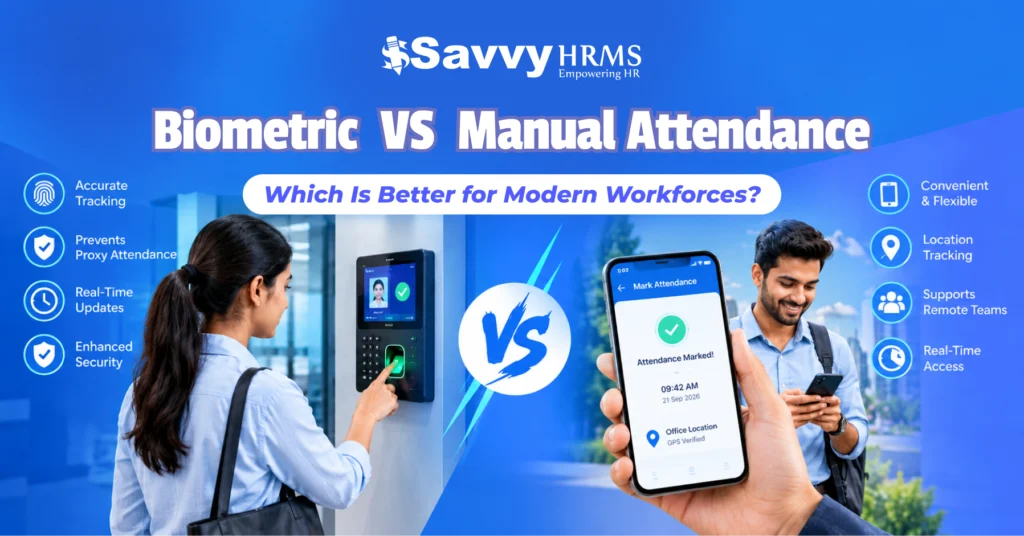

TL;DR
- Biometric attendance uses fingerprints, facial recognition, or other biometrics to verify employees, making it suitable for fixed workplaces.
- Mobile attendance uses smartphones with features such as GPS, geofencing, facial verification, and device authentication.
- Biometric attendance is well-suited for offices, factories, and plants with fixed entry points.
- Mobile attendance offers greater flexibility for remote, hybrid, field, and multi-location teams.
- Both systems can help reduce proxy attendance when appropriate identity and location controls are implemented.
- Mobile attendance can validate attendance at approved locations without requiring dedicated biometric hardware.
- Businesses can use both systems together and integrate attendance with payroll, leave, shifts, overtime, and other HRMS processes.
- The right choice depends on workforce location, mobility, security requirements, infrastructure, cost, and HRMS integration needs.
Which attendance system is better for today’s workforce: biometric attendance or mobile attendance? The answer depends on where employees work, how attendance must be verified, the required level of security, and whether the workforce is office-based, remote, hybrid, or field-based.
Biometric attendance uses physical or facial characteristics such as fingerprints or facial recognition to verify an employee’s identity. Mobile attendance uses smartphones, often with GPS, geofencing, device authentication, or facial verification, to record attendance from approved locations.
This blog compares biometric vs mobile attendance across accuracy, security, cost, proxy attendance prevention, location tracking, remote work, implementation, and HRMS integration. It also explains which system may suit different workforce environments and when businesses can use both.
What Is Biometric Attendance?
Biometric attendance is an employee attendance system that verifies a person using unique biological characteristics, such as fingerprints, facial features, or iris patterns, before recording their attendance. It is commonly used at offices, factories, institutions, and other fixed workplaces where employees report to designated locations.
Instead of entering a password, PIN, or manually selecting their name, an employee authenticates themselves through a biometric device. The system then records information such as employee identity, date, time, and attendance status.
Common biometric attendance technologies include:
- Fingerprint recognition
- Facial recognition
- Iris recognition
- Palm or other biometric recognition methods
- Biometric-enabled access control systems
For example, an employee arriving at an office may scan a fingerprint or face at an attendance terminal. Once the system verifies the employee, it records the check-in time. A similar process can be used when the employee checks out.
Biometric attendance can help businesses establish a stronger connection between employee identity and attendance records. This is particularly useful when organizations want to reduce the possibility of one employee marking attendance for another.
India has also used biometric attendance extensively in government environments. MeitY’s 2025 – 26 annual report states that the Aadhaar Enabled Biometric Attendance System (AEBAS) enables government employees to mark attendance and supports authentication through biometric methods.
However, biometric attendance is not automatically error-free. Fingerprint quality, device condition, environmental factors, facial recognition conditions, network availability, and other technical factors can affect the employee experience.
NITI Aayog has specifically highlighted factors such as illumination, pose variation, occlusion, facial changes, and image quality as factors that can affect facial recognition accuracy.
Therefore, businesses should evaluate biometric attendance based on both identity verification requirements and workplace conditions.
What Is Mobile Attendance?
Mobile attendance is an attendance management system that allows employees to record their working hours through a smartphone or mobile application. Depending on the software, it can use GPS, geofencing, facial verification, device authentication, timestamps, or other controls to validate where and when attendance was marked.
Mobile attendance is particularly useful for employees who do not work from one fixed office location.
For example, a sales representative visiting a customer, a construction employee working at a project site, or a field service employee traveling between locations can potentially mark attendance through a mobile attendance app.
General mobile attendance features include:
- Mobile check-in and check-out
- GPS-based attendance
- Geofencing
- Location validation
- Facial verification
- Real-time attendance updates
- Shift management
- Attendance regularization
- Leave integration
- Offline attendance options
- Payroll integration
- Manager dashboards
- Attendance reports and analytics
A mobile attendance system can therefore extend attendance management beyond the traditional office entrance.
The concept is already used in Indian digital workforce and government systems. NITI Aayog documentation describes mobile-based monitoring and attendance-related features in digital administrative systems, including offline functionality in areas with poor network connectivity.
However, mobile attendance is also dependent on factors such as smartphone availability, battery life, GPS accuracy, internet connectivity, operating-system permissions, and the configuration of attendance rules.
The important point is that mobile attendance does not necessarily mean unrestricted attendance from anywhere. Businesses can configure rules that require employees to be inside a particular geofence, connected to an approved location, or pass an additional identity verification step.
Biometric vs Mobile Attendance: What Is the Difference?
The primary difference between biometric attendance and mobile attendance is how employee identity and attendance location are verified.
Biometric attendance generally depends on a physical biometric device and an employee’s biological characteristics. Mobile attendance uses a smartphone-based application and can combine location, device, time, and identity verification.
| Biometric Attendance | Mobile Attendance |
| Uses fingerprints, facial recognition, or other biometric methods to verify employees. | Uses a mobile app to record attendance through a smartphone. |
| Requires a dedicated biometric machine installed at the workplace. | Requires a compatible smartphone with the attendance app. |
| Best suited for offices, factories, and other fixed workplaces. | Suitable for remote, hybrid, field, and multi-location teams. |
| Verifies attendance primarily through the employee’s biometric identity. | Can verify attendance using GPS, geofencing, facial verification, or device authentication. |
| Employees usually mark attendance at a designated physical location. | Employees can mark attendance from approved locations. |
| Helps reduce proxy attendance through biometric verification. | Helps prevent proxy attendance using location and identity-based controls. |
| Requires hardware installation, maintenance, and connectivity. | Requires software, smartphones, and reliable connectivity. |
| Offers less flexibility when employees frequently change locations. | Provides greater flexibility for mobile and distributed workforces. |
| Attendance location is linked to the biometric device. | Attendance location can be validated using GPS and geofencing. |
| Can integrate with HRMS, payroll, leave, and shift management. | Can integrate with HRMS, payroll, leave, shifts, and real-time attendance tracking. |
Neither system is universally better.
A manufacturing plant with a controlled entry point may benefit from biometric attendance because employees physically pass through a designated location. A field-service company may find mobile attendance more practical because employees are distributed across multiple locations.
For a hybrid organization, the decision can become more complex because employees may work from offices, homes, customer locations, and coworking spaces.
The best attendance system is therefore the one that aligns identity verification, location requirements, workforce mobility, security, cost, and HR processes.
Which Is Better for Modern Workforces?
For modern workforces, neither biometric attendance nor mobile attendance is universally better. Biometric attendance is generally suited to fixed workplaces requiring strong identity verification, while mobile attendance is more flexible for remote, hybrid, field, and distributed employees.
The modern workforce is increasingly diverse. One organization can have office employees, factory workers, sales representatives, remote employees, delivery teams, consultants, and field technicians operating under different attendance requirements.
This makes a one-size-fits-all attendance strategy less practical.
Consider these examples:
- Office-based workforce: A biometric attendance machine at the office entrance can provide straightforward identity verification.
- Factory workforce: Biometric attendance can be useful at designated entry and exit points where employees start and finish shifts.
- Field workforce: Mobile attendance can allow employees to check in at approved customer or project locations.
- Remote workforce: Mobile or web-based attendance can provide greater flexibility, especially when combined with appropriate authentication and work policies.
- Hybrid workforce: A combination of biometric and mobile attendance may allow employees to use the appropriate method based on their work location.
Therefore, the question should not simply be “biometric vs mobile attendance, which is better?” Instead, businesses should ask:
- Where do employees work?
- How important is identity verification?
- Do employees regularly change locations?
- Is GPS or geofencing required?
- How much hardware investment is practical?
- Does attendance need to connect directly with payroll?
- How important are real-time attendance analytics?
- What privacy and data protection requirements apply?
This approach produces a more meaningful attendance technology decision.
Is Biometric Attendance More Accurate Than Mobile Attendance?
Biometric attendance can provide strong employee identity verification because attendance is linked to a biometric characteristic. However, accuracy depends on the biometric technology, hardware, environmental conditions, configuration, and quality of employee enrollment.
It is therefore inaccurate to claim that every biometric system is automatically more accurate than every mobile attendance system.
Fingerprint recognition can sometimes be affected by worn fingerprints, dirty sensors, moisture, or damaged fingers. Facial recognition can be affected by lighting, camera quality, pose, occlusion, and other factors.
NITI Aayog’s research on facial recognition technology identifies environmental and user-related factors that can affect recognition performance.
Mobile attendance has a different accuracy model. If an application uses GPS, the location accuracy may vary depending on device capability, signal conditions, indoor environments, and surrounding infrastructure. If facial verification is also used, some of the same facial-recognition limitations can apply.
Consequently, businesses should evaluate verification accuracy and operational reliability separately.
A useful analytics framework is to monitor:
- Successful check-in rate
- Failed authentication rate
- Attendance correction frequency
- Average check-in time
- Device failure incidents
- Location verification failures
- Attendance disputes
- Offline attendance events
- Manual attendance adjustments
For example, if a company has 10,000 monthly attendance attempts and 300 require manual correction, the correction rate is:
300 ÷ 10,000 × 100 = 3%
Tracking this metric over several months can help HR teams determine whether the attendance system is performing reliably in their specific environment.
Which Attendance System Is Better for Remote and Hybrid Employees?
Mobile attendance is generally more adaptable for remote and hybrid employees because employees can use smartphones without needing to physically reach a biometric terminal. GPS, geofencing, and identity verification can add controls where required.
A traditional biometric terminal assumes that employees can reach a specific physical location.
That model works well for employees who regularly report to the same office or facility. It becomes less convenient when employees work from home on certain days, visit customers, travel between branches, or work from project sites.
Mobile attendance can support these scenarios by allowing organizations to define location-based attendance rules.
For example:
- Office employees can check in within the office geofence.
- Field employees can check in at approved project locations.
- Sales employees can record attendance during authorized customer visits.
- Remote employees can use approved mobile attendance policies.
- Managers can review attendance remotely through dashboards.
However, businesses should avoid using location tracking without clear policies and appropriate controls.
A well-designed mobile attendance system should define when location is collected, why it is collected, who can access it, and how long relevant data is retained, subject to applicable law and organizational policy.
This becomes particularly important as India’s digital personal data framework develops. MeitY lists the Digital Personal Data Protection Rules, 2025 among its current acts and policies.
Which Is More Cost-Effective?
Mobile attendance can reduce the need for dedicated attendance hardware, while biometric attendance may be cost-effective for organizations with fixed workplaces and centralized attendance points. The actual cost depends on employee count, locations, hardware, software, maintenance, and integration requirements.
Businesses should not compare only the initial purchase price.
Instead, calculate the total cost of ownership (TCO).
For biometric attendance, costs can include:
- Biometric devices
- Installation
- Network infrastructure
- Device maintenance
- Replacement hardware
- Software licenses
- Multiple-location deployment
- Technical support
- Integration with HRMS or payroll
For mobile attendance, costs may include:
- Mobile attendance software
- Per-user subscription
- GPS or geofencing functionality
- Mobile application support
- Internet/data usage
- Device compatibility
- HRMS integration
- Technical support
For example, suppose an organization has 500 employees across 10 locations.
If biometric devices must be deployed at every location, the company needs to consider the hardware and maintenance costs across all 10 sites.
If employees already have company-approved smartphones or suitable personal devices, mobile attendance may require less dedicated hardware.
But this does not mean mobile attendance will always be cheaper.
Organizations should compare:
Total Cost of Ownership = Hardware + Software + Implementation + Maintenance + Support + Integration
A cost comparison over 3 – 5 years can provide a more realistic picture than comparing only first-year software or hardware costs.
Which Is More Secure?
Biometric attendance can provide strong identity verification, while mobile attendance can provide layered security through device authentication, GPS, geofencing, facial verification, and access controls. Security depends on how the complete attendance system is designed and managed.
Biometric attendance reduces the possibility of simple credential sharing because a fingerprint or face is associated with an individual.
Mobile attendance can also provide multiple security layers.
For example, a business could require:
Employee login + registered device + GPS location + geofence + facial verification
This creates a multi-factor attendance validation process.
Security should therefore be evaluated across several areas:
- Identity verification
- Data encryption
- Access controls
- Device security
- Location security
- Data storage
- Administrative permissions
- Audit trails
- Data retention
- API and HRMS integration security
Biometric information deserves particular attention because it is difficult to replace if compromised. Businesses should establish clear controls around collection, processing, storage, access, and retention.
India’s data protection framework is relevant when organizations process personal data. MeitY’s current policy repository includes the Digital Personal Data Protection Rules, 2025, and related implementation information.
Organizations should therefore review their attendance system against applicable legal requirements and their own privacy and information-security policies before implementation.
How Do They Prevent Proxy Attendance?
Biometric attendance prevents proxy attendance by requiring the employee’s biometric characteristic for authentication. Mobile attendance can reduce proxy attendance by combining GPS, geofencing, registered devices, timestamps, facial verification, and other authentication controls.
Proxy attendance occurs when one employee records attendance on behalf of another employee.
Traditional methods such as paper registers, shared credentials, or simple PIN-based systems can make this easier.
Biometric attendance addresses this by connecting attendance authentication with an individual’s biometric characteristic.
Mobile attendance requires a different approach.
For example, a mobile attendance workflow could require:
Registered employee account → registered device → GPS verification → approved geofence → facial verification → timestamped attendance record
This makes it more difficult for another person to mark attendance remotely.
However, no technology should be described as completely eliminating fraud in every situation. Businesses should combine technology with:
- Attendance policies
- Audit logs
- Manager approvals
- Exception reports
- Device controls
- Periodic data reviews
- Employee identity verification
Indian government use cases demonstrate the role of biometric and geofencing controls in reducing proxy attendance. A MeitY-listed 2025 use case for West Bengal describes Aadhaar-based biometric attendance combined with geo-fencing as a mechanism intended to prevent proxy attendance and strengthen workforce accountability.
Can Mobile Attendance Track Employee Location?
Yes, mobile attendance can track or verify employee location when the attendance application is designed and configured to use GPS or location services. Geofencing can restrict attendance marking to predefined areas such as offices, factories, project sites, or customer locations.
For example, an organization could establish a 200-meter geofence around an office.
When an employee attempts to check in, the application can verify whether the device is within the permitted area.
A mobile attendance system may use location data to determine:
- Check-in location
- Check-out location
- Whether the employee is inside an approved geofence
- Field visit locations
- Project-site attendance
- Location-based attendance exceptions
However, businesses should distinguish between attendance verification and continuous employee tracking.
An attendance system does not necessarily need to track an employee’s location every minute of the working day. In many use cases, location may only be required during check-in or check-out.
This distinction is important from both privacy and employee-experience perspectives.
Businesses should clearly define their location-tracking policy and communicate how location information is collected and used.
Which Attendance System Should Your Business Choose?
Businesses should choose biometric attendance when employees primarily work at fixed locations and strong physical identity verification is a priority. Mobile attendance may be more suitable for remote, hybrid, field, or distributed employees requiring flexible location-based attendance.
Use this decision framework:
| Workforce Requirement | Suitable Approach |
| Fixed office employees | Biometric attendance |
| Factory or plant workforce | Biometric attendance |
| Remote employees | Mobile attendance |
| Hybrid workforce | Mobile or combined approach |
| Field sales teams | Mobile attendance |
| Construction/project teams | Mobile attendance |
| Multiple branches | Mobile or combined approach |
| High-security fixed facility | Biometric attendance |
| Employees moving between sites | Mobile attendance |
| Mixed workforce | Biometric + mobile |
Before choosing, businesses should assess five major factors:
1. Workforce Location
Consider where employees usually work before selecting an attendance system. Biometric attendance is suitable for fixed workplaces such as offices and factories, while mobile attendance works well for employees working across multiple locations, project sites, or customer premises.
2. Identity Verification
Consider how strongly employee identity needs to be verified. Biometric attendance uses fingerprints or facial recognition, while mobile attendance can combine device authentication, facial verification, GPS, and geofencing to create reliable attendance verification based on business requirements.
3. Mobility
Employee mobility is an important consideration when choosing attendance software. If employees regularly work from home, visit customers, travel between branches, or work at project sites, mobile attendance provides greater flexibility than attendance systems tied to fixed biometric devices.
4. Infrastructure
Review the existing technology infrastructure before implementation. Biometric attendance requires dedicated devices, installation, maintenance, and connectivity, while mobile attendance primarily requires compatible smartphones and software. Businesses should consider their locations, hardware requirements, maintenance costs, and network availability.
5. HRMS Integration
Attendance becomes more valuable when connected with other HR processes. Choose a system that can automatically transfer attendance data to payroll, leave, overtime, shift management, and employee records, reducing manual work and improving the accuracy of workforce management.
The final decision should be based on the organization’s operational requirements rather than choosing a technology simply because it is newer or more familiar.
Can Businesses Use Both Biometric and Mobile Attendance Together?
Yes, businesses can use biometric and mobile attendance together. A hybrid attendance model can allow employees to use biometric devices at fixed workplaces and mobile attendance at approved remote, field, or project locations.
This can be particularly useful for organizations with mixed workforces.
For example:
Factory workers → Biometric attendance
Office employees → Biometric attendance
Sales employees → Mobile attendance
Remote employees → Mobile attendance
Construction teams → Mobile attendance with geofencing
Branch employees → Either biometric or mobile, depending on infrastructure
A unified HRMS can bring these attendance records into one employee database.
The objective is not to maintain two disconnected attendance systems. Instead, businesses should aim for a single source of attendance data.
A combined system can provide:
- Centralized attendance records
- Unified employee profiles
- Shift management
- Leave integration
- Overtime calculations
- Attendance regularization
- Payroll processing
- Manager approvals
- Attendance analytics
- Real-time reports
This approach can be especially useful when an organization grows from a small workforce into multiple departments and locations.
Conclusion
Biometric vs mobile attendance is not simply a choice between old and new technology. Biometric attendance can provide strong identity verification for fixed workplaces, while mobile attendance offers greater flexibility for remote, hybrid, field, and distributed workforces.
Businesses should compare attendance systems using practical metrics such as authentication success rate, attendance correction rate, proxy incidents, device downtime, implementation cost, employee adoption, and payroll integration. The right choice depends on workforce structure and operational requirements.











Simplify attendance management with Savvy HRMS, track employee attendance, manage shifts, automate payroll, and gain real-time workforce insights from one integrated platform.
Frequently Asked Questions (FAQs)
1. What is the difference between biometric and mobile attendance?
Biometric attendance verifies employees using fingerprints or facial recognition, while mobile attendance uses smartphones and may include GPS, geofencing, facial verification, and device authentication.
2. Which is better, biometric or mobile attendance?
Neither system is universally better. Biometric attendance suits fixed workplaces, while mobile attendance is more flexible for remote, hybrid, field, and multi-location employees.
3. Is mobile attendance secure?
Yes. Mobile attendance can use GPS, geofencing, registered devices, facial verification, and authentication controls to help secure attendance records and reduce unauthorized check-ins.
4. Can mobile attendance prevent proxy attendance?
Yes. Features such as GPS verification, geofencing, facial recognition, device authentication, and timestamps can help reduce proxy attendance and improve attendance accuracy.
5. Can biometric and mobile attendance be used together?
Yes. Businesses can use biometric attendance at fixed workplaces and mobile attendance for remote, field, or mobile employees, while managing both through an integrated HRMS.
6. Can attendance systems integrate with payroll?
Yes. Modern attendance systems can integrate with payroll, leave, overtime, shift management, and employee records, helping automate payroll calculations and reduce manual attendance processing.