


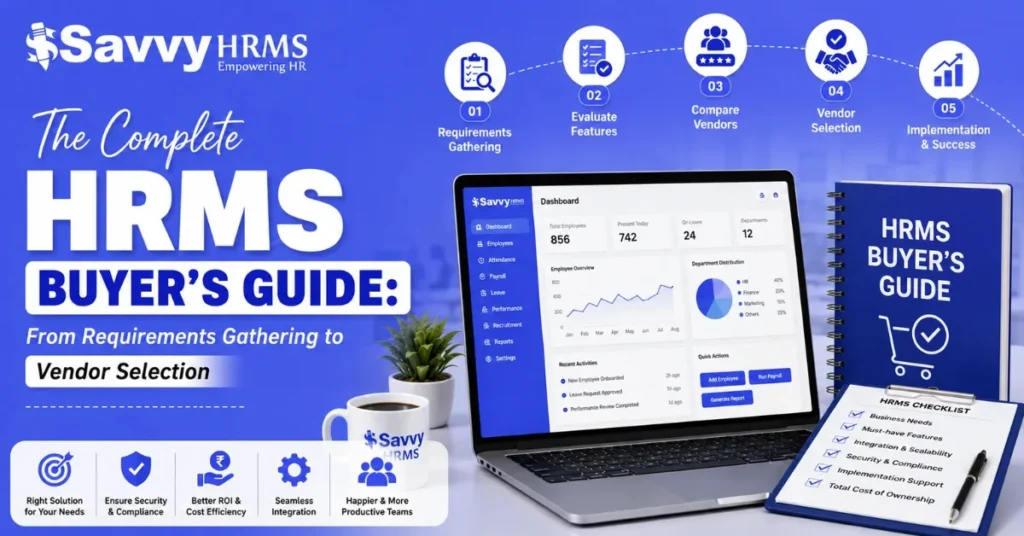

Choosing an HRMS is not just about finding software with the most features. It is about finding a solution that fits your people, processes, business goals, budget, compliance needs, and future growth.
The challenge is that every HRMS vendor promises to simplify HR. But how do you know which one actually fits your organization? This HRMS buyer’s guide takes you through the complete selection process, from defining requirements and creating an RFP (Request for Proposal) to evaluating vendors, comparing costs, conducting demos, and making the final decision.
Whether you are buying an HRMS for the first time or replacing an existing system, this guide will help you approach the process with a clear framework and avoid expensive mistakes.
What Is an HRMS Buyer’s Guide and Why Does It Matter?
An HRMS buyer’s guide is a practical framework that helps businesses identify their HR software requirements, evaluate available solutions, compare HRMS vendors, assess costs, and select the right system.
Instead of starting with, “Which HRMS is the best?”, a better question is, “Which HRMS is the best fit for our organization?”
That difference matters.
The right HRMS should support the way your business actually works. It should help manage employee information, attendance, leave, payroll, recruitment, performance, expenses, onboarding, compliance, and other HR processes without creating unnecessary complexity.
A structured HRMS selection process can help you:
- Define clear business and HR requirements.
- Identify essential and optional HRMS features.
- Prepare a detailed RFP for vendors.
- Compare HRMS vendors objectively.
- Evaluate pricing and total cost of ownership.
- Check security, integrations, scalability, and compliance.
- Conduct more productive product demos.
- Avoid choosing software based only on sales presentations.
- Select an HRMS that can support future business growth.
In simple terms, an HRMS buyer’s guide helps you move from “What software should we buy?” to “What solution will solve our specific HR challenges?”
When Should Your Business Consider Investing in an HRMS?
There is no single employee count at which every company must buy an HRMS. The right time depends on the complexity of your workforce, HR processes, compliance requirements, and growth plans.
However, certain signs indicate that your current HR processes may no longer be sufficient.
You may need an HRMS if:
- Employee records are maintained across spreadsheets and separate files.
- Payroll requires significant manual calculations.
- HR spends too much time answering routine employee queries.
- Leave and attendance tracking is difficult to manage.
- Managers lack real-time workforce information.
- Employee onboarding involves multiple manual steps.
- HR reports take hours or days to prepare.
- Payroll and attendance data do not connect properly.
- Compliance tracking is becoming difficult.
- Employees have limited self-service access.
- Your organization is expanding across teams, locations, or states.
- Existing HR software no longer scales with your business.
For growing businesses, manual HR processes can quickly become difficult to control. An HRMS can centralize employee data and automate repetitive workflows, giving HR teams more time to focus on people, planning, and business priorities.
The key question is not simply whether you are “big enough” for HRMS software. It is whether your current HR processes are scalable, accurate, efficient, and easy to manage.
How to Identify Your HRMS Requirements Before Starting the Search?
Before contacting HRMS vendors, understand what your organization actually needs.
Start by documenting your current HR processes. Speak with HR professionals, payroll teams, managers, employees, IT teams, finance, and other stakeholders who will interact with the system.
Ask questions such as:
- Which HR processes are currently manual?
- Where do errors occur most frequently?
- Which HR tasks consume the most time?
- What information is difficult to access?
- Which reports does management need?
- What problems do employees face?
- Which processes need automation?
- What systems does HR currently use?
- What integrations are required?
- What business changes are expected over the next three to five years?
Then divide requirements into three categories:
1. Must-have requirements
These are essential HRMS features your business needs to manage critical HR processes effectively. Without them, the software may not meet your operational, compliance, payroll, or workforce management needs.
2. Should-have requirements
These are important HRMS capabilities that can improve efficiency, automation, reporting, and employee experience. They add significant value but may not prevent the system from functioning without them.
3. Nice-to-have requirements
These are additional HRMS features that can enhance convenience, engagement, and user experience. They are useful improvements but are not essential for your core HR operations.
This simple classification makes the HRMS requirements framework much more practical.
For example, payroll compliance may be a must-have, while an advanced analytics dashboard could be a should-have. A particular customization may be nice-to-have.
Also document your existing HR processes before evaluating software. This prevents vendors from defining your requirements for you.
What HRMS Features and Modules Should You Include in Your Requirements Framework?
Your HRMS requirements should reflect your complete employee lifecycle rather than focusing on one department or process.
Depending on your organization, your requirements framework may include:
1. Core HR and Employee Management
Look for centralized employee records, employee profiles, organizational structures, document management, employee lifecycle tracking, and HR dashboards.
2. Recruitment and Onboarding
Consider applicant tracking, recruitment workflows, offer management, onboarding checklists, document collection, and new-hire communication.
3. Attendance and Leave Management
Evaluate attendance tracking, leave policies, shift management, overtime, holidays, biometric integration, location-based attendance, and approval workflows.
4. Payroll Management
Check salary structures, payroll processing, deductions, reimbursements, payslips, payroll reports, statutory calculations, and payroll integration with attendance.
5. Performance Management
Consider goal setting, performance reviews, feedback, competency tracking, appraisal workflows, and performance reports.
6. Employee Self-Service
Employees should ideally be able to access relevant information and complete routine tasks without depending on HR for every request.
7. Expense and Travel Management
If your business manages employee expenses or travel, look for expense claims, travel requests, approvals, reimbursement workflows, and reporting.
8. HR Analytics and Reporting
Evaluate dashboards, workforce reports, customizable reports, data exports, and analytics capabilities.
9. Learning and Development
For organizations with structured employee development programs, learning management, training tracking, certifications, and skill development can be important.
The best HRMS is not necessarily the one with the longest feature list. The better choice is the platform that provides the right combination of functionality, usability, automation, integration, and scalability for your business.
How to Define HRMS Technical, Security, and Integration Requirements?
HRMS selection should not be based only on HR features. Technical and security requirements are equally important because an HRMS handles sensitive employee information.
Start by identifying the systems your HRMS needs to connect with.
These may include:
- Payroll and accounting systems
- Biometric attendance devices
- ERP software
- Recruitment platforms
- Identity and access management systems
- Email and communication platforms
- Banking systems
- Tax and compliance systems
- APIs and other business applications
Then evaluate security requirements.
Ask vendors about:
- Data encryption
- User access controls
- Role-based permissions
- Authentication options
- Audit logs
- Backup and recovery
- Data protection practices
- Data hosting
- Security monitoring
- Incident response procedures
- Data retention and deletion processes
For businesses operating in India, also consider applicable data protection, employment, payroll, and statutory compliance requirements relevant to your organization.
Scalability is another important factor. Ask whether the HRMS can support additional employees, locations, departments, workflows, integrations, and modules as your business grows.
A system that works for 100 employees but becomes difficult to manage at 500 employees may create another technology problem later.
What Questions Should You Ask HRMS Vendors During the Evaluation?
A good vendor evaluation involves more than asking, “What features do you have?”
Ask questions that reveal how the HRMS will work in your actual environment.
Product questions
- Which HR processes can be automated?
- Which modules are included in the standard platform?
- What functionality requires additional licensing?
- How customizable are workflows?
- Can administrators configure policies without technical assistance?
Implementation questions
- How long does implementation generally take?
- Who manages implementation?
- What information is required from our team?
- How is historical employee data migrated?
- What training is provided?
Integration questions
- Which integrations are available out of the box?
- Are APIs available?
- Can the system integrate with our existing attendance devices and business applications?
- Who manages integration development?
Security questions
- How is employee data protected?
- What access controls are available?
- How are audit trails maintained?
- What backup and recovery mechanisms are available?
Support questions
- What support channels are available?
- What are the support hours?
- How are critical issues escalated?
- Is dedicated implementation or account support available?
Commercial questions
- What is included in the subscription?
- Are implementation fees separate?
- Are integrations charged separately?
- Are there additional costs for support, customization, or upgrades?
- How does pricing change as employee numbers increase?
These questions help you compare vendors based on real business requirements rather than marketing claims.
How to Create an HRMS Vendor Evaluation Scorecard?
An HRMS vendor evaluation scorecard helps remove subjectivity from the selection process.
Instead of choosing the vendor that gives the best presentation, assign scores to predefined criteria.
For example:
| Evaluation Area | Suggested Weight |
| Core HR & Employee Management | 15% |
| Payroll & Compliance | 15% |
| Attendance & Leave | 10% |
| Automation & Workflows | 10% |
| User Experience | 10% |
| Integrations & APIs | 10% |
| Security & Data Protection | 10% |
| Reporting & Analytics | 5% |
| Implementation & Support | 10% |
| Pricing & ROI | 5% |
You can change these weights according to your business priorities.
For example, a payroll-heavy organization may give greater weight to payroll and compliance. A rapidly growing company may give more importance to scalability and integrations.
You can score each vendor on a scale of 1 to 5:
1 = Poor fit
2 = Limited fit
3 = Meets requirements
4 = Strong fit
5 = Excellent fit
The important point is to use the same criteria for every vendor.
This creates a consistent HRMS evaluation framework and makes internal decision-making easier.
What Criteria Should You Use to Compare HRMS Vendors?
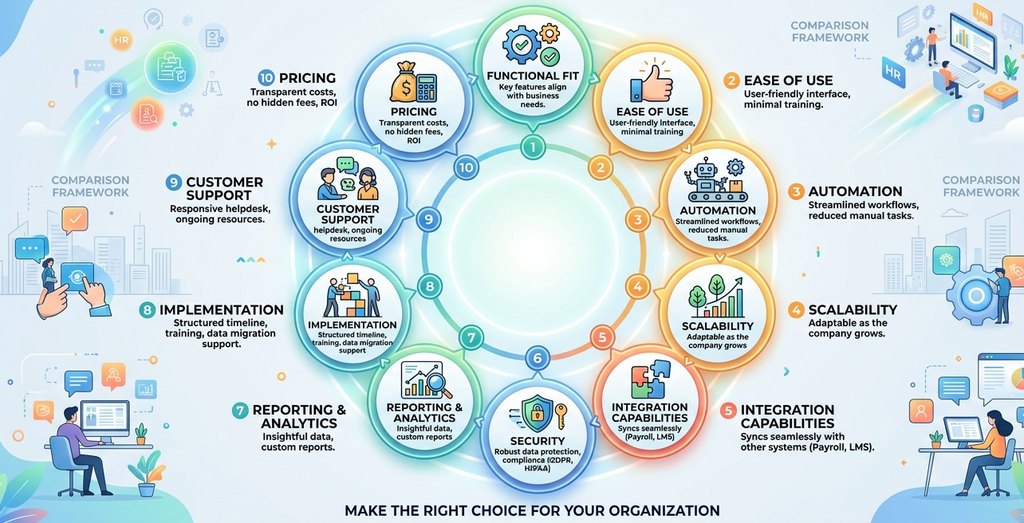
Once you have your requirements and scorecard, compare vendors across the areas that matter most to your organization.
1. Functional Fit
The HRMS should support your essential HR processes, including employee management, attendance, leave, payroll, recruitment, performance, and other workflows relevant to your business.
2. Ease of Use
Choose an HRMS with an intuitive interface that HR teams, managers, and employees can easily navigate without extensive training or unnecessary complexity.
3. Automation
Evaluate whether the HRMS can automate repetitive tasks through workflows, notifications, approvals, reminders, and integrations, reducing manual effort and improving process efficiency.
4. Scalability
Ensure the HRMS can accommodate increasing employee numbers, new locations, departments, workflows, and changing business requirements without creating operational difficulties.
5. Integration Capabilities
Check whether the HRMS can integrate smoothly with your existing payroll, accounting, attendance, ERP, recruitment, communication, and other essential business systems.
6. Security
Assess the vendor’s security measures, including access controls, data encryption, authentication, backups, audit trails, and other safeguards for protecting sensitive employee information.
7. Reporting and Analytics
Look for accurate, customizable, and timely reports that help HR teams and management understand workforce trends, monitor performance, and make informed business decisions.
8. Implementation
Evaluate whether the vendor provides a structured implementation process, realistic timeline, data migration support, configuration assistance, testing, training, and guidance throughout deployment.
9. Customer Support
Consider the availability, responsiveness, and quality of customer support, including communication channels, issue resolution processes, escalation procedures, and post-implementation assistance.
10. Pricing
Compare subscription fees, implementation costs, integrations, customization, support, and additional charges to determine whether the HRMS provides sustainable value for your organization.
Do not evaluate these criteria independently. A low-cost HRMS may become expensive if it requires extensive customization. Similarly, an expensive platform may provide poor ROI if employees struggle to use it.
How to Evaluate HRMS Pricing, Implementation Costs, and ROI?
HRMS pricing should never be evaluated by subscription cost alone.
Calculate the total cost of ownership (TCO).
Your HRMS investment may include:
- Software subscription or license fees
- Implementation costs
- Data migration
- Customization
- Integrations
- Training
- Support
- Additional modules
- Additional users or employees
- Future upgrades
Ask vendors to clearly separate recurring and one-time costs.
For example, if Vendor A has a lower subscription fee but charges separately for implementation, integrations, and support, while Vendor B includes these services, the headline price may not tell the complete story.
Then consider ROI.
HRMS ROI can come from:
- Reduced manual HR work
- Faster payroll processing
- Fewer data-entry errors
- Reduced administrative workload
- Faster employee onboarding
- Better attendance management
- Improved reporting
- Reduced paperwork
- Better employee self-service
- Improved compliance visibility
A simple way to think about HRMS ROI is:
HRMS ROI = Financial Benefits Generated – Total HRMS Investment
You do not need every benefit to be immediately measurable. Time saved by HR teams, fewer manual errors, and faster decision-making can also contribute significant business value.
How to Conduct an Effective HRMS Product Demo?
An HRMS demo should not be treated as a sales presentation. It should be a test of whether the platform can handle your actual requirements.
Before the demo, send the vendor your priority use cases.
For example:
“Show us how a new employee is onboarded, how attendance flows into payroll, how a leave request is approved, and how HR generates the required report.”
This is much more useful than asking the vendor to provide a general product tour.
During the demo, evaluate:
- How intuitive the interface is.
- How many steps are required to complete common tasks.
- How workflows are configured.
- How managers interact with the system.
- How employees use self-service features.
- How reports are generated.
- How permissions are managed.
- How integrations work.
- How exceptions are handled.
Also ask the vendor to demonstrate difficult scenarios, not just ideal workflows.
For example, ask:
“What happens if an employee changes departments midway through the year?”
or:
“How does the system handle an attendance correction after payroll processing?”
These scenarios reveal how flexible and practical the HRMS really is.
How to Shortlist and Compare the Right HRMS Vendors?
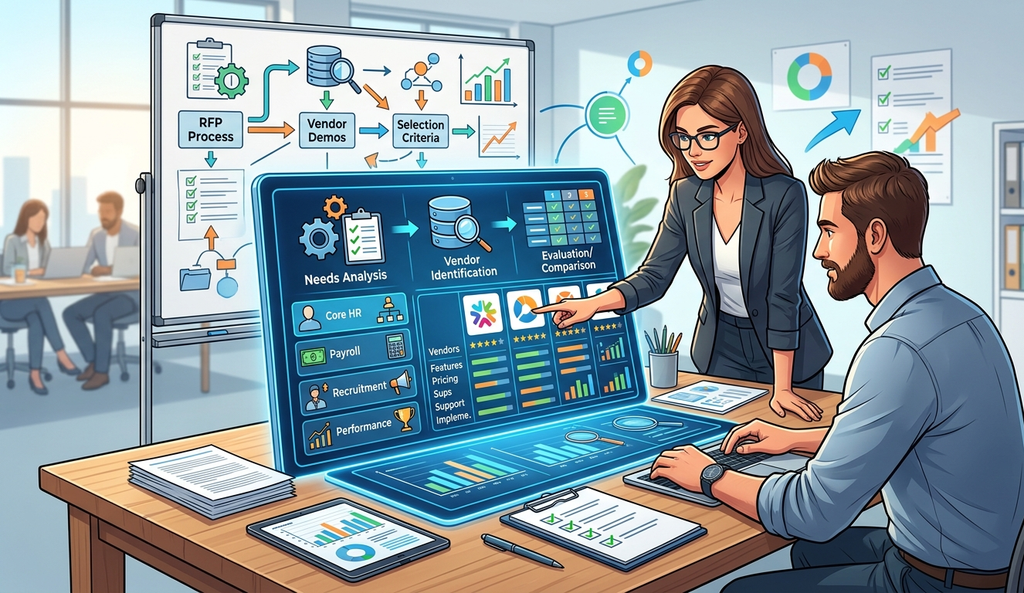
After completing demonstrations and evaluations, create a shortlist of 2 to 4 vendors.
Avoid evaluating too many vendors at the same time. A long list can make decision-making more complicated without necessarily improving the outcome.
Your shortlist should include vendors that:
- Meet your must-have requirements.
- Fit your budget.
- Provide required integrations.
- Meet your security expectations.
- Have a realistic implementation approach.
- Offer suitable support.
- Can scale with your organization.
- Provide a positive user experience.
At this stage, revisit your evaluation scorecard and compare vendors side by side.
It is also useful to distinguish between product fit and vendor fit.
Product fit asks:
“Can the software do what we need?”
Vendor fit asks:
“Can this company successfully support us over the long term?”
Both are important.
An HRMS is not a one-time purchase. It becomes part of your organization’s HR infrastructure, so vendor stability, support quality, product development, and responsiveness matter.
What Should You Do After Selecting an HRMS Vendor?
Vendor selection is not the end of the HRMS journey. It is the beginning of implementation.
Once you select your HRMS vendor, establish a clear implementation plan.
Generally, this involves:
- Defining project responsibilities.
- Finalizing implementation timelines.
- Confirming HRMS modules and configurations.
- Preparing employee data.
- Migrating historical data where required.
- Configuring workflows and policies.
- Setting up integrations.
- Testing processes.
- Training HR administrators and managers.
- Communicating the change to employees.
- Conducting final checks.
- Going live.
- Monitoring adoption and resolving issues.
Do not rush the testing stage.
Test real scenarios involving attendance, leave, payroll, employee transfers, new hires, exits, approvals, reporting, and other important workflows.
After launch, track whether the HRMS is delivering the expected benefits.
Useful measures may include:
- HR processing time
- Payroll processing time
- Employee adoption
- Self-service usage
- Error rates
- Approval turnaround time
- Support requests
- Report generation time
This helps turn HRMS implementation into a measurable business improvement rather than simply a technology deployment.
HRMS Buyer’s Checklist: What to Verify Before Signing the Contract
Before signing an HRMS agreement, review the complete commercial and operational picture.
Use this checklist:
- All must-have HRMS requirements have been demonstrated.
- Required modules are clearly listed.
- Pricing and billing terms are documented.
- Implementation costs are clearly defined.
- Data migration responsibilities are agreed upon.
- Integration requirements are documented.
- Customization requirements are documented.
- Security and data protection requirements are reviewed.
- User roles and permissions are understood.
- Support and escalation processes are documented.
- Implementation timeline is agreed upon.
- Training responsibilities are clear.
- Service-level expectations are documented.
- Data ownership and exit provisions are understood.
- Renewal and price-change terms are reviewed.
- Additional module and user costs are understood.
- Contract termination terms are clear.
- Internal stakeholders have approved the final selection.
Most importantly, make sure everything that influenced your buying decision is reflected in the proposal, order form, contract, or agreed implementation documentation.
Do not depend only on verbal commitments.
How Can Savvy HRMS Simplify Your HRMS Selection and Implementation?
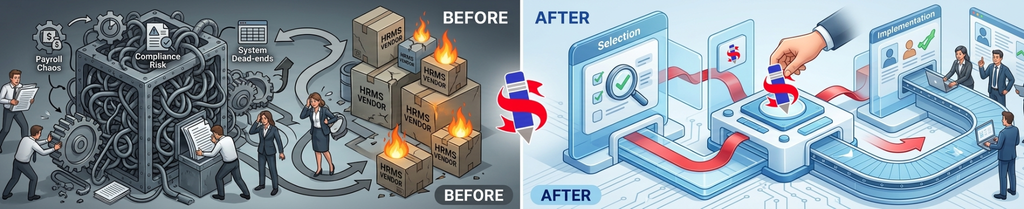
Once you have established your requirements, evaluation criteria, and priorities, the next step is finding an HRMS that aligns with them.
Savvy HRMS is designed to bring multiple HR processes together within a unified HRMS platform, helping businesses manage key employee lifecycle activities through a centralized system.
Depending on your organization’s requirements, Savvy HRMS can support areas such as employee management, attendance, leave, payroll, recruitment, onboarding, performance management, expenses, reporting, and other HR processes.
The benefit of evaluating a platform like Savvy HRMS through a structured buyer’s framework is that you can assess it against your own requirements rather than choosing software simply because it is popular.
During your evaluation, consider:
- Does it cover your required HR processes?
- Can it automate your key workflows?
- Can employees and managers use self-service features?
- Does it integrate with your existing systems?
- Can it support your organization’s growth?
- Does the pricing align with your budget?
- Can the implementation approach meet your timeline?
- Does the platform provide the reporting and visibility your HR team needs?
A structured evaluation makes the conversation more meaningful for both your organization and the HRMS provider.
The goal is not simply to purchase HR software. It is to select a platform that can become a reliable part of your HR operations.
Conclusion
Selecting an HRMS becomes much easier when you stop treating it as a software-shopping exercise and start treating it as a business decision. Clear requirements, a structured RFP, objective evaluation criteria, realistic pricing analysis, effective demos, and careful vendor comparison can significantly improve your chances of choosing the right HRMS.
Remember, the best HRMS is not necessarily the one with the most features or the lowest price. It is the one that solves your current HR challenges, fits your organization, supports your employees, integrates with your business, and can continue to deliver value as you grow.











Make your HRMS selection easier.
Explore Savvy HRMS and bring your core HR processes together in one platform.
Frequently Asked Questions (FAQs)
1. What should businesses consider before buying an HRMS?
Businesses should evaluate their HR requirements, essential features, ease of use, automation, scalability, integrations, security, implementation, customer support, pricing, and potential ROI before selecting an HRMS.
2. How do I choose the right HRMS for my business?
Start by identifying your must-have HR requirements, then compare HRMS vendors based on functionality, usability, security, integrations, scalability, implementation, support, pricing, and overall business fit.
3. What questions should I ask an HRMS vendor?
Ask about features, customization, integrations, data security, implementation timelines, data migration, training, customer support, pricing, additional costs, scalability, and how the platform handles your specific HR workflows.
4. How can I compare different HRMS vendors?
Create an HRMS evaluation scorecard and assign weights to important criteria such as functionality, automation, security, integrations, user experience, scalability, implementation, support, and pricing. Then score each vendor consistently.
5. What should I check before signing an HRMS contract?
Before signing, verify pricing, included modules, implementation scope, data migration, integrations, security provisions, support terms, renewal conditions, additional charges, service-level expectations, and contract termination or data-exit provisions.