



TL;DR
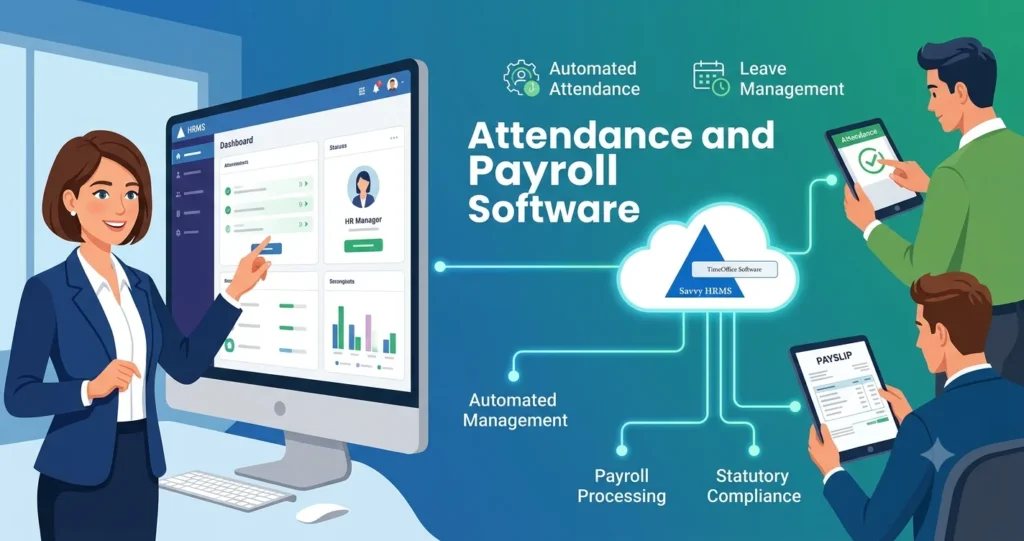
An attendance and Payroll software system enables employees to track their time while employers use this data for salary management which eliminates the need for manual work and decreases payroll mistakes.
- The attendance system tracks all employee movements through check-in and check-out records and it also monitors their absence times, scheduled work periods and total time spent working.
- Allows biometric devices to connect with attendance and payroll systems, which enables them to transfer data automatically.
- The system calculates salaries by using official leave and overtime documents that have been authorized.
- The payroll system transforms attendance records into financial data which shows employee workdays, deduction amounts, overtime payments and calculates total salary amounts.
- Supports payroll management by handling all requirements including PF, ESI, PT, LWF, and TDS.
- The system generates various reports, which include attendance data and overtime information, payroll details, salary records and workforce statistics.
Nowadays, companies face challenges as they need to handle employee attendance tracking and payroll systems separately which may lead to duplicate work, incorrect data and delayed employee payment processing.
Businesses can use a single unified system to track their employee attendance, leave records, working hours, extra time and salary information.
In this guide, you will learn about how attendance and payroll software operates through its operational functions, biometric system compatibility, automated features, regulatory compliance, data reporting capabilities and deployment process.
What Is Attendance and Payroll Software?
Attendance and payroll software links the time records of employees with the process of paying their salaries which helps to calculate pay based on attendance.
It brings together the tracking of attendance details, about employees, leaves, work shifts, extra hours, ways to structure pay things that are taken out of pay and the overall process of paying staff.
Instead of moving attendance data manually, the system automatically sets up the information needed for payroll.
Core functions include:
- Employee attendance tracking
- Check-in and check-out management
- Shift and roster management
- Leave tracking
- Overtime calculation
- Working-hour calculation
- Salary processing
- Payroll deductions
- Payslip generation
- Payroll reporting
- Compliance calculations
- Employee self-service
Attendance can come from devices, mobile applications, web check-ins or other supported sources. The software then uses the attendance and payroll rules which are set up before making salary calculations.
Why Do Businesses Need an Integrated Attendance and Payroll System?
The main reason is that salary calculations rely on the attendance records that employees need to give to their bosses. HR teams handle these tasks manually to get the attendance data out before they can check and fix the details for their next upload. An attendance and payroll management system that works together can cut down on this repeated work.
What Problems Can Separate Systems Create?
Separate systems can lead to:
- Repeated data entry
- Spreadsheet dependency
- Attendance mismatches
- Payroll calculation errors
- Delayed salary processing
- Difficult attendance reconciliation
- Repeated employee queries
- Separate reports
What Features Should You Look for in Attendance and Payroll Software?
The software should cover attendance, shifts, leave, overtime, payroll, compliance, reporting, security, and integrations.
The exact requirements depend on employee count, locations, work schedules, and payroll complexity w
Important Features to Check
| Feature | What to Check |
| Attendance Tracking | Check-ins, check-outs, absences, late marks |
| Biometric Integration | Fingerprint, face recognition, device compatibility |
| Shift Management | Fixed, rotational, night, flexible shifts |
| Leave Management | Leave types, approvals, balances |
| Overtime | Eligibility, approvals, rates, extra hours |
| Payroll | Salary structures, deductions, allowances |
| Compliance | Applicable statutory calculations |
| Employee Self-Service | Attendance, leave, payslip access |
| Reports | Attendance, payroll, overtime, and workforce reports |
| Integrations | HRMS, biometric, accounting, banking, APIs |
Businesses should also check whether the software supports multiple locations and different employee groups.
How Does Biometric Attendance Integrate With Payroll?
Biometric attendance can make it easier to record when employees start and finish work. The attendance records captured through a biometric device can move into the attendance system and then become inputs for payroll processing.
Typical Biometric Attendance and Payroll Flow
The process usually starts when an employee marks attendance through a biometric device. The device records the attendance event and sends the information to the attendance system. The system then matches the record with the correct employee profile.
After that, the software checks the attendance against configured shift, leave, working-hour, and overtime rules. Once the records are reviewed and approved, the relevant information can be used for payroll calculations.
Employee → Biometric Device → Attendance System → Attendance Validation → Payroll Inputs → Salary Calculation
Savvy HRMS supports biometric attendance through fingerprint and facial recognition. The attendance information can also be connected with payroll processing, helping businesses reduce the need to transfer attendance data manually.
What Should Businesses Check Before Biometric Integration?
Businesses should verify:
- Device compatibility
- Integration method
- Employee mapping
- Real-time synchronization
- Offline data handling
- Multiple-location support
- Data security
- Attendance correction process
Biometric information also requires suitable security and privacy controls.
Organizations should define how biometric data is collected, accessed, used, stored, and protected.
How Is Attendance Data Converted Into Payroll Data?
The system transforms attendance data into payroll records by checking employee presence on workdays, their total work time, time off, additional work and all relevant payroll regulations. The process follows a series of steps which are explained in the following section:
Step 1: Capture Attendance
The system keeps track of when employees start their workday and when they finish their shift.
Step 2: Validate Records
The system performs checks to identify missing punch data, duplicate records, late arrivals and other attendance-related problems. The system checks for missing punches, duplicate records, late arrivals, and other attendance exceptions.
Step 3: Apply Shift Rules
The system matches employee attendance records to their specific shift assignments which include their scheduled work hours. The system matches employee attendance records to their specific shift assignments, which include their scheduled work hours.
Step 4: Calculate Working Hours
The system calculates actual working hours against scheduled hours.
Step 5: Process Leave
The system uses established leave rules to process approved leave requests.
Step 6: Calculate Overtime
Additional working hours are calculated using applicable overtime rules.
Step 7: Determine Payable Days
The system generates paid days and unpaid days together with absence records and necessary adjustment information.
Step 8: Send Payroll Inputs
The payroll process receives attendance data that has passed validation checks.
Step 9: Calculate Salary
The payroll system applies salary structures, earnings, deductions, taxes, and other configured elements.
Step 10: Generate Payroll Outputs
The system produces three essential outputs which include payslips, payroll reports and all required statutory reports.
This system links together to eliminate the need for manual attendance spreadsheets and payroll data comparison.
How Are Shifts, Leave, Overtime and Working Hours Managed?
Integrated software can manage shifts, leave, overtime, and working hours using configured attendance and workforce policies. These records can directly impact the payroll calculations, so let’s explore below:
Shift Management
Employees may not always follow the same working schedule. Some may work regular hours, while others may work rotational, night, flexible, or split shifts.
Attendance and payroll software allows businesses to create these different schedules and assign them to employees based on their roles, departments, or locations. HR can also manage weekly rosters and multiple-location shifts from the same system.
Leave Management
Leave can directly affect an employee’s salary, especially when the leave is unpaid. Instead of checking leave records separately, HR can manage leave requests, balances, eligibility, and approvals within the system.
Once leave is approved, the information can be considered during payroll processing. Businesses can also connect the system with leave management software to keep attendance, leave, and payroll records aligned.
Overtime Management
When employees work beyond their scheduled hours, their overtime needs to be recorded correctly before payroll is processed.
The software can calculate overtime based on the rules set by the business. HR can define requirements such as overtime eligibility, minimum hours, approval, applicable rates, compensatory off, and department-specific policies.
Working-Hour Management
Knowing when employees arrive and leave is only one part of attendance management. Businesses also need to know whether employees have completed their scheduled working hours.
The system can compare actual working hours with scheduled hours and help HR spot short hours, excess hours, late arrivals, early departures, missing punches, and other attendance exceptions.
For workforce operations, a Labour Management System can also connect workforce records with attendance, wages, overtime, and compliance processes.
How Does Attendance and Payroll Software Automate Salary Processing?
Attendance and payroll software turns approved attendance information into structured payroll inputs. The payroll system then applies salary structures, configured earning and deduction rules.
A Typical Payroll Flow
Employee Data → Attendance → Leave → Working Hours → Overtime → Salary Calculation → Deductions → Net Salary → Payslip
The system can apply different salary structures to different employees. It can also process variable salary components and applicable deductions.
What Can Automated Payroll Calculations Include?
- Basic salary
- Allowances
- Overtime
- Incentives
- Bonuses
- Leave deductions
- Loans
- Advances
- Tax deductions
- Statutory deductions
- Reimbursements
- Arrears
Automation reduces manual calculations, but HR and finance teams should still check unusual records before approving payroll.
What Are the Benefits of Using Attendance and Payroll Software?
The main benefit is connecting workforce time records with payroll calculations through one controlled and automated workflow. Some of the benefits of using attendance Management Software include:
1. Less Manual Work
HR teams have reduced their manual work because they no longer need to transfer attendance data between different systems and spreadsheet applications.
2. Faster Payroll Processing
The automated system for attendance tracking stops employees from making the same monthly calculation mistakes.
3. Better Payroll Accuracy
The automated calculation system helps decrease the frequency of data input errors together with calculation mistakes.
4. Better Attendance Visibility
Managers can access attendance information through their centralized reporting system which lets them monitor data with dashboard tools.
5. Easier Overtime Processing
The system will generate payroll data from authorized overtime hours when users create specific rules in the system.
6. Better Leave Coordination
The system will move authorized leave data to both attendance tracking and payroll processing systems.
7. Better Employee Transparency
Employees can access attendance records, leave balances, and payslips through self-service features.
8. Centralized Workforce Data
HR teams have the ability to manage all employee details together with attendance records and payroll information through a single platform.
9. Better Reporting
Organizations have access to their workforce data which includes employee attendance records, time spent working, compensation expenses and staff member information.
10. Easier Business Growth
The cloud-based system architecture allows businesses to expand their workforce and establish new operational sites.
How Does Attendance and Payroll Software Support Payroll Compliance in India?
Payroll software can support compliance by applying configured statutory rules and generating relevant records and reports.
Indian payroll may involve different statutory requirements depending on employee, establishment, location, wages, and applicable laws.
Common Payroll Compliance Areas
- Provident Fund
- Employees’ State Insurance
- Professional Tax
- Labour Welfare Fund
- Tax Deducted at Source
- Gratuity
- Bonus
- Applicable labour-law requirements
EPFO provides employer services for provident fund administration and contribution-related processes. Businesses should verify current statutory requirements before processing payroll.
A statutory compliance software solution can help to centralize applicable compliance calculations and records.
What Should Payroll Teams Check?
Payroll teams should:
- Keep statutory configurations updated.
- Maintain accurate employee information.
- Verify employee eligibility.
- Review statutory calculations.
- Maintain payroll records.
- Monitor regulatory changes.
- Complete required filings within applicable timelines.
Software supports compliance management, but businesses remain responsible for their statutory obligations.
How Can Businesses Use Attendance and Payroll Reports for Better Workforce Management?
Attendance and payroll reports help businesses understand workforce availability, attendance patterns, overtime, salary costs and payroll exceptions.
These reports help businesses to understand workforce availability, attendance patterns, overtime, salary costs and payroll exceptions.
Important attendance reports are:
- Daily attendance
- Monthly attendance
- Absenteeism
- Late arrivals
- Early departures
- Missing punches
- Overtime
- Shift coverage
- Leave utilization
- Attendance regularization
Important payroll reports include:
- Salary register
- Payroll summary
- Department-wise payroll
- Deduction reports
- Overtime costs
- Tax reports
- Statutory reports
- Employee salary statements
- Payroll reconciliation
- Cost-center reports
What Can Businesses Review?
Businesses can use reports for:
- Reviewing absenteeism
- Monitoring overtime
- Planning staffing requirements
- Checking shift coverage
- Comparing workforce costs
- Finding unusual attendance patterns
- Improving workforce allocation
Reports become more useful when attendance and payroll information use the same employee records.
Is Attendance and Salary Software Free to Download?
Free attendance and salary software may be available, but businesses should check its features, security, support, and limitations.
Searches for “attendance and salary software free download” may show basic desktop applications or limited solutions while free software may work for simple attendance requirements.
However, businesses with complex payroll requirements may need more advanced functionality.
What Should You Check in Free Software?
| Area | What to Check |
| Employee Limit | Number of employees supported |
| Payroll | Salary calculation capabilities |
| Biometric | Device compatibility |
| Data | Backup and storage options |
| Security | Access and data protection |
| Compliance | Applicable statutory calculations |
| Payslips | Payslip generation |
| Reports | Attendance and payroll reports |
| Support | Customer and technical support |
| Updates | Software and rule updates |
| Integration | APIs and system connections |
Free software should be evaluated based on total functionality rather than download availability alone.
Cloud-based subscription platforms may also reduce local installation and maintenance requirements.
How Should You Choose the Right Attendance and Payroll Software?
Choose software by matching its attendance, payroll, compliance, integration, security, and scalability capabilities with business requirements. Let’s understand this step-by-step as defined below:
Step 1: Understand Workforce Requirements
Document employee numbers, locations, shifts, working patterns, and payroll complexity.
Step 2: Check Attendance Methods
Check biometric, mobile, web, GPS, and other required attendance options.
Step 3: Review Payroll Features
Check salary structures, deductions, overtime, arrears, reimbursements, and variable pay.
Step 4: Evaluate Compliance
Confirm support for applicable Indian statutory requirements.
Step 5: Review Integrations
Check biometric, accounting, banking, HRMS, and API integrations.
Step 6: Check Reporting
Review attendance, payroll, compliance, and workforce reports.
Step 7: Review Employee Self-Service
Employees should be able to access relevant attendance, leave, and payroll information.
Step 8: Check Security
Review access controls, authentication, backups, audit features, and data protection.
Step 9: Consider Scalability
Ensure the system can support future employee growth and additional locations.
Step 10: Test Before Purchase
Request a demonstration using your actual attendance and payroll workflow.
How Does Savvy HRMS Manage Attendance and Payroll?
Savvy HRMS connects attendance, leave, payroll, employee management, and compliance within an integrated HRMS platform.
The platform offers more than 20 HR modules covering different HR processes.
Attendance Management Includes
Savvy HRMS provides attendance capabilities that can include:
- Biometric attendance
- Face recognition
- Mobile attendance
- Attendance policies
- Shift management
- Roster planning
- Overtime management
- Attendance reports
- Multi-location attendance
Savvy HRMS supports biometric attendance and payroll management system through fingerprint and facial recognition methods.
Payroll Management
Its payroll capabilities include:
- Salary structures
- Salary processing
- Overtime
- Variable salary
- Loans and advances
- Increments
- Payroll reconciliation
- Statutory compliance
- Payroll reports
The payroll system uses attendance, deductions, overtime, and configured statutory rules during salary processing.
Connected HR Processes
Savvy HRMS can connect:
- Employee management
- Attendance
- Leave
- Payroll
- Recruitment
- Performance management
- Statutory compliance
- Employee self-service
This connected approach allows businesses to manage related HR processes through one platform.
Conclusion
Overall, Attendance and payroll software brings attendance, workforce management, and salary processing together in one connected workflow. It can reduce repetitive HR work and make attendance and payroll data easier to manage. Biometric integration can also automate attendance capture, while leave, shifts, overtime, and working hours can flow into payroll calculations.
When choosing attendance management software, businesses should look at compliance, integrations, security, reporting, and scalability.
The system should meet current HR needs while supporting future workforce growth. For Indian businesses, Savvy HRMS brings attendance, leave, payroll, employee management, and statutory processes together through an integrated platform with 20+ modules.











Manage Attendance and Payroll With One Integrated System
Frequently Asked Questions
What is attendance and payroll software?
Attendance and payroll software connects employee attendance information with payroll calculations and salary processing.
It manages attendance, leave, shifts, overtime, salary structures, deductions, and payslips.
How does biometric attendance help payroll?
Biometric attendance provides recorded employee attendance information that can become payroll inputs automatically.
This reduces manual attendance transfers and supports consistent payroll processing.
Can attendance software calculate overtime?
Yes, many systems can calculate overtime using configured working-hour and eligibility rules.
The exact calculation depends on company policies and applicable legal requirements.
Can attendance affect salary?
Yes, attendance can affect payable days, unpaid leave, overtime, and other salary calculations.
The actual impact depends on configured attendance and payroll policies.
Can payroll attendance and software manage multiple shifts?
Yes, suitable systems can manage multiple shifts, rosters, rotational schedules, and different working patterns.
Businesses should confirm required shift features before selecting software.
Can biometric attendance integrate with payroll?
Yes, biometric attendance can integrate with payroll when compatible devices and software connections are available.
Employee identification and attendance records must be mapped correctly.
Is biometric attendance suitable for factories?
Biometric attendance can record employee attendance across factory shifts and working locations.
Factory requirements may also include overtime, shift rotation, worker categories, and workforce compliance.
Does payroll software automatically ensure compliance?
No, payroll software supports compliance processes, but businesses must maintain correct configurations and statutory practices.
Rules can change and may differ according to employee and establishment circumstances.
What is the difference between attendance software and payroll software?
Attendance software mainly manages employee time and attendance, while payroll software calculates salary and related deductions.
Integrated platforms connect both processes through one workflow.
What should businesses check before buying attendance and payroll software?
Businesses should check attendance methods, payroll features, biometric integration, compliance, security, reporting, support, and scalability.
A practical demonstration can show whether the system fits actual business workflows.