


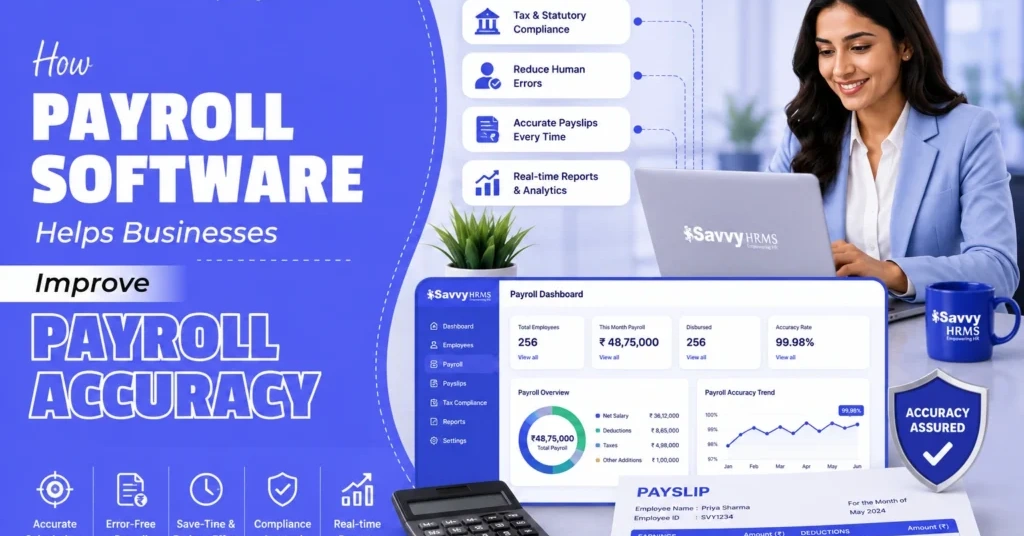

Have you ever wondered how a small payroll mistake can create a big problem for a business? An incorrect salary, missed deduction, or wrong attendance entry can affect employee trust, increase HR workload, and create unnecessary payroll corrections.
As businesses grow, payroll becomes more than simply calculating salaries. HR teams have to manage attendance, leave, overtime, incentives, reimbursements, tax deductions, statutory contributions, salary revisions, and employee information every month.
This is where payroll software becomes valuable. By connecting employee data, attendance, leave, salary structures, calculations, compliance, and reporting in one system, modern HR software can reduce repetitive manual work and help businesses process payroll more accurately.
What Is Payroll Accuracy, and Why Should Businesses Be Concerned About It?
Payroll accuracy means ensuring that every employee receives the correct salary, deductions, benefits, reimbursements, taxes, and other applicable payments according to their employment terms and the payroll rules applicable to the business.
It is not limited to getting the final salary figure right. Payroll accuracy starts much earlier, with correct employee information, attendance records, leave balances, salary structures, tax declarations, overtime, incentives, and other payroll inputs.
For example, imagine an employee has a monthly salary of ₹50,000 and took two unpaid leave days. If the leave information does not reach payroll correctly, the employee may receive more or less than they should.
The same applies to overtime. If an employee worked additional hours but those hours are not captured properly, the payroll calculation may not reflect the employee’s actual earnings.
Even a small mistake can create a chain reaction.
An incorrect salary calculation can lead to:
- Employee complaints and salary disputes
- Additional payroll processing work
- Incorrect tax or statutory deductions
- Repeated corrections and adjustments
- Delayed salary processing
- Compliance-related complications
- Loss of employee confidence in HR
Payroll accuracy is therefore both a financial and employee-experience issue.
When employees know that their salaries are calculated correctly and paid on time, it builds confidence in the organisation. For HR and finance teams, accurate payroll also means fewer corrections and smoother month-end operations.
This is one of the major reasons businesses increasingly use payroll management software instead of depending entirely on spreadsheets and manual calculations.
Why Do Businesses Struggle to Process Salaries Accurately Without Payroll Software?
Manual payroll may appear manageable when a company has a small workforce. But as employee numbers increase, the number of payroll inputs increases too.
Consider everything an HR or payroll professional may have to check before salary processing:
- Employee master data
- Joining and exit information
- Attendance
- Leave
- Loss of pay
- Overtime
- Salary revisions
- Promotions
- Bonuses
- Incentives
- Reimbursements
- Loans and advances
- Tax declarations
- PF and ESI-related calculations
- Professional tax
- Other statutory deductions
- Full and final settlements
Managing these inputs manually creates several opportunities for errors.
1. Spreadsheet dependency
Excel is useful for many HR activities, but payroll can become complicated when multiple spreadsheets are used for attendance, leave, salary structures, deductions, and reporting.
Employees may also have different salary structures and rules. Maintaining these separately can make payroll reconciliation difficult.
2. Repeated data entry
When the same employee information is entered into multiple systems or files, there is a greater possibility of typing mistakes, outdated information, or inconsistent records.
3. Difficult calculations
Payroll calculations are not always simple. Pro-rata salaries, arrears, variable pay, overtime, reimbursements, deductions, and tax calculations can require multiple formulas and conditions.
4. Last-minute changes
Salary revisions, new joiners, resignations, promotions, attendance corrections, and incentive approvals often happen close to the payroll deadline.
Manually updating all these changes can be stressful and error-prone.
5. Compliance complexity
Payroll also involves tax and statutory requirements that may vary according to employee circumstances, location, salary structure, and applicable rules.
This makes manual payroll increasingly difficult as the organisation grows.
How Can Payroll Software Improve Accuracy Step by Step?
The biggest advantage of payroll software is that it creates a connected payroll process instead of treating salary calculation as an isolated monthly activity.
Here is how it can improve accuracy step by step.
Step 1: Centralise employee information
The software stores employee information in a central system.
Instead of maintaining separate files for employee details, salary structures, attendance, and leave, HR teams can work with connected employee records.
Step 2: Capture payroll inputs automatically
Attendance, leave, overtime, reimbursements, and other relevant information can flow into the payroll process through integrated HR modules.
This reduces repetitive data entry.
Step 3: Apply configured salary rules
The payroll engine uses predefined salary structures, formulas, and business rules to calculate earnings and deductions.
This creates consistency across payroll cycles.
Step 4: Calculate salaries
The system processes basic salary, allowances, deductions, overtime, reimbursements, incentives, arrears, and other applicable components according to the configured rules.
Step 5: Apply tax and statutory deductions
Applicable deductions can be calculated using configured statutory rules and employee information.
Step 6: Validate payroll
Payroll teams can review salary registers, variance reports, deduction reports, and other validation outputs before finalising payroll.
Step 7: Approve and process payroll
Approval workflows can help ensure that payroll is reviewed by the right people before salary disbursement.
Step 8: Generate payslips and reports
Once payroll is finalised, the system can generate payslips and payroll reports without requiring the HR team to prepare each document manually.
The result is a more structured, repeatable, and traceable payroll process.
How Does Payroll Software Reduce Manual Payroll Errors?
Think about the number of calculations a payroll executive performs every month.
Now imagine replacing many of those repetitive calculations with a configured payroll engine.
That is where payroll automation software can make a major difference.
Instead of manually calculating every employee’s salary, the system can use predefined formulas and rules.
For example:
Gross Salary – Applicable Deductions = Net Salary
But the actual payroll calculation can involve many additional components. Payroll software can bring these components together and process them consistently.
1. It Reduces Manual Data Entry
Employee information is often used across attendance, leave, payroll, and reimbursements. Entering the same data repeatedly increases the chances of mistakes.
With payroll software, employee data can be stored centrally and reused across connected HR processes, reducing repetitive entry and improving payroll accuracy.
2. It Reduces Formula Errors
Manual payroll often depends on spreadsheets for salary, tax, overtime, and deduction calculations. A small formula error can affect an employee’s final salary.
Payroll software uses predefined salary rules and calculation logic, reducing the need to create or modify formulas manually.
3. It Standardises Calculations
Different employees may have different salary structures, making consistent calculations challenging when payroll is handled manually.
With payroll management software, salary components, deductions, allowances, and other rules can be configured once and applied consistently.
4. It Reduces Duplicate Work
Attendance, leave, reimbursements, and incentives are often maintained in separate files, requiring HR teams to copy information into payroll.
An integrated HRMS software can connect these processes, reducing duplicate data entry and the chances of missing or incorrectly entering payroll information.
Common integrated inputs include:
- Attendance and leave
- Overtime
- Reimbursements
- Incentives
- Salary revisions
5. It Creates an Audit Trail
Payroll teams need to know what changed and who approved it. Manual records can make this difficult to track.
Payroll software can maintain records of payroll changes, approvals, and processing activities, making it easier to identify discrepancies and review payroll history.
How Does Automated Attendance and Leave Data Improve Payroll Accuracy?
Attendance and leave are directly connected to payroll.
If attendance information is incorrect, salary calculations can also become incorrect.
For example, an employee may have:
- 22 working days
- 2 approved paid leaves
- 1 unpaid leave
- 2 overtime days
If these details are maintained manually across different files, the payroll team has to reconcile them before processing salary.
With an integrated HRMS software, attendance and leave information can flow into payroll based on configured rules.
This helps payroll teams account for:
- Present days
- Paid leave
- Unpaid leave
- Loss of pay
- Overtime
- Shift-related information
- Attendance regularisation
- Holidays
- Other applicable attendance inputs
The benefit is simple: payroll works with more reliable source data.
For example, if an employee’s approved unpaid leave is automatically considered while calculating salary, HR does not have to manually modify the employee’s payroll record.
This reduces the chances of forgetting an update or entering the wrong number of days.
It also improves employee transparency because employees can review their attendance, leave balances, and payslips through employee self-service features where available.
How Can Payroll Software Ensure Accurate Salary Calculations?
Salary calculation is at the centre of payroll processing.
A modern payroll system can manage different salary structures and apply configured rules to calculate employee earnings and deductions.
This becomes particularly useful when a business has employees with different compensation structures.
A payroll system may manage components such as:
- Basic salary
- House rent allowance
- Special allowances
- Conveyance or other allowances
- Bonuses
- Incentives
- Reimbursements
- Overtime
- Deductions
- Loans and advances
- Tax deductions
- Statutory contributions
The system can also support salary changes resulting from promotions, increments, transfers, or revisions.
For example, suppose an employee receives an increment in the middle of the month. Instead of manually calculating the impact of the change, the payroll system can apply the configured effective date and calculate the applicable amount.
Similarly, arrears can be calculated when salary revisions are applied retrospectively.
Savvy HRMS, for example, provides configurable salary structures, component-wise mapping, formula or non-formula calculations, salary processing and verification, variable salary management, increments and promotions, and arrears calculations.
The important point is that payroll accuracy depends on both automation and correct configuration. Software can reduce calculation errors, but businesses still need to configure salary structures and policies correctly.
How Does Payroll Software Improve Tax and Statutory Deduction Accuracy?
Payroll is closely connected with statutory compliance.
Depending on the organisation and employee circumstances, payroll may involve deductions and contributions such as:
1. TDS
Payroll software can automatically calculate applicable TDS based on employee salary, declarations, exemptions, and configured tax rules, helping businesses reduce manual calculation errors.
2. Provident Fund
Payroll software can calculate applicable Provident Fund contributions based on configured salary components and employee eligibility, helping HR teams maintain consistent and accurate payroll deductions.
3. ESI
Payroll software can calculate eligible ESI contributions during payroll processing based on applicable rules and employee details, reducing manual calculations and improving deduction accuracy.
4. Professional Tax
Payroll software can apply applicable Professional Tax rules based on employee location and configured state requirements, helping businesses process deductions accurately and consistently.
5. Labour Welfare Fund
Payroll software can manage applicable Labour Welfare Fund deductions and contributions according to configured rules, reducing manual effort and helping businesses maintain accurate payroll records.
6. Bonus-Related Calculations
Payroll software can help businesses calculate applicable bonuses using configured salary structures and eligibility rules, reducing manual calculations and ensuring bonus payments are reflected correctly.
7. Other Applicable Statutory Requirements
Payroll software can support other applicable statutory calculations and reports through configured rules, helping HR teams manage payroll obligations more efficiently and reduce compliance-related errors.
How Can Payroll Software Handle Overtime, Bonuses, and Incentives Accurately?
Not every employee receives exactly the same monthly earnings.
Some employees may receive overtime. Others may receive sales incentives, performance bonuses, variable pay, reimbursements, or special payments.
These variable components can make payroll more complicated.
Payroll software can help by separating fixed and variable salary components and applying predefined rules.
For example:
Fixed Salary + Overtime + Incentive + Bonus + Reimbursement – Deductions = Final Payable Salary
Instead of manually calculating each component, the payroll system can process approved inputs according to configured rules.
This is especially useful for businesses where variable pay is a regular part of compensation.
Payroll software can also support off-cycle payments where applicable. factoHR, for example, describes off-cycle payroll processing for payments such as bonuses and incentives, along with configurable earning and deduction components.
Savvy HRMS also provides variable salary management, incentives-related reporting, overtime registers, and separate reports for allowances and incentives.
The result is better consistency when employees receive different types of compensation.
Which Payroll Software Features Help Improve Payroll Accuracy?
When selecting payroll software for businesses, don’t focus only on whether it can “process salary.”
Look at the features that influence accuracy throughout the payroll cycle.
1. Configurable Salary Structures
Businesses should be able to create different salary structures based on employee roles, locations, and compensation policies.
This flexibility helps ensure that salary components and calculations remain consistent.
2. Automated Attendance Integration
Attendance and leave data should automatically flow into payroll, reducing manual data entry and improving salary calculation accuracy.
3. Payroll Validation
Payroll validation allows HR teams to review calculations, identify unusual changes, and correct errors before salaries are finalised.
4. Statutory Compliance
Look for software that supports applicable tax and statutory calculations to reduce manual compliance work.
Important areas include:
- TDS
- PF
- ESI
- Professional Tax
- Labour Welfare Fund
5. Variable Pay Management
Bonuses, incentives, overtime, and reimbursements should be easily managed within the payroll system.
This helps businesses accurately include variable earnings while reducing manual calculations.
6. Salary Revision and Arrears
The software should support increments, promotions, salary revisions, and retrospective calculations.
Automatic arrears calculations can help ensure employees receive the correct revised salary amounts.
7. Employee Self-Service
Employees should be able to access important payroll information without repeatedly contacting HR.
Useful self-service options include:
- Payslips
- Tax information
- Salary details
- Payroll documents
8. Approval Workflows
Maker-checker and approval workflows add an extra layer of control before payroll is processed.
They help ensure payroll changes are reviewed and approved by authorised users.
9. Payroll Reports
Detailed payroll reports help HR and finance teams review salary calculations before finalisation.
Useful reports can include:
- Salary registers
- Deduction reports
- Overtime reports
- Variance reports
- Statutory reports
10. Integration Capabilities
Integration with attendance, leave, accounting, banking, and other systems reduces duplicate data entry.
Connected systems also help payroll teams access more consistent and up-to-date information.
11. Audit Trails
A clear history of payroll actions helps businesses track changes, approvals, and processing activities.
This makes it easier to investigate discrepancies and maintain better payroll records.
12. Data Security
Payroll software handles sensitive employee and financial information, making strong security essential.
Key security features include:
- Role-based access
- Data encryption
- Secure backups
- Access controls
- Activity monitoring
A good HRMS software should therefore connect payroll with the broader employee lifecycle rather than operating as an isolated calculator.
How Can Payroll Reports and Validation Tools Help Detect Payroll Errors?
Payroll reports and validation tools help HR and finance teams review salary calculations before payroll is finalised. They highlight unusual changes, missing information, incorrect deductions, and unexpected salary variations that may require attention.
Useful payroll reports and validation checks include:
- Salary variance reports: Compare current and previous payroll figures to identify unusual changes.
- Attendance reports: Verify working days, leave, and loss-of-pay information.
- Overtime reports: Check overtime hours and corresponding payments.
- Deduction reports: Review TDS, PF, ESI, and other deductions.
- Salary registers: Provide a consolidated view of employee earnings and deductions.
- Reimbursement reports: Verify approved reimbursement amounts before processing.
- Statutory reports: Help review applicable compliance-related calculations and information.
- Payroll validation checks: Identify missing, inconsistent, or unusual payroll data before final approval.
How Should Businesses Choose Payroll Software for Better Accuracy?
Choosing payroll software should not be based only on price or the number of features listed on a website.
Businesses should first understand their payroll challenges.
1. Start with your current process
Ask:
- Where do payroll errors happen today?
- How much time does payroll processing take?
- How many spreadsheets are involved?
- How is attendance transferred to payroll?
- How are salary revisions handled?
- How are statutory calculations managed?
- How are payroll approvals completed?
Once these questions are answered, it becomes easier to identify the right software.
2. Check integration capabilities
Your payroll system should ideally connect with attendance, leave, HR, finance, accounting, and banking systems where required.
3. Evaluate calculation flexibility
Different businesses have different salary structures. Make sure the system can support your compensation model.
4. Review compliance capabilities
Ask how statutory updates are handled and what reports and filings the platform supports.
5. Test the validation process
A payroll system should not simply calculate salary. It should help you identify potential errors before payroll is finalised.
6. Consider scalability
Your payroll needs today may be different from your needs two years from now.
Choose an HR software platform that can grow with employee numbers, locations, entities, and payroll complexity.
7. Check employee self-service
Employees should have easy access to relevant payslips, tax information, and other payroll information.
8. Consider support
Payroll is time-sensitive. When something goes wrong close to payday, responsive support can be extremely valuable.
The best payroll software is ultimately the one that fits your business processes, reduces manual work, supports accurate calculations, and gives your HR and finance teams better control.
Best Payroll Software for Improving Payroll Accuracy in India
Here is a short comparison of popular payroll platforms businesses can consider:
| Payroll Software | Best Suited For | Accuracy-Focused Capabilities |
| Savvy HRMS | Indian businesses looking for integrated HR and payroll | Salary structures, automated payroll processing, attendance inputs, statutory calculations, variable pay, arrears, payroll verification and 100+ analytical reports |
| factoHR | Growing businesses and SMEs | Payroll wizard, attendance and leave reconciliation, statutory compliance, arrears, variable payments and payroll reports |
| greytHR | SMEs and growing organisations | Configurable salary structures, statutory calculations, attendance-to-payroll integration, reports and payroll compliance |
| PeopleStrong | Large and enterprise organisations | Automated payroll, attendance and leave integration, validations, maker-checker workflows, statutory calculations and analytics |
| Deel | Businesses with international and distributed workforces | Multi-country payroll, local compliance, tax handling, global payments and centralised payroll visibility |
For businesses looking for accurate, automated, and compliant payroll processing in India, Savvy HRMS stands out with integrated HR and payroll capabilities designed to simplify every stage of payroll management.
Why Is Savvy HRMS a Reliable Choice for Accurate Payroll Processing?
When payroll accuracy matters, businesses need more than a basic salary calculator. They need payroll software that connects employee data, attendance, leave, salary structures, deductions, compliance, and reporting in one place.
Savvy HRMS brings these processes together, helping HR teams reduce repetitive manual work and manage payroll through a more organised and consistent workflow.
What Makes Savvy HRMS a Reliable Payroll Choice?
- Accurate salary calculations: Configure salary structures, components, allowances, and deductions for consistent calculations.
- Automated payroll processing: Reduce repetitive calculations and manual payroll work.
- Attendance and leave integration: Use accurate attendance and leave inputs for salary processing.
- Statutory payroll support: Manage PF, ESI, Professional Tax, LWF, TDS, and other applicable requirements.
- Variable pay management: Handle incentives, overtime, bonuses, and reimbursements efficiently.
- Salary revisions and arrears: Manage increments, promotions, revisions, and applicable arrears.
- Payroll verification: Review payroll before final approval to identify potential errors.
- Detailed payroll reporting: Access salary registers, overtime, reimbursement, incentive, statutory, and other payroll reports.
With these capabilities, Savvy HRMS helps businesses make payroll more accurate, reduce manual effort, and gain better control over the entire payroll process. It is a practical choice for businesses looking for integrated HR software and payroll software.
Conclusion
Payroll accuracy is important for every growing business. Manual calculations, disconnected data, spreadsheet errors, and complex statutory requirements can make payroll increasingly difficult to manage as the workforce expands.
A reliable payroll software solution connects employee data, attendance, leave, salary structures, deductions, compliance, approvals, and reporting, helping businesses create a more accurate and efficient payroll process.
The right HR software does not simply calculate salaries. It gives HR teams better control, reduces repetitive work, helps identify errors before payroll is finalised, and creates a more transparent experience for employees.
If your business is still depending heavily on spreadsheets and manual payroll calculations, it may be time to move towards a smarter, more connected HRMS and payroll software solution.











Ready to make payroll more accurate, efficient, and stress-free?
Explore Savvy HRMS and book a free demo today.
Frequently Asked Questions (FAQs)
1. How does payroll software improve payroll accuracy?
Payroll software improves accuracy by automating salary calculations, connecting attendance and leave data, applying configured salary rules, reducing manual data entry, and providing payroll validation and reporting before salaries are finalised.
2. Can payroll software reduce errors in salary calculations?
Yes. Payroll software uses predefined salary structures, formulas, and calculation rules to process earnings, deductions, overtime, incentives, reimbursements, taxes, and other payroll components consistently, reducing the risk of manual calculation errors.
3. How does payroll software help with statutory compliance in India?
Payroll software can automate applicable calculations and reports for requirements such as TDS, PF, ESI, Professional Tax, and Labour Welfare Fund. Businesses should ensure that the software’s statutory rules are configured and updated according to applicable regulations.
4. Can payroll software integrate attendance and leave with salary processing?
Yes. Integrated payroll software can connect attendance and leave data with salary calculations. This can help automatically account for paid leave, unpaid leave, loss of pay, overtime, and other applicable attendance inputs.
5. What features should businesses look for in payroll software?
Businesses should consider automated payroll processing, configurable salary structures, attendance and leave integration, statutory compliance support, variable pay management, salary revisions and arrears, payroll validation, approval workflows, detailed reports, employee self-service, integrations, and strong data security.