

Professional Tax Slab Rates 2026-27: Complete State-Wise Guide for HR and Payroll Teams


-
AuthorRuchika Rajput
-
 Last Updated
August 01, 2026
Last Updated
August 01, 2026
-
 Reading Time
9 Mins
Reading Time
9 Mins
Professional Tax is one of those statutory deductions that every HR and payroll team must handle accurately. Since the tax rates vary from state to state, ensuring compliance can become challenging, especially for organizations with employees across multiple locations.
For employees, Professional Tax appears as a small deduction in the salary slip. But for employers, it involves registration, employee enrollment, monthly deductions, timely payments, and filing returns as per state regulations. Missing any of these requirements can result in penalties and compliance issues.
That is why understanding the Professional Tax Rates 2026-27 and keeping up with state-wise tax rates is important. In this guide, we’ll explain everything HR and payroll teams need to know, from professional tax registration and salary calculations to state-wise rates and how payroll software can simplify compliance.
What Is Professional Tax in India?
Professional Tax is a state-level tax imposed by state governments on individuals earning income through employment, profession, trade, or business. It is governed by the respective state legislation and is deducted from employees’ salaries by employers.
Unlike Income Tax, which is demanded by the central government, Professional Tax is administered by state governments. Therefore, the rates, structures, due dates, and compliance requirements differ from one state to another.
The maximum Professional Tax payable in a financial year cannot exceed ₹2,500 as per Article 276 of the Indian Constitution.
Professional Tax is applicable to:
- Salaried employees
- Self-employed professionals
- Business owners
- Freelancers
- Traders and practitioners
Employers are responsible for deducting Professional Tax from employee salaries and depositing it with the concerned state authority.
Who Needs to Pay Professional Tax?
Professional Tax applies to both employees and self-employed individuals.
1. Salaried Employees
Employees working in states where the Professional Tax is applicable are required to pay it. The amount deducted depends on their Gross Monthly Salary and the professional tax prescribed by that particular state.
2. Employers
Employers are responsible for:
- Obtaining a Registration Certificate (RC)
- Deducting Professional Tax from employee salaries
- Depositing the collected amount within the prescribed timelines
- Filing Professional Tax returns
- Maintaining statutory records
3. Self-Employed Individuals
Doctors, lawyers, architects, consultants, chartered accountants, and other professionals are also liable to pay Professional Tax through an Enrollment Certificate (EC).
Which States Charge Professional Tax in 2026?
Professional Tax is not applicable across all states in India. Only certain states collect this tax.
Some states and union territories where Professional Tax is applicable include:
| State / UT | Professional Tax Applicable | Maximum Annual Professional Tax |
| Maharashtra | Yes | Rs. 2,500 |
| Karnataka | Yes | Rs. 2,400 |
| West Bengal | Yes | Rs. 2,400 |
| Andhra Pradesh | Yes | Rs. 2,400 |
| Telangana | Yes | Rs. 2,400 |
| Tamil Nadu | Yes | Rs. 1,200 (half-yearly) |
| Kerala | Yes | Rs. 2,400 (half-yearly) |
| Gujarat | Yes | Rs. 2,400 |
| Madhya Pradesh | Yes | Rs. 2,500 |
| Odisha | Yes | Rs. 2,400 |
| Assam | Yes | Rs. 2,040 |
| Meghalaya | Yes | Rs. 2,500 |
| Tripura | Yes | Rs. 1,500 |
| Jharkhand | Yes | Rs. 2,500 |
| Bihar | Yes | Rs. 2,500 |
| Sikkim | Yes | Nominal rates |
| Goa | Yes | Nominal rates |
| Puducherry | Yes | Nominal rates |
| Delhi | No | Not applicable |
| Haryana | No | Not applicable |
| Rajasthan | No | Not applicable |
| Uttar Pradesh | No | Not applicable |
| Punjab | No | Not applicable |
| Himachal Pradesh | No | Not applicable |
| Uttarakhand | No | Not applicable |
| Chandigarh (UT) | No | Not applicable |
States such as Delhi, Haryana, Punjab, Rajasthan, Uttar Pradesh, and Chandigarh currently do not collect Professional Tax.
Since state laws can change, HR teams should regularly monitor notifications and amendments issued by respective state governments.
What Must Employers Do for Professional Tax Registration?
Professional Tax compliance starts with proper registration.
1. Obtain Registration Certificate (RC)
Employers hiring staff in states where Professional Tax applies must obtain a Registration Certificate from the concerned state tax department. This certificate authorises employers to deduct tax from employees.
2. Obtain Enrollment Certificate (EC)
If the employer itself is liable to pay Professional Tax as an entity, an Enrollment Certificate is also required.
3. Deduct Professional Tax
Employers must deduct Professional Tax according to the employee’s Gross Monthly Salary and the applicable professional tax rates for 2026-27.
4. Deposit Tax on Time
The deducted amount must be deposited with the state government within the specified due dates.
5. File Returns
Most states require periodic filing of Professional Tax returns. Failure to file on time may attract penalties and interest.
6. Maintain Records
HR and payroll teams should maintain:
- Employee salary records
- Professional Tax deductions
- Payment challans
- Return filing documents
What Are the Professional Tax Rates State-Wise for FY 2026-27?
Professional Tax rates vary across states. Here are some examples:
1. Maharashtra
| Monthly Salary | Professional Tax |
| Up to ₹7,500 (Male) | Nil |
| Up to ₹10,000 (Female) | Nil |
| ₹7,501 to ₹10,000 | ₹175 |
| Above ₹10,000 | ₹200 (₹300 in February) |
2. Karnataka
| Monthly Salary | Professional Tax |
| Up to ₹25,000 | Nil |
| ₹25,001 to ₹41,666 | ₹150 |
| ₹41,667 to ₹83,333 and above | ₹200 |
3. West Bengal
| Monthly Salary | Professional Tax |
| Up to ₹10,000 | Nil |
| ₹10,001 to ₹15,000 | ₹110 |
| ₹15,001 to ₹25,000 | ₹130 |
| ₹25,001 to ₹40,000 | ₹150 |
| Above ₹40,000 | ₹200 |
4. Telangana
| Monthly Salary | Professional Tax |
| Up to ₹15,000 | Nil |
| ₹15,001 to ₹20,000 | ₹150 |
| Above ₹20,000 | ₹200 |
5. Andhra Pradesh
| Monthly Salary | Professional Tax |
| Up to ₹15,000 | Nil |
| ₹15,001 to ₹20,000 | ₹150 |
| Above ₹20,000 | ₹200 |
6. Tamil Nadu
| Half-Yearly Salary | Professional Tax Per Half-Year |
| Up to ₹21,000 | Nil |
| ₹21,001 to ₹30,000 | ₹135 |
| ₹30,001 to ₹45,000 | ₹315 |
| ₹45,001 to ₹60,000 | ₹690 |
| ₹60,001 to ₹75,000 and above | ₹1,025 |
7. Kerala
| Half-Yearly Salary | Professional Tax Per Half-Year |
| Up to ₹11,999 | Nil |
| ₹12,000 to ₹17,999 | ₹120 |
| ₹18,000 to ₹29,999 | ₹180 |
| ₹30,000 to ₹44,999 | ₹360 |
| ₹45,000 to ₹59,999 | ₹600 |
| ₹60,000 to ₹74,999 | ₹900 |
| ₹75,000 to ₹99,999 | ₹1,200 |
| ₹1,00,000 and above | ₹1,200 |
8. Gujarat
| Monthly Gross Salary | Professional Tax Per Month |
| Up to ₹5,999 | Nil |
| ₹6,000 to ₹8,999 | ₹80 |
| ₹9,000 to ₹11,999 | ₹150 |
| ₹12,000 and above | ₹200 |
9. Madhya Pradesh
| Monthly Gross Salary | Professional Tax Per Month |
| Up to ₹18,750 | Nil |
| ₹18,751 to ₹25,000 | ₹125 |
| ₹25,001 to ₹33,333 | ₹167 |
| ₹33,333 and above | ₹208 |
10. Odisha
| Monthly Gross Salary | Professional Tax Per Month |
| Up to ₹13,304 | Nil |
| ₹13,305 to ₹25,000 | ₹125 |
| ₹25,001 to ₹41,666 | ₹167 |
| ₹41,666 and above | ₹208 |
11. Assam
| Monthly Gross Salary | Professional Tax Per Month |
| Up to ₹10,000 | Nil |
| ₹10,001 to ₹14,999 | ₹150 |
| ₹15,000 to ₹24,999 | ₹170 |
| ₹25,000 and above | ₹170 |
12. Meghalaya
| Monthly Gross Salary | Professional Tax Per Month |
| Up to ₹4,999 | Nil |
| ₹5,000 to ₹7,999 | ₹35 |
| ₹8,000 to ₹11,999 | ₹75 |
| ₹12,000 and ₹17,999 | ₹125 |
| ₹18,000 and ₹29,999 | ₹175 |
| ₹30,000 and above | ₹208 |
13. Tripura
| Monthly Gross Salary | Professional Tax Per Month |
| Up to ₹7,500 | Nil |
| ₹7,501 to ₹15,000 | ₹56 |
| ₹15,001 to ₹25,000 | ₹112 |
| ₹25,000 and above | ₹125 |
14. Jharkhand
| Monthly Gross Salary | Professional Tax Per Month |
| Up to ₹25,000 | Nil |
| ₹25,001 to ₹41,667 | ₹100 |
| ₹41,667 and above | ₹208 |
15. Bihar
| Monthly Gross Salary | Professional Tax Per Month |
| Up to ₹25,000 | Nil |
| ₹25,001 to ₹41,666 | ₹83 |
| ₹41,666 and above | ₹208 |
States Where Professional Tax Does Not Apply
If your employees are based in any of these states or union territories, you are not required to deduct Professional Tax from their salaries: Delhi, Uttar Pradesh, Haryana, Rajasthan, Punjab, Himachal Pradesh, Uttarakhand, Arunachal Pradesh, Manipur, Mizoram, Nagaland, Jammu and Kashmir, Ladakh, Dadra and Nagar Haveli and Daman and Diu, Lakshadweep, and Andaman and Nicobar Islands.
How is the Professional Tax Calculated on Salary?
Professional Tax is calculated based on the employee’s Gross Monthly Salary and the Professional Tax applicable in the state where they work. Since each state has its own rates, the amount deducted may vary.
Step 1: Determine the Employee’s Gross Monthly Salary
Start by calculating the employee’s gross monthly salary, which includes basic pay, allowances, bonuses, and other earnings before deductions.
Example:
Gross Monthly Salary = ₹45,000
Step 2: Identify the Applicable State
Professional Tax is a state-level collection, so the employee’s work location determines which state’s Professional Tax rules apply.
Example:
Employee Location = Karnataka
Step 3: Check the State-Wise Professional Tax 2026-27
Refer to the Professional Tax prescribed by the respective state and find the rate that matches the employee’s gross salary.
Example:
In Karnataka, employees earning ₹25,000 or more per month are required to pay ₹150 as Professional Tax.
Step 4: Calculate the Monthly Professional Tax Deduction
Apply the amount specified in the relevant rule to determine the monthly Professional Tax deduction.
Example:
Monthly Professional Tax = ₹150
Step 5: Calculate the Annual Professional Tax Liability
Multiply the monthly Professional Tax amount by 12 to determine the annual liability.
Formula:
Annual Professional Tax = Monthly Professional Tax × 12
Example:
₹150 × 12 = ₹1800 per year
Example of Professional Tax Calculation
| Particulars | Amount |
| Gross Monthly Salary | ₹45,000 |
| State | Karnataka |
| Applicable Professional Tax | ₹25,000 and above |
| Monthly Professional Tax | ₹200 |
| Annual Professional Tax | ₹2,400 |
By following these steps, HR and payroll teams can ensure accurate Professional Tax deductions and maintain compliance with state-specific regulations.
Key Differences Between Professional Tax and Income Tax
| Basis | Professional Tax | Income Tax |
| Levied By | State Government | Central Government |
| Applicability | Selected States | Entire India |
| Governing Law | State Acts | Income Tax Act, 1961 |
| Maximum Annual Amount | ₹2,500 | Depends on the tax |
| Collected From | Salaried and professionals | Individuals and entities |
| Deducted By | Employer | Employer and taxpayer |
| Filing Authority | State Department | Income Tax Department |
Although both are tax deductions, their purpose, governing authority, and compliance processes are entirely different.
How to Choose the Right Payroll Software for Professional Tax Compliance?
Managing Professional Tax manually becomes difficult when organizations operate across multiple states.
Here are some features to look for:
1. State-Wise Compliance Support
A good payroll software should support different professional tax 2026-27 structures and automatically apply state-specific rules to ensure accurate and compliant Professional Tax deductions.
2. Automated Tax Calculation
The software should automatically calculate Professional Tax based on employees’ Gross Monthly Salary, reducing manual effort and minimizing the risk of calculation errors.
3. Return Management
Efficient payroll software simplifies Professional Tax return filing by tracking due dates, generating challans, and helping HR teams avoid penalties.
4. Multi-State Payroll Processing
For organizations operating across multiple states, centralized payroll processing ensures consistent salary management and smooth compliance with varying state regulations.
5. Statutory Reports
The system should generate statutory reports and records required for audits, return filing, and maintaining compliance with Professional Tax regulations.
6. Integration With Attendance and Salary Processing
Integration with attendance and payroll modules helps automate salary calculations, improve accuracy, and save valuable time for HR and payroll teams.
How does Savvy HRMS handle Professional Tax automatically?
Managing statutory compliance manually can consume significant time and effort. Savvy HRMS simplifies the entire process with automation.
1. State-Wise Professional Tax Configuration
Savvy HRMS supports state-specific Professional Tax rules and regularly updates professional tax 2026-27 changes, helping organizations maintain accurate and compliant payroll processes.
2. Automatic Professional Tax Calculation
The software automatically calculates Professional Tax based on employees’ Gross Monthly Salary and applicable state, eliminating manual effort and reducing errors.
3. Accurate Payroll Processing
Professional Tax deductions are smoothly incorporated into payroll processing, ensuring accurate salary calculations and clear visibility in employee payslips.
4. Compliance Support
Savvy HRMS helps HR teams stay compliant with statutory requirements by managing Professional Tax calculations, due dates, and regulatory changes efficiently.
5. Centralized Payroll Management
Organizations with employees across multiple locations can manage payroll operations from a single platform while ensuring state-wise compliance.
6. Error-Free Processing
By automating Professional Tax calculations and deductions, Savvy HRMS minimizes manual errors, reduces compliance risks, and improves overall payroll accuracy.
Conclusion
Professional Tax is an important part of payroll compliance, and managing it accurately is important for every organization. Since Professional Tax rates differ across states, HR and payroll teams must stay updated with the latest professional tax 2026-27, maintain proper registrations, deduct taxes correctly, and ensure timely payments and return filing.
Using payroll software can significantly reduce manual work and help organizations stay compliant with changing state regulations. With automated calculations and centralized payroll processing, businesses can manage Professional Tax efficiently while avoiding penalties and errors.

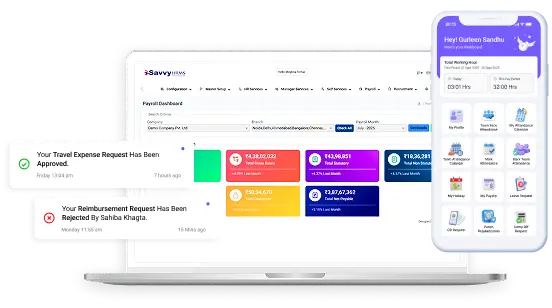









Looking for an easier way to manage Professional Tax and payroll compliance?
Explore Savvy HRMS and automate state-wise professional tax calculations, statutory deductions, and payroll processing with confidence.