


Do you ever find yourself searching through multiple emails, spreadsheets, and chat tools to find the HR info you need? Finding HR information in multiple areas creates frustration and confusion for everyone. Multiple sources of HR information result in delays, more confusion, and constant follow-ups as the need for information is never fully satisfied, all leading to more complexity in how HR processes are completed daily by everyone involved.
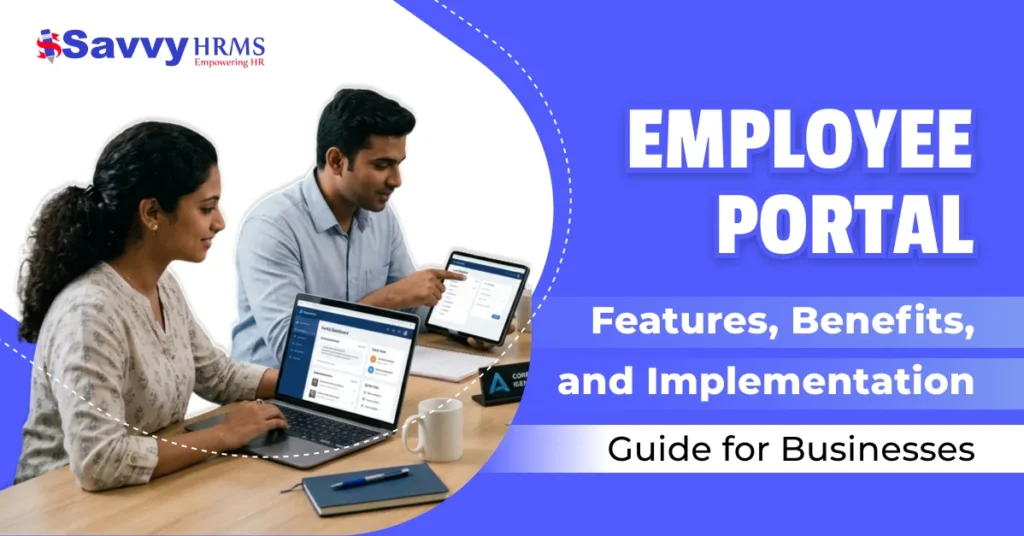
That’s where having an employee portal can help. An employee portal acts as a central place for all employees, containing all of the information to complete any work-related task, while also helping to reduce the time spent looking for information. This blog post will cover everything there is to know about employee portals, from their features, benefits, implementation, and how they are transforming today’s workforce.
What is an Employee Portal and Its Purpose?
Employee portal is a secure way for employees to access the company information, manage HR-related tasks, and communicate quickly and simply through a secure online portal, allowing for a centralised location to find all resources related to work.
It was created to achieve three main objectives, including simplifying HR processes, enhancing communication, and improving the experience of employees. The portal allows employees to manage their own data through self-service, which reduces dependency on HR departments.
The purpose of the Employee Portal is:
- Centralise their company and employee data;
- Provide employees with access to self-service HR functions (e.g., leave and payroll);
- Enhance communication between teams internally.
- Improve the engagement and transparency of employees.
- Provide a simplified administration and human resources function.
- Support remote and hybrid working.
What Are the Different Types of Employee Portals?
1. Human Resources Management Systems (HRMS)
HRMS provides portals to manage employee records, attendance, leave of absence requests, and performance metrics; by utilising these tools as a platform for all HR operations, HR can create a larger presence with reduced manual work, creating greater efficiency within an organization.
2. Payroll and Employee Benefits Administration
Portals allow for salary processing, tax information, accessible payslips, and employee benefit management; this portal allows employees access to their compensation and will allow employees to change and update their financial information securely without HR having to conduct the chain of communication.
3. Learning Management Systems (LMS)
LMS provides portals for creating training programs, courses, and resources to help organizations improve employee skills, track training completion, and ensure continual professional development aligned with business goals.
4. Project Management
Project-based portals provide tools for team collaboration, task assignment, deadline tracking, and project monitoring, creating accountability and improving team coordination to achieve objectives together.
5. Internal Communication
Internal Communications provides a portal to facilitate employee announcements, employee messaging, and collaboration tools; by ensuring that employees are informed and connected to current company activities, employees will be able to better understand company updates through inter-departmental communication.
6. Performance Management Systems
Performance Management Systems provide portals to track employee and organization performance, establish objectives, provide feedback, and appraisal review; these tools provide organization managers with the opportunity to evaluate employee performance over a particular period of time and make observations concerning the areas of success.
What Features Should Businesses Expect in an Employee Portal?
1. Employee Self-Service
Employees are able to self-manage their personal information and apply for leave easily. This reduces the workload that HR must handle daily while enhancing operational efficiencies.
2. Attendance and Leave Management
Employee attendance, leave balance, and hours worked are tracked through the employee portal to provide transparency and assist with organizational workforce planning.
3. Payroll Integration
Through smooth integration with payroll functionality, employees have the ability to access details about their salary, taxes, and other deductions and benefits. This contributes to reducing the number of employee inquiries regarding payroll.
4. Document Management
Employees have access to required documents like policy manuals, employment contracts, other job description guidelines, etc. Whenever an employee needs to access information in a document format, they are able to quickly and easily retrieve it from the employee portal instead of going through HR.
5. Communication Tools
The communication capabilities within the employee portal (i.e., message board, announcement board, & notification features) maintain communication consistency; therefore, employees are able to stay informed of all company news and other important events.
6. Performance Monitoring
Managers use employee performance and productivity information to set employee goals and monitor progress; thus, employees have a clearer understanding of how their individual contributions align with company goals.
7. Mobile Access
Modern employee portals have been designed with mobile-friendly versions, allowing employees the ability to access information anytime from anywhere. This flexibility supports a growing trend of remote workplace environments.
8. Integration Capabilities
The employee portal integrates with other aspects of the business (HR, finance, operational systems) to ensure a smooth flow of data from one system of the business to another, providing increased productivity across all areas impacted.
What Key Metrics Does an Employee Portal Track?
1. Employee Demographics
Information such as employee age, gender, department, and role is determined through the portal. This data can then be utilized by an organization to evaluate its workforce population and make informed decisions regarding HR and diversity.
2. User Adoption Rate and Engagement
How often an employee uses the portal and engages with its various features (i.e., how effective it is at encouraging employee use of the portal) is tracked through user adoption rate and engagement metrics, allowing an organization to determine the success of its implementation and identify areas for improvement to increase user adoption rates.
3. Participation Level in Courses or Programs
Employee participation levels in training or development courses are measured through course participation metrics, allowing an organization to evaluate how well it is meeting its training goals and begin to ensure continuous skill development within teams.
4. Document Access Frequency
Document access frequency by employees is measured through the use of the organization’s documents. This will give an organization a clear understanding of how its employees are using the company’s documents. This kind of information will help organizations enhance the accessibility of their content and the relevance of their documentation.
5. Number of Help Requests
The number of support requests is measured by the number of tickets or requests for assistance submitted to the organization. The number of support requests will assist the organization in identifying repetitive issues and improving the usability of the system, as well as improving the employee experience.
6. Feedback Rating about user Experience
The organization tracks employee feedback with regard to the statement “I am satisfied with the usability of this portal”. This allows the organization to continuously improve its overall performance and employee experience with this type of product.
What are the Benefits of an Employee Portal?
1. Improved Efficiency
The employee portal automates routine HR tasks, eliminating paper processes and speeding up tasks, thereby freeing HR to concentrate on strategic activities and improving total organizational effectiveness.
2. Improved Employee Experience
Employees have easier access to information and services with this solution, enhancing employee satisfaction and reducing frustration, creating a more engaging and user-friendly work environment.
3. Better Communication
Centralized communications enable employees to receive up-to-date communication, reducing confusion and improving collaboration between companies, departments, and teams.
4. Enhanced Transparency
Employees can access all company policies, payroll detail information, and performance indicators that build trust and provide transparency throughout the company.
5. Cost Savings
Automation lowers administrative costs, reduces paper volume, and minimizes human errors, providing resources and added efficiency to the organization.
6. Data-Driven Decision-Making
Real-time access to data and analytics will assist companies in making better use of their resources and improving workforce planning, thus creating more effective overall HR strategies.
How Secure Are Employee Portals?
A secure employee portal is basically built on secure security protocols. This includes the use of:
1. Data Encryption
Using strong advanced encryption methods to protect sensitive information so that data is kept secure when it is being stored or transferred between all systems.
2. Role-Based Access Control
Only granting access based on a user’s specific role. Employees should only view what is relevant to their job, thereby preventing unauthorized access to sensitive corporate data.
3. Multi-Factor Authentication
Using multiple processes to confirm the use of a user’s identity further decreases the chances of someone accessing the portal without permission.
4. Regular Security Updates
Keeping the portal updated regularly, call at the time, using new updated patches to address any new security vulnerabilities, to keep the portal protected from any existing and new security risks.
5. Audit Trails
The portal logs each user’s activity, so that organizations can track actions, identify unusual activities, and create accountability throughout the system.
What Are Effective Ways to Promote Employee Portal Adoption?
1. Provide Training and Onboarding
Train employees on how to use the portal effectively. Educate employees on the benefits and functionality of the portal that relate to their day-to-day work activities.
2. Ensure User-Friendly Design
An interface that is simple and intuitive creates an environment where employees can access and utilize the portal frequently without having to deal with confusion or frustration.
3. Clearly Communicate Benefits
Highlighting the fact that the portal will make performing work functions easier, saving time for work performance, and providing an improved convenience for all employees will motivate all levels of employees to use the portal.
4. Encourage Leadership Support
When managers use and promote the portal frequently, employees will have greater motivation to use the portal on a daily basis.
5. Provide Ongoing Support
Many resources provide help or ways to report issues with the portal quickly. Ongoing support will allow for positive and smooth use of the portal.
Conclusion
The modern workplace has made an employee portal a necessity (rather than an option) for businesses that want to simplify their HR processes and employee experiences. These portals help to reduce efforts in all parts of HR operations, from improving communication to providing employees with improved self-service functionality within the Portal.
Businesses can benefit from the efficiency, security, and future-readiness of their HR departments when utilizing an employee portal and implementing a solution like Savvy HRMS to facilitate its use.
Ready to grow your HR career?
If you are interested in transforming your workplace into a more enjoyable environment for your employees, Book Your demo today with Savvy HRMS!
Book a Demo TodayFAQ
1. What is an example of an employee portal?
Employee portal examples include websites where workers access payroll, attendance, and HR services through the Internet, such as HRMS portals provided by companies and governmental organizations.
2. What is an employee portal mobile app?
Employee portal examples include websites where workers access payroll, attendance, and HR services through the Internet, such as HRMS portals provided by companies and governmental organizations.
3. What does employee portal login mean?
Employee portal login is a process by which employees log in by entering their login information to manage their profile, payroll, attendance, and other HR-related matters.
4. What is the Employee Self-Service portal?
Employee Self Service portal refers to an online service that enables employees to take care of their own personal information, apply for leave, review their payslips, make changes to information, and look for HR help all by themselves without any involvement of the HR department.
5. What is the Employee Provident Fund?
The Employee Provident Fund refers to a savings program that is run by the government, which involves monthly payments from both the employee and employer that help the employee save money for their retirement period.