


Notice Period Calculator: How to Calculate Your Last Working Day


-
AuthorS.K. Gupta
-
 Last Updated
June 30, 2026
Last Updated
June 30, 2026
-
 Reading Time
8 Mins
Reading Time
8 Mins
Leaving a job involves more than submitting a resignation letter. One of the most important things employees need to understand is their notice period and how to determine their last working day. Miscalculating it can lead to confusion, payroll issues, or even disputes with the employer.
This is where a notice period calculator becomes useful. Whether you are switching jobs or managing employee exits, understanding notice period calculation helps ensure a smooth transformation. In this guide, we will explain how to calculate your last working day, common notice period durations, and how HRMS software can simplify the entire process.
What Is the Notice Period in Employment?
A notice period is the amount of time an employee is required to serve after submitting a resignation or after receiving a termination notice. During this period, the employee continues working while the organization prepares for a smooth handover.
The length of the notice period is usually mentioned in the employment contract or company policy. It gives both employers and employees enough time to complete pending work, transfer responsibilities, and plan the transition effectively.
Notice periods vary depending on factors such as company policies, industry standards, and employee designation. Some organizations require a 30-day notice period, while others may ask for 60 or even 90 days.
Why Does Notice Period Matter?
A notice period benefits both employees and employers. For organizations, it ensures business continuity and allows enough time to hire or train a replacement. For employees, it helps maintain professionalism and leaves a positive impression.
Serving the required notice period can also impact your full and final settlement, experience letter, and relieving letter. Failing to serve the notice period may result in salary deductions or other consequences based on company policies.
From an HR perspective, notice periods make workforce planning easier and reduce disruptions caused by sudden employee exits.
How to Calculate Your Last Working Day Manually?
Although a notice period calculator makes things easier, you can calculate your last working day manually by following these steps.
Step 1: Determine Your Resignation Date
Your notice period generally starts from the date your resignation is accepted or submitted, depending on company policy.
Step 2: Check Your Notice Period Duration
Refer to your employment contract or employee handbook to find the applicable notice period. It may be 15 days, 30 days, 60 days, or 90 days.
Step 3: Count the Notice Period
Add the required number of days to your resignation date.
For example:
- Resignation Date: 1 July
- Notice Period: 30 Days
- Last Working Day: 30 July
Step 4: Consider Leave Adjustments
Some organizations allow employees to adjust earned leave against the notice period. In such cases, your last working day may arrive earlier.
Step 5: Verify Company Policy
Some companies calculate notice periods using calendar days, while others may consider working days. Always confirm with your HR department.
Although manual calculations are possible, a notice period calculator can save time and eliminate errors.
How Many Days Does a Typical Notice Period Last?
The duration of a notice period depends on company policies and employee roles. Here are some common notice periods:
1. 15-Day Notice Period
A 15-day notice period is usually applicable to interns, temporary employees, and contractual staff. It provides sufficient time for basic handovers while enabling organizations to fill positions quickly.
2. 30-Day Notice Period
A 30-day notice period is the most common across industries in India. It allows employees to complete pending tasks and helps employers arrange replacements smoothly.
3. 60-Day Notice Period
Many companies assign a 60-day notice period to middle-level professionals and employees with specialized skills. This duration ensures proper knowledge transfer and minimizes workflow disruptions.
4. 90-Day Notice Period
Senior managers and employees in leadership roles often serve a 90-day notice period. The extended duration helps organizations manage transitions and maintain business continuity effectively.
Some organizations also allow employees to buy out their notice period by compensating the company instead of serving the full duration.
How Does a Notice Period Calculator Work?
A notice period calculator is designed to help employees and HR professionals determine the last working day quickly and accurately.
Generally, it requires the following inputs:
- Resignation date
- Notice period duration
- Type of notice period (calendar days or working days)
- Leave adjustment, if applicable
Once the information is entered, the notice period calculator automatically calculates the employee’s last working day.
Benefits of Using a Notice Period Calculator
1. Saves Time
Manual calculations can be confusing, especially when holidays and leave balances are involved. A notice period calculator provides instant results.
2. Reduces Errors
Incorrect notice period calculations may affect payroll and employee settlements. Automated calculations improve accuracy.
3. Ensures Compliance
Using a calculator ensures employees follow company policies and avoid misunderstandings.
4. Simplifies Exit Management
HR teams can manage resignations more efficiently when notice period calculations are automated.
What Happens If You Leave Without Serving a Notice Period?
Leaving without completing the required notice period can have several consequences. However, the impact depends on company policies and employment agreements.
1. Salary Deductions
If an employee fails to serve the required notice period, organizations may deduct an amount equivalent to the unserved days from the final salary settlement.
2. Delayed Full and Final Settlement
Leaving without completing the notice period can delay the full and final settlement process, affecting the timely release of pending salary and benefits.
3. Relieving and Experience Letter Issues
Some employers may withhold relieving and experience letters until notice period requirements are fulfilled, which can create difficulties during future job transitions.
4. Negative Professional Impact
Exiting without serving notice may harm professional relationships and references, potentially affecting credibility and creating challenges when looking for new career opportunities.
5. Legal Implications
In certain cases, companies may pursue legal action if an employee violates contractual notice period obligations, especially when significant business losses occur.
In some situations, employers and employees mutually agree to waive or reduce the notice period. Therefore, discussing the matter with HR is always advisable.
Common Mistakes to Avoid While Calculating Notice Period
1. Ignoring Company Policies
Every organization has its own notice period rules and procedures. Reviewing your employment contract helps avoid misunderstandings and ensures compliance with company requirements.
2. Confusing Calendar Days With Working Days
Many employees assume weekends and holidays are excluded from notice periods. However, whether they are counted depends entirely on company policy.
3. Forgetting Leave Adjustments
Unused leave balances can sometimes be adjusted against the notice period. Ignoring this possibility may lead to incorrect last working day calculations.
4. Assuming Immediate Relief
Submitting a resignation does not guarantee immediate release. Approval processes, handovers, and company policies often determine the actual relieving date.
5. Miscalculating Dates
Even a small error in calculating notice periods can affect payroll and settlements. A notice period calculator helps ensure accurate results.
How Can HRMS Software Simplify Notice Period Management?
Managing resignations manually becomes difficult when multiple employees are involved. This is where HRMS software proves valuable.
Modern HRMS solutions automate exit processes and simplify notice period management for both employees and HR teams.
1. Automated Notice Period Calculation
HRMS software automatically calculates employees’ last working days based on company policies, reducing manual effort and ensuring greater accuracy throughout the resignation process.
2. Leave and Attendance Integration
By integrating leave balances and attendance records, HRMS software simplifies adjustments and ensures accurate notice period calculations without manual intervention.
3. Exit Workflow Management
HR teams can manage approvals, clearances, asset returns, and documentation through a centralized platform, making employee exits more organized and efficient.
4. Full and Final Settlement Processing
Automated payroll calculations help process salaries, leave encashments, and other dues accurately, ensuring timely and error-free final settlements.
5. Document Generation
HRMS software can automatically generate experience letters, relieving letters, and resignation acknowledgements, saving time and maintaining consistency across documents.
6. Better Employee Experience
Employees gain greater transparency by tracking their resignation status, notice period, and settlement details through self-service portals and dashboards.
Why Choose Savvy HRMS for Notice Period and Exit Management?
Managing employee exits efficiently requires more than spreadsheets and manual calculations. Savvy HRMS provides a smart and centralized solution for handling the entire employee lifecycle, including resignations and notice period management.
With Savvy HRMS, organizations can:
- Automate notice period calculations.
- Manage employee exits smoothly.
- Track attendance and leave balances in real time.
- Process full and final settlements accurately.
- Generate relieving and experience letters instantly.
- Improve employee experience through self-service portals.
- Reduce HR workload through automation.
Whether your company has 50 employees or thousands, Savvy HRMS helps simplify HR operations and ensures a hassle-free resignation process.
Conclusion
Understanding your notice period is important when planning a job change. It helps employees maintain professionalism and allows organizations to ensure a smooth transition. While manual calculations are possible, using a notice period calculator makes the process faster, more accurate, and hassle-free.
For businesses, managing notice periods manually can be time-consuming and prone to errors. That’s why modern organizations rely on HRMS software to automate notice period calculations, simplify employee exits, and simplify full and final settlements.

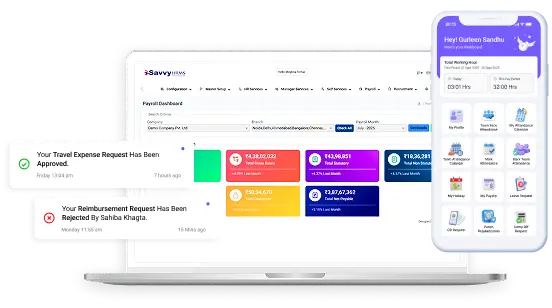









Ready to simplify notice period management and employee exits?
Experience smarter HR operations with Savvy HRMS and discover how our all-in-one HRMS solution can automate your HR processes and improve employee experience.