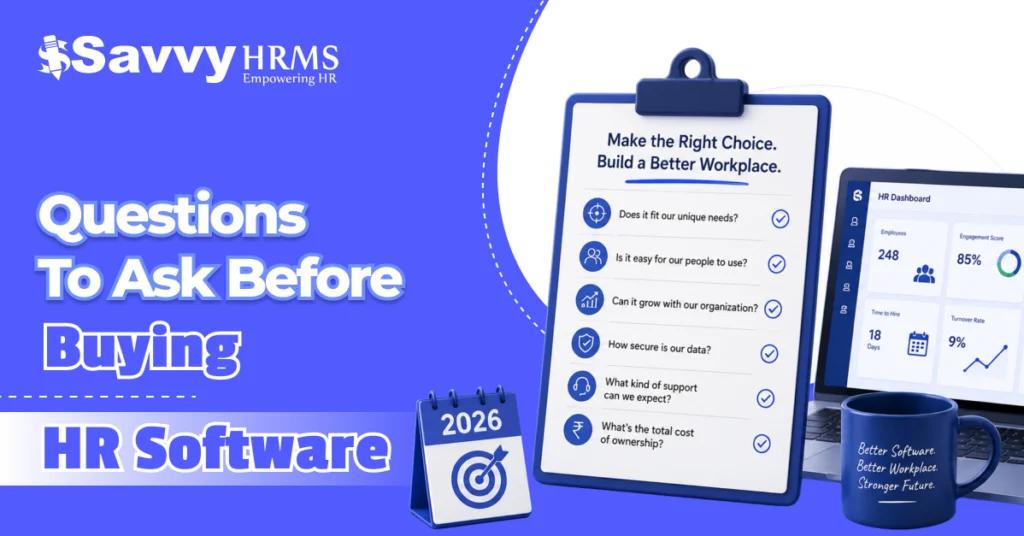
Questions to Ask Before Buying HR Software in 2026


-
AuthorRaghvendra Bhardwaj
-
 Last Updated
July 30, 2026
Last Updated
July 30, 2026
-
 Reading Time
9 Mins
Reading Time
9 Mins
Choosing HR software isn’t just another business decision; it’s an investment that can shape how your organization manages its most valuable asset: its people.
If you have started exploring HR software options, you’ve probably noticed there are countless vendors, feature lists, pricing models, and promises. Every platform claims to be the “best HR software,” the “most advanced HRMS,” or the “ultimate solution” for your business. But how do you know which one is actually right for you?
The truth is, buying HR software without asking the right questions can lead to expensive mistakes. You may end up paying for features you never use, struggle with a complicated interface, face integration issues, or discover hidden costs long after signing the contract.
On the other hand, asking the right questions before investing in HR software helps you evaluate vendors more effectively, compare solutions objectively, and choose a system that supports your business today and as it grows in the future.
Whether you’re a startup looking for your first HRMS, an SME planning to automate HR operations, or an enterprise replacing an outdated system, this guide will help you make a confident and informed decision.
Let’s explore the important questions to ask before buying HR software in 2026.
Why is asking the Right Questions Before Buying HR software important?
Purchasing HR software isn’t simply about selecting a tool with the longest feature list. It’s about finding a solution that aligns with your organization’s goals, workforce, and HR processes.
When businesses rush into purchasing HR software without proper evaluation, they often encounter challenges such as:
- Low employee adoption
- Complicated implementation
- Poor customer support
- Lack of integration with existing systems
- Hidden subscription costs
- Compliance risks
- Limited scalability
By asking thoughtful questions during the evaluation process, you can:
- Identify software that truly fits your HR requirements.
- Understand the total cost of ownership.
- Compare vendors fairly.
- Minimize implementation risks.
- Ensure long-term scalability.
- Improve employee experience.
- Maximize your return on investment (ROI).
Simply put, the right questions help you make a smarter purchase instead of depending only on sales presentations or marketing claims.
Questions to Ask Before Buying HR Software
1. What HR challenges are we trying to solve?
Before comparing software vendors, take a step back and identify your current HR pain points.
Ask yourself:
- Are payroll errors becoming frequent?
- Is attendance tracking taking too much time?
- Are manual HR processes slowing productivity?
- Is employee data scattered across spreadsheets?
- Are compliance activities difficult to manage?
Once you clearly define your challenges, it becomes much easier to choose an HR software solution that addresses your specific needs instead of paying for unnecessary features.
2. Does the HR software cover all essential HR functions?
A comprehensive HRMS should simplify your day-to-day HR operations from one centralized platform.
Look for features such as:
- Employee database management
- Payroll processing
- Attendance tracking
- Leave management
- Recruitment Management
- Employee onboarding
- Performance management
- Employee self-service portal
- Document management
- HR analytics and reporting
Having all these modules in one integrated system reduces manual work and improves operational efficiency.
3. Is the software easy to use?
Even the most feature-rich HR software won’t deliver value if employees and HR teams struggle to use it.
Look for:
- Clean dashboard
- Simple navigation
- Minimal learning curve
- Mobile-friendly interface
- Self-service options
An intuitive user experience encourages higher adoption rates and reduces the need for extensive training.
4. Can the software grow with your business?
Your workforce today may look very different in two or three years.
Choose HR software that can scale as your organization expands.
Consider questions like:
- Can it support multiple locations?
- Does it handle growing employee records?
- Can new modules be added later?
- Is it suitable for future expansion?
Scalable HR software protects your investment and eliminates the need to switch systems as your business grows.
5. Does it integrate with your existing business systems?
Most organizations already use accounting software, biometric devices, ERP systems, or communication platforms.
Ask the vendor whether the HR software integrates with:
- Payroll systems
- Accounting software
- Biometric attendance machines
- ERP software
- Email platforms
- Microsoft Teams
- Google Workspace
Smooth integrations reduce duplicate work and improve data accuracy.
6. Is employee data secure?
HR software stores highly confidential employee information.
Therefore, data security should never be overlooked.
Ask vendors about:
- Data encryption
- Role-based access control
- Secure cloud hosting
- Regular backups
- Disaster recovery
- Audit trails
- Compliance with data protection standards
A secure HRMS protects both employee information and your organization’s reputation.
7. Is the software compliant with statutory regulations?
For businesses operating in India, statutory compliance is a critical factor.
Ensure the HR software supports compliance with:
- PF
- ESI
- Professional Tax
- TDS
- Labour laws
- Payroll compliance
- Statutory reporting
Compliance-ready HR software reduces legal risks and saves HR teams valuable time.
8. What does the pricing actually include?
The lowest price doesn’t always mean the best value.
Ask vendors to explain:
- Subscription fees
- Implementation charges
- Training costs
- Customization fees
- Support charges
- Upgrade costs
- Renewal pricing
Understanding the complete pricing structure helps avoid unexpected expenses later.
9. How long does implementation take?
Implementation timelines vary depending on company size and software complexity.
Ask questions like:
- How many weeks will implementation take?
- Who manages data migration?
- Will business operations be interrupted?
- What implementation support is included?
A well-planned implementation ensures a smooth transition without disrupting HR operations.
10. What kind of customer support is available?
Even the best HR software occasionally requires assistance.
Check whether the vendor provides:
- Phone support
- Email support
- Live chat
- Dedicated account manager
- Knowledge base
- Video tutorials
- Training sessions
Reliable customer support can make a significant difference throughout your HR software journey.
11. Can the software be customized?
Every business has unique HR policies and workflows.
Ask whether you can customize:
- Leave policies
- Attendance rules
- Payroll settings
- Approval workflows
- Reports
- Dashboards
Customization ensures the software adapts to your business, not the other way around.
12. Does it provide meaningful reports and analytics?
Modern HR decisions should be driven by data rather than assumptions.
Look for reporting capabilities such as:
- Attendance trends
- Payroll reports
- Leave analytics
- Employee turnover
- Recruitment metrics
- Performance insights
- Compliance reports
These insights help HR leaders make informed decisions and improve workforce planning.
13. Is there a mobile app?
Today’s workforce expects flexibility.
A mobile-enabled HR software allows employees to:
- Mark attendance
- Apply for leave
- Download payslips
- View attendance history
- Update personal details
- Access company announcements
For HR teams, mobile accessibility improves responsiveness and employee satisfaction.
14. Can you request a demo or free trial?
Never buy HR software based only on brochures or presentations.
A product demo gives you the opportunity to:
- Explore features
- Test usability
- Evaluate workflows
- Ask practical questions
- Involve HR and management, teams
Whenever possible, request a trial to experience the software before making a final decision.
15. What do existing customers say?
Customer reviews provide valuable insights beyond sales pitches.
Look for feedback on:
- Ease of use
- Customer support
- Software reliability
- Feature updates
- Implementation experience
- Overall satisfaction
Positive customer experiences often indicate a trustworthy HR software provider.
Red Flags to Watch Out for When Choosing HR Software
Knowing what to avoid is just as important as knowing what to look for.
Here are some warning signs that should make you think twice before investing.
1. Unclear Pricing
If pricing details are vague or hidden, ask for complete transparency before proceeding.
2. Poor Customer Support
Slow responses during the sales process often indicate even slower support after purchase.
3. Limited Integration Options
Software that doesn’t integrate with your existing systems may create additional manual work.
4. Outdated User Interface
A complicated or outdated interface often results in poor employee adoption.
5. No Product Updates
Technology evolves rapidly. Choose vendors that regularly improve and update their HR software.
6. Lack of Compliance Features
Non-compliant payroll or statutory modules can expose your organization to legal risks.
7. No Customer References
A reputable vendor should be willing to share client success stories, testimonials, or case studies.
Why Savvy HRMS Is a Smart Choice for Businesses in 2026?
Finding the right HR software isn’t just about choosing the one with the most features; it’s about selecting a solution that makes HR simpler, smarter, and more efficient. That’s exactly what Savvy HRMS delivers.
Designed for businesses of all sizes, Savvy HRMS helps automate routine HR tasks, improve compliance, and create a better experience for both HR teams and employees, all from one centralized platform.
Why choose Savvy HRMS?
- All-in-One HR Solution: Manage payroll, attendance, leave, recruitment, performance, and more from a single platform.
- Compliance Ready: Simplify statutory compliance with support for PF, ESI, Professional Tax, TDS, and payroll processes.
- Easy to Use: A user-friendly interface ensures quick adoption for HR teams, managers, and employees.
- Employee Self-Service: Enable employees to apply for leave, access payslips, and update their information anytime.
- Scalable & Customizable: Adapt workflows and features as your business grows.
- Insightful Reports: Make informed HR decisions with real-time analytics and customizable reports.
- Reliable Support: Benefit from dedicated implementation assistance and responsive customer support.
With its powerful features, intuitive design, and focus on compliance and automation, Savvy HRMS helps businesses simplify HR operations, save time, and build a more productive workforce in 2026 and beyond.
Conclusion
Buying HR software is a strategic decision that can impact every stage of the employee lifecycle, from hiring and onboarding to payroll, performance management, and compliance.
With so many options available in 2026, choosing the right HR software requires more than comparing features or pricing. It requires asking the right questions, evaluating vendors carefully, and selecting a solution that aligns with your business goals, supports future growth, and delivers long-term value.
By considering factors such as functionality, scalability, security, compliance, integrations, customer support, and user experience, you can make an informed investment that benefits both your HR team and your employees.
Remember, the best HR software isn’t necessarily the one with the most features; it’s the one that solves your organization’s unique challenges while helping you build a more efficient, productive, and future-ready workplace.











Ready to simplify your HR operations with a powerful, scalable, and compliance-ready HRMS?
Discover how Savvy HRMS can transform your workforce management in 2026 and beyond.