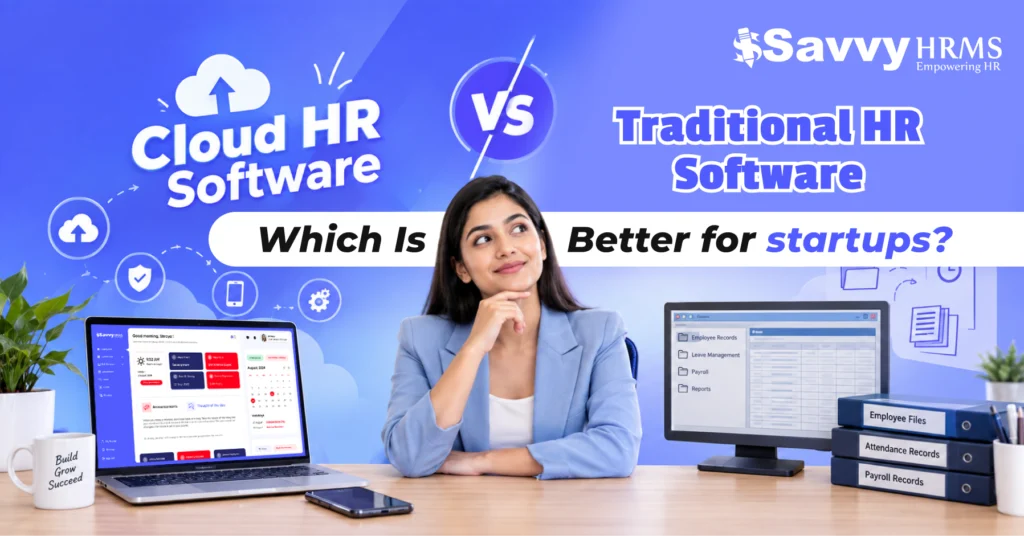
Cloud HR software vs traditional HR software: which is better for startups?


-
AuthorRaghvendra Bhardwaj
-
 Last Updated
October 03, 2026
Last Updated
October 03, 2026
-
 Reading Time
15 Mins
Reading Time
15 Mins
Picture this: your startup has grown from 15 employees to 75 in less than a year. Suddenly, attendance needs tracking, leave requests are piling up, payroll has become harder to manage, employee records are scattered across files, and HR needs reports yesterday. At this stage, choosing the right HR software can make a noticeable difference.
Startups today generally have two broad approaches: cloud HR software or traditional HR software installed on local systems. Both can help organize HR operations, but they work differently and come with different costs, setup requirements, accessibility options, and scalability considerations.
So, which option makes more sense for a startup? The answer depends on your workforce size, budget, IT resources, work model, and plans for growth. Let’s compare cloud HR software and traditional HR software feature by feature so you can make a more informed decision.
TL;DR
- Cloud HR software is hosted online, making HR processes accessible through browsers and mobile apps.
- Traditional HR software is installed on company computers or servers and usually requires more internal IT management.
- Cloud HR software generally offers easier deployment, remote access, scalability, and provider-managed updates.
- Traditional HR software can provide greater control over infrastructure but may involve higher setup and maintenance requirements.
- Startups should compare total cost of ownership, not just subscription or licensing fees.
- Key factors to evaluate include features, security, integrations, scalability, mobile access, ease of use, and support.
- The right choice depends on the startup’s workforce, budget, IT resources, infrastructure needs, and growth plans.
What Is Cloud HR Software and How Does It Work?
Cloud HR software is an online HR management system that helps businesses manage employee records, attendance, leave, payroll, recruitment, and other HR processes from one centralized platform. Since it is hosted in the cloud, HR teams and employees can access it through a browser or mobile app without installing the software on individual computers.
For startups, this means less dependence on spreadsheets, paperwork, and office-based systems. HR teams can manage their workforce from virtually anywhere while keeping important employee information organized in one place.
How Does Cloud HR Software Work?
It works by storing HR data on cloud-based servers and allowing authorized users to access it online. HR teams set up employee information, policies, workflows, and permissions, while employees can handle tasks such as attendance, leave requests, and payslip access.
The provider generally manages hosting, updates, maintenance, and infrastructure, while the startup focuses on using the system. As the workforce grows, the HRMS can also be expanded with additional employees, locations, and HR modules.
What Is Traditional HR Software and How Does It Work?
Traditional HR software is a locally installed HR management system that is hosted on a company’s own computers or servers. It can help businesses manage employee records, attendance, leave, payroll, and other HR processes, but access and maintenance are generally handled within the organization’s own IT environment.
For startups, this approach can provide greater control over the software and its infrastructure. However, it may also require more investment in hardware, IT support, maintenance, and software updates compared with cloud HR software.
How Does Traditional HR Software Work?
Traditional HR software is installed on the company’s computers or servers and configured according to its HR requirements. HR teams then access the system through the organization’s network or a configured remote-access setup.
The company is generally responsible for maintaining the infrastructure, managing updates, backups, security configurations, and technical support. As the business grows, expanding the system may also require additional infrastructure or configuration.
Cloud HR Software vs Traditional HR Software: What’s the Difference?
The simplest difference is where the software and HR data are hosted and how the organization accesses and maintains the system. Cloud HR software is hosted by a provider and accessed online, while traditional HR software is generally installed on company-controlled infrastructure.
For startups, the practical differences extend beyond hosting. Cloud HR software generally reduces the need for organizations to maintain dedicated HR software infrastructure. Traditional HR software can provide greater control over the local environment but may require more involvement from internal IT teams.
| Factor | Cloud HR Software | Traditional HR Software |
| Deployment | Hosted online | Installed locally or on company servers |
| Access | Browser/mobile access | Usually office network or configured remote access |
| Infrastructure | Generally managed by provider | Generally managed by organization |
| Updates | Generally provider-managed | Often organization-managed |
| Scalability | Usually easier to expand | May require additional infrastructure |
| Remote work | Well suited to distributed teams | May require additional configuration |
| IT involvement | Usually lower | Usually higher |
| Upfront infrastructure | Generally lower | Potentially higher |
| Maintenance | Mostly provider-managed | More organization-managed |
| Accessibility | Internet-based | Dependent on deployment and network setup |
The right choice therefore depends on what your startup values most. If flexibility and quick deployment are priorities, cloud HR software may fit naturally. If infrastructure control and specific internal deployment requirements matter more, traditional HR software may deserve closer consideration.
Cloud HR Software vs Traditional HR Software: Which Is More Cost-Effective for Startups?
Cloud HR software can be financially attractive for startups because it commonly uses subscription-based pricing and reduces the need for organizations to purchase and maintain their own server infrastructure. However, the actual cost depends on users, modules, implementation, support, integrations, and contract terms.
Traditional HR software can involve larger upfront investments. A startup may need to account for software licensing, hardware, installation, IT support, maintenance, upgrades, and backup infrastructure. These costs can vary considerably depending on the organization’s requirements.
Cloud HR software shifts more of the spending toward recurring operational costs. That can make budgeting easier for some startups because expenses are spread over monthly or annual subscription periods rather than concentrated entirely at the beginning.
But startups should avoid comparing only the subscription price with the license price. A better approach is to calculate the total cost of ownership (TCO).
Consider:
- Software licensing or subscription fees
- Implementation and configuration
- Employee onboarding and training
- Hardware and infrastructure
- IT administration
- Maintenance and upgrades
- Data backup and recovery
- Third-party integrations
- Customer support
- Additional modules as the company grows
A cloud HRMS may appear more expensive when viewed only as a recurring subscription. However, the overall calculation can change when infrastructure and maintenance costs are included.
Which HR Software Is Easier for Startups to Set Up and Use?
For most startups, cloud HR software is generally easier to set up and use because it does not usually require the company to install and maintain its own server infrastructure. But ease of use also depends on the software’s interface, features, implementation process, and support.
Cloud HR Software: Quick to Set Up
With cloud HR software, startups can generally get started without setting up dedicated servers or complex IT infrastructure.
- Online access through a browser or mobile app
- Faster implementation
- Provider-managed updates and maintenance
- Less dependency on internal IT support
- Easy access for employees and managers
Traditional HR Software: More Setup Involved
Traditional HR software may require additional technical preparation before employees can start using it.
- Installation on company systems or servers
- Hardware and network configuration
- Internal IT involvement
- Organization-managed updates and maintenance
- Additional setup for remote access
What Should Startups Consider?
Before choosing, startups should look beyond setup time. Check whether the HRMS is easy to navigate, mobile-friendly, simple to configure, and supported by reliable onboarding and customer support.
For a startup with a small HR or IT team, reducing technical complexity can make the transition to digital HR management much smoother.
How Does Cloud HR Software Support Startup Growth and Scalability?
Cloud HR software can support startup scalability by allowing organizations to add employees, HR workflows, locations, and modules without requiring the same level of physical infrastructure expansion associated with traditional systems.
This becomes important when a startup moves from one location to several offices or expands from a small founding team into a larger workforce. HR processes that worked with spreadsheets can quickly become difficult to maintain manually.
For example, a startup may initially need only employee records and leave management. As it grows, it may require attendance tracking, payroll processing, recruitment, onboarding, performance management, expense management, compliance reporting, and employee self-service.
A scalable HRMS allows these processes to become part of a connected HR ecosystem.
Cloud HR software can also support organizational changes such as:
- Adding new employees
- Managing multiple locations
- Creating departments and teams
- Introducing approval hierarchies
- Supporting remote employees
- Connecting payroll and attendance
- Adding HR modules
- Integrating with other business applications
For startups expecting rapid expansion, scalability should therefore be evaluated before selecting HR software. The goal is not simply to find software that works today, but a system that can continue supporting HR operations as the business structure changes.
Which Option Offers Better HR Automation and Integrations?
Cloud HR software often provides a convenient environment for HR automation and integrations because modern cloud platforms are commonly designed to connect with payroll, attendance, accounting, recruitment, communication, and other business applications through APIs or built-in integrations.
Automation matters because startup HR teams often operate with limited resources. Repetitive tasks such as attendance calculations, leave balances, payroll inputs, employee notifications, and approval workflows can consume considerable time when handled manually.
An integrated HRMS can connect these processes. For example, attendance information can feed into payroll calculations, while employee leave records can be reflected in attendance and payroll workflows.
Common automation areas include:
- Employee onboarding workflows
- Leave approvals
- Attendance tracking
- Payroll processing
- Payslip generation
- Employee notifications
- Performance review cycles
- Recruitment workflows
- HR reporting
- Compliance-related calculations
Traditional HR software can also support automation and integrations, but the implementation may depend more heavily on the software’s architecture, available integrations, and internal IT setup.
When comparing HR software, startups should therefore ask not only “Does it have this feature?” but also “How well does this feature connect with the rest of our HR processes?”
That distinction can make a significant difference to everyday usability.
Cloud vs Traditional HR Software: Which Features Should Startups Compare?
Rather than choosing HR software based only on whether it is cloud-based or traditional, startups should compare the actual features they will use.
A useful HR software checklist includes:
1. Employee Information Management
The HRMS should provide a centralized employee database where HR teams can maintain employee profiles, documents, job information, organizational details, and other relevant records.
2. Attendance Management
Look for attendance tracking, shift management, overtime handling, biometric integrations, mobile attendance, and attendance reports where applicable.
3. Leave Management
The system should make leave applications, approvals, leave balances, holiday calendars, and related reporting easy to manage.
4. Payroll Management
For Indian startups, payroll capabilities may include salary calculations, payslips, deductions, statutory calculations, and payroll reports. The exact compliance functionality should be verified with the provider based on your business requirements.
5. Employee Self-Service
Employee self-service allows employees to handle routine HR activities themselves, such as applying for leave, checking attendance, downloading documents, or accessing payslips.
6. Recruitment and Onboarding
Growing startups can benefit from recruitment workflows, candidate tracking, offer management, document collection, and structured onboarding processes.
7. Performance Management
If the startup is building a formal performance culture, consider goal setting, reviews, feedback, appraisal cycles, and performance reports.
8. Reporting and Analytics
HR dashboards and reports can help founders and HR teams understand workforce trends without manually combining information from multiple spreadsheets.
9. Mobile Access
A mobile application can be useful for employees working remotely, travelling, working across locations, or operating outside conventional office environments.
10. Integrations
Check whether the HRMS integrates with payroll tools, accounting software, attendance devices, communication tools, recruitment platforms, or other systems already used by your organization.
The most important feature is not necessarily the longest feature list. The better question is whether the HRMS solves the startup’s actual operational problems.
Which HR Software Is Better for Remote and Hybrid Startups?
Cloud HR software is generally well suited to remote and hybrid workforces because employees and HR teams can access web-based HR services from different locations, subject to internet connectivity and the provider’s access controls.
For a hybrid startup, HR processes should not stop when an employee works from home. Employees may need to apply for leave, mark attendance, view payslips, submit documents, or complete HR tasks without visiting the office.
Cloud HRMS platforms can bring these activities into a centralized digital environment.
For example, an employee working remotely could use an HR mobile app to check attendance, submit a leave request, or access an HR document. An HR manager could review the request from another location rather than depending on a physical office system.
Traditional HR software can also be configured for remote access, but the experience may depend on the organization’s network architecture, VPN, remote desktop setup, security controls, and infrastructure.
Therefore, startups with distributed teams should evaluate remote accessibility as a core requirement rather than treating it as an optional feature.
When Should a Startup Choose Cloud HR Software?
A startup may consider cloud HR software when it wants flexible access, faster deployment, lower infrastructure management requirements, and the ability to support a workforce that may grow or work across multiple locations.
Cloud HRMS can be particularly relevant when:
- The company has a small IT team
- Employees work remotely or in hybrid arrangements
- The workforce is growing quickly
- HR needs mobile access
- The company wants regular software updates
- Multiple HR processes need to be centralized
- The organization wants to reduce manual HR administration
- HR needs integrations with other business applications
- The company prefers subscription-based software
However, startups should still conduct due diligence. Review the provider’s security practices, data ownership terms, backup processes, support model, service availability, integration capabilities, and pricing structure before signing a contract.
Cloud does not automatically mean “right for every startup.” It means the startup is choosing a different deployment and management model.
How Should Startups Choose the Right HR Software?
Choosing HR software becomes easier when startups begin with their HR problems rather than starting with a list of vendors.
First, identify what currently consumes the most HR time. Is it attendance? Payroll? Leave approvals? Recruitment? Employee documentation? Reporting? Compliance? Once these pain points are clear, you can identify the HRMS capabilities that matter most.
Next, estimate your current workforce size and expected growth. A system that works for 20 employees may not provide the same operational experience when the organization reaches 200 employees.
Then evaluate:
1. Required HR modules
Determine whether you need employee management, attendance, leave, payroll, recruitment, onboarding, performance management, or other modules.
2. Deployment model
Compare cloud HR software and traditional HR software based on your IT capabilities, access requirements, and infrastructure preferences.
3. Total cost
Look beyond the advertised price and calculate implementation, support, maintenance, infrastructure, and future expansion costs.
4. Ease of use
Ask whether HR administrators and employees can complete everyday tasks without unnecessary complexity.
5. Security
Understand how employee information is protected, who can access it, how backups work, and what security controls are available.
6. Integrations
Check whether the HRMS can connect with the tools your startup already uses.
7. Scalability
Make sure the system can accommodate additional employees, departments, locations, and HR processes.
8. Support
Evaluate onboarding assistance, documentation, training, response times, and ongoing customer support.
Finally, request a product demonstration and test the workflows that matter most to your team. A demo can reveal usability issues that a feature list cannot.
Cloud HR Software vs Traditional HR Software: Which Is Better for Startups?
There is no universal answer because the better option depends on a startup’s operating model, infrastructure, budget, workforce, and HR requirements.
Cloud HR software is generally designed around online accessibility, provider-managed infrastructure, recurring subscriptions, automated updates, and scalability. Traditional HR software generally provides a more organization-controlled deployment model but can require greater involvement in infrastructure, maintenance, and updates.
For a startup, the decision can be viewed through five practical questions:
| Startup Requirement | Consideration |
| Need quick deployment? | Evaluate cloud deployment options |
| Small or limited IT team? | Compare infrastructure and maintenance responsibilities |
| Remote or hybrid workforce? | Assess accessibility and mobile capabilities |
| Rapid workforce growth? | Examine scalability and pricing as headcount increases |
| Need strict infrastructure control? | Evaluate traditional/on-premise deployment requirements |
The important point is that cloud HR software versus traditional HR software is not simply a technology debate. It is a business decision about how your startup wants to manage HR operations.
For many startups, the flexibility of a cloud-based HRMS can align with fast-changing workforce requirements. However, organizations with specific infrastructure, control, connectivity, or internal IT requirements may need to evaluate traditional HR software more closely.
The best choice is the one that fits your startup’s current requirements while leaving enough room for future operational changes.
Conclusion
For startups, choosing between cloud HR software and traditional HR software comes down to more than technology. It involves accessibility, cost, scalability, automation, IT resources, security, integrations, and the way your workforce operates.
Cloud HR software can offer a flexible approach for startups that want centralized HR processes, online access, automation, and room to scale. Traditional HR software remains relevant where organizations have specific infrastructure or control requirements.











Ready to simplify HR management?
Explore Savvy HRMS to bring employee management, attendance, leave, payroll, and other HR processes together in one platform.
Frequently Asked Questions (FAQs)
1. Is cloud HR software better for startups?
Cloud HR software can be a practical option for startups because it offers online accessibility, easier deployment, scalability, and less infrastructure management. However, the right choice depends on the startup’s budget, workforce, IT requirements, and HR processes.
2. What is the main difference between cloud HR software and traditional HR software?
The main difference is how the software is hosted and managed. Cloud HR software is hosted online and accessed through the internet, while traditional HR software is generally installed on company-owned computers or servers.
3. Is cloud HR software more cost-effective than traditional HR software?
Cloud HR software can reduce upfront infrastructure and maintenance costs, but it usually involves recurring subscription fees. Traditional HR software may require higher initial investment in licensing, hardware, installation, and maintenance. Startups should compare the total cost of ownership before choosing.
4. Can cloud HR software support remote and hybrid employees?
Yes. Cloud HR software can support remote and hybrid teams by allowing employees, managers, and HR teams to access HR processes online. Features such as mobile attendance, leave management, employee self-service, and online payslips can make remote HR management easier.
5. What should startups look for in HR software?
Startups should consider employee management, attendance, leave management, payroll, employee self-service, automation, mobile access, integrations, reporting, security, scalability, and customer support when evaluating HR software.