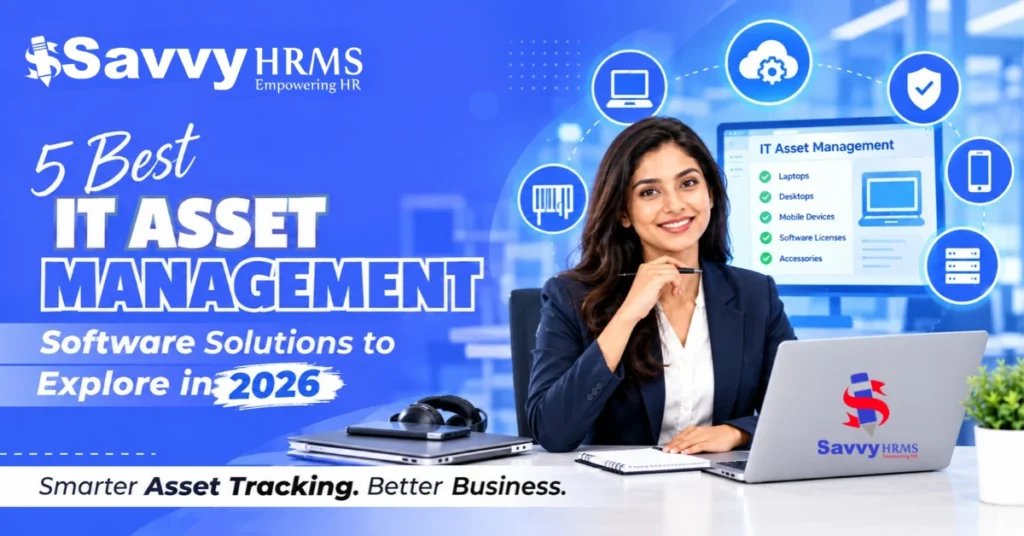
Best 5 IT Asset Management Software Solutions to Explore in 2026


-
AuthorAvkash Maurya
-
 Last Updated
October 29, 2026
Last Updated
October 29, 2026
-
 Reading Time
19 Mins
Reading Time
19 Mins
TL;DR
IT Asset Management Software helps businesses track company equipment, manage asset assignments, and maintain accurate records throughout an asset’s lifecycle. It can also help reduce unnecessary purchases, simplify asset handovers, and improve visibility into equipment usage.
- Savvy HRMS, Zoho Creator, Qandle, Kredily, and Pocket HRMS are top platforms to consider, depending on your asset management requirements.
- Look for features such as centralized inventory, employee assignment tracking, maintenance records, reporting, and integrations with existing business systems.
- Businesses managing employee devices can use asset records to track equipment issued during onboarding and returned during offboarding.
- Before choosing a solution, compare its features, pricing, security controls, and ability to support your business as it grows.
Have you ever struggled to find a company laptop, track who is using a device, or recover equipment when an employee leaves? These issues become more common as businesses grow and manage assets across teams, departments, and locations. Relying on spreadsheets and manual updates can make it harder to keep records accurate, track asset movements, and avoid unnecessary purchases.
IT Asset Management Software helps businesses organize asset records, track equipment assignments, and manage company assets more efficiently. While some tools focus on employee asset allocation and returns, others offer features for maintenance, procurement, audits, and asset lifecycle management.
In this guide, you will explore five IT Asset Management Software solutions, compare their key features, and explain how to choose the right one for your business.
What Is IT Asset Management Software?
IT Asset Management Software helps businesses to record, track, assign, maintain, and manage company equipment throughout its useful life. Depending on the platform, it may also support procurement, warranties, audits, and software licence management.
Generally, companies use these tools to manage laptops, desktops, monitors, mobile phones, accessories, and other equipment issued to employees. Some businesses may also use them to manage software licenses, warranties, maintenance schedules, purchase records, and asset lifecycle information.
IT asset management involves more than tracking laptops and other company devices. It also includes managing asset allocation, maintenance, software licenses, and equipment throughout its lifecycle. For a deeper look at the process, read our complete guide to asset management software.
What Are the Benefits of IT Asset Management Software?
IT Asset Management Software helps businesses to keep track of their equipment, manage asset handovers, and maintain accurate records. Here are some ways it can make asset management easier. Let’s see some of the benefits below:
1. Keeps Asset Information in One Place
Instead of maintaining multiple spreadsheets, businesses can store asset details, purchase dates, warranty information, and employee assignments in one system. This makes it easier to find and update records when needed.
2. Makes It Easier to Track Assets
Businesses can see which assets they own, where they are, and who is using them. This helps teams keep track of company equipment and reduces the chances of items getting lost.
3. Helps Control Asset Costs
Asset management software helps businesses to identify equipment that is sitting unused or needs replacement. This makes it simple to reuse existing assets and avoid buying new ones unnecessarily.
4. Helps Manage Repairs and Maintenance
Teams can keep track of warranty periods, repair history, and upcoming maintenance. This helps them address equipment problems on time and avoid unexpected costs.
5. Simplifies Employee Onboarding and Offboarding
When an employee joins, HR or IT teams can record the equipment assigned to them. When the employee leaves, they can check which items need to be returned and update the records accordingly.
6. Supports Better Planning
Asset reports help businesses understand how equipment is being used, what it costs to maintain, and when it may need replacing. This information can help teams plan budgets and future purchases.
7. Reduces Manual Work
Updating spreadsheets and following up on asset handovers can take time. Asset management software helps organize these tasks in one place, making daily work easier for HR and IT teams.
What Are the Best IT Asset Management Software Solutions? A Quick Overview
The best IT Asset Management Software depends on whether your business needs employee asset tracking, customizable workflows, or broader asset lifecycle management. Here is a quick overview of five solutions to consider.
| Software | Primary focus | Suitable for |
| Savvy HRMS | Employee asset allocation and inventory records | Businesses managing equipment issued to employees |
| Zoho | Custom applications and configurable workflows | Businesses needing tailored asset management processes |
| Qandle | Employee asset tracking and asset records | Organizations looking for structured asset tracking |
| Kredily | Employee asset custody within an HRMS | Businesses connecting asset records with employee lifecycle processes |
| Pocket HRMS | Asset administration linked to employee records | HR teams managing employee equipment assignments |
Compare the available features, integrations, and pricing with your requirements before choosing a platform.
5 Best IT Asset Management Software Solutions
The following five IT Asset Management Software solutions offer different features to help businesses track assets, manage employee assignments, and maintain records. Let’s look at what each platform offers and which businesses it may suit best.
1. Savvy HRMS
Best suited for: Businesses that want to manage employee assets alongside HR operations.
Savvy HRMS offers an employee asset management module that helps businesses to maintain records of company assets issued to employees. It supports asset categorization, inventory management, allocation, return records, and reporting.
The platform is worth considering for organizations that want HR and administration teams to manage employee-related asset records in an organized way rather than maintaining separate spreadsheets. Its broader HRMS offering also covers workforce management processes.
Key features
- Asset configuration: Create asset categories and subcategories based on the organization’s requirements.
- Inventory management: Maintain records of assigned and unassigned assets and update inventory information.
- Asset allocation and returns: Record asset assignments, issue dates, and return dates for better accountability.
- Bulk asset uploads: Add asset records in bulk or individually.
- Reports and analytics: Review asset information and access department-wise or state-wise insights.
- Asset movement records: Maintain information about asset usage and movement.
How Is Savvy HRMS Different from Other IT Asset Management Tools?
Savvy HRMS stands out for businesses that want to manage employee assets alongside their HR activities. It helps teams maintain asset records, track allocations and returns, and access employee-wise reports without managing these records separately.
| Comparison factor | Savvy HRMS | Other IT asset management tools |
| Main purpose | Manages employee assets alongside HR processes | Often focuses on IT asset tracking and management |
| Employee asset records | Keeps asset information linked to employees | Employee-level features vary by platform |
| Asset allocation and returns | Records asset assignments and return dates | Processes vary by software |
| Inventory management | Supports asset categorization and inventory records | Inventory features vary by platform |
| Reporting | Provides employee-wise, department-wise, and state-wise asset reports | Reporting options vary by platform |
| HR integration | Combines asset management with broader Core HR functions | HR integration may require separate integrations |
What Challenges Does Savvy HRMS Help Address?
Savvy HRMS helps businesses manage employee asset records, track allocations and returns, and keep inventory information organized.
| Common Challenge | How Savvy HRMS Helps |
| Unclear asset ownership | Tracks assets assigned to individual employees. |
| Manual inventory updates | Supports bulk uploads and individual asset entries. |
| Limited departmental visibility | Provides department-wise and state-wise asset reports. |
| Difficulty tracking asset movement | Records asset usage and movement. |
| Missing allocation or return records | Maintains asset assignment and issue and return dates. |
These features help HR and administration teams keep employee asset records organized and easier to review.
Who should consider Savvy HRMS?
Savvy HRMS may suit businesses looking for a centralized way to manage asset categories, inventory records, and asset reports. It is worth exploring if your team needs clear visibility into asset usage and movement across departments.
Who should not consider Savvy HRMS?
Businesses that primarily need advanced IT discovery, network scanning, software license optimization, or highly specialized hardware maintenance workflows should verify whether the available module meets those requirements.
2. Zoho
Best suited for: Businesses that need configurable asset management workflows.
Zoho provides a customizable asset management solution designed to help organizations manage assets from procurement to retirement. Its capabilities extend beyond employee assignments to include maintenance, service requests, purchasing workflows, and asset lifecycle records.
Key features
- Maintain asset records from acquisition through decommissioning.
- Schedule maintenance activities and create work orders to help reduce unexpected downtime.
- Create, assign, and monitor maintenance and service tasks.
- Use barcode and QR code scanning to identify assets and simplify audits.
- Organize asset requests, vendor selection, and purchasing activities.
Who should consider Zoho?
Zoho is suitable for businesses that need to customize asset management processes, such as purchase approvals, equipment maintenance, and asset tracking.
Who should not consider Zoho?
Zoho may not be the best fit for businesses that want a simple asset management tool that works with minimal setup or customization.
3. Qandle
Best suited for: Organizations that need asset tracking, identification, and audit support.
Qandle offers asset management capabilities that help businesses maintain asset records, assign equipment to employees, track asset status, and review asset movement. These capabilities can help organizations replace manual tracking with more structured records.
Key features
- View asset status and history, search by employee or category, and assign or reassign assets.
- Track assets through purchasing, usage, maintenance, and retirement.
- Perform physical verification, compare asset records, and identify missing or mismatched items.
- Upload and update multiple asset records together.
- Manage permissions by role or department and maintain records of user actions.
Who should consider Qandle?
Qandle is worth evaluating if your organization manages a large number of employee devices or office assets and needs better traceability.
Who should not consider Qandle?
Qandle may be more than necessary for businesses that only need to track a few employee assets. Companies needing advanced IT monitoring or software licence management should verify whether Qandle supports these features before choosing it.
4. Kredily
Best suited for: Businesses that want to connect employee asset records with HR workflows.
Kredily provides asset management as part of its HRMS platform. It focuses on recording company assets, assigning them to employees, tracking their custody, and managing returns when employees leave. This approach can help HR and administration teams connect asset management with employee lifecycle activities.
Key features
- Maintain records of assets, categories, identifiers, condition, and current assignment.
- Record who receives an asset and maintain a history of transfers and returns.
- Manage requests, approvals, and asset issuance through the available workflow.
- Record maintenance status and warranty information.
- Import asset records using CSV files and export information when required.
Who should consider Kredily?
Kredily may suit businesses that want asset custody records closely connected to employee onboarding and offboarding.
Who should not consider Kredily?
Organizations looking primarily for a dedicated IT asset discovery platform, advanced network monitoring, or highly specialized software license management should assess whether the HRMS-based approach covers their needs or not.
5. Pocket HRMS
Best suited for: HR teams that need structured asset records and employee assignment.
Pocket HRMS provides an asset management module within its HR and administration portal. Their module supports the administrative side of employee asset management, helping teams maintain details about company equipment and its allocation.
Key features
- Create categories and configure asset information for different equipment types.
- Store asset names, tags, model names, status, serial numbers, and vendor details.
- Associate assets with employee records and record assignment details.
- Configure notification emails for asset categories to keep the responsible person informed about assignments.
- Filter records by assignment status, date range, employee, and category, with export options.
Who should consider Pocket HRMS?
Pocket HRMS is worth considering for organizations that want asset records connected with employee administration. It may suit HR teams that need structured asset categories, employee assignments, purchase information, and downloadable reports without building a separate asset register from scratch.
Who should not consider Pocket HRMS?
Organizations that require advanced IT discovery, automated network inventory, software license optimization, or extensive preventive maintenance workflows should confirm whether these capabilities are available.
What Features Should You Look for in IT Asset Management Software?
The best IT Asset Management Software should help businesses maintain accurate inventory records, track asset assignments, monitor equipment status, and simplify audits.
Before choosing a solution, evaluate the following features based on the number of assets you manage and how your teams use them.
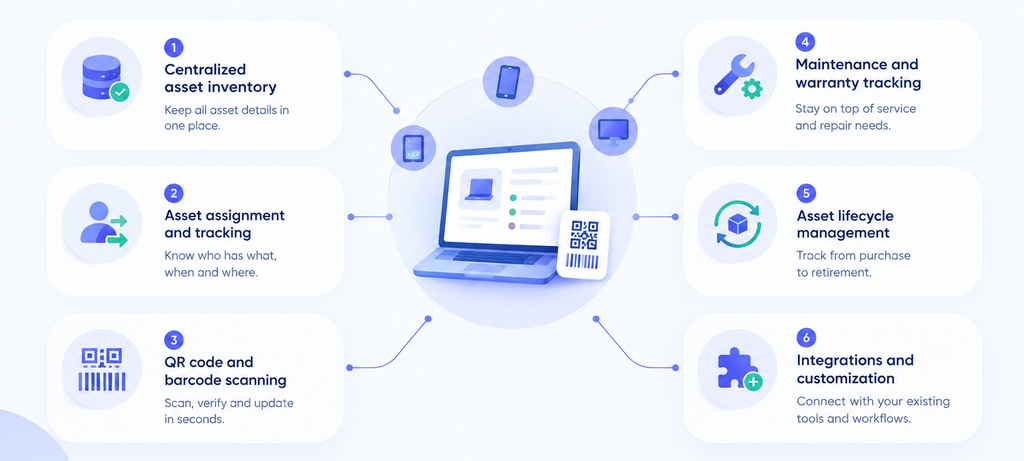
1. Centralized asset inventory
Look for software that stores asset details, such as serial numbers, categories, purchase dates, locations, and current status, in one place. This makes it easier to check which assets are available, assigned, damaged, or retired.
2. Asset Assignment and Tracking
The software should record which employee or department has each asset. It should also track assignment dates, transfers, and returns to help teams manage equipment during employee onboarding and offboarding.
3. QR Code and Barcode Scanning
QR codes and barcodes make it easier to identify assets during stock checks, audits, and equipment handovers. Check whether the software supports scanning codes and updating asset records through mobile devices.
4. Maintenance and Warranty Tracking
Choose software that lets you record warranty details, repairs, and service history. If your business manages expensive equipment, check whether it also supports maintenance schedules and reminders.
5. Asset Lifecycle Management
Asset lifecycle management helps you track equipment from purchase and allocation to maintenance, reassignment, and retirement. These records can help you monitor asset usage and plan replacements when needed.
6. Integrations and Customization
Check whether the software works with your existing HRMS, payroll system, procurement systems, or IT platforms. Custom fields and workflows are also useful when you need the software to match your business processes.
For distributed teams, Cloud-Based IT Asset Management Software may also make it easier to access updated asset records across offices.
| Buying tip: List the features you need before requesting a demo. If you manage employee laptops, focus on asset assignments and returns. For larger IT environments, look for device discovery, software licence tracking, and maintenance management. |
IT Asset Tracking vs. IT Asset Management
IT asset tracking focuses on identifying an asset’s location, ownership, and movement, while IT asset management covers the broader process of managing assets throughout their lifecycle, from procurement and allocation to maintenance and retirement.
Although these terms are often used interchangeably as they serve different purposes. Understanding the distinction helps businesses choose software that matches their operational requirements.
| Comparison factor | IT Asset Tracking | IT Asset Management |
| Primary purpose | Track asset location, ownership, and movement | Manage assets throughout their lifecycle |
| Main activities | Asset identification, assignment, and location updates | Procurement, allocation, maintenance, audits, and retirement |
| Inventory records | Tracks asset details and current status | Maintains inventory and lifecycle records |
| Maintenance | May support basic condition updates | May include maintenance schedules and service history |
| Financial oversight | Usually focuses on basic asset information | May include purchase costs and depreciation, depending on the software |
| Reporting | Shows asset location, assignment, and movement | May include usage, maintenance, lifecycle, and cost reports |
| Best suited for | Businesses needing asset visibility and accountability | Businesses requiring broader asset control and lifecycle oversight |
When to Choose Asset Tracking?
Asset tracking is suitable for businesses that mainly need to know who has each asset, where it is located, and whether it has been returned. It can help smaller teams manage equipment without relying on spreadsheets.
When to Choose IT Asset Management?
A broader IT asset management solution is more suitable when you need to coordinate purchasing, maintenance, warranties, audits, asset utilization, and retirement alongside employee assignments. Organizations managing multiple offices or large equipment inventories may benefit from these additional capabilities.
| Key takeaway: Asset tracking is one part of IT asset management. Choose based on whether you need basic asset visibility or broader lifecycle management features. |
How to Choose the Right IT Asset Management Software?
Choosing the right IT Asset Management Software requires more than comparing feature lists. Businesses should evaluate their asset management requirements, existing systems, security needs, and budget before making a decision.
1. Assess Your Business Requirements
Start by identifying the types of assets you manage, the number of devices you track, and the teams responsible for them. A business managing employee laptops may need a different solution from an organization managing equipment across multiple offices and warehouses.
2. Consider Your Business Size and Growth
Choose a Cloud-Based IT Asset Management Software that can accommodate your current asset inventory and future requirements. If your organization is expanding across departments or locations, check whether the software can support additional users, assets, and locations without creating unnecessary administrative work.
3. Check Compatibility With Existing Systems
Review how the software will fit into your existing technology environment. If employee asset records need to work alongside HR processes, check its compatibility with Core HR Software. You may also need integrations with procurement, accounting, or IT management systems.
4. Evaluate Security and Access Controls
Determine who should be able to view, assign, transfer, or update asset records. Check whether the platform offers role-based permissions, activity logs, and appropriate data protection measures for your organization’s requirements.
5. Compare Pricing and Total Cost of Ownership
Look beyond the starting subscription price. Consider implementation, customization, employee training, integrations, support, and additional user or asset charges. Comparing the total cost can help you avoid unexpected expenses.
6. Review Implementation and Support
Ask how long implementation typically takes, what information needs to be migrated, and whether the vendor provides training and technical support. A solution that fits your team’s capabilities and available resources may be easier to adopt.
7. Request a Demo Before Deciding
Use the demo to test realistic scenarios, such as assigning a laptop to a new employee, transferring equipment between departments, and recording an asset return. Ask the vendor to demonstrate any essential integrations and workflows rather than relying solely on feature descriptions.
| Buying tip: If your primary requirement is managing employee-issued equipment, an HRMS-based asset module may be sufficient. If you need network discovery, software licence optimization, or advanced maintenance workflows, evaluate dedicated IT asset management platforms against those requirements. |
How Does IT Asset Management Software Support Employee Onboarding and Offboarding?
IT Asset Management Software helps HR and IT teams coordinate equipment handovers by maintaining records of assigned assets, their status, and their return. This makes it easier to manage company equipment throughout an employee’s time with the organization.
1. During Employee Onboarding
When a new employee joins, the organization may issue a laptop, mobile phone, monitor, access card, or other equipment. The asset register helps teams record these assignments and identify which equipment is available for new employees.
Teams can use the system to:
- Record equipment assignments: Link each asset to the employee receiving it.
- Confirm asset availability: Check whether equipment is available, assigned, or awaiting repair, where supported.
- Maintain handover records: Record issue dates and employee acknowledgements if the system supports them.
2. During Employee Offboarding
When an employee leaves, HR and IT teams need to identify assigned equipment, collect outstanding items, and update the asset register. Clear records help them follow up on returns and prepare recovered equipment for reuse.
Teams can use the system to:
- Identify outstanding assets: Review equipment linked to the departing employee.
- Record returns: Update assignment and return details when equipment is received.
- Document equipment condition: Record damage or repair requirements where supported.
- Prepare assets for reuse: Update availability after the equipment has been inspected.
Example: If an employee leaves with a company laptop still assigned to their profile, the IT team can check the asset register, follow up on its return, and update its status once the laptop is received.
The exact workflow depends on the software’s available features and integrations.
Sometimes managing company devices becomes more challenging when employees work from different locations. Remote and hybrid teams need clear records of asset assignments, returns, and ownership to keep equipment accounted for. You can read our guide on asset management software for remote and hybrid workforces to learn more about managing assets across distributed teams.
Conclusion
Choosing the right IT Asset Management Software depends on the assets you manage and the features your business needs. Some tools focus on employee asset allocation and returns, while others offer broader capabilities for maintenance, procurement, audits, and asset lifecycle management.
Before making a decision, compare each platform’s features, pricing, integrations, and scalability. If your priority is managing employee assets alongside HR activities, Savvy HRMS is worth considering. Its employee asset management module helps businesses organize inventory records, track asset assignments, and manage returns.











Want to simplify employee asset management?
Book a free demo with Savvy HRMS to explore whether its features fit your business needs.
Frequently Asked Questions
What Are the Best IT Asset Management Platforms?
The best IT Asset Management Software platforms depend on your business needs, budget, and existing systems. Options to explore include Savvy HRMS, Zoho Creator, Qandle, Kredily, and Pocket HRMS.
What is the purpose of IT asset management software?
The main purpose is to maintain accurate asset records, track ownership and allocation, and manage assets throughout their useful life. Depending on the platform, it may also support maintenance, procurement, audits, and reporting.
What features should businesses look for in asset management software?
Important features include centralized asset records, employee assignment, asset status tracking, issue and return records, reporting, and access controls. Organizations with more complex needs may also require QR or barcode scanning, maintenance scheduling, warranty tracking, procurement workflows, and integrations.
Is cloud-based IT asset management software suitable for growing businesses?
Cloud-based IT asset management software can be suitable for growing businesses that need access to centralized asset records across teams or locations. Before choosing a platform, check its access controls, backup arrangements, integrations, customization options, and subscription costs.
Can HRMS software manage employee assets?
Yes. Some HRMS platforms include asset management modules that help organizations record employee assignments, manage equipment returns, and maintain asset reports. The available capabilities vary, so businesses should confirm whether the module meets their tracking and reporting requirements.
What is the difference between employee asset management and IT asset management?
Employee asset management focuses on assets assigned to individual employees, including their issuance, transfers, and returns. IT asset management can cover a wider range of IT-related activities, such as inventory tracking, software licenses, maintenance, lifecycle management, and technical asset discovery.
Will Asset Management Be Replaced by AI?
No, AI is unlikely to replace asset management entirely but it can automate routine tasks, identify unusual asset usage, predict maintenance needs, and improve reporting. IT teams will still need to make decisions, manage risks, oversee compliance, and handle situations that require human judgment.
What Is the Future of Asset Management?
The future of asset management will likely involve greater automation, AI-powered insights, cloud-based platforms, and real-time asset tracking. Businesses will increasingly use integrated systems to monitor asset usage, improve maintenance planning, manage employee assignments, and make better decisions about asset costs and replacement.