


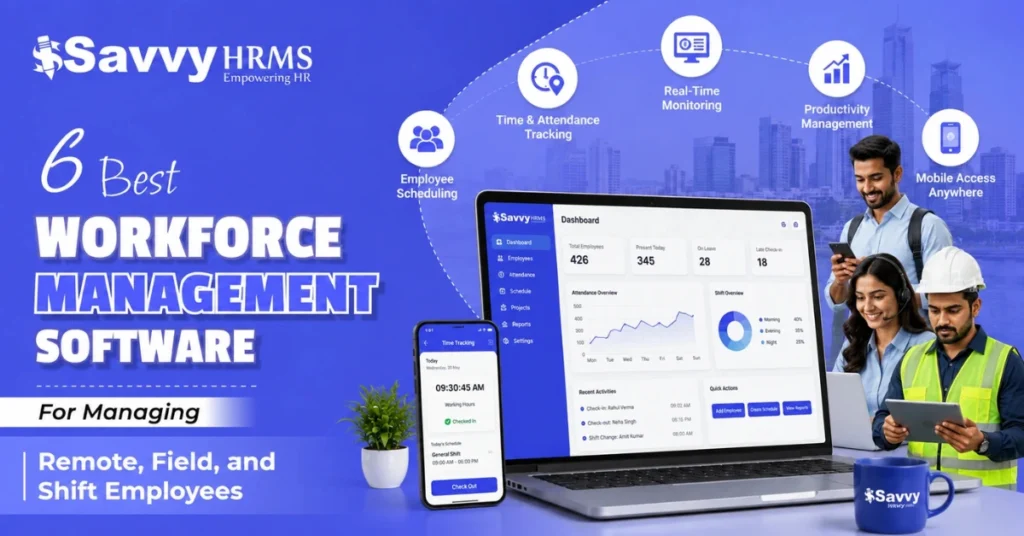

How do you keep track of attendance, shifts, leave, working hours, and field employees when your team is no longer working from one office? For many HR teams, spreadsheets and manual updates quickly become difficult to manage.
Remote employees may work from different locations, field teams may move between client sites, and shift-based employees may follow changing rosters. A workforce management software brings these activities together so HR and managers can manage people, attendance, schedules, and workforce data from one platform.
The right workforce management tool can also connect attendance with payroll, leave, compliance, and employee records. This means fewer manual calculations, better visibility for managers, and more reliable data for HR and finance teams.
So, let’s take a closer look at the best workforce management software, what they offer, and which one could be the right fit for your team.
Our Evaluation Methodology
Choosing workforce management software is not just about features. We compared these tools based on usability, workforce coverage, integrations, pricing, implementation, and support.
- Workforce Coverage: How well the software supports remote, field, shift, and distributed employees.
- Core Features: Attendance, shift scheduling, leave, mobile access, GPS, geo-fencing, payroll, and workforce dashboards.
- HR & Payroll Integration: Ability to connect workforce data with HR, payroll, and employee management processes.
- Ease of Use: How simple the platform is for HR teams, managers, and employees.
- Scalability: Whether the software can support growing teams, multiple locations, and complex workforce structures.
- Mobile Capabilities: Availability of mobile attendance, employee self-service, approvals, and field workforce features.
- Compliance: Support for Indian payroll processes and statutory compliance requirements.
- Implementation: Setup process, data migration, configuration, training, integrations, and expected deployment effort.
- Customer Support: Availability and quality of onboarding, technical assistance, training, and ongoing support.
- Pricing: Subscription costs, employee-based charges, implementation fees, additional modules, and overall value for money.
What Is Workforce Management Software and Why Does It Matter for Modern Teams?
Workforce management software is a digital platform that helps businesses plan, schedule, track, and manage employees across different locations, shifts, and work arrangements.
Instead of maintaining separate spreadsheets for attendance, shifts, leave, field visits, and employee information, HR teams can manage these processes through one centralized workforce management system.
For modern organizations, workforce management is no longer limited to office attendance. Businesses may have employees working from home, visiting customers, working at project sites, operating in factories, or following night and rotating shifts.
A workforce management platform helps connect these different working models.
General capabilities include:
- Employee attendance and time tracking
- Shift scheduling and roster management
- Leave and absence management
- Overtime tracking
- Mobile attendance
- GPS and geo-fencing
- Field employee tracking
- Employee self-service
- Manager approvals
- Payroll-ready attendance data
- Workforce dashboards and reports
- Compliance-related records
The biggest advantage is visibility. HR can understand who is working, where employees are scheduled, which attendance issues need attention, and how workforce data should flow into payroll.
For Indian businesses, this connection is particularly important because attendance, working hours, leave, overtime, payroll, and statutory compliance can affect each other.
Why Is Managing Remote, Field, and Shift Employees Challenging Without Workforce Management Software?
Managing a traditional office workforce is already time-consuming. Add remote employees, field teams, and multiple shifts, and manual workforce management can become difficult very quickly.
1. Remote employees create visibility challenges
HR may need to manage attendance, work-from-home requests, leave, working hours, and approvals without depending on physical attendance devices.
Without a centralized system, this information can end up across emails, spreadsheets, messaging apps, and separate attendance tools.
2. Field employees work across different locations
Sales representatives, service engineers, delivery teams, healthcare workers, relationship managers, and other field employees may not report to one fixed workplace.
Traditional biometric attendance may not work for them. Mobile attendance, location verification, geo-fencing, and field visit tracking become more useful.
3. Shift teams require constant scheduling
Factories, hospitals, BPOs, retail businesses, logistics companies, security services, and other operational organizations may run multiple shifts.
Manually preparing rosters can create problems such as overlapping shifts, missed coverage, incorrect attendance rules, and overtime calculation issues.
4. Attendance directly affects payroll
Attendance data often becomes an input for payroll.
Late marks, overtime, absences, shift allowances, leave, and working days may all affect salary calculations. If HR manually moves attendance data between systems, the possibility of errors increases.
5. Distributed teams need centralized data
When employees are spread across offices, branches, cities, client locations, or remote workplaces, managers need a common dashboard.
That is where workforce management software becomes valuable: it creates a centralized source of workforce data instead of making HR chase information from multiple places.
What Features Should You Look for in Workforce Management Software?
Not every HR software is equally strong at workforce management. If your organization has remote, field, or shift employees, look for features that solve actual operational problems.
1. Attendance Management
A strong workforce management platform should make attendance easy to capture across different work environments, whether employees work from offices, homes, client locations, or field sites.
- Mobile and web-based attendance
- Biometric device integration
- Multiple attendance policies
- Real-time attendance visibility
- Attendance regularization and approvals
2. Shift Scheduling and Rostering
Managing multiple shifts manually can quickly become complicated. Look for software that helps HR create schedules, handle rotations, manage changes, and maintain adequate workforce coverage.
- Flexible shift creation
- Automated roster management
- Shift rotation and swapping
- Overtime and working-hour rules
- Manager approval workflows
3. Mobile Workforce Management
For remote and field employees, mobile access can make everyday HR processes much easier by allowing employees and managers to stay connected from virtually anywhere.
- Mobile attendance and check-in
- Leave and attendance requests
- Shift and schedule visibility
- Mobile approvals
- Access to employee information and payslips
4. GPS and Geo-Fencing
Location-based attendance is particularly useful for field teams. GPS and geo-fencing can help organizations verify where employees are checking in and whether the location meets defined workforce policies.
5. Leave Management
Leave management should work alongside attendance and payroll instead of operating as a separate process.
- Configurable leave policies
- Leave balance tracking
- Manager approvals
- Holiday calendars
- Attendance and payroll integration
6. Payroll Integration
When attendance, overtime, leave, and shift information can flow directly into payroll, HR teams spend less time collecting and reconciling data manually.
- Attendance-to-payroll data transfer
- Overtime calculations
- Leave deductions
- Shift allowances
- Payroll-ready reports
7. Employee Self-Service
Employee self-service reduces routine HR workload by giving employees direct access to important workforce information and everyday requests.
- View attendance records
- Apply for leave
- Raise regularization requests
- Check shift schedules
- Access payslips and HR documents
8. Workforce Dashboards
A centralized dashboard gives HR and managers a quick view of workforce activity, making it easier to identify attendance issues, absences, overtime, and staffing gaps.
9. Compliance Support
For businesses operating across India, compliance capabilities can help HR manage workforce processes consistently while supporting payroll and statutory compliance requirements across different locations.
10. Reports and Analytics
Workforce data becomes much more valuable when it can be turned into actionable insights. Look for reporting capabilities that help managers understand workforce patterns and make better decisions.
- Attendance and absenteeism reports
- Shift and overtime reports
- Leave analytics
- Workforce activity reports
- Custom dashboards and MIS reports
Comparison of 6 Workforce Management Software
| Workforce Management Software | Best For | Strength | Limitations | Implementation & Support | Pricing |
| Savvy HRMS | Growing, mid-sized, and large Indian businesses | Strong HR, attendance, payroll, mobile, geo-tagging and compliance capabilities | Advanced modules may depend on selected plan | Guided implementation covering configuration, data, UAT, training and go-live | Customizable as per the organization’s needs |
| Darwinbox | Mid-market and enterprise organizations | AI-powered workforce management, scheduling, attendance and analytics | Pricing and implementation are generally quote-based | Enterprise-focused implementation and support | Custom quote |
| Keka HR | Growing companies managing hybrid, field and shift teams | User-friendly attendance, shifts, mobile, GPS and payroll integration | Advanced requirements can increase plan/setup costs | Guided onboarding with setup and implementation support | Starts at ₹9,999/month for up to 100 employees on Foundation |
| greytHR | Indian SMBs and growing organizations | Payroll, attendance, shifts, leave and compliance ecosystem | Advanced workforce capabilities may require higher plans/add-ons | Structured product support and resources | Starts at ₹2,495/month; Growth starts at ₹4,495/month |
| ZingHR | Large and enterprise workforces | Strong workforce, field-force, payroll and compliance capabilities | Enterprise pricing is generally quote-based | Enterprise implementation and support | Custom quote |
| factoHR | SMEs and growing businesses | Attendance, shifts, mobile GPS, geo-fencing, payroll and HR | Some advanced capabilities are available in higher plans/add-ons | Dedicated implementation support; typical timelines vary by organization size | Starts free up to 20 employees; paid plans from ₹4,999/month |
1. Savvy HRMS
Overview
Savvy HRMS is an integrated HRMS and workforce management platform designed for Indian businesses. It brings core HR, attendance, leave, payroll, statutory compliance, mobile workforce management, geo-tagging, employee self-service, and workforce reporting into one platform.
Its workforce capabilities are particularly relevant for businesses that need to connect attendance and shift data with payroll and HR processes. Savvy HRMS currently offers multiple shifts, rosters, overtime rules, mobile attendance, customer visit tracking, geo-fencing, and geo-tagging.
Core Services
- Core HR Management: Centralize employee profiles, organizational structures, permissions, transfers, and HR workflows.
- Attendance Management: Track employee attendance across multiple shifts, locations, devices, and attendance policies.
- Shift and Roster Management: Create shifts, manage rosters, configure rules, and monitor scheduled working hours.
- Leave Management: Automate leave policies, accruals, approvals, carry-forward, encashment, and employee requests.
- Payroll Management: Process salaries using attendance, overtime, deductions, salary structures, and payroll rules.
- Statutory Compliance: Support payroll processes involving PF, ESIC, TDS, LWF, PT, and other requirements.
- Mobile Workforce Management: Give employees mobile access to attendance, leave, approvals, payslips, and HR information.
- Geo-Tagging and Geo-Fencing: Validate location-based attendance and support workforce tracking for field employees.
- Workforce Reporting: Use dashboards and MIS reports to monitor attendance, payroll, employee, and workforce data.
Savvy HRMS also provides features such as selfie attendance and face-recognition attendance in its higher plans, giving businesses additional options for employee identity verification.
Who Is This Built For?
Savvy HRMS is built for all Indian businesses that want one platform for HR, attendance, payroll, leave, compliance, field workforce tracking, employee self-service, and workforce management.
Implementation and Support Reality
- Requirement gathering: Implementation begins by understanding workforce structure, policies, modules, and business requirements.
- System configuration: HR workflows, shifts, attendance rules, salary structures, permissions, and policies are configured.
- Data migration: Existing employee and relevant HR data can be prepared and imported into the system.
- Testing: UAT helps HR teams verify workflows, calculations, attendance, payroll, and approvals before launch.
- Training: HR and managers are guided on using the relevant modules and dashboards.
- Go-live support: Production deployment follows testing, onboarding, and training, with ongoing support based on the organization’s plan.
Savvy HRMS states that its go-live process generally covers requirement gathering, system configuration, data import, UAT, onboarding, training, and production deployment. Pricing can also vary according to employee headcount and selected modules.
2. Darwinbox
Overview
Darwinbox is an enterprise HCM platform with workforce management capabilities covering scheduling, time and attendance, absence, overtime, timesheets, and multiple time-capture methods. It is particularly suited to larger organizations with complex workforce structures.
Core Services
- Workforce Scheduling: Build smarter schedules based on employee preferences, business needs, and workforce demand.
- Time and Attendance: Capture employee working time through multiple attendance methods and channels.
- Absence Management: Manage paid, unpaid, and other time-off requests through configurable workflows.
- Overtime Management: Track overtime and connect working-hour information with payroll processes.
- Timesheets: Capture work-time information for teams that require detailed time tracking.
- Workforce Analytics: Use dashboards, insights, and workforce data to support management decisions.
Who Is This Built For?
Darwinbox is best suited for mid-market and enterprise organizations with complex workforce structures, multiple locations, hybrid teams, and significant HR technology requirements.
Implementation and Support Reality
- Enterprise planning: Implementation generally requires detailed planning around business processes and workforce structures.
- Configuration: Complex workflows, policies, roles, schedules, and approval rules can be configured.
- Integration: Larger organizations may require integration with payroll, HR, attendance, ERP, or other systems.
- User adoption: Employee and manager training is important because of the platform’s broad functionality.
- Ongoing support: Enterprise deployments generally require structured vendor engagement after go-live.
3. Keka HR
Overview
Keka HR combines HR, attendance, leave, payroll, employee self-service, and workforce capabilities in a user-friendly platform. It supports shift management, GPS attendance, biometric integrations, mobile attendance, and attendance processes for remote and field employees.
Core Services
- Attendance Management: Track working hours across office, remote, and field employees.
- Shift Management: Manage shift boards, rotations, schedules, and workforce coverage.
- GPS Attendance: Capture employee attendance with location information for mobile and field teams.
- Biometric Integration: Connect attendance with a wide range of biometric and access devices.
- Leave Management: Configure leave rules, approvals, balances, and employee requests.
- Payroll Integration: Connect attendance, overtime, leave, and other workforce inputs with payroll.
Who Is This Built For?
Keka is well suited for growing businesses that want an employee-friendly HRMS with attendance, payroll, leave, mobile workforce, and shift management.
Implementation and Support Reality
- Guided onboarding: Keka provides an onboarding process for configuring payroll and employee information.
- Data migration: Employee data and historical salary information can be imported and validated.
- Payroll configuration: Salary structures, payroll rules, and compliance settings can be configured during onboarding.
- Training: HR teams receive guidance to help them adopt the platform.
- Setup cost: Keka states that a nominal setup fee applies for its implementation and onboarding process.
4. greytHR
Overview
greytHR is an Indian HR and payroll platform covering employee information, payroll, attendance, leave, shifts, employee self-service, and compliance. Its workforce capabilities have expanded to include GPS-based field attendance verification and workforce tracking.
Core Services
- Attendance Management: Capture employee attendance through multiple devices and methods.
- Shift Management: Create and manage different shift structures and attendance rules.
- Field Workforce Tracking: Use GPS-based tracking to verify field attendance and movement.
- Leave Management: Manage leave requests, balances, approvals, and policies.
- Payroll Management: Connect attendance and employee information with payroll processing.
- Compliance Support: Support payroll and HR processes with statutory compliance capabilities.
Who Is This Built For?
greytHR is a strong fit for Indian SMBs and growing organizations looking for payroll, attendance, leave, HR, compliance, and workforce management.
Implementation and Support Reality
- Plan selection: Businesses select plans based on workforce size and required HR modules.
- Configuration: Attendance, leave, payroll, shifts, and workforce policies are configured according to requirements.
- Data preparation: Employee and payroll information needs to be cleaned before migration.
- Employee adoption: Mobile and self-service features can reduce HR dependency after rollout.
- Ongoing resources: greytHR provides product resources, learning materials, community resources, and support options.
5. ZingHR
Overview
ZingHR is an enterprise HCM platform covering HR, payroll, attendance, leave, performance, and workforce management. Its workforce solution specifically targets field forces, global workforces, blue-collar employees, and other distributed teams.
Core Services
- Workforce Management: Manage field, contractual, blue-collar, and distributed employees centrally.
- Geo-Fenced Attendance: Validate employee punch-in and punch-out using location-based controls.
- Shift Rostering: Create and manage employee shift schedules and workforce rosters.
- Time and Attendance: Track attendance information across distributed workforce environments.
- Employee Self-Service: Allow employees and managers to manage requests and workforce activities.
- Payroll Automation: Connect workforce information with payroll processing and compliance workflows.
Who Is This Built For?
ZingHR is primarily suited to larger organizations managing distributed, field, contractual, blue-collar, or multi-location workforces.
Implementation and Support Reality
- Business mapping: Enterprise workforce structures and HR processes need to be mapped before deployment.
- Configuration: Attendance, shift, employee, payroll, and approval workflows are configured for the organization.
- Integration: Larger implementations may involve ERP, payroll, finance, or other business-system integrations.
- Training: HR, managers, administrators, and employees need role-specific training.
- Ongoing support: Enterprise customers typically require structured support and account management.
6. factoHR
Overview
factoHR is an HRMS platform covering core HR, attendance, leave, payroll, mobile employee self-service, dashboards, and workforce management. Its higher plans add geo-fencing, travel and expense management, performance, and other workforce capabilities.
Core Services
- Core HR: Manage employee information, organization structures, transfers, promotions, and HR processes.
- Attendance and Leave: Automate attendance, leave, shift planning, roster planning, and approvals.
- Payroll: Process salary with payroll workflows, deductions, statutory compliance, and reports.
- Mobile ESS: Provide GPS punching, leave requests, shift changes, approvals, and payslips.
- Geo-Fencing: Define work boundaries and allow location-based mobile attendance.
- Dashboards and Analytics: Monitor HR activities and workforce information through centralized dashboards.
Who Is This Built For?
factoHR works well for growing businesses that need core HR, attendance, payroll, mobile workforce management, geo-fencing, and employee self-service.
Implementation and Support Reality
- Requirement analysis: Business requirements and workforce policies are reviewed before implementation.
- Configuration: HR, attendance, leave, shift, payroll, and approval workflows are configured.
- Data migration: Existing employee information is prepared and imported into the platform.
- Training: HR and employees receive guidance on using relevant modules.
- Implementation timeline: factoHR states that smaller implementations can take around 2-4 weeks, while enterprise deployments may take 6-8 weeks depending on complexity.
What Are the Key Benefits of Using Workforce Management Software?
The value of workforce management software goes beyond simply recording attendance.
1. Better Workforce Visibility
Managers can see attendance, schedules, leave, and workforce activity from centralized dashboards.
Instead of asking employees or HR teams for updates, managers can access relevant workforce information directly.
2. More Accurate Attendance Data
Automated attendance reduces dependence on manual spreadsheets and repeated data entry.
For field teams, GPS, geo-fencing, mobile attendance, or identity verification can add another layer of accuracy.
3. Easier Shift Management
HR teams can create rosters, manage shift changes, track overtime, and identify attendance issues more systematically.
This is particularly useful for organizations with multiple shifts or 24/7 operations.
4. Faster Payroll Processing
When attendance, leave, overtime, and employee information are connected with payroll, HR does not have to manually reconcile as much data.
This can reduce payroll errors and shorten the time required to prepare salary inputs.
5. Better Employee Experience
Employees can use mobile or web self-service to apply for leave, check attendance, view schedules, raise regularization requests, and access payslips.
That means fewer repetitive HR queries.
6. Stronger Compliance Processes
Workforce management software can help organizations maintain structured records around attendance, working hours, leave, overtime, and payroll.
For Indian organizations, this can support processes connected to statutory compliance, though the software does not replace the need for professional legal or compliance advice.
7. Improved Field Workforce Management
A field employee cannot always be managed using office-based attendance methods.
Mobile attendance, location verification, customer visit tracking, and geo-fencing can give managers better operational visibility.
8. Centralized Workforce Data
When HR, attendance, leave, payroll, and workforce information live within connected systems, organizations have a more consistent source of employee data.
9. Better Workforce Decisions
Dashboards and analytics help managers identify attendance patterns, overtime trends, absenteeism, staffing gaps, and other workforce issues.
How We Evaluated These Tools and What Should You Expect to Pay for Setup?
When comparing workforce management software, price alone is not enough.
A tool may appear inexpensive but become more expensive after adding payroll, geo-fencing, performance, implementation, integrations, or additional employee licenses.
We recommend evaluating these five areas:
1. Feature coverage
Does the software support the workforce model you actually have?
For example, a business with field employees should look beyond basic attendance and check GPS, mobile attendance, geo-fencing, and field verification.
2. Integration
Check whether workforce data connects with payroll, HR, ERP, biometric devices, finance systems, and other tools your team already uses.
3. Scalability
A platform that works for 50 employees should not become difficult to manage at 500 or 2,000 employees.
Consider multiple entities, locations, shifts, roles, permissions, and reporting requirements.
4. Implementation
Ask what the vendor includes in implementation.
Important questions include:
- Is employee data migration included?
- Who configures payroll?
- Who configures attendance policies?
- Is UAT supported?
- Is employee training included?
- Is there a dedicated implementation manager?
- What happens after go-live?
5. Pricing
Current published examples show a wide range.
Savvy HRMS provides a customizable pricing model according to the organization’s needs.
Keka currently lists Foundation at ₹9,999/month for up to 100 employees, with additional employee charges.
greytHR currently lists Essential from ₹2,495/month and Growth from ₹4,495/month, with per-employee charges beyond the included headcount.
factoHR currently lists Core at ₹4,999/month for up to 50 employees, Premium at ₹5,999/month, and Ultimate at ₹6,999/month, with different additional employee rates.
Darwinbox and ZingHR generally use customized pricing based on workforce size, modules, and implementation requirements.
So, what should you actually budget?
For an SMB, the software subscription may be the highest visible cost, but implementation, integrations, hardware, migration, and advanced modules can affect the final cost.
For an enterprise, the implementation project can become just as important as the recurring subscription.
The safest approach is to compare the total cost of ownership, not just the monthly license price.
How Can Field Verification and Offline Attendance Features Prevent Buddy Punching?
Buddy punching happens when one employee marks attendance on behalf of another employee.
For a field workforce, the risk can be higher because employees are not always checking in at a controlled office entrance.
This is where attendance verification becomes important.
1. GPS and Geo-Tagging
GPS-based attendance captures location information when an employee checks in or out.
This can help HR determine whether the employee was at the expected location.
2. Geo-Fencing
Geo-fencing creates a virtual boundary around an approved location.
For example, a company may configure a customer site, branch, factory, or project location as an approved attendance area.
If attendance is restricted to that boundary, it becomes harder to submit an attendance punch from an unrelated location.
3. Face or Selfie Verification
A selfie or face-recognition mechanism can add identity verification to attendance.
Instead of depending only on an employee ID or device, the system can verify the person attempting to mark attendance.
Savvy HRMS, for example, lists selfie attendance and face-recognition attendance among its workforce capabilities, while its geo-tagging and geo-fencing functionality supports location-based attendance verification.
4. Device Authentication
Mobile workforce systems can use device-level controls to reduce the possibility of unauthorized attendance marking.
Keka, for example, offers device authentication options alongside GPS attendance and field attendance capabilities.
5. Offline Attendance
Offline attendance is particularly useful when employees work at sites with poor or unreliable internet connectivity.
The key point is that offline attendance should not mean unverified attendance.
A good implementation should record the punch locally, preserve relevant time information, and synchronize the record once connectivity returns.
Some HR Software providers currently support offline attendance punching through its Android app, with punches automatically synchronized after connectivity returns.
Businesses should therefore evaluate offline attendance based on three questions:
- Can employees punch without internet access?
- Is the offline punch timestamp preserved?
- Does the system clearly identify and synchronize offline records?
Also remember that GPS, geo-fencing, face recognition, and offline attendance solve different problems. The strongest attendance process usually combines multiple verification methods rather than depending on one feature.
For example:
Employee → Mobile Attendance → Face/Selfie Verification → GPS/Geo-Fence Validation → Attendance Record → Payroll
This creates a stronger audit trail and can reduce disputes around attendance.
It is also important to balance verification with employee privacy. Location tracking should be clearly communicated, appropriately configured, and used for legitimate workforce purposes.
For example, greytHR’s current GPS Live Tracking documentation states that tracking begins after employee sign-in and ends after sign-out, with visibility governed by configured access rights.
Conclusion
Managing remote, field, and shift employees requires more than a basic attendance system. HR teams need a connected workforce management platform that can handle attendance, shifts, leave, mobile access, field verification, payroll inputs, employee data, and compliance from one place.
The best workforce management software depends on your workforce size, operating model, locations, shift complexity, payroll requirements, and budget. Among the options compared here, Savvy HRMS stands out for Indian businesses looking for an integrated platform combining workforce management with core HR, attendance, leave, payroll, statutory compliance, mobile workforce capabilities, geo-tagging, and employee self-service.











Ready to simplify workforce management?
Explore Savvy HRMS and see how one platform can help your HR team manage employees, attendance, shifts, payroll, and workforce operations more efficiently.
Frequently Asked Questions (FAQs)
1. What is workforce management software?
Workforce management software is a platform that helps businesses manage employee attendance, shifts, schedules, leave, working hours, field activity, and workforce data from one centralized system.
2. What are the top 10 workforce management software?
Some popular workforce management software options include Savvy HRMS, Darwinbox, Keka HR, greytHR, ZingHR, factoHR, Zoho People, PeopleStrong, UKG, and Workday. The right choice depends on workforce size, features, integrations, pricing, and business requirements.
3. What features should workforce management software have?
Important features include attendance management, shift scheduling, mobile workforce management, GPS and geo-fencing, leave management, payroll integration, employee self-service, workforce dashboards, compliance support, and reporting.
4. Can workforce management software manage remote and field employees?
Yes. Workforce management software can support remote and field employees through mobile attendance, GPS tracking, geo-fencing, location-based verification, shift management, leave requests, and employee self-service.
5. How does workforce management software help HR teams?
It reduces manual HR work by bringing attendance, shifts, leave, employee data, field tracking, and payroll-related information into one platform. This can improve workforce visibility, reduce errors, and help managers make faster decisions.