

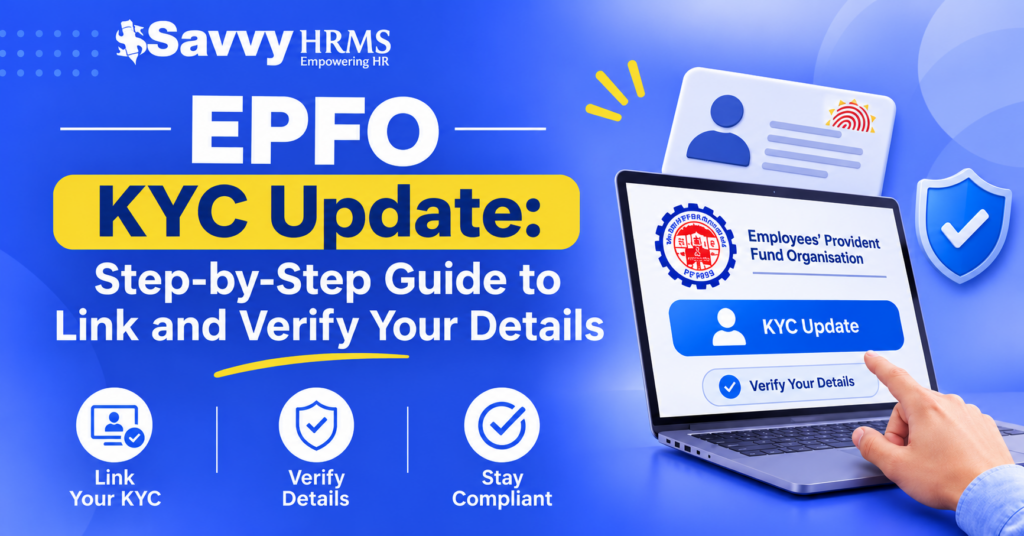
EPFO KYC Update: Step-by-Step Guide to Link and Verify Your Details


-
AuthorAmit Kumar Jha
-
 Last Updated
November 26, 2026
-
 Reading Time
17 Mins
Summary
- EPFO members can update KYC details, including Aadhaar, PAN and bank account information, through the UAN Member Portal.
- Log in using your UAN and password, navigate to Manage → KYC and enter the required document details.
- Complete the applicable authentication and verification process to link your documents.
- Bank account seeding no longer requires employer approval after successful bank verification under EPFO’s April 2025 reform.
- Check your KYC status through the Member Portal to confirm whether your details have been verified.
Your EPF account contains your provident fund savings, employment details and other information linked to your Universal Account Number (UAN). To access these services smoothly, ensure your personal and financial details are accurate and verified.
An EPFO KYC update allows you to link documents such as Aadhaar, PAN, and bank account details to your UAN through the EPFO Member Portal. These details help EPFO to verify your identity, process eligible online claims and transfer your provident fund balance.
EPFO has also simplified certain KYC procedures, including removing employer approval for bank account seeding after bank verification in April 2025. This makes it important to follow the latest process rather than relying on older instructions.
In this guide, we explain how to update KYC in EPFO online, link different documents, check verification status and resolve common problems.
What Is EPFO KYC and Why Is It Important?
EPFO KYC (Know Your Customer) is the process of linking and verifying a member’s identity and financial information with their Universal Account Number (UAN). It helps EPFO to confirm that the provident fund account belongs to the correct member and that payments are directed to the appropriate bank account.
The KYC information associated with an EPF account generally includes Aadhaar, PAN and bank account details. Members can also add other accepted identity documents where applicable.
Why Should You Update KYC Details in EPFO?
Keeping your KYC information accurate helps you use EPFO services without avoidable verification problems.
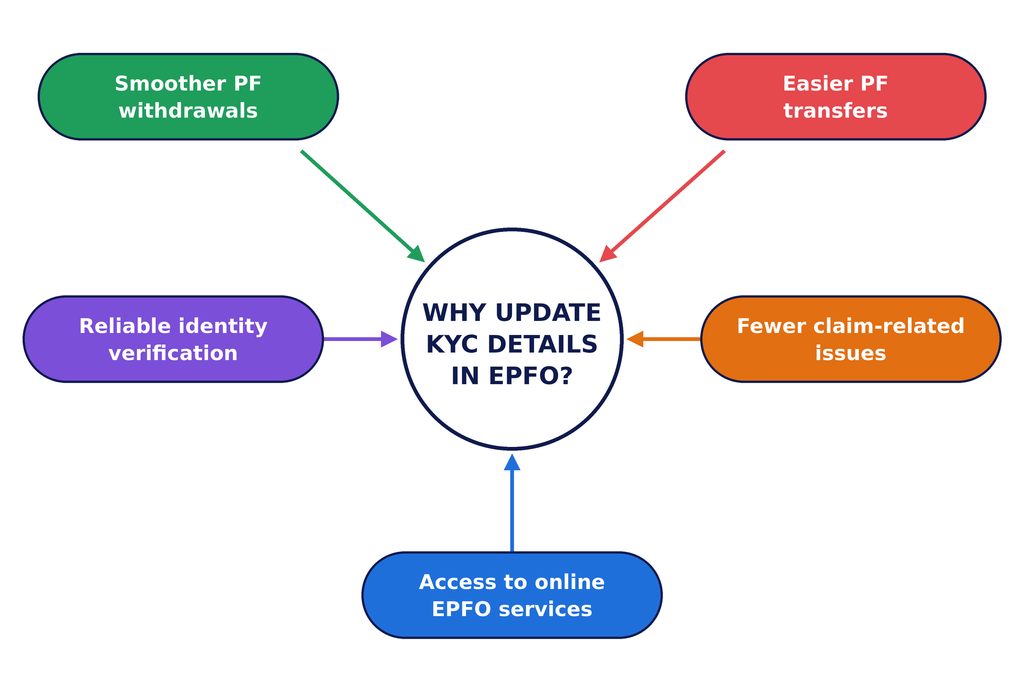
Here are the main reasons to complete your KYC update:
- Smoother PF withdrawals: A verified bank account linked to your UAN helps EPFO credit eligible withdrawal payments to the correct account.
- Easier PF transfers: Accurate identity and employment information helps with the verification required when transferring PF balances between accounts.
- Reliable identity verification: Aadhaar and other accepted documents help EPFO to validate your personal information.
- Fewer claim-related issues: Incorrect names, dates of birth or bank details can create discrepancies during claim processing.
- Access to online services: Updated member information supports the use of digital EPFO services, including online claims and account-related requests.
For example: If your UAN is linked to an old bank account that you no longer use, you should update your bank details before submitting a PF withdrawal claim. Otherwise, incorrect or outdated payment information may create difficulties during claim settlement.
Which Documents Are Required for EPFO KYC Update?
To complete a KYC update in EPFO, you need the relevant identification or financial information that you want to link with your UAN. Keep the original documents available so you can enter the details accurately.
The following table explains the commonly used KYC documents.
| KYC document | Details required | Purpose |
| Aadhaar Card | 12-digit Aadhaar number and name | Identity verification |
| PAN Card | 10-character PAN and name | Tax identification and applicable claim-related verification |
| Bank Account | Account number and IFSC code | PF withdrawal payments |
| Passport | Passport number and relevant details | Identity and address verification |
| Driving Licence | Licence number and relevant details | Identity verification |
| Voter ID | EPIC number and relevant details | Identity verification |
Important: Aadhaar, PAN and bank details are particularly relevant for routine EPF account services. The availability and use of other documents depend on the EPFO portal’s accepted KYC options and the service being accessed, so linking every document in the table is not necessarily mandatory for every member.
Before submitting your information, check the following:
- Your name should match the corresponding identity document.
- Your Aadhaar details should be consistent with your UAN profile.
- Your bank account should be active and belong to you.
- Enter the correct IFSC code associated with your bank branch.
- Ensure that your PAN number is entered without spelling or character errors.
How to Update EPFO KYC Online Through the UAN Portal?
You can complete an EPFO KYC update online through the EPFO Member Portal using your UAN and password. Follow these steps to add or update your documents and submit them for verification.
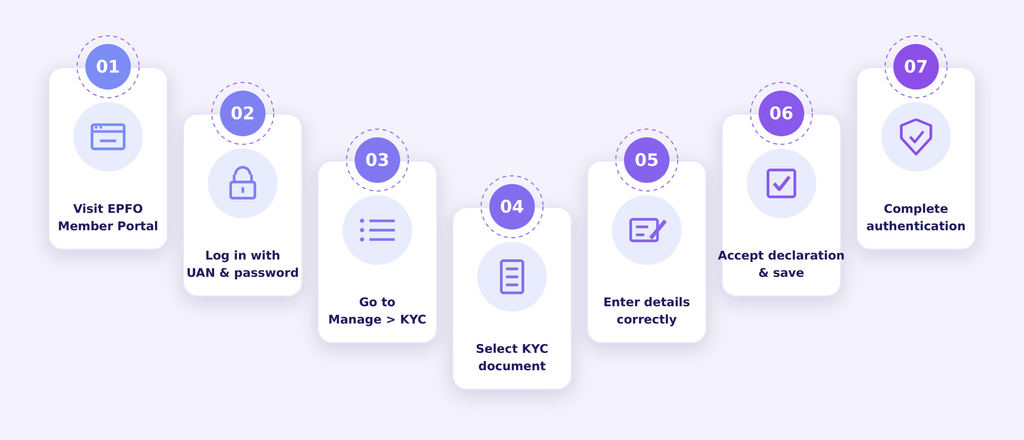
Follow these steps to complete the EPFO KYC update online.
Step 1: Visit the EPFO Member Portal
Visit the official EPFO UAN Member e-Sewa Portal.
This is the online portal where registered EPF members can access their account information, update KYC details, view services and submit eligible online requests.
Step 2: Log In Using Your UAN and Password
Enter the following information on the login page:
- Your Universal Account Number (UAN).
- Your account password.
- The captcha displayed on the screen.
Click Sign In to access your member dashboard. If you have forgotten your password, use the Forgot Password option to reset it.
Step 3: Navigate to Manage → KYC
After logging in, open the Manage section in the top navigation menu and select KYC.
The KYC page allows you to view the documents associated with your UAN and add or update available details.
Step 4: Select the KYC Document You Want to Update
Select the document you want to link, such as:
- Aadhaar
- PAN
- Bank account
Choose the appropriate document option and proceed to enter the requested information.
Step 5: Enter Your Details Correctly
Enter the required information according to the selected document.
For example:
- For Aadhaar, enter your 12-digit Aadhaar number.
- For PAN, enter your 10-character PAN.
- For bank details, enter your account number and IFSC code.
Check the information with your original documents before proceeding. Even a small mismatch in your name, identification number or bank details can affect verification.
Step 6: Accept the Declaration and Save Your Information
After entering the details, review the information and accept the declaration displayed on the portal, if applicable.
Click Save or the corresponding submission option to submit your KYC details.
Step 7: Complete the Required Authentication and Verification
Complete the authentication requested by the portal. Depending on the selected document and the current process, this may involve Aadhaar-linked OTP authentication, bank verification or another applicable verification method.
Once submitted, check the status displayed on the KYC page and do not assume that entering and saving the information automatically means the document has been fully verified.
Note: The exact portal screens and authentication requirements may change. Follow the instructions displayed during your actual submission.
How to Update Different KYC Details in EPFO?
EPFO members can update different KYC details, such as Aadhaar, PAN and bank account information, through the UAN Member Portal. The process for KYC update in EPFO may vary depending on the document you want to link or correct. Let’s understand how to update in different ways, as explained below:
How to Link Aadhaar with Your UAN?
Aadhaar is an important identity document for EPFO services. Linking it with your UAN helps verify your personal information and supports Aadhaar-based authentication.
Follow these steps:
- Log in to the EPFO Member Portal.
- Navigate to Manage → KYC.
- Select the Aadhaar option.
- Enter your 12-digit Aadhaar number and the required details.
- Submit the information using the available authentication process.
- Check the status of your Aadhaar seeding request.
EPFO has also simplified Aadhaar seeding since August 2025. When Aadhaar details match the UAN profile, the employer can approve the request directly. If the details do not match, the employer can forward the request to the concerned EPFO office for correction. If the employer is unavailable, the member can approach the concerned PF office’s Public Relations Officer (PRO).
Important: Check that your name, date of birth, and gender match your Aadhaar information before submitting the request.
How to Update PAN Details in Your EPF Account?
PAN (Permanent Account Number) is used for tax identification. Linking PAN with your EPF account helps EPFO to access the relevant tax-related information when processing applicable withdrawals.
To update PAN details:
- Log in to the UAN Member Portal.
- Open Manage → KYC.
- Select PAN from the available document options.
- Enter your 10-character PAN.
- Enter your name as recorded on your PAN.
- Review the details and submit the request.
- Check the status through the KYC section.
Make sure your PAN information matches the Income Tax Department’s records. If the name on your PAN differs from your EPFO profile, resolve the mismatch through the appropriate correction process.
Why is PAN important for PF withdrawal?
Under the applicable Income-tax rules, TDS may apply to certain EPF withdrawals depending on factors such as the member’s continuous service period, withdrawal amount and submission of PAN. Linking PAN helps ensure that the relevant tax information is available when processing an applicable withdrawal.
How to Link or Update Your Bank Account in EPFO?
Your bank account is important because EPFO uses the bank details linked to your UAN to credit eligible PF withdrawal payments.
You can add or change your bank account through the Member Portal.
Follow these steps:
- Log in to the EPFO Member Portal using your UAN and password.
- Go to Manage → KYC.
- Select the Bank Account option.
- Enter your bank account number.
- Re-enter the account number for confirmation, if requested.
- Enter your bank’s IFSC code.
- Review the details and submit the request.
- Complete the Aadhaar-based authentication requested by the portal.
After submission, your bank details are subject to bank/NPCI verification.
What changed in April 2025?
Earlier, bank account seeding required employer approval even after bank verification. EPFO removed this additional approval requirement in April 2025.
Now, after successful bank verification, employer approval is no longer required to seed the bank account with UAN. EPFO also removed the requirement to upload a cheque-leaf image or an attested bank passbook when filing online claims.
This change is particularly useful for employees who have changed their bank accounts or whose earlier KYC requests were waiting for employer approval.
How to Update Other KYC Documents in EPFO?
Apart from Aadhaar, PAN and bank account information, the portal may provide options to add other accepted identity documents, such as a passport, driving licence or voter ID.
The process generally involves:
- Logging in to the UAN Member Portal.
- Opening Manage → KYC.
- Selecting the relevant document.
- Entering its identification number and other requested information.
- Saving and submitting the details.
- Completing any verification required by the portal.
The availability of these options may vary. Check the current KYC menu before submitting a request.
How to Check EPFO KYC Update Status Online?
After submitting your KYC details, you should check whether they have been successfully linked and verified with your UAN.
You can check your EPFO KYC update status online through the Member Portal.
Follow these steps:
- Visit the EPFO Member e-Sewa Portal.
- Log in using your UAN and password.
- Navigate to Manage → KYC.
- Review the details displayed against your submitted documents.
- Check the verification or approval status associated with each document.
The status helps you understand whether the submitted information has been processed or requires further action.
What Do Different EPFO KYC Statuses Mean?
The portal may display different status indicators depending on the document and verification stage.
| Status indicator | What it means |
| Pending | The submitted details are awaiting the required verification or processing. |
| Approved / Verified | The details have completed the applicable approval or verification process. |
| Rejected | The submitted details have not been accepted and may require correction. |
The exact labels can differ depending on the KYC type and portal workflow. Check the details shown against the relevant document rather than assuming that every KYC request follows the same approval stages.
How to Check EPFO Bank KYC Status Without Employer Approval?
Following EPFO’s April 2025 reform, members no longer need employer approval for bank account seeding after successful bank verification.
To check your bank KYC status:
- Log in to the UAN Member Portal.
- Open Manage → KYC.
- Locate your submitted bank account details.
- Check whether the bank account has been verified or successfully seeded.
- If the request is still being processed, check whether bank verification is pending.
Can you check bank KYC without employer approval?
Yes. Employer approval is no longer part of the bank account seeding process after successful bank verification. However, members should still check the portal to confirm that the bank account has been validated and linked with their UAN.
Does EPFO KYC Update Require Employer Approval?
Employer approval depends on the type of KYC detail being updated and the applicable verification process. Therefore, the approval requirements for a KYC update in EPFO may differ for bank account details, Aadhaar and other profile information.
Here is a breakdown of the important changes:
| KYC update | Employer involvement |
| Bank account seeding | Employer approval removed after successful bank verification from April 2025. |
| Aadhaar seeding | Since August 2025, employers can approve requests directly when Aadhaar and UAN profile details match. |
| Aadhaar mismatch | Employers can forward the correction request to the EPFO office. |
| Member profile correction | Aadhaar-validated members can self-update many profile fields under the simplified January 2025 process. |
| PAN and other KYC documents | Follow the verification requirements displayed for the specific document and request. |
EPFO introduced simplified member profile updation in January 2025. Members with Aadhaar-validated UANs can update several details, including their name, date of birth, gender, nationality, parents’ names and employment dates, without uploading supporting documents in eligible cases. Certain older UANs and cases with mismatches may follow different procedures.
The key difference is that updating a KYC document and correcting your basic member profile are two separate processes. For example, linking Aadhaar is not the same as correcting a spelling mistake in your EPFO name.
How Long Does EPFO KYC Verification Take?
There is no single verification timeline that applies to every EPFO KYC update. The time required depends on the document, authentication method, bank verification and whether any information needs correction.
For example, bank account seeding involves verification through the bank/NPCI system. Aadhaar-related requests may require matching the details in your UAN profile. PAN verification may also depend on the information recorded with the relevant authority.
If your KYC request remains pending:
- Check the current status in the Member Portal.
- Confirm that the submitted details are accurate.
- Check whether the concerned bank or authority has completed verification.
- Contact your employer if the request requires employer intervention.
- Raise a grievance with EPFO if the issue remains unresolved.
Avoid relying on a fixed number of working days unless EPFO provides a specific timeline for the service you are using.
Common EPFO KYC Update Problems and How to Fix Them
Sometimes, members face problems while adding or verifying their KYC information. These issues usually occur because of incorrect personal details, authentication failures or mismatches between EPFO records and the original documents.
Here are some common EPFO KYC problems and how to resolve them.
| Common problem | Possible reason | How to fix it |
| Aadhaar verification fails | Name, date of birth or gender mismatch | Check Aadhaar and UAN details and correct discrepancies. |
| PAN verification fails | Incorrect PAN or name mismatch | Verify your PAN details against Income Tax Department records. |
| Bank account cannot be verified | Incorrect account number or IFSC | Recheck your bank details and submit the correct information. |
| KYC status remains pending | Verification is incomplete | Check the verification stage and contact the concerned authority if required. |
| KYC request is rejected | Incorrect or inconsistent information | Review the rejection reason and submit corrected details. |
| Aadhaar OTP is not received | Aadhaar-linked mobile number is inactive or unavailable | Update your mobile number through the appropriate Aadhaar service. |
| UAN login fails | Incorrect password or account access issue | Use the password recovery option on the Member Portal. |
What Should You Do If Your EPFO KYC Update Is Rejected?
If EPFO rejects your KYC request, first identify the reason instead of submitting the same information again.
Follow these steps to resolve the issue:
- Check the rejection reason: Log in to the UAN Member Portal and review the status of your KYC request.
- Verify your original documents: Check whether the name, date of birth, PAN, Aadhaar or bank details contain any errors.
- Correct mismatched information: If your personal details do not match, use the applicable EPFO profile correction facility.
- Submit the request again: Once the discrepancy is resolved, update the relevant KYC information through the Member Portal.
- Seek assistance if required: Contact your employer or the concerned EPFO office if the issue requires further verification.
If you cannot resolve the issue through the Member Portal, you can also use the official EPFO Grievance Management System (EPFiGMS) to register a complaint.
Conclusion
Overall, updating your EPFO KYC details is an important step in maintaining accurate provident fund records and accessing online EPFO services. By linking Aadhaar, PAN and bank account information with your UAN, you can reduce avoidable verification issues during PF withdrawals, transfers and other account-related services.
EPFO has also simplified several procedures, including removing employer approval for bank account seeding after successful bank verification. Therefore, members should follow the latest portal instructions and regularly check their KYC status to ensure that their details are correctly linked and verified.
Before submitting your next PF claim, take a few minutes to review your UAN profile and confirm that your bank and identity details are up to date.
Frequently Asked Questions
1. Is EPFO KYC mandatory for PF withdrawal?
Updated and verified KYC information is important for EPFO claim processing. In particular, members need an eligible bank account linked with their UAN for PF withdrawal payments. Other applicable identity and tax-related requirements must also be fulfilled depending on the claim.
2. Can I update EPFO KYC online without my employer?
Yes, members can submit KYC details through the UAN Member Portal. Bank account seeding no longer requires employer approval after successful bank verification. However, other documents and profile corrections may follow different verification procedures.
3. How can I update my bank account in EPFO?
Log in to the UAN Member Portal and navigate to Manage → KYC. Select Bank, enter your account number and IFSC code, review the information and submit it. Complete the required Aadhaar authentication and wait for bank verification.
4. How do I check whether my EPFO KYC is approved?
Log in to the UAN Member Portal and open Manage → KYC. Check the status displayed against your submitted Aadhaar, PAN or bank account details to confirm whether the applicable verification has been completed.
5. Can I update Aadhaar and PAN details in EPFO myself?
Yes, members can submit Aadhaar and PAN details through the UAN Member Portal. However, the subsequent verification process may differ. Aadhaar seeding follows EPFO’s simplified process introduced in August 2025, while PAN verification follows its applicable requirements.
6. Why is my EPFO KYC status still pending?
Your KYC status may remain pending if the required verification has not been completed, the submitted details need validation or an applicable approval is outstanding. Check the status and contact the concerned authority if necessary.
7. Is there any fee for updating KYC in EPFO?
No. Updating KYC through the official EPFO Member Portal is free. Members should avoid paying third-party agents or websites for a service that EPFO provides without a fee.
8. What happens if my bank account is not linked with UAN?
An unlinked or unverified bank account can create difficulties when EPFO processes eligible PF withdrawal payments. You should add and verify your bank details before submitting a claim to avoid payment-related issues.
9. Can I update EPFO KYC using the UMANG app?
UMANG provides access to several EPFO services, including UAN-related services. However, the availability of individual KYC update options may vary. You can use the UAN Member Portal for the KYC update process explained in this guide.
10. How can I correct KYC details if they are rejected?
Check the rejection reason, identify the incorrect information and correct it through the applicable EPFO facility. If the problem involves a mismatch in your basic member profile, submit a profile correction request before attempting to update the affected KYC information again.