How to Choose the Right Labour Management System for Your Business


-
AuthorS.K. Gupta
-
 Last Updated
November 05, 2026
-
 Reading Time
17 Mins
TL;DR
Choosing the right Labour Management System starts with understanding your workforce needs and daily challenges. Before selecting software, consider these key points:
- Identify the challenges you face in managing employees, contract workers, attendance and payroll.
- Check whether the software offers essential features such as employee management, contractor management, attendance, shift scheduling and payroll.
- Review its statutory compliance capabilities and integration options.
- Make sure the software can support your business as your workforce grows.
- Compare pricing, implementation support and ease of use before making a decision.
Managing employees, contract workers, attendance, shifts and payroll becomes increasingly challenging as a business grows. When HR teams handle these activities through spreadsheets, manual records, or disconnected systems, they may struggle with attendance discrepancies, payroll errors, workforce scheduling, and compliance requirements.
A Labour Management System (LMS) helps businesses manage these activities through a centralized platform. However, choosing the right software requires more than comparing features. Businesses need to consider their workforce structure, operational requirements, existing technology, compliance needs and future growth.
This guide explains the key factors businesses should consider when evaluating Labour Management System Software and selecting a solution that meets their operational requirements.
What Is a Labour Management System?
A Labour Management System is software that helps businesses organize, monitor and manage their workforce and related activities. It brings processes such as employee management, attendance tracking, shift scheduling, labour allocation, payroll coordination and compliance management into a centralized system.
Businesses use Labour Management Software to reduce their manual work, maintain accurate workforce records and improve visibility into employee and labour-related operations.
Depending on the software, its capabilities may include:
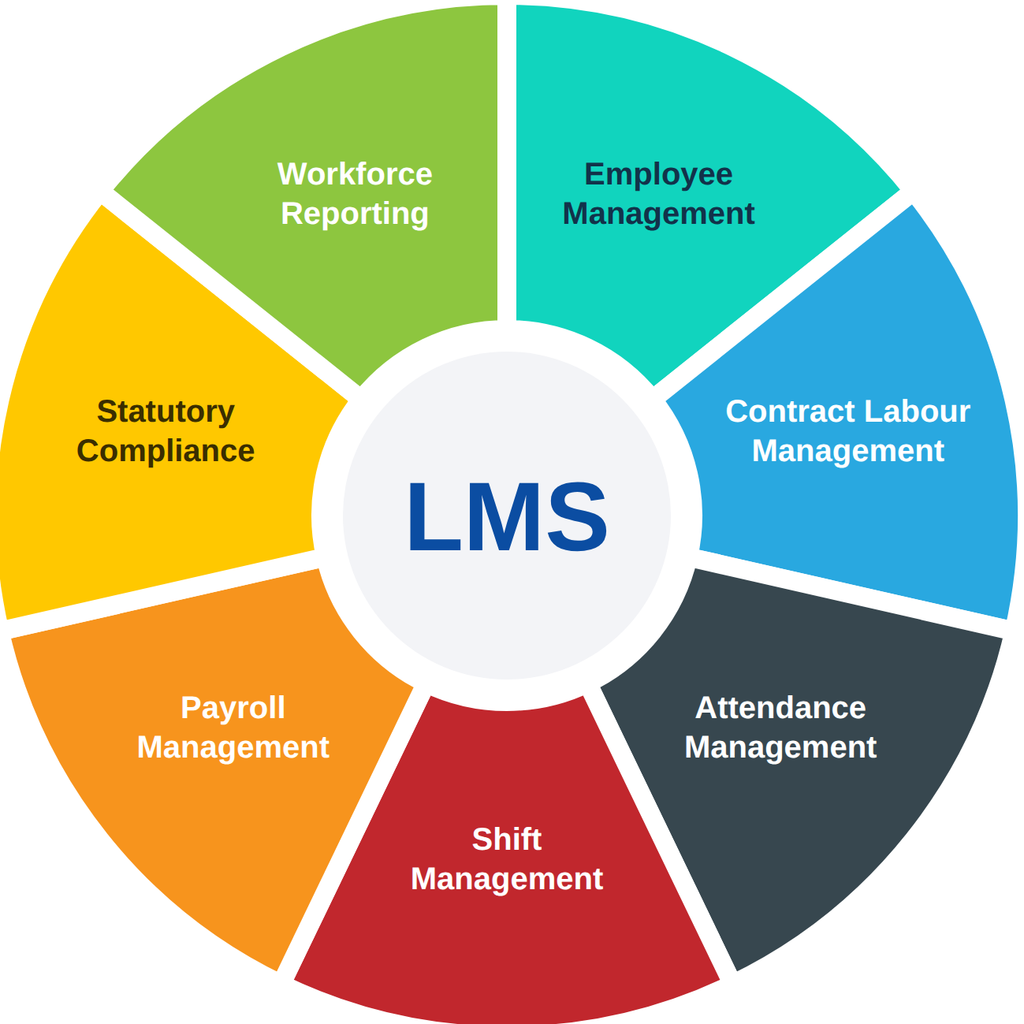
- Employee management: Maintaining employee information, employment details and workforce records.
- Contract labour management: Managing contractor details, worker registration, deployment and attendance.
- Attendance management: Recording employee working hours through biometric devices, mobile applications or other attendance methods.
- Shift management: Planning employee shifts, managing rosters and tracking working hours.
- Payroll management: Processing salary or wage information using approved attendance, overtime and other payroll inputs.
- Statutory compliance: Supporting applicable statutory calculations, records and reports.
- Workforce reporting: Generating reports related to attendance, working hours, overtime and labour costs.
A Labour Management System may also integrate with existing HRMS, payroll, biometric and ERP platforms to connect different workforce processes.
Why Does Your Business Need a Labour Management System?
As businesses grow, managing workforce activities manually becomes more challenging. HR and operations teams may need to coordinate employees across departments, contract workers across multiple locations and staff working in different shifts.
A Labour Management System brings these workforce activities together in one platform, helping businesses organize records, manage daily operations and reduce manual work. Here are some common challenges that indicate when a business may need labour management software.
1. Manual Attendance Tracking
Maintaining attendance through registers, spreadsheets or disconnected devices can lead to errors and make it difficult to verify employee working hours. An attendance management system helps businesses record work hours more consistently and simplify attendance tracking.
2. Difficulty Managing Contract Workers
Businesses that rely on contractors often need to manage worker details, contractor information, deployment records and attendance across multiple sites. A centralized Contract Labour Management System helps organize these records and makes workforce information easier to access.
3. Complex Shift Scheduling
Manufacturing units, warehouses, hospitals and other shift-based businesses may operate with rotating, night or flexible shifts. Managing these schedules manually can lead to scheduling conflicts, attendance discrepancies and difficulties tracking working hours.
4. Payroll Errors and Discrepancies
When attendance, overtime and leave records are maintained separately then HR teams may spend additional time reconciling information before payroll processing. Connecting these records can help improve payroll calculations and reduce manual data entry.
5. Challenges in Managing Labour Compliance
Businesses may need to maintain employee and contractor records, wage details, contribution information and statutory documentation. Managing these requirements manually can increase administrative effort and make it harder to track compliance-related records.
6. Limited Workforce Visibility
When workforce information is scattered across locations and departments, managers may find it difficult to monitor attendance, working hours and labour utilization. But a centralized system provides better access to workforce information and helps managers make informed operational decisions.
A suitable Labour Management System can help businesses address these challenges by bringing workforce information and processes together, reducing dependence on manual records and improving coordination between HR and operations teams.
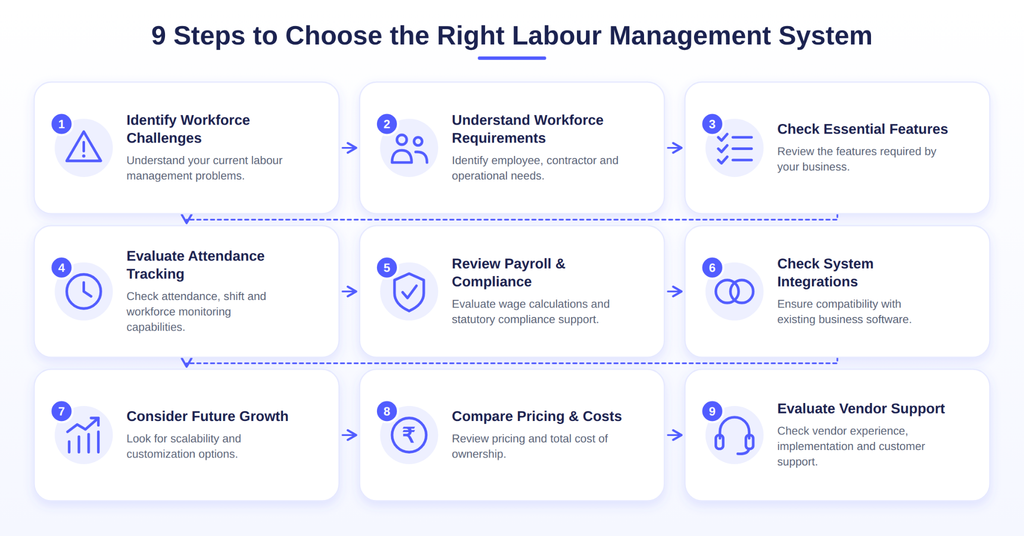
How to Choose the Right Labour Management System for Your Business?
Choosing the right Labour Management System requires understanding how your business manages its workforce and what it expects from the software. Instead of selecting a solution based only on the number of features it offers, evaluate the following factors before making a decision.
1. Identify Your Current Labour Management Challenges
Before exploring different software providers, identify why your business needs a new Labour Management System.
Start by reviewing your existing workforce management processes and identifying activities that consume significant time or frequently lead to errors.
Try to find the answers to the following questions:
- Are employee attendance records maintained manually?
- Do you face discrepancies between attendance records and payroll inputs?
- Is managing contract workers across different locations difficult?
- Do HR teams struggle with shift scheduling and overtime calculations?
- Are employee and contractor records maintained in separate systems?
- Is preparing workforce and compliance reports time-consuming?
- Do managers have difficulty accessing real-time workforce information?
Once you find the answers to these challenges, then categorize them according to their importance.
For example, a manufacturing company may prioritize biometric attendance, rotating shift management and overtime tracking. On the other hand, a business with a large contract workforce may need contractor registration, worker deployment, attendance monitoring and compliance records.
What to do: Prepare a list of your existing workforce management challenges and identify which processes require automation. This will help you shortlist software based on actual business requirements rather than unnecessary features.
2. Understand Your Workforce Requirements
Not every business manages its workforce in the same way. Some organizations primarily employ permanent employees, while others depend on contract workers, temporary staff, field employees or outsourced labour.
Therefore, evaluate whether the software can accommodate your workforce structure.
The following table explains some common workforce categories and the capabilities businesses may need.
| Workforce type | Important management requirements |
| Permanent employees | Employee records, attendance, leave, shifts and payroll |
| Contract workers | Contractor registration, worker details, deployment, attendance and applicable compliance records |
| Temporary workers | Working hours, attendance and wage records |
| Field employees | Mobile attendance, GPS tracking and geofencing |
| Shift-based employees | Shift scheduling, roster management and overtime tracking |
| Multi-location employees | Centralized workforce records and location-wise reporting |
For example, a manufacturing company operating multiple plants may need software that supports different shift schedules, location-wise attendance policies and overtime tracking.
Similarly, a business working with multiple contractors may require centralized worker records, contractor-wise reporting and attendance monitoring across different sites.
What to do: Understand how many workforce categories your business manages, where employees work and how their attendance, shifts and payments are handled. Choose a system that supports these requirements without creating separate manual processes.
3. Check the Essential Labour Management System Features
After identifying your workforce requirements, look at the features offered by different Labour Management System Software providers.
The right software should include the features your business needs to manage employees, contract workers, attendance, shifts, payroll and compliance.
Here are some important features to consider:
| Feature | What to look for |
| Employee management | Employee details, records and department information |
| Contractor management | Contractor details, worker records and deployment information |
| Attendance management | Biometric, mobile and web-based attendance tracking |
| Shift management | Fixed, rotating, flexible and night shift scheduling |
| Leave management | Leave requests, balances and approval processes |
| Overtime management | Overtime records, calculations and approvals |
| Payroll management | Wage calculations, deductions and payslips |
| Compliance management | Applicable statutory calculations, records and reports |
| Reports and analytics | Attendance, overtime, workforce and payroll reports |
| Employee self-service | Access to payslips, attendance details and leave requests |
Not every business needs all these features but the right combination depends on the type of workforce you manage and your daily operations.
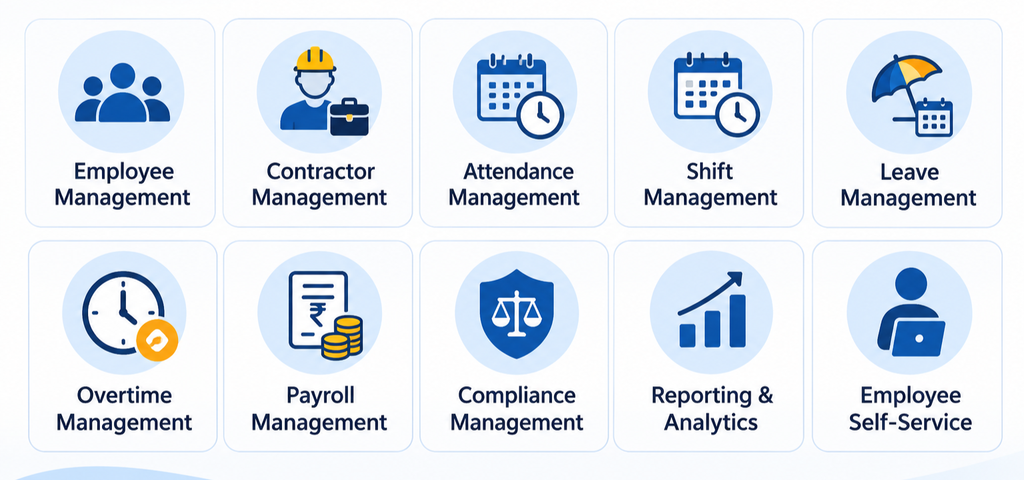
For example, a business with a large contract workforce may need contractor management and worker deployment features. On the other hand, a company operating across multiple locations may focus more on attendance tracking, shift scheduling and centralized reports.
What to do: Divide the features into three groups: must-have features, useful additional features and features you may need as your business grows. This will help you compare software options and choose one that matches your requirements.
4. Evaluate Attendance Tracking and Workforce Monitoring Capabilities
Attendance information plays an important role in workforce management because it affects working-hour calculations, overtime records and payroll inputs.
If your business has employees working across factories, offices, warehouses or field locations, check whether the Labour Management System supports different attendance methods.
Important capabilities to evaluate include:
- Biometric attendance: Check whether the software can integrate with biometric devices and capture employee punch-in and punch-out records.
- Face recognition: For businesses that need an additional identity verification method, check whether face recognition-based attendance is supported.
- Mobile attendance: Field employees and distributed teams may need to mark attendance through a mobile application.
- GPS and geofencing: Evaluate whether the software supports location-based attendance and designated geographical boundaries for eligible employees.
- Real-time attendance monitoring: Managers should be able to view attendance information and identify missing punches, late arrivals or absences.
- Attendance regularization: Employees should be able to raise requests for missed punches or attendance corrections through an approval workflow.
- Multiple shift support: Check whether the system can handle fixed, flexible, rotating and night shifts according to business policies.
For example, a company with employees working at different project sites may need mobile attendance with location verification. A manufacturing plant may instead require biometric devices integrated with shift and overtime management.
What to do: Check whether the attendance system supports your employees’ actual working arrangements. Also, understand how attendance data is verified, corrected and transferred to payroll.
5. Check Payroll and Statutory Compliance Capabilities
Payroll and statutory compliance are important considerations when selecting Labour Management Software for businesses operating in India.
Employee salaries, worker wages, overtime, deductions and statutory contributions may depend on different records and calculations. When these activities are handled separately, HR and payroll teams may need to reconcile information manually.
Evaluate whether the software supports the following requirements.
1. Payroll and wage management
- Employee salary structures and wage calculations.
- Attendance-based salary processing.
- Overtime and shift allowance calculations.
- Deductions, advances and reimbursements.
- Payslip generation and payroll reports.
2. Statutory compliance
- Provident Fund (PF) calculations and related records, where applicable.
- Employees’ State Insurance (ESI) contributions and records, where applicable.
- Professional Tax based on applicable state requirements.
- Tax Deducted at Source (TDS) calculations and reporting.
- Applicable Labour Welfare Fund requirements.
- Relevant statutory reports and documentation.
For businesses managing contract labour, additional considerations may include contractor-wise worker records, wage information, attendance documentation and applicable statutory records.
It is also important to understand whether the software supports compliance requirements relevant to the business’s workforce arrangements, locations and applicable laws.
What to do: Ask vendors to demonstrate how payroll inputs, statutory calculations and compliance reports are handled. Check whether the system supports applicable central and state-level requirements and how regulatory updates are managed.
6. Evaluate Integration with Your Existing Business Systems
Before selecting a Labour Management System, review the technology your business already uses.
Many organizations maintain separate systems for attendance, payroll, accounting, employee records and business operations. If these platforms do not communicate properly, teams may need to enter the same information multiple times.
A Labour Management System with suitable integration capabilities can help connect these processes and reduce manual data transfer.
Consider the following integrations:
| Existing system | Why integration may be needed |
| HRMS | To connect employee information and HR processes |
| Payroll software | To transfer approved attendance and working-hour information |
| Biometric devices | To capture attendance records |
| ERP systems | To exchange relevant workforce and operational data |
| Accounting software | To support payroll-related financial records |
| Third-party applications | To connect additional business workflows through APIs |
For example, if employee attendance is recorded through biometric devices, the system should be able to transfer the relevant attendance information into the payroll workflow.
Similarly, businesses using ERP platforms may need workforce information to be exchanged between systems.
What to do: Prepare a list of your existing software, devices and applications. Ask vendors which integrations are available, whether they require customization and how data synchronization is handled.
7. Consider Scalability and Customization
A System should support your current workforce requirements while accommodating future business growth.
As an organization expands, its workforce structure and operational needs may change. It may open additional branches, hire more employees, engage new contractors or introduce different shift schedules.
Before selecting software, consider the following:
- Workforce expansion: Can the software scale an increase in employees and contract workers?
- Multiple locations: Can HR teams manage workforce information across different branches, plants and project sites?
- Flexible shift policies: Can different departments and locations follow their respective shift schedules?
- Configurable workflows: Can approval processes be adjusted according to organizational policies?
- Department-wise access: Can access permissions be assigned based on employee roles and responsibilities?
- Reporting flexibility: Can businesses generate reports according to location, department, contractor or other relevant categories?
For example, a company operating two manufacturing units today may plan to open additional facilities in the coming years. Its software should be capable of supporting location-wise attendance policies, workforce records and reporting as operations expand.
What to do: Discuss your expected business growth with software providers. Ask whether additional employees, locations, workflows and modules can be accommodated without requiring a complete system replacement.
8. Review Software Pricing and Total Cost of Ownership
Pricing is another important factor when comparing Labour Management Software providers. However, businesses should evaluate the overall cost rather than selecting a solution based only on its advertised subscription price.
Different providers may follow different pricing models, depending on the number of employees, selected modules, deployment requirements and customization.
Consider the following cost components before making a decision.
| Cost component | What to evaluate |
| Subscription or licensing | Monthly, annual or one-time software charges |
| Per-employee pricing | Whether charges depend on the number of active employees or users |
| Implementation | Initial setup, configuration and deployment costs |
| Integration | Charges for connecting biometric devices, ERP or other systems |
| Customization | Costs for additional workflows and specific business requirements |
| Training | Employee and administrator training charges |
| Maintenance and support | Ongoing technical support and maintenance expenses |
| Additional modules | Charges for adding features as business requirements change |
For example, a software provider may offer a lower initial subscription price but charge separately for implementation, integrations or additional modules.
Another provider may include more capabilities in its standard package. Therefore, compare the complete pricing structure and understand what is included before signing a contract.
What to do: Request a detailed quotation from shortlisted vendors. Compare the initial investment, recurring charges, additional expenses and expected costs as your workforce grows.
9. Evaluate Vendor Experience, Implementation and Support
The software itself is only one part of the selection process. The vendor’s experience, implementation approach and ongoing support can also affect how successfully the system is adopted.
Before finalizing a provider, evaluate the following factors.
- Industry experience
- Product demonstration
- Implementation process
- Employee training
- Customer support
- Customer references
- Data security
During the product demonstration, avoid focusing only on the dashboard or general feature presentation. Ask the vendor to demonstrate specific processes, such as attendance correction, shift scheduling, overtime approval, payroll data transfer and contractor record management.
What to do: Prepare a list of business scenarios and ask shortlisted vendors to demonstrate how their software handles them. This will help you assess whether the solution is practical for your organization.
Labour Management System Evaluation Checklist
After evaluating your business requirements, software features, integration capabilities and vendors, prepare a checklist to compare shortlisted solutions.
The following table can help decision-makers assess whether a Labour Management System meets their essential requirements.
| Evaluation criteria | What to check |
| Workforce management | Can it manage permanent, temporary and contract workers? |
| Attendance tracking | Does it support biometric, mobile and web-based attendance? |
| Shift management | Can it handle fixed, rotating and flexible shifts? |
| Contractor management | Can it maintain contractor and worker records? |
| Payroll management | Does it support salary, wage and overtime calculations? |
| Statutory compliance | Does it support applicable statutory calculations and reports? |
| Integration | Can it connect with existing HRMS, ERP and biometric systems? |
| Reporting | Can it generate department-wise and location-wise reports? |
| Scalability | Can it accommodate additional employees and locations? |
| Customization | Can workflows and policies be configured? |
| Security | Does it provide suitable access controls and data protection? |
| Implementation | Does the vendor provide setup, migration and training support? |
| Customer support | Are support channels and escalation processes clearly defined? |
| Pricing | Are implementation, subscription and additional costs transparent? |
You can also use a simple scoring system to compare shortlisted vendors:
- 1 – Does not meet requirements
- 2 – Partially meets requirements
- 3 – Meets requirements
- 4 – Exceeds requirements
Assign scores based on product demonstrations, documentation and vendor responses rather than assumptions.
This approach helps businesses compare different Labour Management System Software providers using consistent evaluation criteria.
Common Mistakes to Avoid When Choosing Labour Management Software
Even after identifying business requirements, businesses may make selection mistakes that affect software adoption and long-term usability. Here are some common mistakes to avoid.
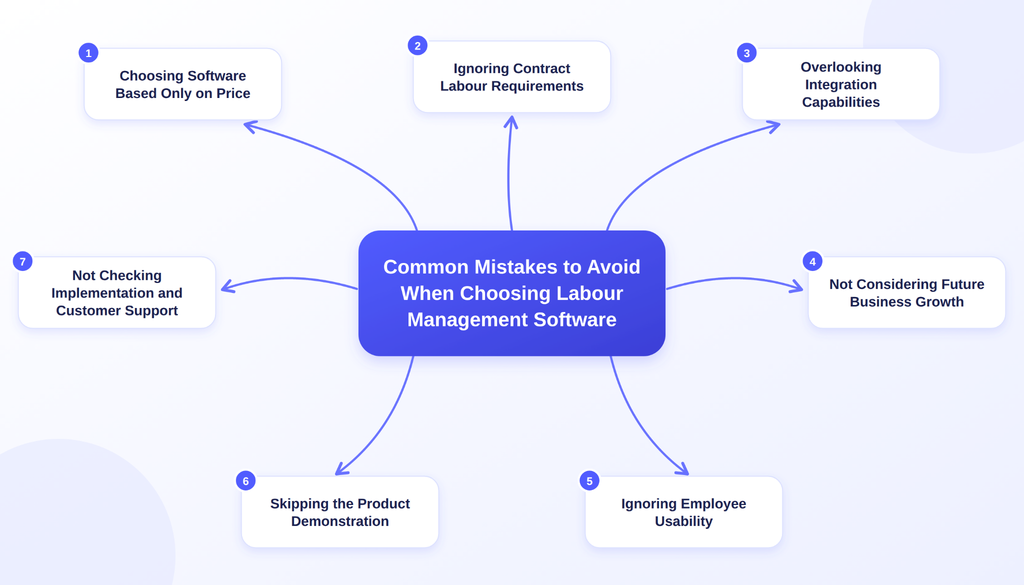
1. Choosing Software Based Only on Price
A low-cost solution may not include the integrations, features or support your business needs. Always compare the overall cost, functionality and additional charges before making a decision.
2. Ignoring Contract Labour Requirements
Businesses employing contract workers should check whether the software can manage contractor information, worker records, attendance and applicable compliance documentation.
3. Overlooking Integration Capabilities
Selecting software without checking compatibility with existing HRMS, payroll, biometric or ERP systems can create additional manual work. Evaluate integration requirements before finalizing a solution.
4. Not Considering Future Business Growth
A system that meets current requirements may become unsuitable as the workforce expands or operations move to additional locations. Choose software that can accommodate changing workforce requirements.
5. Ignoring Employee Usability
Complicated software can make adoption difficult for employees, managers and HR administrators. Evaluate the interface, navigation and ease of use during the product demonstration.
6. Skipping the Product Demonstration
Brochures and feature lists do not always explain how a system handles actual business workflows. Request a product demonstration and test important processes before finalizing a vendor.
7. Not Checking Implementation and Customer Support
Understand the vendor’s implementation responsibilities, data migration process, training arrangements and ongoing support services before signing an agreement.
Avoiding these mistakes can help businesses select a Labour Management System that fits their workforce requirements, simplifies daily operations and supports long-term business needs.
Conclusion
Overall, selecting the right Labour Management System requires a clear understanding of your workforce, operational processes and business goals. From attendance tracking and shift scheduling to contract labour management, payroll and statutory compliance, every requirement should be considered before finalizing a solution.
Rather than choosing software based only on its features or pricing, evaluate how well it fits your existing processes, integrates with your business systems and supports future workforce growth.
A suitable system can help bring workforce information together, reduce manual administrative work and give HR and operations teams better visibility into labour-related activities.

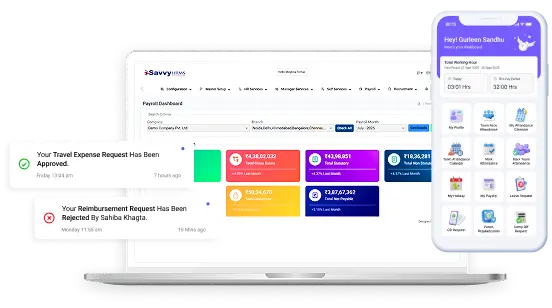


Choose the Right Labour Management System with Savvy HRMS
Frequently Asked Questions
1. What should you look for in a Labour Management System?
Look for workforce management, attendance tracking, shift scheduling, contractor management, payroll integration, statutory compliance, reporting, scalability and data security capabilities. The right features depend on your workforce structure and business requirements.
2. What are the key features of Labour Management Software?
Important features may include employee management, contractor management, attendance tracking, shift and roster management, leave management, overtime tracking, payroll processing, compliance management and workforce reporting.
3. What is the difference between HRMS and a Labour Management System?
An HRMS primarily manages broader human resource activities such as employee records, recruitment, onboarding, leave, payroll and performance management. A Labour Management System focuses more specifically on workforce operations, including labour allocation, attendance, working hours, shifts and labour-related processes. However, their functionalities can overlap depending on the software.
4. Can a Labour Management System manage contract workers?
Yes. Depending on its capabilities, a Labour Management System can help manage contractor details, worker registration, deployment records, attendance, working hours and relevant compliance documentation. Businesses should verify whether the software supports their specific contractor management requirements.
5. How does Labour Management Software help reduce payroll errors?
Labour Management Software can help maintain more accurate attendance, working-hour, leave and overtime records. When these records are properly verified and integrated with payroll, HR teams can reduce manual data entry and reconciliation. Payroll accuracy still depends on correct configurations, approvals and applicable calculations.
6. How much does a Labour Management System cost?
The cost depends on factors such as employee count, selected modules, subscription or licensing model, implementation, integrations and customization. Businesses should request detailed quotations from vendors and compare the total cost of ownership before choosing a solution.