


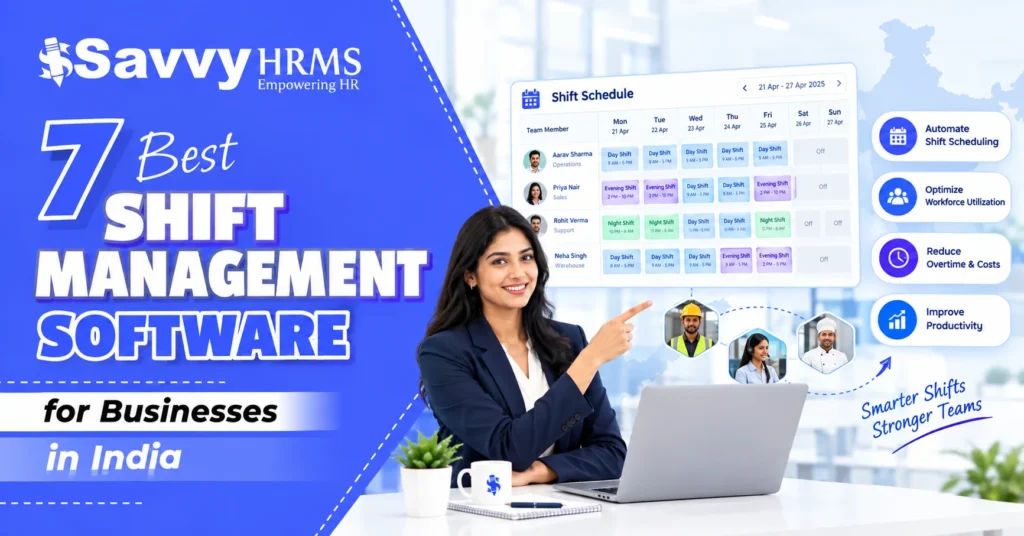

The best shift management software helps businesses plan employee schedules, manage rotating and flexible shifts, track attendance, control overtime, and connect workforce data with payroll. For Indian organizations, the right platform can reduce scheduling errors while making shift-based workforce management more efficient.
Businesses operating across multiple shifts often face challenges such as last-minute schedule changes, attendance discrepancies, overtime calculations, and employee availability. Shift management software brings these activities into one system, helping HR teams and managers create structured schedules and maintain accurate workforce records.
In this guide, we compare the 7 best shift management software for businesses in India based on shift scheduling, attendance integration, automation, payroll capabilities, employee self-service, reporting, scalability, and India-focused HR requirements. The comparison is designed to help businesses identify the right solution for their workforce.
What Is Shift Management Software?
Shift management software is an HR or workforce management solution that helps businesses create, assign, monitor, and modify employee work schedules. It replaces spreadsheets and manual scheduling with centralized digital workflows for regular, rotating, flexible, split, and overnight shifts.
Depending on the platform, employees and managers may also be able to view schedules, request changes, manage shift swaps, monitor attendance, track overtime, and receive schedule-related notifications. When integrated with attendance and payroll systems, shift information can automatically support accurate working-hour and salary calculations.
For businesses with employees working different schedules, shift scheduling software provides better visibility into workforce availability and helps managers allocate people according to operational requirements.
Why Do Businesses in India Need Shift Management Software?
Managing shifts manually becomes increasingly difficult when an organization has multiple teams, locations, departments, or working schedules. Indian businesses in manufacturing, healthcare, retail, hospitality, logistics, BPO, security, and other shift-based industries can benefit from centralized shift planning.
Key reasons businesses use shift management software include:
- Better shift planning: Create and assign schedules without maintaining complex spreadsheets.
- Reduced scheduling errors: Minimize overlapping, missing, or incorrectly assigned shifts.
- Improved attendance accuracy: Connect planned schedules with actual employee attendance.
- Overtime visibility: Identify additional working hours more systematically.
- Payroll support: Use shift and attendance data to support payroll processing.
- Employee transparency: Give employees visibility into their upcoming schedules.
- Faster schedule changes: Modify shifts when business requirements change.
- Multi-location management: Manage employees and shifts across offices, plants, stores, or branches.
- Better workforce utilization: Match workforce availability with operational requirements.
For growing Indian businesses, shift management becomes particularly important when HR teams need to manage hundreds or thousands of employees without increasing administrative workload proportionally.
What Are the Key Features of Shift Management Software?
The best shift management software generally combines scheduling, attendance, employee management, and workforce analytics.
1. Shift Scheduling
Shift scheduling allows HR teams to create, assign, and manage employee work schedules based on working hours, breaks, departments, and business requirements. This helps maintain organized rosters and ensures adequate workforce coverage.
2. Shift Rotation
Shift rotation enables businesses to create recurring schedules for employees working morning, evening, or night shifts. Automated rotation helps distribute schedules systematically while reducing manual scheduling work and improving workforce planning.
3. Attendance Integration
Attendance integration connects employee attendance records with assigned shifts, making it easier to monitor late arrivals, early departures, absences, and working hours. This improves attendance accuracy and simplifies workforce management for HR teams.
4. Overtime Management
Overtime management helps businesses identify additional working hours based on employee schedules, attendance records, and configured overtime policies. It provides better visibility into overtime while supporting accurate approvals, calculations, and payroll processing.
5. Employee Self-Service
Employee self-service allows employees to view assigned shifts, check schedules, and manage eligible attendance-related requests. This reduces HR dependency, improves transparency, and enables employees to stay informed about their working schedules.
6. Mobile Access
Mobile access allows employees and managers to view schedules, attendance information, and relevant shift updates from smartphones. It provides greater flexibility for distributed, field-based, and shift-based employees who need access outside offices.
7. Payroll Integration
Payroll integration connects shift and attendance data with payroll processes, reducing repetitive data entry and manual calculations. Businesses can use verified working hours, overtime, and attendance information to support more efficient payroll processing.
8. Reports and Analytics
Reports and analytics provide insights into employee schedules, attendance patterns, overtime, working hours, and workforce utilization. HR teams can use these reports to identify trends, monitor workforce performance, and make better scheduling decisions.
9. Multi-Location Management
Multi-location management enables businesses to manage employee shifts across different offices, branches, stores, plants, or operational sites. A centralized system provides HR teams with better visibility and control over geographically distributed workforces.
How Do We Rank This Shift Management Software?
The ranking in this blog is based on a weighted evaluation framework designed specifically for businesses looking for shift management software in India. Rather than considering brand popularity alone, we evaluate capabilities that directly affect shift-based workforce management.
| Evaluation Criteria | Weight |
| Shift scheduling and roster management | 20% |
| Attendance and shift integration | 15% |
| Automation and workflow capabilities | 15% |
| Overtime and payroll integration | 15% |
| Employee self-service and mobile accessibility | 10% |
| Reporting and workforce analytics | 10% |
| India-focused HR and compliance capabilities | 10% |
| Integrations, scalability, and overall usability | 5% |
| Total | 100% |
How to interpret the ranking: The scores are an editorial comparison based on the above criteria and the software’s stated capabilities. Actual suitability can vary depending on company size, industry, workforce complexity, integrations, implementation requirements, and selected product plans.
At a Glance
| Rank | Software | Best For | Overall Fit |
| 1 | Savvy HRMS | Businesses wanting integrated HR, attendance, shift, and payroll management | Excellent |
| 2 | greytHR | Businesses focused on attendance and structured workforce management | Excellent |
| 3 | Zoho People | Organizations wanting configurable HR and shift scheduling | Very Good |
| 4 | Keka HR | Growing businesses seeking modern HR and employee management | Very Good |
| 5 | Darwinbox | Mid-sized and enterprise organizations with complex workforce needs | Very Good |
| 6 | factoHR | Businesses seeking HR, attendance, payroll, and workforce automation | Good |
| 7 | Zimyo | SMBs looking for an integrated HRMS platform | Good |
7 Best Shift Management Software for Businesses in India
1. Savvy HRMS
Overview
Savvy HRMS is an integrated HRMS platform designed to bring employee management, attendance, shift management, payroll, leave, performance, and other HR processes together. It is particularly suitable for businesses that want shift management connected directly with broader HR operations.
With 20+ powerful HR modules, Savvy HRMS can support businesses looking beyond standalone shift scheduling. By connecting attendance, employee information, payroll, leave, compliance, and related HR processes, it provides a centralized environment for managing the employee lifecycle.
Key Features of Savvy HRMS
- Shift scheduling: Create and manage employee shifts across teams and work schedules.
- Attendance tracking: Monitor employee attendance against assigned working schedules and policies.
- Shift management: Manage different employee schedules from a centralized HRMS platform.
- Payroll integration: Connect attendance and working-hour information with payroll processing.
- Employee management: Maintain employee information alongside attendance and workforce data.
- Leave management: Coordinate employee leave information with attendance and work schedules.
- Employee self-service: Give employees access to relevant HR and attendance activities.
- Performance management: Connect workforce management with broader employee performance processes.
- HR analytics: Use workforce information to support better HR and management decisions.
Who Should Choose Savvy HRMS?
Savvy HRMS is a strong choice for Indian businesses that want shift management as part of a complete HRMS rather than as an isolated scheduling tool. It suits organizations managing attendance, payroll, employee data, leave, compliance, performance, and other HR processes from one centralized platform.
Who Might Not Need Savvy HRMS?
Businesses that only require a very basic shift calendar and have no requirement for attendance, payroll, employee management, or broader HR automation may find a standalone scheduling application sufficient. Similarly, very small teams with simple fixed schedules may not require a complete HRMS platform.
Best For
Indian businesses looking for integrated shift management, attendance, payroll, employee management, leave, compliance, and other HR processes within one comprehensive HRMS platform.
2. greytHR
Overview
greytHR is an HR and payroll platform offering attendance, shift management, employee scheduling, leave, and payroll capabilities. Its workforce tools help businesses manage rotating shifts, rosters, working hours, and attendance processes efficiently.
Key Features of greytHR
- Shift rotation: Create recurring shift rotation patterns for employees and teams.
- Shift roster: View and manage employee schedules through centralized roster functionality.
- Split shifts: Support employee schedules involving multiple work sessions.
- Shift overrides: Modify individual or multiple employee shifts when requirements change.
- Attendance management: Connect shift schedules with employee attendance information.
- Overtime visibility: Monitor additional working hours through attendance-related information.
Who Should Choose greytHR?
greytHR can suit businesses that place strong importance on attendance, shift rosters, employee work-hour tracking, and payroll-related HR processes. It is particularly useful for organizations where HR teams regularly manage rotating shifts, split schedules, attendance corrections, and workforce changes.
Who Might Not Need greytHR?
Organizations searching only for a lightweight scheduling application may find the broader HRMS capabilities more extensive than necessary. Businesses with very simple fixed schedules and limited attendance requirements may not need a comprehensive HR and payroll platform for shift planning.
Best For
Businesses requiring structured shift rosters, attendance management, shift rotation, split-shift support, and connected HR and payroll processes.
3. Zoho People
Overview
Zoho People is an HR management platform that supports employee scheduling, attendance, leave, and workforce administration. Its flexible shift patterns help businesses organize recurring schedules while managing employee information through centralized HR workflows.
Key Features of Zoho People
- Shift patterns: Create weekly, monthly, or customized recurring shift schedules.
- Employee assignment: Map shift patterns to teams, departments, locations, or employees.
- Automated scheduling: Automatically repeat configured shift patterns for employees.
- Attendance management: Connect employee attendance with HR management processes.
- Flexible modifications: Adjust employee schedules when operational requirements change.
- HR integration: Manage shift activities alongside broader employee management workflows.
Who Should Choose Zoho People?
Zoho People is suitable for organizations wanting configurable shift scheduling within a broader HR platform. It can work well for companies already using the Zoho ecosystem or businesses looking for structured employee scheduling combined with attendance, leave, and other HR management functions.
Who Might Not Need Zoho People?
Companies that require highly specialized workforce optimization rather than general HR management may need a more workforce-management-focused solution. Similarly, businesses with only a few employees and predictable schedules may not require a configurable HR platform.
Best For
Businesses wanting flexible shift patterns, employee scheduling, attendance management, and broader HR capabilities within a configurable HR platform.
4. Keka HR
Overview
Keka HR is an employee-focused HR platform offering attendance, payroll, leave, employee management, and workforce capabilities. It helps growing businesses manage different working schedules while connecting shift-related activities with broader HR processes.
Key Features of Keka HR
- Shift and attendance management: Manage employee schedules alongside attendance processes.
- Employee self-service: Give employees access to relevant HR information and requests.
- Payroll connectivity: Connect workforce attendance information with payroll operations.
- Leave management: Coordinate employee leave with attendance and work schedules.
- Mobile accessibility: Support HR and employee activities through digital access.
- HR automation: Reduce repetitive administrative work across common HR processes.
Who Should Choose Keka HR?
Keka HR can be considered by growing Indian businesses looking for an employee-centric HR platform covering attendance, leave, payroll, and workforce processes. It is especially relevant for organizations wanting modern HR workflows instead of managing scheduling and attendance through disconnected spreadsheets.
Who Might Not Need Keka HR?
Businesses that primarily need advanced workforce scheduling with highly specialized operational planning may need to evaluate dedicated workforce-management platforms. Very small organizations with limited employees and straightforward schedules may also prefer simpler scheduling tools.
Best For
Growing businesses seeking modern HR management with attendance, payroll, employee self-service, leave, and workforce-related capabilities.
5. Darwinbox
Overview
Darwinbox is an enterprise HR technology platform covering employee lifecycle management, workforce operations, attendance, and HR automation. Its broad capabilities make it suitable for organizations managing complex workforce structures, multiple locations, and varied schedules.
Key Features of Darwinbox
- Workforce management: Support employee scheduling and broader workforce operations.
- Attendance management: Manage employee attendance within broader HR workflows.
- Employee lifecycle management: Connect workforce processes with employee information.
- Workflow automation: Automate HR activities across multiple employee processes.
- Employee self-service: Provide employees with digital access to HR activities.
- Enterprise scalability: Support complex organizations with diverse workforce requirements.
Who Should Choose Darwinbox?
Darwinbox is a strong consideration for mid-sized and enterprise organizations that need an extensive HR technology platform rather than standalone shift scheduling. It can be appropriate for businesses managing complex employee structures, multiple locations, and interconnected workforce and HR processes.
Who Might Not Need Darwinbox?
Smaller businesses with straightforward shift requirements may find an enterprise-oriented HR platform more extensive than necessary. Organizations seeking only basic roster creation and schedule visibility should compare implementation complexity and overall platform requirements before selecting an enterprise HR solution.
Best For
Mid-sized and enterprise organizations requiring scalable HR technology and broader workforce management across complex employee structures.
6. factoHR
Overview
factoHR is an HR and payroll platform that combines attendance, employee management, payroll, and workforce-related capabilities. Its attendance and shift functionalities help businesses manage working hours, overtime, schedules, and related HR processes.
Key Features of factoHR
- Shift management: Configure employee shifts with defined working-hour parameters.
- Attendance policies: Set rules for working hours, late arrivals, and early departures.
- Overtime management: Configure overtime parameters for working and non-working days.
- Attendance integration: Connect attendance calculations with employee shift timings.
- Payroll management: Use workforce attendance information within payroll processes.
- Workflow approvals: Support approval processes around attendance and overtime activities.
Who Should Choose factoHR?
factoHR can suit Indian organizations wanting shift, attendance, payroll, and HR processes in one platform. It is particularly relevant to businesses where working-hour rules, overtime, attendance policies, and payroll calculations need to work together rather than being maintained through separate systems.
Who Might Not Need factoHR?
Businesses requiring only simple employee scheduling may not need the broader HR and payroll capabilities of factoHR. Organizations with highly specialized workforce optimization requirements should also compare its scheduling functionality with dedicated workforce-management platforms before making a final decision.
Best For
Businesses wanting shift, attendance, overtime, payroll, and HR management capabilities within an integrated workforce platform.
7. Zimyo
Overview
Zimyo is an integrated HRMS platform offering employee management, attendance, leave, payroll, and workforce management capabilities. It helps growing businesses centralize HR operations while supporting employee scheduling and attendance-related administrative processes.
Key Features of Zimyo
- Attendance management: Track employee attendance within broader HR processes.
- Employee management: Centralize employee information and HR activities.
- Leave management: Manage employee leave alongside attendance processes.
- Payroll capabilities: Connect employee information with payroll administration.
- Employee self-service: Enable employees to access relevant HR activities.
- HR automation: Reduce repetitive administrative work through digital workflows.
Who Should Choose Zimyo?
Zimyo can be considered by SMBs and growing businesses looking for an integrated HRMS rather than a standalone scheduling application. It may suit organizations that want employee management, attendance, leave, payroll, and other HR functions centralized in one digital environment.
Who Might Not Need Zimyo?
Businesses that require highly advanced shift optimization, complex workforce forecasting, or specialized scheduling algorithms should evaluate dedicated workforce-management products as well. Very small teams with fixed working hours may also find a complete HRMS unnecessary for their scheduling needs.
Best For
Growing businesses looking for an integrated HRMS covering employee management, attendance, leave, payroll, and related HR operations.
| Software | Best For | Biggest Advantage | Potential Integration | Ideal Employee Size |
| Savvy HRMS | Integrated HR, shift, attendance, and payroll | 20+ HR modules in one platform | Attendance, payroll, employee and HR workflows | 50 – 10,000+ |
| greytHR | Attendance and structured shift management | Strong attendance and roster capabilities | Payroll, attendance and HR processes | 50 – 5,000+ |
| Zoho People | Flexible HR and shift scheduling | Configurable shift patterns | Zoho ecosystem and HR workflows | 50 – 2,000+ |
| Keka HR | Growing businesses | Modern employee-focused HR platform | Payroll, attendance and HR processes | 50 – 5,000+ |
| Darwinbox | Mid-market and enterprise organizations | Broad enterprise HR capabilities | Enterprise HR and workforce ecosystem | 1,000+ |
| factoHR | HR, attendance and payroll integration | Strong connection between shifts and attendance | Payroll, attendance and HR | 100 – 5,000+ |
| Zimyo | SMB and growing businesses | Integrated HRMS approach | Employee, attendance and payroll workflows | 50 – 2,000+ |
Employee-size ranges are indicative rather than hard product limits. Actual suitability depends on workforce complexity, modules selected, implementation requirements, and business processes.
How Does Shift Management Software Work?
Shift management software generally works by converting employee scheduling rules into digital rosters that can be assigned, monitored, and updated through a centralized system.
A general workflow looks like this:
Create Shift → Define Working Hours → Assign Employees → Publish Schedule → Track Attendance → Manage Changes → Calculate Worked Hours → Process Overtime/Payroll → Generate Reports
Step 1: Create Shift Types
HR or managers define schedules such as morning, general, evening, night, flexible, or split shifts.
Step 2: Assign Employees
Employees are assigned to shifts based on their department, role, location, availability, or business requirements.
Step 3: Publish the Roster
Employees and managers can access their assigned schedules, depending on the platform’s employee self-service capabilities.
Step 4: Capture Attendance
The system records actual employee attendance and compares it with planned working schedules.
Step 5: Manage Exceptions
Managers can handle shift changes, attendance corrections, late arrivals, early departures, leave, or other exceptions.
Step 6: Calculate Working Hours
The system processes scheduled and actual working hours based on configured organizational rules.
Step 7: Connect With Payroll
Where payroll integration is available, approved attendance, overtime, and related information can support payroll processing.
Step 8: Analyze Workforce Data
HR teams can use reports and dashboards to understand attendance, overtime, scheduling patterns, and workforce utilization.
What Types of Businesses Can Benefit from Shift Management Software?
Shift management software is useful wherever employees work different schedules or where workforce coverage needs to be planned systematically.
1. Manufacturing
Factories often operate across multiple shifts and need accurate employee scheduling, attendance, overtime, and workforce coverage.
2. Healthcare
Hospitals, clinics, diagnostic centers, and healthcare organizations often require round-the-clock staffing and rotating schedules.
3. Retail
Retail businesses can use shift scheduling software to manage employees across stores, departments, peak periods, and different working hours.
4. Hospitality
Hotels, restaurants, resorts, and other hospitality businesses frequently require flexible and rotating employee schedules.
5. BPO and Customer Support
BPOs and support centers often operate across extended hours or multiple time zones, making structured scheduling important.
6. Logistics and Transportation
Logistics operations may need employees across warehouses, delivery operations, transport hubs, and different working schedules.
7. Security Services
Security organizations frequently manage employees across multiple sites and rotating shifts.
8. IT and Services
Organizations with support teams, operations teams, or global customers may use shift management to coordinate different working hours.
How Does Shift Management Software Improve Employee Attendance and Payroll?
One of the biggest benefits of shift management software is the connection between planned schedules and actual attendance.
Without centralized shift management, HR teams may have to compare spreadsheets, attendance records, manager approvals, and payroll information manually. This can increase the possibility of errors.
A shift management system can improve the process in several ways:
- Matches attendance with assigned shifts
- Identifies late arrivals and early departures
- Tracks scheduled versus actual working hours
- Supports overtime calculation
- Reduces manual attendance reconciliation
- Improves payroll input accuracy
- Creates a centralized record of shift changes
- Supports attendance regularization workflows
- Provides reports for HR and managers
For example, if an employee is scheduled from 10 PM to 6 AM, the system needs to understand that the shift crosses midnight. A suitable shift management platform can help organizations apply the correct schedule and attendance rules instead of treating the second part of the shift as a separate working day.
This becomes especially important for night shifts, rotating shifts, split shifts, flexible schedules, and overtime-heavy operations.
How to Choose the Right Shift Management Software for Your Business
Choosing the best shift management software should depend on your workforce structure rather than simply selecting the platform with the longest feature list.
Consider the following factors:
1. Assess Your Shift and Scheduling Requirements
Identify whether your business requires fixed, rotating, split, flexible, overnight, or multi-location shifts. Choose software that can accommodate your workforce structure, scheduling complexity, employee availability, and operational requirements.
2. Check Attendance and Payroll Integration
Choose a platform that connects planned shifts with actual attendance and payroll processes. This helps businesses manage working hours, overtime, attendance exceptions, and salary calculations while reducing repetitive manual data entry.
3. Evaluate Employee Self-Service and Mobile Access
Look for employee self-service and mobile capabilities that allow workers to view schedules, submit requests, check attendance, and receive updates. These features improve accessibility, transparency, and employee engagement across different work environments.
4. Review Overtime, Reporting, and Analytics
Evaluate how the software manages overtime approvals, working-hour calculations, attendance reports, shift patterns, and workforce analytics. Strong reporting capabilities help HR teams identify trends, control costs, and make informed workforce decisions.
5. Consider Scalability and Integrations
Choose shift management software that can grow with your organization and integrate with attendance devices, payroll systems, HR platforms, APIs, and other business applications. Scalability is especially important for expanding businesses.
6. Evaluate Implementation, Support, and Usability
Consider implementation timelines, employee onboarding, training, customization, customer support, and overall usability before choosing a platform. An intuitive system can help HR teams and employees adopt shift management processes faster.
7. Compare Pricing and India-Specific Requirements
Compare overall costs, including subscriptions, implementation, integrations, support, and additional modules. Indian businesses should also evaluate payroll, statutory compliance, leave policies, attendance rules, and other local HR requirements.
What Is the Difference Between Shift Management Software and Workforce Management Software?
Although the terms are sometimes used interchangeably, shift management software and workforce management software generally have different scopes.
| Factor | Shift Management Software | Workforce Management Software |
| Primary purpose | Managing employee shifts and schedules | Managing broader workforce operations |
| Scheduling | Core functionality | Usually broader and more advanced |
| Attendance | Commonly integrated | Usually included |
| Overtime | Often supported | Usually supported |
| Workforce forecasting | Limited or moderate | More comprehensive |
| Productivity management | Limited | Often broader |
| Demand forecasting | Usually limited | May be a core capability |
| Employee management | May be included | Often included |
| Payroll integration | Common | Common |
| Best suited for | Shift-based scheduling requirements | Complex workforce planning and optimization |
In simple terms, shift management focuses primarily on when employees work, while workforce management can address the larger question of how many employees are required, where they are needed, when they should work, and how workforce performance can be improved.
A business with straightforward rotating shifts may only need strong shift management. A large organization with demand forecasting, workforce planning, scheduling optimization, productivity monitoring, and complex operational requirements may benefit from a broader workforce management solution.
Conclusion
The best shift management software should do more than create employee schedules. It should help businesses connect shift planning with attendance, overtime, payroll, employee self-service, reporting, and broader HR operations. The right solution can reduce manual work and improve workforce visibility.
For Indian businesses, the ideal platform ultimately depends on workforce size, industry, shift complexity, HR processes, and growth plans. Businesses should compare scheduling capabilities alongside attendance, payroll integration, scalability, support, and overall HR functionality before making a final decision.











Looking for an integrated way to manage shifts, attendance, payroll, and employee operations?
Explore Savvy HRMS and see how 20+ powerful HR modules can simplify workforce management.
Frequently Asked Questions (FAQs)
1. What is shift management software?
Shift management software helps businesses create, assign, monitor, and modify employee work schedules while connecting shifts with attendance, overtime, payroll, and other workforce management processes.
2. What is the best shift management software for businesses in India?
The best shift management software depends on business size, shift complexity, industry, and HR requirements. Options such as Savvy HRMS, greytHR, Zoho People, Keka HR, and others can be evaluated based on these factors.
3. Can shift management software integrate with payroll and attendance?
Yes, many HRMS and shift management platforms can connect shift schedules with attendance and payroll processes. This helps businesses manage working hours, overtime, attendance exceptions, and payroll calculations more efficiently.
4. Can shift management software manage night and rotating shifts?
Yes, suitable shift management software can manage night, rotating, flexible, and recurring shifts. Businesses should check whether the platform supports overnight schedules, shift rotations, attendance rules, and overtime calculations.
5. How do I choose the right shift management software?
Evaluate shift scheduling, attendance and payroll integration, employee self-service, mobile access, overtime management, reporting, scalability, integrations, implementation support, pricing, and India-specific HR requirements before making a decision.