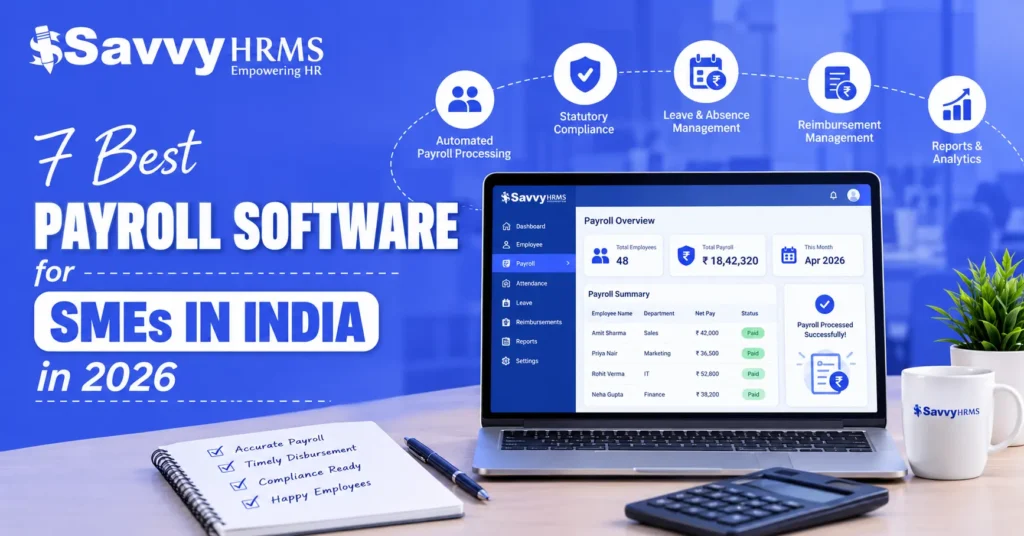
7 Best Payroll Software for SMEs in India in 2026


-
AuthorRandhir Kumar Jha
-
 Last Updated
September 23, 2026
Last Updated
September 23, 2026
-
 Reading Time
18 Mins
Reading Time
18 Mins
The best payroll software for SMEs should do more than calculate monthly salaries. For Indian businesses, it should automate payroll, PF, ESI, TDS, professional tax, payslips, attendance inputs, reimbursements, and statutory reporting while reducing manual errors and administrative effort.
For this comparison, we evaluated 7 payroll solutions based on payroll automation, Indian statutory compliance, attendance integration, employee self-service, reporting, ease of use, scalability, integrations, and suitability for small and medium-sized businesses.
The 7 payroll software covered in this guide are Savvy HRMS, Superworks, Keka, Zoho Payroll, People Strong, Zimyo, and Darwinbox. Each platform has different strengths, so the right choice depends on employee count, payroll complexity, HR requirements, compliance needs, and budget.
What Is Payroll Software and Why Do SMEs in India Need It?
Payroll software is a digital system that automates employee salary calculations, deductions, payroll processing, payslip generation, tax calculations, statutory compliance, and payroll reporting. Modern payroll management software can also connect attendance, leave, employee data, reimbursements, and employee self-service.
For Indian SMEs, payroll software is particularly useful because salary processing involves multiple variables such as attendance, leave, overtime, incentives, deductions, PF, ESI, professional tax, TDS, and other statutory requirements.
Instead of maintaining separate spreadsheets and manually calculating every salary component, an HR payroll software solution creates a centralized payroll workflow. This reduces repetitive work, improves payroll accuracy, and makes payroll records easier to manage.
How Did We Rank These Payroll Software for SMEs in India?
We ranked the seven payroll platforms using a weighted evaluation framework specifically designed for Indian SMEs. The assessment focuses on the capabilities that directly affect payroll accuracy, compliance, usability, integration, scalability, and overall business value.
| Evaluation Criteria | Weightage |
| Payroll automation and processing | 25% |
| Indian statutory compliance | 20% |
| Attendance, leave and HR integration | 15% |
| Employee self-service and usability | 10% |
| Reporting and analytics | 10% |
| Integrations and scalability | 10% |
| Pricing and overall SME value | 10% |
| Total | 100% |
How we evaluated: Payroll automation receives the highest weight because salary processing is the primary requirement. Statutory compliance receives 20% because Indian SMEs need accurate deductions and payroll records. Integration, usability, reporting, scalability, and pricing complete the evaluation.
The ranking is an editorial comparison based on publicly available product information and SME suitability, rather than a claim that one software is objectively best for every business.
At a Glance
| Rank | Payroll Software | Best For | Overall Fit |
| 1 | Savvy HRMS | Integrated HR, payroll, attendance, and compliance | Excellent |
| 2 | Superworks | Payroll processing and statutory compliance | Excellent |
| 3 | Keka | Growing businesses and modern HR automation | Excellent |
| 4 | Zoho Payroll | Startups and cost-conscious SMEs | Very Good |
| 5 | People Strong | Growing SMEs needing integrated HRMS | Very Good |
| 6 | Zimyo | Payroll and broader workforce management | Very Good |
| 7 | Darwinbox | Comprehensive HCM and payroll management | Good |
7 Best Payroll Software for SMEs in India in 2026
1. Savvy HRMS
Overview
Savvy HRMS is an integrated HRMS and payroll platform designed to manage payroll, attendance, leave, employee information, statutory requirements, and related HR processes from a centralized system. Its payroll capabilities include salary processing, statutory reports, tax calculations, and employee self-service.
For SMEs, Savvy HRMS can be particularly useful when payroll needs to work alongside attendance, leave, employee records, and other HR workflows. Its payroll capabilities cover PF, ESIC, TDS, LWF, professional tax, salary reconciliation, full-and-final settlement, and payroll reporting.
Key Features of Savvy HRMS
- Automates monthly salary calculations, deductions, payroll processing, and payslip generation for employees.
- Supports PF, ESIC, TDS, LWF, professional tax, and statutory payroll reporting.
- Integrates attendance, leave, and shift information directly with payroll processing workflows.
- Provides employee self-service access to payslips, Form 16, attendance, and requests.
- Supports salary reconciliation, full-and-final settlements, and salary hold or lock provisions.
- Offers tax computation sheets and investment declaration management for employee payroll.
- Provides payroll integrations with accounting, ERP, and other business systems.
- Supports statutory reports including muster rolls and leave-with-wages related reports.
- Provides centralized access to payroll records, reports, and employee information.
Who Should Choose Savvy HRMS?
Savvy HRMS is suitable for Indian SMEs that want payroll automation alongside attendance, leave, employee self-service, statutory compliance, and broader HR management. It can be especially useful for businesses looking to consolidate multiple HR processes into one integrated HRMS platform as their workforce and operational requirements grow.
Who Might Not Need Savvy HRMS?
Businesses with extremely simple payroll requirements and only a small number of employees may not need a comprehensive HRMS. If the organization only requires basic salary calculations without attendance, HR, compliance, or employee-management workflows, a smaller payroll-only solution may be sufficient.
Best For
Indian SMEs, including all other businesses in India looking for an integrated HRMS and payroll solution covering salary processing, attendance, statutory compliance, employee self-service, and broader workforce management requirements.
2. Superworks
Overview
Superworks is an all-in-one HRMS and payroll platform designed to simplify HR operations, payroll processing, attendance, employee management, and workforce administration. It helps businesses automate routine HR processes while managing employee data, payroll workflows, attendance, leave, and compliance from a centralized platform. For businesses evaluating the best payroll software for their organization, Superworks provides payroll automation along with broader HR management capabilities.
Key Features
- Automates salary calculations and monthly payroll processing for employees.
- Supports payroll management with salary structures, deductions, and automated payslips.
- Manages employee attendance, leave, shifts, and working hours from a centralized system.
- Provides employee self-service for leave requests, attendance, documents, and other HR activities.
- Supports statutory payroll processes and compliance requirements.
- Integrates HRMS, payroll, attendance, and workforce management to reduce manual administrative work.
Who Should Choose Superworks?
Superworks is suitable for businesses looking for an integrated HRMS and payroll solution that can manage multiple HR processes from a single platform. SMEs and growing organizations that want to replace spreadsheets and manual processes can use Superworks to automate payroll, attendance, leave, employee management, and other routine HR activities. It can also be considered by businesses comparing the best payroll software options based on their need for broader HR automation.
Who Might Not Need Superworks?
Very small businesses with only a few employees and basic salary-processing requirements may not need a complete HRMS platform. Organizations that already use separate HR, payroll, attendance, and workforce-management systems may also need to evaluate their existing setup before adopting another comprehensive platform.
Best For
Businesses looking for an integrated HRMS and payroll platform with payroll automation, attendance and leave management, employee self-service, HR workflows, and centralized workforce management.
3. Keka
Overview
Keka is an HR and payroll platform focused on payroll automation, employee experience, HR workflows, attendance, expenses, and compliance. Its payroll functionality supports salary processing alongside several employee-management and tax-related processes.
Key Features
- Automates payroll processing with expenses, overtime, bonuses, and settlements.
- Supports PF, ESI, LWF, TDS, and mandatory statutory reports.
- Provides employee tax planning, declarations, proofs, and Form 16.
- Integrates payroll data with accounting and business applications.
- Supports employee loans, salary advances, perks, and benefits.
- Provides gratuity management throughout policy and settlement workflows.
Who Should Choose Keka?
Keka is suitable for growing SMEs that want payroll connected with broader employee-management processes. It can work well for businesses looking for a modern HR platform combining payroll, expenses, employee tax management, attendance, performance, and other workforce workflows.
Who Might Not Need Keka?
Businesses looking strictly for a lightweight payroll-only application may not require Keka’s broader HR functionality. Organizations with very straightforward payroll and limited HR processes may also prefer a simpler solution with fewer modules.
Best For
Growing SMEs wanting modern payroll automation combined with employee tax management, expenses, attendance, HR workflows, and broader workforce management.
4. Zoho Payroll
Overview
Zoho Payroll is designed for businesses that want automated payroll processing with statutory compliance and integration into a broader business software ecosystem. Its Indian payroll capabilities include EPF, ESI, professional tax, LWF, income tax, TDS worksheets, payslips, and payroll reports.
Key Features
- Automates payroll calculations and payslip generation for employees.
- Supports EPF, ESI, professional tax, LWF, and income tax.
- Generates TDS worksheets and compliance-related payroll reports.
- Integrates with accounting, HR, expense, and business applications.
- Provides employee self-service for payroll and investment processes.
- Supports leave and attendance management through applicable plans.
Who Should Choose Zoho Payroll?
Zoho Payroll is a good fit for startups and SMEs already using Zoho applications or looking for payroll automation within an integrated business ecosystem. Its different plans can accommodate smaller organizations while providing opportunities to expand functionality as requirements increase.
Who Might Not Need Zoho Payroll?
Companies requiring highly specialized payroll workflows or extensive customization outside the Zoho ecosystem may need to evaluate other options. Businesses with complex international payroll requirements should also verify whether the available functionality matches their specific operational needs.
Best For
Startups and SMEs looking for Indian payroll automation, statutory compliance, employee self-service, and integration with a broader business software ecosystem.
5. PeopleStrong
Overview
PeopleStrong is a comprehensive HRMS and payroll platform designed to manage payroll, employee information, attendance, leave, expenses, compliance, and other workforce processes. It helps growing organizations centralize HR operations while automating salary processing, statutory calculations, payroll reporting, and employee self-service.
Key Features
- Automates payroll processing with configurable salary structures and payroll workflows.
- Supports statutory compliance, tax calculations, deductions, and payroll reporting.
- Integrates attendance and leave data with payroll calculations.
- Provides employee self-service for payslips, tax documents, and payroll information.
- Supports reimbursements, loans, advances, incentives, and other salary components.
- Offers payroll analytics and reports for HR and finance teams.
Who Should Choose PeopleStrong?
PeopleStrong is suitable for SMEs and growing organizations that need payroll integrated with broader HR and workforce-management processes. It can be a good choice for businesses managing complex salary structures, multiple employee groups, attendance, leave, compliance, and other HR operations through a centralized platform.
Who Might Not Need PeopleStrong?
Very small businesses with straightforward payroll requirements may not need a comprehensive HRMS platform. Organizations requiring only basic salary calculations and payslip generation may find a simpler payroll solution more practical, affordable, and easier to manage.
Best For
Growing SMEs and organizations seeking integrated payroll, HR management, attendance, compliance, employee self-service, and workforce-management capabilities.
6. Zimyo
Overview
Zimyo combines payroll with core HR, attendance, employee self-service, engagement, performance, and other workforce-management capabilities. Its payroll functionality covers salary processing, compliance, arrears, and full-and-final settlement requirements.
Key Features
- Manages salary processing, payroll compliance, arrears, and settlements.
- Combines payroll with time and attendance management.
- Provides employee self-service through web and mobile applications.
- Supports geotagging, geofencing, selfie attendance, and overtime.
- Offers payroll alongside broader HR and employee-management modules.
- Provides scalable workforce-management capabilities for growing businesses.
Who Should Choose Zimyo?
Zimyo is appropriate for SMEs wanting payroll connected to attendance, employee self-service, HR workflows, engagement, and workforce management. It may appeal to organizations that want to progressively add HR capabilities as their business and employee-management requirements become more complex.
Who Might Not Need Zimyo?
Companies that only need basic salary processing and statutory deductions may not require Zimyo’s broader HR capabilities. Smaller organizations should evaluate whether additional workforce-management modules provide enough value to justify the overall subscription cost.
Best For
SMEs wanting payroll combined with attendance, employee self-service, engagement, performance, and broader workforce-management capabilities.
7. Darwinbox
Overview
Darwinbox provides an HCM platform with payroll capabilities covering payroll processing, attendance synchronization, statutory deductions, employee tax calculations, approvals, reporting, and employee self-service. Its payroll functionality connects with broader HR and workforce-management processes.
Key Features
- Synchronizes attendance, leave, holidays, and payroll inputs efficiently.
- Calculates gross-to-net salary with taxes and statutory deductions.
- Supports PF, ESIC, professional tax, LWF, and tax calculations.
- Provides payroll reports covering TDS, PF, NPS, and tax documents.
- Supports custom pay groups, frequencies, arrears, and off-cycle payroll.
- Provides finance approvals, audit trails, dashboards, and payroll analytics.
Who Should Choose Darwinbox?
Darwinbox is suitable for growing organizations that need comprehensive HCM capabilities alongside payroll. It is particularly relevant when payroll must connect with attendance, employee data, finance approvals, reporting, benefits, and broader workforce processes across multiple organizational structures.
Who Might Not Need Darwinbox?
Very small businesses with uncomplicated payroll requirements may find a broad HCM platform more extensive than necessary. Companies seeking a low-cost payroll-only application should compare implementation requirements, pricing, support, and available functionality before selecting it.
Best For
Growing organizations requiring comprehensive HCM, India payroll, attendance integration, statutory reporting, finance workflows, analytics, and scalable workforce management.
| Software | Best For | Payroll Features | Compliance Support | Attendance Integration | Tax & Statutory Compliance | Pricing | Overall Rating |
| Savvy HRMS | Integrated HR & payroll | Payroll, F&F, reconciliation, payslips | PF, ESI, TDS, LWF, PT | Yes | Strong | Plan-based | 9.8/10 |
| Superworks | Payroll & compliance | Salary, deductions, payslips, reports | PF, ESI, PT, TDS | Yes | Strong | Plan-based | 9.1/10 |
| Keka | Growing SMEs | Payroll, expenses, F&F, tax | PF, ESI, LWF, TDS | Yes | Strong | Plan-based | 9.0/10 |
| Zoho Payroll | Startups & small businesses | Payroll, payslips, tax, reports | EPF, ESI, PT, LWF | Plan-dependent | Strong | Plan-based | 9.1/10 |
| People Strong | Growing SMEs | Payroll with HRMS | Payroll compliance | Yes | Good | Plan-based | 8.7/10 |
| Zimyo | Workforce management | Salary, compliance, arrears, F&F | Compliance module | Yes | Good | Plan-based | 8.6/10 |
| Darwinbox | Comprehensive HCM | Payroll, arrears, pay groups, analytics | PF, ESI, PT, LWF, TDS | Yes | Strong | Quote-based | 9.0/10 |
Overall ratings are editorial scores based on the evaluation criteria defined in this article. Pricing, features, plans, and compliance functionality can change, so businesses should verify current details before purchasing.
What Should SMEs Look for in Payroll Software in India?
The best payroll software for SMEs should combine automation, statutory compliance, integration, usability, security, reporting, and scalability. Before selecting a platform, businesses should evaluate:
- Indian payroll compliance: PF, ESI, TDS, professional tax, and LWF support.
- Payroll automation: Automatic salary calculations, deductions, arrears, and payslips.
- Attendance integration: Direct integration of attendance, leave, overtime, and shift data.
- Employee self-service: Employee access to payslips, tax documents, and payroll information.
- Reporting: Payroll registers, statutory reports, tax reports, and management dashboards.
- Integrations: Compatibility with accounting, banking, ERP, and HR systems.
- Scalability: Ability to handle increasing employees and payroll complexity.
- Security: Role-based access and protection for confidential salary information.
- Customer support: Implementation, training, troubleshooting, and compliance assistance.
- Pricing: Transparent pricing aligned with employee count and required modules.
What Payroll Features Should SMEs Prioritize in 2026?
In 2026, SMEs should prioritize payroll features that reduce manual intervention while improving accuracy, compliance, employee experience, and payroll visibility.
Essential Features include:
1. Gross-to-Net Salary Calculations
The software calculates employee salaries by considering earnings, deductions, allowances, taxes, and other applicable salary components during each payroll cycle.
2. PF, ESI, PT, and TDS Calculations
It supports calculations for Provident Fund, ESI, Professional Tax, and TDS based on employee salary details and applicable statutory requirements.
3. Automated Payslip Generation
The software generates payslips after payroll processing, showing employee earnings, deductions, net salary, tax details, and other relevant payroll information.
4. Attendance and Leave Integration
Attendance and leave records can be connected with payroll to calculate payable days, leave deductions, overtime, and other salary-related adjustments.
5. Full-and-Final Settlement
The software helps process employee full-and-final settlements by considering pending salary, deductions, leave encashment, recoveries, and other applicable settlement components.
6. Salary Revision and Arrears Management
Salary revisions and arrears can be incorporated into payroll calculations, allowing organizations to process changes and applicable adjustments within payroll cycles.
7. Tax Declarations and Investment Proofs
Employees can provide tax declarations and investment details, which can be used for calculating applicable tax deductions during payroll processing.
8. Statutory Reports and Payroll Registers
The software provides payroll reports and registers containing salary, deduction, tax, and statutory information required for payroll review and record management.
The best payroll management software is not necessarily the platform with the longest feature list. SMEs should prioritize capabilities that directly address their payroll challenges and reduce repetitive administrative work.
How Does Payroll Software Help SMEs Manage Indian Payroll Compliance?
Payroll software helps SMEs manage Indian payroll compliance by automating statutory calculations, applying configured rules, generating reports, and maintaining centralized payroll records.
Depending on the platform, this may include:
- Provident Fund (PF)
- Employees’ State Insurance (ESI)
- Tax Deducted at Source (TDS)
- Professional Tax
- Labour Welfare Fund (LWF)
- Form 16
- Form 24Q
- Statutory payroll reports
Automation can reduce calculation errors and make recurring payroll activities easier to manage. However, payroll software does not transfer legal responsibility away from the employer.
Businesses should still verify applicable rules, employee eligibility, state-specific requirements, filing deadlines, and software configurations.
Can Payroll Software Automate PF, ESI, TDS, and Professional Tax?
Yes, payroll software can automate many PF, ESI, TDS, and professional tax calculations and related payroll processes, provided the selected platform supports the applicable requirements and has been configured correctly.
| Compliance Area | What Payroll Software Can Help With |
| PF | Employee and employer contribution calculations, reports and payroll records |
| ESI | Eligible employee deductions, employer contributions and reports |
| TDS | Salary tax calculations, declarations, deductions and tax reports |
| Professional Tax | Applicable state-based deductions and payroll calculations |
| LWF | Applicable employee and employer contribution calculations |
| Form 16 | Employee tax documentation and payroll records |
| Form 24Q | Quarterly TDS-related payroll reporting support |
The exact level of automation differs by software. SMEs should determine whether a product provides calculations, report generation, challan preparation, filing assistance, or direct filing capabilities.
How Much Does Payroll Software Cost for SMEs in India?
Payroll software pricing in India varies depending on employee count, payroll complexity, modules, implementation requirements, integrations, and billing models.
Some platforms offer free or entry-level plans, while comprehensive HRMS and payroll platforms generally use employee-based, organization-based, or customized pricing.
| Pricing Factor | Why It Matters |
| Employee count | Larger teams generally increase subscription costs |
| Payroll modules | Advanced features may cost more |
| HRMS modules | Attendance, recruitment and performance can affect pricing |
| Implementation | Setup and migration may involve additional costs |
| Integrations | ERP, accounting and banking integrations may affect pricing |
| Support | Premium support or dedicated assistance may cost extra |
| Billing frequency | Monthly and annual plans can have different effective costs |
Tip: Do not compare payroll software based only on the advertised monthly price. Calculate the total annual cost, including implementation, additional employees, modules, integrations, support, and applicable taxes.
What Are the Benefits of Using Payroll Software for SMEs?
1. Reduces Manual Payroll Work
Automated calculations and workflows reduce repetitive payroll tasks, minimizing spreadsheet dependency and allowing HR teams to spend less time on routine salary processing activities.
2. Improves Payroll Accuracy
Automated salary, deduction, and tax calculations help reduce common manual errors, improving the consistency and accuracy of payroll processing across employees and pay cycles.
3. Supports Compliance Management
Payroll software can simplify recurring compliance activities by supporting statutory calculations, deductions, reports, and records required for applicable payroll regulations and requirements.
4. Speeds Up Payroll Processing
Automation reduces the time required to prepare, verify, approve, and complete monthly payroll, helping HR and finance teams process salaries more efficiently.
5. Improves Employee Experience
Employees can access payslips, tax documents, declarations, and other payroll information through self-service features without depending entirely on HR teams for routine requests.
6. Provides Better Payroll Visibility
Payroll reports and dashboards provide HR and finance teams with clearer information about salary expenses, deductions, payroll trends, and overall workforce-related costs.
7. Simplifies Audits
Centralized payroll records, approval histories, reports, and audit trails make historical payroll information easier to access, verify, review, and maintain during internal or external audits.
8. Supports Business Growth
Cloud-based payroll software can help SMEs manage growing employee numbers and increasing payroll complexity without requiring a proportional increase in manual administrative work.
How Do You Choose the Right Payroll Software for Your SME?
Choosing payroll software should start with your business requirements, not simply the number of features advertised by a vendor.
1. Identify Your Employee Count
Consider your current workforce size and expected employee growth over the next two to three years to ensure the software can accommodate increasing payroll requirements.
2. Map Your Existing Payroll Process
- Salary components and deductions
- Attendance and leave inputs
- Reimbursements and bonuses
- Loans and advances
- Overtime calculations
- Full-and-final settlements
3. Check Indian Compliance Requirements
Ensure the software supports relevant Indian payroll requirements, including PF, ESI, TDS, Professional Tax, LWF, and other statutory calculations applicable to your organization.
4. Evaluate Attendance Integration
- Attendance synchronization
- Leave integration
- Overtime calculations
- Shift management
- Payable-day calculations
5. Check Employee Self-Service
Employee self-service allows staff to access payslips, tax documents, investment declarations, reimbursement details, and other payroll information without regularly contacting HR teams.
6. Compare Integrations
- Accounting software
- ERP systems
- Banking platforms
- HRMS applications
- Attendance systems
7. Calculate Total Cost
Compare subscription fees, employee limits, included modules, implementation costs, support charges, training expenses, integration fees, and applicable taxes before selecting payroll software.
8. Test the Software
- Request a demo or trial
- Process a sample payroll
- Check calculation accuracy
- Test approval workflows
- Review employee self-service
9. Evaluate Customer Support
Assess onboarding, training, customer support availability, compliance updates, response times, and escalation processes because payroll issues often require timely assistance during salary processing.
10. Consider Future Growth
Choose software that can accommodate increasing employees, multiple locations, changing payroll structures, and expanding HR requirements instead of addressing only your current workforce needs.
Conclusion
The best payroll software for SMEs in India in 2026 depends on business size, payroll complexity, compliance requirements, HR processes, integrations, and budget. Savvy HRMS, Superworks, Keka, Zoho Payroll, People Strong, Zimyo, and Darwinbox each offer different combinations of payroll automation and HR capabilities.
For most SMEs, the ideal platform should deliver accurate payroll, Indian statutory compliance, attendance integration, employee self-service, reporting, security, and scalability without creating unnecessary complexity. Businesses should compare features, pricing, implementation, support, and actual payroll requirements before making a final decision.











Ready to simplify salary processing and automate your HR and payroll operations?
Explore Savvy HRMS to manage payroll, attendance, compliance, and employee processes from one integrated platform.
Frequently Asked Questions (FAQs)
1. What is the best payroll software for SMEs in India?
The best payroll software for SMEs should offer automated salary processing, Indian statutory compliance, attendance integration, employee self-service, reporting, and scalability. The right choice depends on workforce size, payroll complexity, required features, and budget.
2. How does payroll software help SMEs?
Payroll software helps SMEs automate salary calculations, deductions, payslips, tax calculations, attendance inputs, compliance reporting, and payroll records. This reduces manual work, improves accuracy, and helps HR teams process payroll more efficiently.
3. Does payroll software support PF, ESI, and TDS?
Yes, many payroll platforms support statutory calculations and processes for PF, ESI, TDS, Professional Tax, and other applicable requirements. SMEs should verify that the software supports the specific compliance requirements applicable to their organization.
4. How much does payroll software cost for SMEs?
Payroll software pricing varies based on employee count, features, modules, implementation, integrations, and billing plans. SMEs should compare the total cost rather than evaluating subscription fees alone.
5. What should SMEs consider when choosing payroll software?
SMEs should evaluate payroll automation, statutory compliance, attendance integration, employee self-service, reporting, integrations, customer support, security, scalability, and total cost before selecting a payroll solution.