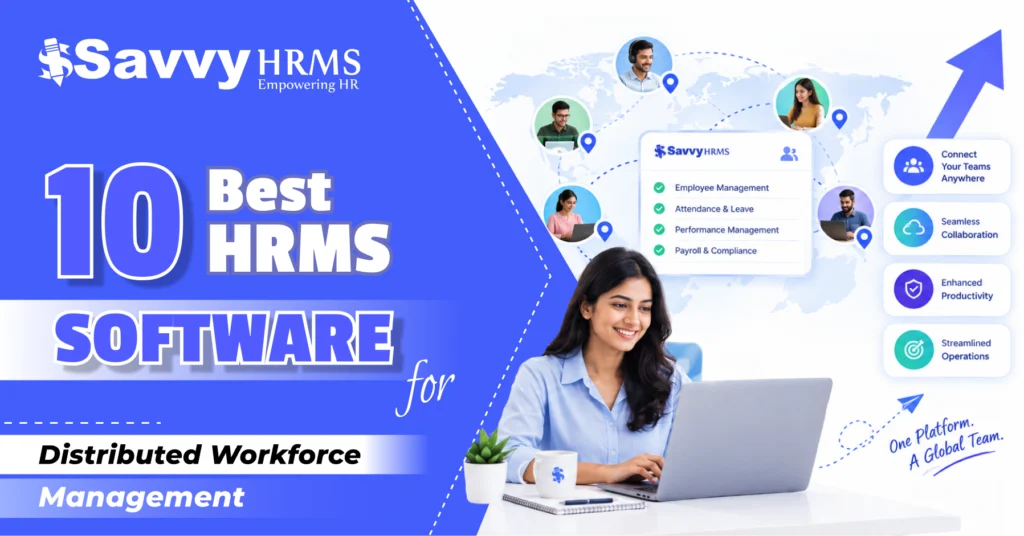
10 Best HRMS Software for Distributed Workforce Management in 2026


-
AuthorRaghvendra Bhardwaj
-
 Last Updated
September 12, 2026
Last Updated
September 12, 2026
-
 Reading Time
24 Mins
Reading Time
24 Mins
Best HRMS Software for Distributed Workforce Management can help businesses manage employees working across different cities, states, countries, offices, and remote locations. The right HRMS centralizes employee data, simplifies attendance and leave, automates payroll, and improves workforce visibility from one platform.
As distributed and hybrid workforces grow, HR teams need more than basic employee management tools. They need HR technology that supports remote attendance, flexible work policies, employee self-service, digital approvals, workforce analytics, payroll, compliance, and smooth HR operations across multiple locations.
In this blog, we explore the 10 best HRMS software for distributed workforce management in 2026, comparing their features, strengths, ideal use cases, workforce suitability, and overall fit for businesses managing remote, hybrid, multi-location, and distributed employees.
Why Do Businesses Need HRMS Software for Distributed Workforce Management?
Distributed teams create HR challenges that are difficult to manage through spreadsheets, emails, and disconnected applications. Employees may work from different cities, offices, homes, time zones, or client locations, making it harder to maintain accurate attendance, leave, payroll, communication, and employee records.
An HRMS brings these processes into a centralized system. HR teams can maintain employee information, automate workflows, manage attendance and leave, process payroll, share documents, and provide employee self-service without requiring everyone to be physically present in one office.
For remote and hybrid organizations, HRMS software for remote employees can also improve visibility and consistency. Employees can access HR services through web or mobile applications, while managers can approve requests and monitor workforce information from anywhere.
How Did We Rank These HRMS Software for Distributed Workforce Management?
We evaluated the platforms using criteria that are particularly important for companies managing remote, hybrid, multi-location, and distributed employees.
| Ranking Criteria | What We Evaluated |
| Distributed Workforce Support | Ability to manage employees across multiple locations and work arrangements |
| Remote Attendance | Mobile, web, GPS, location-based, or flexible attendance capabilities |
| Leave Management | Configurable leave policies, approvals, balances, and employee self-service |
| Payroll & Compliance | Payroll automation, statutory compliance, deductions, and salary processing |
| Employee Self-Service | Mobile/web access to leave, attendance, payslips, documents, and requests |
| Workflow Automation | Automated approvals, notifications, HR workflows, and routine processes |
| Employee Engagement | Surveys, feedback, recognition, communication, and collaboration capabilities |
| Analytics & Reporting | Workforce dashboards, HR reports, attendance insights, and people analytics |
| Integrations | Ability to connect with payroll, accounting, collaboration, ERP, and other tools |
| Scalability | Suitability for growing organizations and increasingly distributed teams |
| Ease of Use | User experience for HR teams, managers, and employees |
| Overall Fit | Combined suitability for distributed workforce management in 2026 |
Note: Rankings are an editorial assessment based on the above criteria and are intended to help businesses shortlist platforms. Actual suitability can vary depending on workforce size, locations, HR processes, integrations, and compliance requirements.
At a Glance: 10 Best HRMS Software for Distributed Workforce Management
| Rank | HRMS Software | Best For | Overall Fit |
| 1 | Savvy HRMS | All Indian businesses managing distributed and growing teams | Excellent |
| 2 | Darwinbox | Large and enterprise distributed workforces | Excellent |
| 3 | Keka HR | Indian companies needing flexible HR, attendance and payroll | Excellent |
| 4 | Zoho People | Growing businesses seeking flexible cloud HR | Very Good |
| 5 | greytHR | Indian payroll, attendance and HR operations | Very Good |
| 6 | ZingHR | Enterprises needing workforce and HR automation | Very Good |
| 7 | Qandle | Mid-sized businesses seeking configurable HR workflows | Good |
| 8 | Kredily | Cost-conscious Indian businesses | Good |
| 9 | Sage HR | Small and medium businesses with distributed teams | Good |
| 10 | People HR | SMBs seeking straightforward employee management | Good |
1. Savvy HRMS
Overview
Savvy HRMS is a comprehensive HR and payroll management platform designed to help businesses manage employees across office, remote, hybrid, field, and distributed work environments. It brings core HR, attendance, leave, payroll, recruitment, performance, employee self-service, workflows, and analytics together in one integrated platform.
For distributed workforce management, Savvy HRMS provides tools such as mobile attendance, face recognition, work-from-home management, shift and roster management, automated payroll, employee self-service, and workforce analytics. Its centralized approach helps HR teams streamline everyday processes, maintain workforce visibility, improve employee experiences, and manage operations across multiple locations.
Key Features of Savvy HRMS
- Centralized employee database for managing distributed employee information.
- Attendance management for tracking employees across different work locations.
- Leave management with digital applications, approvals, and policy-based workflows.
- Payroll management to simplify salary processing and recurring payroll activities.
- Employee self-service for accessing HR information without constant HR intervention.
- Performance management to monitor goals, reviews, and employee development.
- Recruitment and onboarding workflows for digitally managing new employees.
- HR analytics and reporting for workforce visibility and informed decisions.
- Automated workflows that reduce repetitive HR administration across distributed teams.
Who Should Choose Savvy HRMS?
Savvy HRMS is a strong choice for Indian businesses that are expanding across cities, adopting hybrid work, or managing employees from multiple locations. It is particularly suitable for organizations wanting HR, attendance, payroll, employee management, and workforce processes within one integrated HRMS platform.
Who Might Not Need Savvy HRMS?
Very small businesses with only a handful of employees and minimal HR requirements may not need a comprehensive HRMS. Organizations that only require basic leave tracking or simple employee records may find a lightweight HR application sufficient for their current needs.
Best For
Savvy HRMS is best for all Indian businesses that want centralized HR operations, distributed workforce management, payroll, attendance, employee self-service, automation, and scalable workforce processes from one platform.
2. Darwinbox
Overview
Darwinbox is an enterprise-focused HCM platform offering capabilities across core HR, workforce management, time and attendance, payroll, talent, analytics, and employee engagement. Its workforce management offering is designed to support organizations operating across multiple geographies and complex workforce structures.
Key Features of Darwinbox
- Centralized core HR for managing employee data and organizational structures.
- Workforce management for attendance, shifts, approvals, and employee operations.
- Work-from-home capabilities for flexible workforce arrangements.
- Payroll and expense management for distributed employee populations.
- Employee engagement tools including surveys, rewards, and recognition.
- Analytics and reporting for workforce and HR decision-making.
Who Should Choose Darwinbox?
Darwinbox is suitable for larger businesses and enterprises managing complex organizational structures, multiple locations, or international workforces. It is particularly useful for companies that want a broader HCM ecosystem covering workforce management, talent, payroll, employee engagement, and analytics.
Who Might Not Need Darwinbox?
Small businesses with straightforward HR requirements may find an enterprise-oriented HCM platform more extensive than necessary. If an organization only needs basic attendance, leave, employee records, and payroll, a simpler HRMS may provide a faster and more economical implementation.
Best For
Darwinbox is best for large organizations and enterprises managing geographically distributed teams, multiple entities, complex workforce structures, and broader HCM requirements.
3. Keka HR
Overview
Keka HR is a cloud-based HR and payroll platform with strong capabilities around employee management, attendance, leave, payroll, performance, and employee experience. Its attendance platform supports remote employees through mobile and GPS-based attendance, flexible policies, shifts, overtime, and payroll integration.
Key Features of Keka HR
- GPS and mobile attendance for employees working from different locations.
- Flexible leave policies for remote and hybrid workforces.
- Shift scheduling for teams with different working patterns.
- Overtime tracking connected with attendance and payroll.
- Employee analytics dashboards for workforce visibility.
- Integrated payroll processing for connected HR operations.
Who Should Choose Keka HR?
Keka HR is a strong option for Indian businesses that want an employee-friendly HRMS with payroll, attendance, leave, performance, and workforce management capabilities. Companies with remote or hybrid employees can benefit from flexible attendance and leave management features.
Who Might Not Need Keka HR?
Organizations with extremely simple HR operations may not require the broader functionality of Keka HR. Businesses looking specifically for a highly specialized global workforce management platform may also need to compare its international capabilities with enterprise-focused alternatives.
Best For
Keka HR is best for Indian mid-sized businesses looking for flexible attendance, leave, payroll, employee experience, and HR management for distributed teams.
4. Zoho People
Overview
Zoho People is a cloud-based HR platform designed for businesses looking to manage employee information, HR workflows, attendance, leave, performance, and employee services digitally. Its cloud-first approach makes it relevant for organizations where HR teams and employees operate from multiple locations.
Key Features of Zoho People
- Cloud-based employee information management.
- Attendance and time tracking for distributed employees.
- Digital leave applications and approval workflows.
- Employee self-service for everyday HR activities.
- Performance management and employee development workflows.
- Integration with broader business applications.
Who Should Choose Zoho People?
Zoho People is suitable for growing businesses that want flexible cloud HR software and already use or plan to use other applications within the Zoho ecosystem. It can work well for distributed teams needing centralized employee information and digital HR workflows.
Who Might Not Need Zoho People?
Companies requiring highly specialized Indian payroll and statutory capabilities should evaluate payroll requirements carefully before choosing a platform. Organizations looking for a highly customized enterprise HCM solution may also need to compare alternatives.
Best For
Zoho People is best for growing businesses looking for cloud-based HR management, employee self-service, workflow automation, and integration with business applications.
5. greytHR
Overview
greytHR is a full-suite HRMS widely focused on employee management, attendance, leave, payroll, compliance, employee self-service, workflows, and HR operations. Its platform supports remote attendance through web and mobile access and connects attendance and leave information with payroll.
Key Features of greytHR
- Web and mobile employee self-service.
- Remote attendance marking through digital channels.
- Leave applications, approvals, and attendance regularization.
- Payroll processing with Indian statutory compliance capabilities.
- HR workflows for routine employee transactions.
- HR dashboards, reports, and workforce insights.
Who Should Choose greytHR?
greytHR is suitable for Indian organizations that prioritize payroll, statutory compliance, attendance, employee self-service, and core HR operations. It can be especially useful for distributed businesses that need employees to access HR services remotely while maintaining centralized HR administration.
Who Might Not Need greytHR?
Businesses primarily seeking advanced global workforce management or highly specialized talent-management capabilities may need to compare greytHR with broader enterprise HCM platforms. Very small teams with limited HR processes may also prefer simpler software.
Best For
greytHR is best for Indian organizations looking for strong payroll, attendance, compliance, employee self-service, and centralized HR administration.
6. ZingHR
Overview
ZingHR is an HR technology platform focused on digitizing workforce processes across employee management, recruitment, payroll, attendance, performance, and employee experience. Its broad HRMS capabilities make it relevant for organizations managing employees across multiple locations and operational environments.
Key Features
- Digital employee lifecycle management.
- Attendance and workforce tracking capabilities.
- Payroll and employee compensation management.
- Recruitment and onboarding automation.
- Performance management and goal tracking.
- Employee self-service and HR process automation.
Who Should Choose ZingHR?
ZingHR can suit organizations that want to digitize multiple HR processes through a centralized platform. Businesses with distributed employees can consider it when they need employee lifecycle management, workforce administration, payroll, performance, and HR automation.
Who Might Not Need ZingHR?
Small companies with very basic HR requirements may not need a broader HR platform. Businesses looking for a narrowly focused remote-work tool rather than a full HRMS may also find specialized software more appropriate.
Best For
ZingHR is best for organizations looking for broad HR automation, employee lifecycle management, workforce administration, payroll, and performance management.
7. Qandle
Overview
Qandle is a cloud-based HRMS focused on automating employee management and HR processes. Its capabilities cover core HR, attendance, leave, payroll, recruitment, performance, employee engagement, and workflows, making it relevant for organizations operating through flexible and distributed work models.
Key Features
- Centralized employee information management.
- Attendance and leave management.
- Payroll and compensation administration.
- Employee self-service capabilities.
- Recruitment and onboarding workflows.
- Performance and employee engagement management.
Who Should Choose Qandle?
Qandle is suitable for growing and mid-sized businesses that want configurable HR processes and a centralized system for managing employees. It can be considered by distributed teams looking to digitize everyday HR workflows and reduce manual administration.
Who Might Not Need Qandle?
Companies with highly complex international workforce structures may require a more enterprise-focused global HCM solution. Very small teams that only need basic employee records and leave management may also find Qandle broader than necessary.
Best For
Qandle is best for growing and mid-sized organizations seeking configurable HR workflows, employee management, attendance, payroll, and engagement capabilities.
8. Kredily
Overview
Kredily is an India-focused HRMS and payroll platform offering employee records, attendance, leave, payroll, employee self-service, onboarding, documents, and workforce intelligence. Its current platform also highlights mobile attendance, GPS and selfie-based capture, and automated Indian payroll compliance.
Key Features
- Employee records and organizational structure management.
- GPS, selfie, web, and biometric attendance options.
- Configurable leave policies and approvals.
- Payroll with PF, ESI, PT, and TDS calculations.
- Mobile employee self-service for leave and payslips.
- Workforce intelligence covering headcount, cost, and absenteeism.
Who Should Choose Kredily?
Kredily can be a practical choice for cost-conscious Indian businesses that want HRMS and payroll capabilities in one platform. It is particularly relevant for companies that value employee self-service, mobile attendance, Indian payroll compliance, and quick access to core HR processes.
Who Might Not Need Kredily?
Organizations with sophisticated multinational workforce requirements or highly complex enterprise HCM processes may need to evaluate broader platforms. Businesses seeking extensive global HR functionality should compare Kredily with international enterprise HRMS options.
Best For
Kredily is best for Indian businesses looking for affordable HRMS, payroll, attendance, leave, employee self-service, and workforce management capabilities.
9. Sage HR
Overview
Sage HR is a mobile-ready HR platform aimed primarily at small and medium-sized businesses. It offers core HR, leave management, performance, timesheets, shift scheduling, expenses, recruitment, reporting, and employee self-service.
Key Features
- Core HR and centralized employee data.
- Leave and absence management.
- Mobile employee self-service.
- Timesheets and working-hour tracking.
- Shift scheduling for different work patterns.
- Performance management and employee feedback.
Who Should Choose Sage HR?
Sage HR is suitable for SMBs that want straightforward HR management with mobile accessibility. It can work well for distributed teams that need digital leave, timesheets, schedules, employee self-service, and performance processes without adopting a highly complex enterprise HCM platform.
Who Might Not Need Sage HR?
Large Indian enterprises requiring extensive India-specific payroll and statutory compliance may need to evaluate other platforms. Businesses with thousands of employees or highly complex organizational structures may also require a more enterprise-oriented HCM system.
Best For
Sage HR is best for small and medium-sized businesses managing remote, mobile, or distributed employees with straightforward HR requirements.
10. People HR
Overview
People HR is a cloud-based HR platform focused on simplifying employee administration, employee records, absence management, performance, recruitment, and HR reporting. Its cloud approach can support organizations where HR teams need access to employee information across locations.
Key Features
- Centralized employee information.
- Absence and leave management.
- Performance management.
- Employee self-service.
- Recruitment and onboarding workflows.
- HR reporting and workforce information.
Who Should Choose People HR?
People HR can suit small and medium-sized businesses looking for a straightforward cloud HR platform. It is particularly relevant for organizations that want to move away from spreadsheets and provide managers and employees with centralized access to everyday HR processes.
Who Might Not Need People HR?
Organizations with complex Indian payroll, statutory compliance, or large enterprise workforce requirements may need a platform with deeper local payroll and compliance capabilities. Very large distributed organizations should also evaluate scalability and integrations carefully.
Best For
People HR is best for SMBs seeking straightforward cloud-based employee management, absence tracking, performance, recruitment, and HR administration.
| HRMS Software | Best For | Biggest Advantage | Potential Integration | Ideal Employee Size |
| Savvy HRMS | All Indian growing and distributed businesses | Broad HR and workforce management | Payroll, accounting, attendance, business tools | 50 – 10,000+ |
| Darwinbox | Large enterprises | Enterprise HCM and global workforce capabilities | ERP, payroll, enterprise applications | 1,000+ |
| Keka HR | Indian mid-sized businesses | Flexible attendance, payroll and employee experience | Payroll, accounting, business applications | 100 – 2,000+ |
| Zoho People | Growing businesses | Cloud HR and ecosystem connectivity | Zoho and third-party business applications | 50 – 1,000+ |
| greytHR | Indian HR and payroll teams | Payroll, compliance and attendance | Banking, ERP, attendance and business systems | 50 – 5,000+ |
| ZingHR | Workforce-heavy organizations | Broad HR automation | Payroll, business and workforce systems | 500+ |
| Qandle | Mid-sized businesses | Configurable HR workflows | Payroll, accounting and business applications | 100 – 2,000 |
| Kredily | Cost-conscious Indian businesses | HRMS + payroll + mobile self-service | Banking and business tools | 10 – 1,000+ |
| Sage HR | SMBs | Simple, mobile-ready HR | Sage Payroll and business applications | Up to 250 |
| People HR | Small and medium businesses | Straightforward employee management | Payroll, accounting and business tools | 25 – 500 |
Employee-size ranges are practical-fit recommendations, not fixed vendor limits. Businesses should confirm current plans, integrations, pricing, and implementation requirements directly with each vendor.
How Does HRMS Software Simplify Distributed Workforce Management?
Distributed teams need HR processes that work smoothly regardless of where employees are located. HRMS software brings attendance, leave, payroll, employee data, and approvals into one centralized platform, making it easier to coordinate employees across remote, hybrid, and multiple locations.
It simplifies workforce management through:
- Centralized employee data: Keep employee records and HR information in one place.
- Remote attendance: Let employees mark attendance through mobile or web-based systems.
- Digital leave management: Employees can apply for leave, and managers can approve requests remotely.
- Automated payroll: Connect attendance and leave data with payroll to reduce manual work.
- Employee self-service: Employees can access payslips, attendance, leave balances, and HR services.
- Workforce visibility: HR teams can monitor workforce data and generate reports across locations.
Overall, HRMS reduces administrative effort, improves workforce visibility, and helps maintain consistent HR processes across distributed teams.
What Features Should You Look for in HRMS Software for Distributed Teams?
The best HRMS software for distributed workforce management should provide more than basic employee records. Look for these capabilities:
1. Cloud-Based HR Management
A cloud-based HRMS allows employees, managers, and HR teams to access important HR processes from anywhere. This makes distributed workforce management easier without depending on a specific office location or device.
2. Remote Attendance Management
Flexible attendance options such as mobile, web, GPS, biometric, or facial recognition help employees record attendance from approved locations while giving HR teams better visibility into workforce attendance.
3. Leave Management
Digital leave management allows employees to submit requests remotely while managers can review and approve them online. Automated leave balances and approval workflows also reduce manual coordination between employees, managers, and HR.
4. Employee Self-Service
Employee self-service gives employees direct access to payslips, documents, attendance records, leave balances, policies, and personal information. This reduces repetitive HR queries and allows employees to complete routine tasks independently.
5. Payroll Integration
Integrating attendance, leave, overtime, and other workforce data with payroll reduces repetitive data entry. It helps HR teams process salaries more efficiently while minimizing errors caused by disconnected systems and manual calculations.
6. Workflow Automation
Automated workflows can handle approvals, reminders, notifications, and routine HR tasks without constant manual follow-ups. This helps distributed HR teams maintain consistent processes while saving time and reducing administrative workload.
7. Workforce Analytics
Workforce analytics provides dashboards and reports covering headcount, attendance, absenteeism, turnover, and other important indicators. HR leaders can use these insights to understand workforce trends and make more informed decisions.
8. Mobile Application
A mobile HRMS application allows employees and managers to access HR services while working remotely, travelling, or operating from different locations. This makes attendance, leave requests, approvals, and employee services more accessible.
9. Security and Access Controls
Distributed teams handle sensitive employee information across multiple locations. Strong security and role-based access controls help ensure employees, managers, and HR teams can access only the information relevant to their responsibilities.
10. Integrations
HRMS integrations connect HR processes with payroll, accounting, ERP, attendance, collaboration, and other business systems. This creates a connected technology environment, reduces duplicate data entry, and helps information move smoothly between platforms.
Which HRMS Features Matter Most for Remote and Hybrid Employees?
Remote and hybrid employees need HR tools that are just as accessible as their workplace. Features like mobile attendance, self-service, digital leave requests, easy communication, and flexible workflows help employees complete everyday HR tasks without visiting the office.
The most useful features are those that make work simpler from anywhere:
- Mobile attendance for convenient and location-based attendance tracking.
- Employee self-service for accessing payslips, documents, leave, and personal information.
- Digital leave management for quick applications and approvals.
- Flexible work management to support remote, hybrid, and work-from-home policies.
- Mobile HR access so employees can complete HR tasks from anywhere.
- Real-time notifications to keep employees updated about approvals, requests, and important HR updates.
In short, the right HRMS should make employees feel connected to HR even when they are not physically connected to the office.
How Can HRMS Improve Employee Engagement Across Distributed Teams?
When employees are spread across different cities, offices, or home locations, staying connected can become difficult. HRMS helps create a consistent employee experience by making communication, feedback, recognition, performance, and everyday HR interactions easier from anywhere.
- Easy employee communication: Keep employees updated with important HR announcements and notifications.
- Regular feedback: Make it easier for managers to collect and share feedback.
- Employee recognition: Recognise achievements and contributions consistently across teams.
- Performance visibility: Help employees track goals, reviews, and performance progress.
- Employee self-service: Give employees quick access to HR information and services.
- Quick HR support: Allow employees to raise requests and track their status digitally.
- Pulse surveys: Collect employee feedback to understand workplace sentiment.
- Learning opportunities: Provide access to training and development activities.
- Transparent processes: Keep employees informed about approvals, policies, and HR workflows.
- Manager-employee connection: Help managers stay engaged with their teams through regular performance interactions.
- Personalised HR experience: Provide relevant information and services based on employee roles.
- Data-driven engagement: Help HR identify engagement trends and address potential concerns early.
Ultimately, HRMS helps make employees feel heard, supported, recognised, and connected, even when they are not working from the same physical workplace.
How Does HRMS Help Manage Attendance, Leave, and Work Hours Remotely?
When employees work from different locations, tracking attendance and work hours through traditional methods can become difficult. HRMS simplifies this by bringing attendance, leave, shifts, and working hours into one centralized system.
1. Remote Attendance Tracking
Employees can mark attendance through mobile, web, GPS, or other approved methods, making attendance tracking more practical for remote and field-based teams.
2. Flexible Work Hours
HRMS can support different shifts, working schedules, overtime, and flexible work arrangements, helping businesses manage employees with varying work patterns.
3. Digital Leave Requests
Employees can apply for leave online, check their leave balances, and track request status without depending on emails or physical forms.
4. Automated Leave Approvals
Managers can review and approve leave requests digitally. Automated workflows also help reduce delays and eliminate repeated follow-ups.
5. Accurate Work-Hour Tracking
HRMS can record working hours, overtime, late arrivals, and early departures, giving HR better visibility into employee attendance patterns.
6. Real-Time Attendance Visibility
HR teams and managers can access attendance information from a centralized dashboard, making it easier to monitor distributed employees across locations.
7. Attendance-to-Payroll Integration
Attendance, leave, overtime, and work-hour data can be connected with payroll, helping reduce manual calculations and improving payroll accuracy.
8. Attendance Reports and Insights
HR teams can generate reports on absenteeism, attendance patterns, overtime, and working hours to identify trends and take timely action.
Overall, HRMS makes remote attendance and leave management simpler, more transparent, and less dependent on manual HR processes.
How Can HRMS Support Payroll and Compliance for Distributed Employees?
Payroll can become more complicated when employees work across different locations, shifts, and work arrangements. HRMS helps bring salary inputs, attendance, leave, and statutory processes together, making payroll more organized and reducing manual work.
1. Centralized Payroll Data
HRMS keeps employee salary details, attendance, leave, deductions, and other payroll inputs in one place, reducing the need to manage information across multiple spreadsheets or systems.
2. Automated Salary Calculations
Salary calculations can consider attendance, leave, overtime, deductions, and other applicable components, helping payroll teams reduce repetitive calculations and improve accuracy.
3. Attendance and Payroll Integration
Attendance and leave data can flow directly into payroll wherever applicable, reducing duplicate data entry and ensuring salary calculations use updated workforce information.
4. Statutory Compliance Support
For Indian businesses, HRMS can support payroll processes related to applicable requirements such as PF, ESI, Professional Tax, and TDS, depending on the system and applicable rules.
5. Location-Based Payroll Management
Businesses operating across multiple locations can organize employee information and payroll processes according to relevant locations, policies, and workforce structures.
6. Digital Payslips
Employees can securely access their payslips and relevant payroll information through employee self-service, without repeatedly contacting HR or payroll teams.
7. Payroll Reports
HR teams can generate payroll reports and review salary-related information more efficiently, helping identify discrepancies before payroll is finalized.
8. Compliance Records
Digital records and centralized documentation make it easier for HR teams to maintain payroll information and retrieve relevant records when required.
9. Fewer Manual Errors
By connecting HR, attendance, leave, and payroll processes, HRMS reduces repetitive data entry and helps minimize errors caused by disconnected systems.
Overall, HRMS helps distributed businesses create a more consistent, organized, and transparent payroll process, while supporting applicable statutory and compliance requirements.
What Are the Benefits of Using HRMS for Distributed Workforce Management?
Using HRMS software for distributed workforce management can provide several benefits:
1. Centralized Employee Data
HRMS keeps employee records, documents, attendance, leave, and other HR information in one centralized system, making it easier for HR teams to manage distributed employees and access updated information whenever needed.
2. Better Remote HR Operations
HRMS makes everyday HR activities accessible from anywhere.
- Digital approvals and requests
- Remote attendance tracking
- Online document management
- Mobile HR access
- Centralized employee communication
3. Reduced Administrative Work
Automation takes care of repetitive HR tasks such as attendance regularization, leave approvals, employee requests, notifications, and routine documentation. This allows HR teams to spend more time on strategic workforce activities.
4. Faster Employee Self-Service
Employees can handle common HR activities independently through self-service tools.
- View payslips
- Check leave balances
- Update personal details
- Submit requests
- Access HR documents
5. Improved Attendance and Payroll Management
Connecting attendance, leave, work hours, and payroll helps HR teams reduce duplicate data entry and improve the accuracy of salary-related processes.
6. Better Workforce Insights
HRMS provides useful workforce data through dashboards and reports.
- Headcount tracking
- Absenteeism analysis
- Turnover insights
- Employee cost visibility
- Attendance trends
- Workforce performance data
7. Scalability Across Locations
As businesses expand into new cities, offices, or remote locations, HRMS provides a centralized system that can support growing employee populations without increasing manual administration at the same pace.
How to Choose the Right HRMS for Your Distributed Workforce?
Choosing the best HRMS for distributed workforce management depends on your workforce model rather than simply the number of features a vendor offers.
Start by identifying how your employees work. Are they fully remote, hybrid, field-based, office-based across multiple locations, or a combination of these? Your answer will determine the importance of GPS attendance, mobile applications, shift management, timesheets, and location-based workflows.
Next, evaluate your HR processes. Check whether the HRMS supports employee records, recruitment, onboarding, attendance, leave, payroll, performance, employee engagement, expenses, documents, and offboarding.
For Indian businesses, payroll and compliance should receive particular attention. Verify whether the software supports the statutory requirements relevant to your states and employee categories.
You should also evaluate:
- Ease of implementation
- Mobile and web accessibility
- Employee self-service
- Role-based access
- Data security
- Workflow customization
- Reporting and analytics
- Third-party integrations
- Customer support
- Scalability
- Pricing and total cost of ownership
Finally, conduct a product demonstration using real-life distributed workforce scenarios. Ask vendors to demonstrate how an employee working remotely applies for leave, marks attendance, accesses a payslip, updates personal information, and completes an approval workflow.
The best HRMS is not necessarily the platform with the longest feature list. It is the platform that fits your workforce model, HR processes, compliance requirements, budget, and growth plans.
Conclusion
The right HRMS software for distributed workforce management can help organizations replace fragmented HR processes with a centralized, automated, and accessible employee management system. From remote attendance and leave to payroll, employee self-service, analytics, and engagement, HRMS can support distributed teams throughout the employee lifecycle.
For Indian businesses, Savvy HRMS is a strong option for organizations looking for an integrated approach to distributed workforce management. However, the best choice ultimately depends on workforce size, operating locations, HR complexity, compliance requirements, integrations, budget, and long-term growth plans.











Ready to simplify HR for your distributed workforce?
Explore Savvy HRMS and bring your people, processes, and workforce management together in one platform.
Frequently Asked Questions (FAQs)
1. What is HRMS software for distributed workforce management?
HRMS software helps businesses manage employees working remotely, from multiple offices, or across different locations through centralized HR processes such as attendance, leave, payroll, employee self-service, and analytics.
2. How does HRMS help manage remote employee attendance?
HRMS can support mobile, web, GPS, biometric, or other digital attendance methods, allowing employees to record attendance remotely while giving HR teams better visibility into attendance data.
3. Can HRMS manage payroll for distributed employees?
Yes. HRMS can connect attendance, leave, overtime, salary components, and deductions with payroll, helping businesses streamline salary processing and reduce manual calculations.
4. Which HRMS features are important for distributed teams?
Important features include remote attendance, leave management, employee self-service, mobile access, workflow automation, payroll integration, workforce analytics, security, and integrations with other business systems.
5. How does HRMS improve employee experience for remote teams?
HRMS gives employees easy access to payslips, leave, attendance, documents, HR requests, and other services from anywhere, reducing dependency on HR and making everyday processes more convenient.