


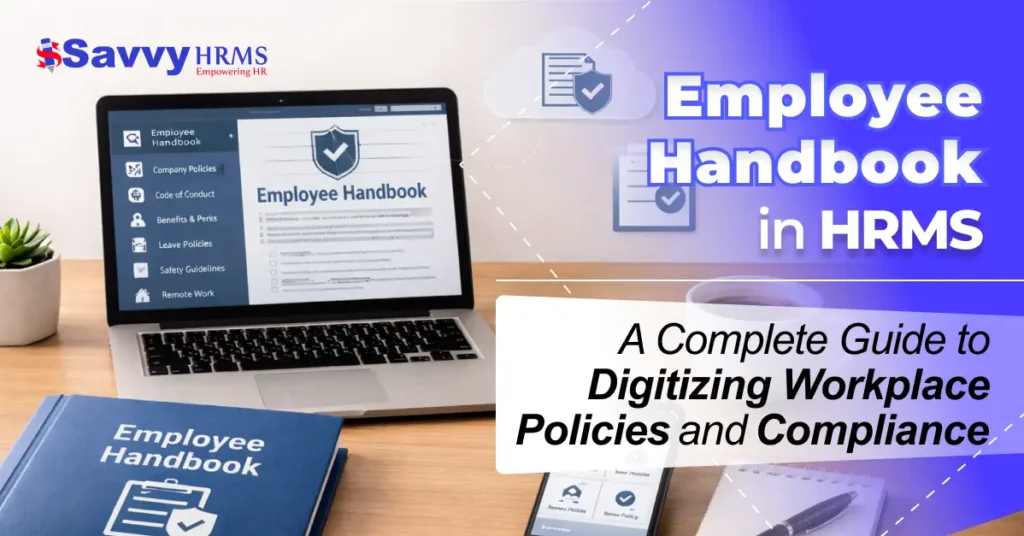

As an HR professional, business owner, or operations manager, you understand the challenges of managing an employee handbook in this modern work environment. Employee policies change, labor laws update, hybrid work arrangements increase, and compliance regulations multiply, but many companies continue to depend on outdated PDFs, printed employee handbooks, or disorganized files.
As an HR professional, you understand the problems that exist: employees do not read the employee handbook, policy updates are not recognized, compliance tracking is a nightmare during audits, various versions of policies exist, new employees have difficulty locating updated workplace policies, and the HR department spends too much time answering the same questions again and again.
You may find yourself asking these questions: How can you ensure that all employees have read and accepted the latest policies? How can you track compliance without having manual work? How can you keep the employee handbook legally updated? How can you make policies easily accessible and understandable to employees?
This blog will answer these questions and discuss why it is important to automate your employee handbook.
What Is an Employee Handbook?
An employee handbook is a formal document that includes the mission, values, and expectations of an organization. It is a central reference guide that provides employees with information about the company rules, rights, responsibilities, benefits, and procedures.
It provides the base for employer-employee relationships and ensures consistency and compliance within the organization.
Important Components of an Employee Handbook
An effective employee handbook should have the following components:
- Company Overview
- Employment Policies
- Workplace Policies
- Compensation and Benefits
- Compliance and Legal Policies
- Health and Safety Policies
- Acknowledgment Section
Although this looks simple, organizing and maintaining these sections manually becomes more complex as the company grows.
Why Traditional Employee Handbook Management Fails?
Many organizations still view the employee handbook as a document that is created and then left untouched for long periods of time. This is a problem in that it creates a number of issues:
1. Version Confusion
Employees can access outdated policies that they have stored on their computers. The company can update the handbook, but it does not communicate the changes well.
2. Compliance Risks
The company can be held responsible in the event of a legal action or an audit because there is no record of employee acknowledgment.
3. Accessibility
Hard copies or PDFs are not easily searchable or accessible on mobile devices.
4. Engagement
Employees are not likely to read lengthy PDFs unless reading is mandatory.
5. Administrative Tasks
HR departments have to manually collect employee acknowledgments.
Why does HRMS matter for Policy Management?
1. Centralized Policy Repository
The HRMS system provides a centralized platform for all workplace policies, ensuring that policies are not separated and that all employees have equal access to them.
2. Automated Policy Distribution
The HR software distributes updated policies to employees automatically, removes the need for communication, and ensures that employees are up to date on policies.
3. Digital Acknowledgment Tracking
The HRMS system provides digital acknowledgment tracking, which helps organizations track employee acknowledgment and ensures that the organization has a valid record of compliance.
4. Real-Time Version Control
The HRMS system keeps updated versions of policies with a history of changes, ensuring that outdated policies do not cause confusion within the organization.
5. Compliance Monitoring and Reporting
The HR software provides instant compliance reports, making it easy for organizations to prepare for audits and reducing the risk of legal issues related to policy management.
6. Improved Employee Accessibility
The HRMS system provides mobile-friendly self-service portals, which enable employees to access workplace policies at any time, enhancing employee engagement and awareness.
7. Reduced Administrative Burden
The HR software reduces the administrative workload on HR teams by providing automated notifications and documentation, removing repetitive follow-ups and compliance tracking manually.
Key Features to Look for in HR Software for Employee Handbook Management
When selecting an HRMS for managing your employee handbook, look for the following features:
1. Employee Self-Service Portal
The employee self-service portal enables employees to view their company policies at any time, boosting transparency, reducing HR inquiries, and encouraging accountability.
2. Policy Version Control
Policy version control enables the tracking of changes, preserves employees’ information, and avoids confusion resulting from outdated or conflicting work policy documents.
3. Automated Notifications
Automated notifications enable instant notification of employees related to changes in work policies, ensuring timely notification, fast acknowledgment, and improved organizational compliance levels.
4. Digital Signature & Acknowledgment
Digital signature and acknowledgment capabilities enable the digital capture of employee consent, ensuring the creation of secure and timestamped records for legal and compliance purposes.
5. Role-Based Access
Role-based access enables employees to access only the work policies that are relevant to them, ensuring confidentiality while enhancing clarity within various departments.
6. Mobile Accessibility
Mobile accessibility enables remote and flexible employees to access work policies at any time, ensuring smooth access regardless of devices and location.
7. Compliance Reporting
Compliance reporting capabilities enable the instant generation of audit-ready reports, allowing HR professionals to confirm policy acceptance and organizational compliance with confidence.
What are the Steps to Digitize Your Employee Handbook Using HRMS?
Step 1: Audit and Update Existing Policies
Audit all existing policies within the organization to ensure they are legal, relevant, and up-to-date.
Step 2: Organize Content in a Logical Manner
Organize policies in a logical manner within the HRMS to ensure ease of navigation and searchability.
Step 3: Upload and Organize Policies
Upload updated policies to the HR software and organize them into relevant modules.
Step 4: Set Up Acknowledgment Workflow
Set up the digital acknowledgment workflow to collect employee acknowledgments, ensuring that there is documented acknowledgment and legal compliance.
Step 5: Train Employees
Train employees on how to access and acknowledge policies using the HRMS platform.
Step 6: Monitor Compliance
Use reporting tools to track the status of employee acknowledgments and send reminders to ensure all policies are acknowledged.
What are the Benefits of Digitizing the Employee Handbook in HRMS?
1. Enhanced Transparency
Organizational transparency is improved by clear workplace policies, which in turn build trust among employees and ensure a common understanding of expectations and responsibilities.
2. Decreased HR Burden
Automation in HRMS decreases the need for manual follow-ups, thus reducing the burden on HR and allowing them to focus on organizational initiatives.
3. Rapid Onboarding
New employees instantly have access to the employee handbook, thus speeding up the onboarding process, removing confusion during the early stages, and ensuring a clear understanding of expectations.
4. Comprehensive Compliance Structure
Organizations can easily meet regulatory requirements and avoid potential risks linked with compliance by using digital documentation for acknowledgments and policy records.
5. Enhanced Employee Engagement
Interactive and searchable policy content encourages employees to carefully read guidelines, thus improving understanding, accountability, and overall employee engagement.
6. Scalability
HRMS ensures that organizational policies are easily updated and managed for growing organizations, thus allowing for efficient distribution and compliance management.
Conclusion
However, manually managing an employee handbook in this modern, dynamic regulatory environment is inefficient and presents risks. By integrating it with an HRMS, the employee handbook becomes a centralized, traceable, and compliant electronic resource.
An employee handbook highlights workplace policies and procedures, but manual management can lead to compliance issues and confusion. By using HRMS, companies can manage policies centrally, send them automatically, track digital acknowledgments, and reduce HR efforts.
Start by reviewing your current employee handbook, updating outdated workplace policies, and assessing your current HR software. Select an HRMS that enables policy automation and compliance tracking, and train employees on digital access and acknowledgment.To improve HR processes and eliminate compliance headaches, integrate your employee handbook with Savvy HRMS. Go digital, compliant, and easily manageable.