




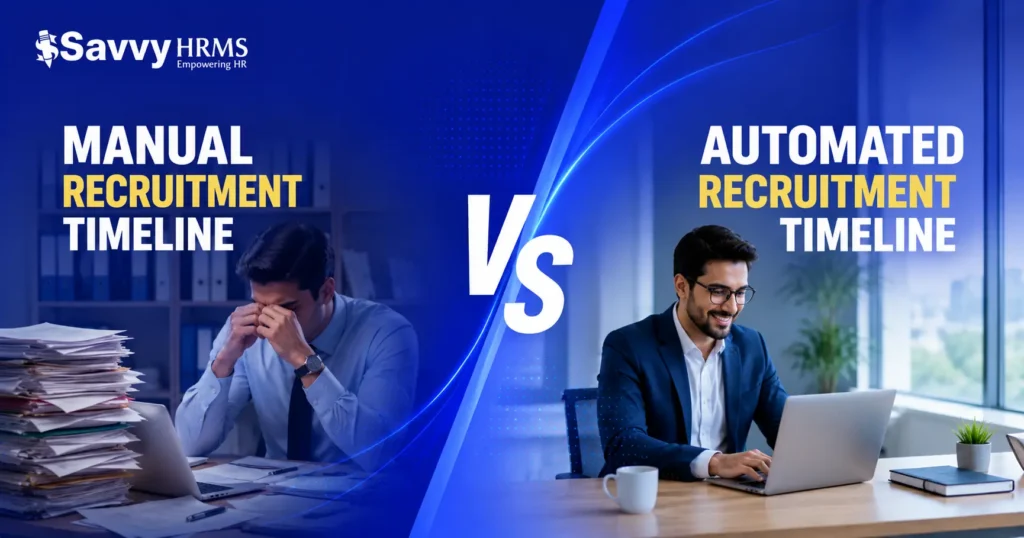
Hiring the wrong people costs money. Hiring slowly costs momentum. But here’s what most HR teams don’t realize: the real cost isn’t the candidate, it’s the hiring process itself. When your team spends 40 hours manually reviewing resumes, coordinating interview schedules, and chasing down feedback, you’re burning resources before anyone even starts the job.
The right talent acquisition software changes that equation. It automates the busywork, surfaces your strongest candidates faster, and gives you data to back up hiring decisions. But with dozens of platforms claiming to be the “best,” how do you know which one actually fits your business?
This guide walks you through exactly what to look for when choosing talent acquisition software, what features matter most, and how to evaluate systems so you can stop drowning in applicants and start hiring better people.
Why Talent Acquisition Software Matters Now More Than Ever
The hiring landscape has changed dramatically. A few years ago, you posted a job and hoped good people applied. Today, you’re competing globally for talent, dealing with passive candidates, and trying to move fast in a candidate-driven market.
The volume problem is real. Large roles attract hundreds of applications. Screening them manually isn’t just tedious, it’s a bottleneck that pushes qualified candidates to accept offers elsewhere. Every week your pipeline stalls is a week your team operates understaffed.
Speed translates to better outcomes. Research from the Society for Human Resource Management (SHRM) shows that organizations using structured hiring processes make better hires and fill positions 20% faster. Talent acquisition software creates that structure automatically.
A modern recruitment automation system does three essential things: it removes friction from your workflow, it surfaces the right candidates automatically, and it gives you visibility into what’s actually working (or not) in your hiring process.
Without these tools, you’re essentially running a recruitment operation from email and spreadsheets. That might work for startups hiring 5 people a year, but for teams hiring regularly-or at scale-it’s a blocker to growth.
The Core Features That Actually Make a Difference
Not all talent acquisition software is built the same. Some platforms are bloated with features you’ll never use. Others are missing the essentials. Here’s what separates the systems that work from the ones that waste your time.
Job Distribution and Multi-Channel Posting
The first person who sees your job opening isn’t always the best candidate. The best candidates often aren’t actively looking.
Real talent acquisition software distributes your job across multiple channels simultaneously: your career page, job boards (LinkedIn, Indeed, Glassdoor), social platforms, and niche boards relevant to your industry. You write the job once and it goes everywhere. You don’t.
This feature alone cuts days off your time-to-first-application. More importantly, it dramatically expands your candidate pool beyond the people actively job hunting.
Resume Parsing and Candidate Screening
Here’s where automation becomes invisible magic. Modern systems parse resumes intelligently, extracting key information-experience level, skills, education, work history-and organizing it in a searchable format.
Better systems go further. They apply your screening criteria automatically and rank candidates by fit. If you need someone with 5+ years in Python development and a bachelor’s degree, the software filters for exactly that. The top candidates surface first.
This isn’t keyword matching (which misses good people constantly). Real resume parsing understands that “JavaScript” and “JS” are the same thing, that someone’s title doesn’t always reflect their actual role, and that a candidate’s relevant experience might be buried in a description of past projects.
Interview Scheduling and Coordination
Scheduling interviews is absurdly complex when you’re coordinating across multiple stakeholders. You email back and forth. Time zones matter. People miss confirmations. Candidates accept offers from competitors while waiting for an interview slot.
Solid recruitment management software integrates with calendars and handles scheduling automatically. Candidates pick available times, interviews are booked, reminders go out-no human coordination needed. This alone can compress your hiring timeline by a week or more.
Workflow Automation and Task Management
The best systems think beyond candidate management. They automate the entire hiring workflow: moving candidates through stages, triggering emails at the right moments, assigning tasks to hiring managers, and escalating bottlenecks.
When a candidate moves to “phone screening,” the system reminds your recruiter. When all interviews are complete, it prompts hiring managers for feedback. When an offer is accepted, it can trigger your onboarding workflow. The process runs without anyone managing it.
Analytics and Reporting
You can’t improve what you don’t measure. The best talent acquisition systems give you visibility into your hiring funnel: where candidates drop off, how long each stage takes, which sources bring the best people, and whether you’re maintaining consistent quality.
This data lets you make changes-maybe your job descriptions aren’t attracting the right people, or your screening criteria are too strict, or technical interviews are your bottleneck. Without visibility, you’re guessing.
How to Evaluate and Compare Systems
You’ve narrowed it down to a few options. Now comes the harder part: figuring out which one will actually work for your team.
Start with Your Specific Workflow
Every company hires differently. A sales organization might prioritize assessment tools and cultural fit. An engineering team might need strong technical screening capabilities. A 50-person startup has different needs than a Fortune 500 company.
Before you evaluate software, map your actual hiring process. Where do candidates come from? How many rounds of interviews? Who’s involved in hiring decisions? What information do you absolutely need to decide? What could you skip?
Once you understand your workflow, you can evaluate systems against it. A feature-rich recruitment CRM system might be perfect for coordinating complex hiring, but it could be overkill if you’re hiring for a single role.
Test with Real Data
Request a trial and use your actual job openings. Post a real role, import recent applicants, and run your team through the system. Don’t just click around in a demo-actually work.
You’ll quickly discover what’s intuitive and what’s awkward. Can your hiring managers figure out how to leave feedback without training? Does the system save time or create more work? Are the reporting features actually helpful?
Many good systems (like SavvyHRMS’s talent acquisition platform, for example) offer this kind of hands-on trial. Use it fully.
Check Integration Capabilities
Your talent acquisition software doesn’t exist in a vacuum. It connects to your HRIS, email, calendar, background check vendors, and reference check tools. If it doesn’t integrate well, you’ll spend time moving data between systems manually.
Before you choose a tool, make sure it works well with the software your team already uses and allows smooth data sharing.
Understand Pricing and Scaling
Some platforms charge per recruiter. Others charge per hire. Some have flat fees; others scale with volume. What’s cheap for 50 hires a year might get expensive at 500.
Get clarity on how costs scale. Factor in implementation time, training, and any customization you’ll need. The lowest-price platform isn’t always the best value.
Implementation and Team Adoption
Choosing software is one thing. Making your team actually use it is another.
The best talent acquisition software in the world doesn’t matter if your hiring managers bypass it because it’s too complicated or slows them down. Implementation success depends on a few key moves.
First, involve your users early. Your recruiters and hiring managers know your pain points better than anyone. Let them shape how you configure the system. Their buy-in will determine adoption.
Second, invest in training. Not everyone is naturally comfortable with new tools. Budget time for proper training, create simple documentation, and identify a power user on your team who can answer questions when people get stuck.
Third, run a pilot. Don’t flip the switch for your entire hiring operation on day one. Test with one department, work out the kinks, then expand. This approach catches problems early and gives you time to improve processes before everything depends on the system.
Finally, measure impact. Set baseline metrics (current time-to-hire, cost-per-hire, quality metrics) and track them after implementation. Did you actually save time? Are you hiring better people? If the answer is no, something’s wrong-and you can fix it.
Frequently Asked Questions
Q: What’s the difference between talent acquisition software and an applicant tracking system (ATS)?
A: An ATS is primarily a filing system for candidates-it stores resumes, tracks where people are in your process, and generates reports. Talent acquisition software does all that plus actively sources candidates, automates screening, handles scheduling, and optimizes your entire workflow. It’s more proactive and integrated.
Q: How much does talent acquisition software typically cost?
A: Pricing varies widely. Small businesses might pay ”approx” ₹ 5,000 – ₹20.000 per month for basic systems. Mid-market companies typically spend “approx” ₹ 20,000 – ₹1,00,000 monthly. Enterprise systems can exceed that. Most platforms charge based on users, hires per month, or a hybrid model. Always get a clear, itemized quote before committing.
Q: Can I switch platforms without losing my candidate data?
A: Yes, but it requires planning. Most established platforms allow data export. However, formatting differences, custom fields, and proprietary features can make migration messy. If you think you might switch later, prioritize systems that offer clean data portability and choose vendors who provide migration support.
Q: How long does implementation typically take?
A: Basic setup takes 2-4 weeks for small teams. Larger organizations with complex workflows, integrations, and customization might need 2-3 months. Much depends on how configured the system needs to be versus how much your team adapts to the platform’s workflow.
Q: Do I need a dedicated recruiter to manage talent acquisition software?
A: Not necessarily. For companies hiring fewer than 50 people annually, a hiring manager can handle it. For higher volumes, a dedicated recruiter makes sense. The software doesn’t replace the human judgment required to evaluate fit and cultural alignment-it just removes the administrative overhead.
Conclusion
Choosing the right talent acquisition software is about matching the tool to your specific hiring challenges. You’re not looking for the most features or the slickest interface. You’re looking for the system that removes friction from your actual workflow, gives your team visibility into what’s working, and lets you focus on what matters: evaluating people and making smart hiring decisions.
The best systems do three things consistently: they save your team time, they improve the quality of people you hire, and they integrate smoothly into the tools you already use. Start by mapping your current process, test with real data, and involve your team in the decision.Your hiring process is one of the most important things you manage. It directly affects culture, capability, and growth. The right talent acquisition software amplifies your team’s judgment and removes the busywork that keeps you from hiring quickly and well.
Ready to streamline your hiring?
Explore how modern recruitment management systems can cut your time-to-hire and help you build stronger teams. Start with a trial of platforms built for growing companies-your next great hire is waiting on the other side of a better process.
Book a Demo Today