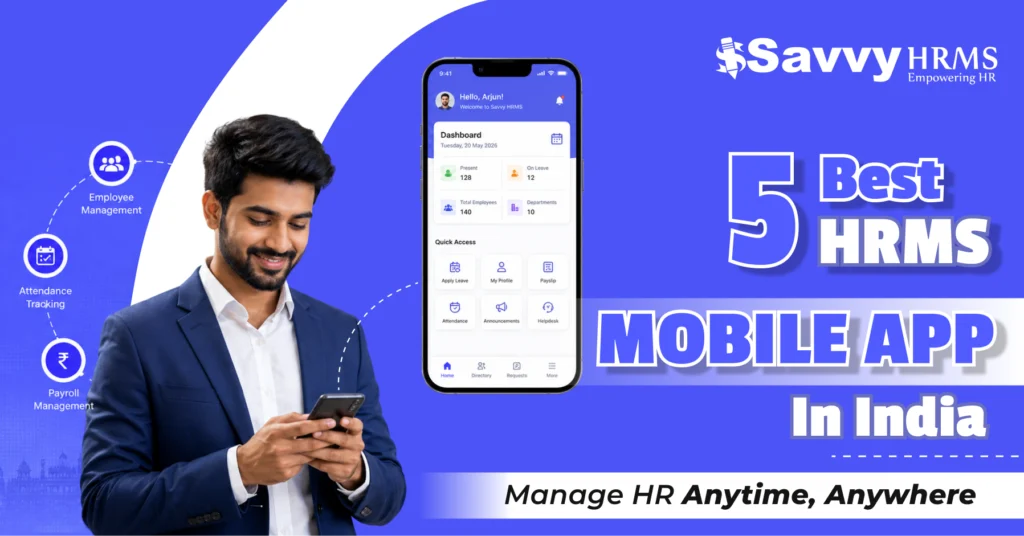
5 Best HRMS Mobile App in India 2026: Manage HR Anytime, Anywhere


-
AuthorS.K. Gupta
-
 Last Updated
August 26, 2026
Last Updated
August 26, 2026
-
 Reading Time
22 Mins
Reading Time
22 Mins
The best HRMS mobile app in India can make everyday HR management faster, simpler, and far more accessible. Instead of being tied to a desk, employees can mark attendance, apply for leave, access payslips, submit requests, and stay connected with HR directly from their smartphones.
As workplaces become more hybrid, remote, and mobile, businesses need HR technology that can move with their workforce. Modern HRMS mobile apps go beyond basic attendance and leave by bringing employee self-service, payroll information, expenses, approvals, performance, documents, and HR communication into one convenient mobile experience.
But with so many HRMS platforms available today, how do you know which one actually offers the right mobile experience? In this guide, we compare 5 of the best HRMS mobile apps in India for 2026: Savvy HRMS, Zoho People, Darwinbox, greytHR, and Zimyo, to help you find the right solution for your employees, managers, and HR team.
Our Evaluation Methodology
Choosing the best HRMS mobile app in India requires more than checking whether a vendor has an Android or iOS application. We evaluated these platforms based on how effectively their mobile experience supports everyday HR activities for employees, managers, and HR teams.
Our evaluation focuses on:
- Mobile HR capabilities: How many important HR processes can employees and managers perform from mobile?
- Employee self-service: Can employees independently access information and raise common HR requests?
- Attendance and leave: How effectively does the app handle mobile attendance, location controls, leave, and regularization?
- Approvals: Can managers review and approve requests without accessing a desktop?
- Payroll access: Can employees view payslips, salary information, tax documents, or related information?
- Workforce management: Does mobile access extend to performance, expenses, travel, recruitment, helpdesk, and other HR processes?
- User experience: Is the mobile experience designed for quick, everyday actions?
- Implementation and support: How practical is deployment, onboarding, training, and ongoing assistance?
- Pricing: Is pricing transparent, modular, custom-quoted, or dependent on selected features?
- Business fit: Which types of organizations are most likely to benefit from the platform?
Important: Mobile availability and functionality can vary depending on the subscription plan, enabled modules, organizational configuration, user role, and permissions. Therefore, this comparison should be treated as a practical buying guide rather than a claim that every feature is available to every user on every plan.
What Is an HRMS Mobile App and How Does It Work?
An HRMS mobile app is the smartphone-based extension of a Human Resource Management System. Instead of requiring employees and managers to log into a desktop portal for every routine HR activity, the mobile application brings frequently used HR functions directly to their phones.
Think of it as an HRMS that travels with the workforce. An employee can check attendance, apply for leave, download a payslip, submit an expense, or view company information. A manager can review attendance, approve requests, monitor a team, or complete workflow actions without being physically present in the office.
Most modern HRMS mobile apps connect to the same centralized HR database used by the organization’s web-based HRMS. This means information entered or approved through mobile can flow into the wider HR system.
For example:
Employee → Mobile Request → Manager Approval → HRMS Workflow → Updated Employee Record
Depending on the software, mobile access may also use features such as GPS, geofencing, facial recognition, QR codes, push notifications, SSO, two-factor authentication, and AI assistants.
The real advantage is not simply having an app. It is bringing the right HR actions to employees at the moment they need them.
Why Are Businesses Switching to Mobile HRMS Apps?
The workplace has changed significantly. Employees are no longer always sitting at a desk, and HR processes cannot always wait until someone opens a laptop.
1. Employees Expect Instant Access
People are already accustomed to managing banking, travel, payments, shopping, and communication from their phones. HR services are increasingly expected to offer the same convenience.
2. Remote and Hybrid Work Needs Mobile HR
When employees work from different locations, desktop-only HR processes can create unnecessary friction. A mobile HRMS helps employees remain connected with HR regardless of where they work.
3. Managers Need Faster Approvals
Leave, attendance regularization, expenses, travel, and other requests often wait for managerial approval. Mobile approvals can reduce these delays.
4. Field Employees Need Mobile-First Access
Salespeople, technicians, delivery teams, factory employees, healthcare workers, and other deskless employees may not regularly use computers.
A mobile HRMS can give these employees access to attendance, requests, policies, payslips, and other HR services.
5. HR Teams Receive Fewer Repetitive Queries
When employees can check their own leave balances, payslips, policies, attendance records, and request status, HR teams spend less time answering routine questions.
6. Faster Communication
Push notifications can immediately alert employees about announcements, approvals, attendance issues, policy updates, or important HR activities.
7. Better Employee Experience
Ultimately, mobile HRMS is about convenience. The easier it is to complete a routine HR task, the more likely employees are to actually use the system.
What Features Should You Look for in an HRMS Mobile App in 2026?
Not every HRMS app offers the same depth of mobile functionality. Before selecting one, look for the following capabilities.
1. Mobile Attendance
Employees should be able to clock in and out conveniently, while organizations can apply appropriate location or authentication controls.
2. Leave Management
The app should allow employees to check balances, apply for leave, view holidays, and track request status.
3. Attendance Regularization
Employees should be able to request corrections for missed punches or attendance discrepancies without depending entirely on HR.
4. Manager Approvals
Managers should be able to approve or reject requests directly from mobile.
5. Employee Self-Service
Employees should have easy access to their profiles, payslips, documents, policies, attendance, leave, and other HR information.
6. Payroll Access
A useful HRMS mobile app should provide access to payslips and relevant salary or tax information, depending on the organization’s configuration.
7. Expense and Travel
For businesses with traveling or field employees, mobile expense submission and travel requests can be especially valuable.
8. Notifications
Push notifications can help employees respond quickly to approvals, reminders, announcements, and HR updates.
9. Geo-tagging and Geofencing
These features can help organizations manage attendance for mobile or distributed employees, subject to company policy and applicable privacy requirements.
10. Security
Look for controls such as SSO, two-factor authentication, role-based access, encryption, and appropriate session/access management.
11. Performance and Engagement
More advanced mobile HRMS platforms may extend performance check-ins, feedback, surveys, recognition, or engagement activities to mobile.
5 Best HRMS Mobile App in India in 2026
The following 5 platforms stand out for different reasons. Rather than declaring one solution universally best, the right choice depends on your workforce size, mobile requirements, HR processes, budget, and implementation expectations.
1. Savvy HRMS
Overview
Savvy HRMS provides a mobile HRMS experience designed to keep employees and managers connected with core HR activities while they are away from their desktops. Its mobile app supports attendance, leave, requests, approvals, employee information, salary slips, holidays, travel, expenses, and employee engagement.
Its mobile attendance capabilities include facial recognition, selfie attendance, geo-tagging, and geofencing. Employees can also submit leave, work-from-home, comp-off, on-duty, and customer-visit requests through the app, while managers can review and act on requests from mobile.
Key Features of Savvy HRMS Mobile App
- Face-recognition attendance: Employees can securely mark attendance using facial recognition technology.
- Geofencing and geo-tagging: Organizations can validate attendance based on defined locations.
- Leave and WFH requests: Employees can submit common requests directly from mobile.
- Mobile approvals: Managers can review leave, attendance, and other requests remotely.
- Travel and expense: Employees can raise travel requests and upload supporting bills.
- Salary slips: Employees can access and download their salary slips.
- Employee information: Profiles, hierarchy, holidays, and HR updates remain accessible.
- Employee engagement: Employees can receive announcements, celebrations, surveys, and organizational updates.
Implementation and Support Reality
- Cloud-based deployment: Organizations can avoid traditional on-premise infrastructure requirements.
- HRMS implementation support: Deployment can be aligned with organizational HR workflows.
- Configuration flexibility: Mobile functionality can be configured around roles and permissions.
- Integration options: APIs and integrations can connect HRMS with existing business systems.
- Employee onboarding: HR teams can introduce employees to mobile self-service workflows.
- Ongoing assistance: Support is available through the vendor’s customer-support channels.
Pricing
Savvy HRMS follows a modular pricing structure, with pricing depending on the selected package, employee count, and required features. Businesses should request a current quotation based on their specific requirements.
Best For
Best for Indian businesses looking for a comprehensive mobile HRMS experience covering attendance, leave, payroll access, approvals, travel, expenses, and employee self-service.
2. Zoho People
Overview
Zoho People offers iOS and Android mobile apps that provide employees and managers access to attendance, leave, timesheets, goals, feedback, files, approvals, employee information, and other HR services, depending on organizational configuration, permissions, and plan.
Key Features of Zoho People Mobile App
- Employee self-service: Employees can access profiles, leave, attendance, files, and HR information.
- Manager workspace: Managers can view reportees and pending team approvals.
- Attendance management: Mobile users can mark attendance and submit regularizations.
- Goal management: Employees can view and update organizational and individual goals.
- Timesheets: Users can view and add time logs from mobile.
- AI assistant: Users can access supported HR information and actions conversationally.
Implementation and Support Reality
- Zoho ecosystem integration: Works well for organizations already using other Zoho applications.
- Configuration-driven experience: Available mobile services depend on organizational setup.
- Role-based access: Administrators can control what different users can access.
- Training resources: Documentation and training resources support customer onboarding.
- Support options: Different support levels are available based on customer requirements.
Pricing
Zoho People offers multiple editions with different HR capabilities. Pricing varies according to the selected edition, billing cycle, employee requirements, and region.
Best For
Best for businesses wanting a flexible cloud HRMS with strong employee self-service, modular HR capabilities, and integration with the wider Zoho ecosystem.
3. Darwinbox
Overview
Darwinbox offers a mobile-first HRMS experience covering core HR, attendance, payroll, expenses, recruitment, onboarding, performance, engagement, and approvals, with advanced capabilities such as facial recognition, geofencing, voice assistance, and mobile workforce management.
Key Features of Darwinbox Mobile App
- Mobile-first HRMS: Core HR services are designed for smartphone access.
- AI voice assistant: Employees can request information and supported actions using voice.
- Facial recognition: Supports touchless attendance and identity verification.
- Geo-tagging and geofencing: Supports location-aware mobile attendance workflows.
- Mobile payroll: Employees can access payslips and compensation-related information.
- Mobile performance: Employees and managers can manage goals and feedback remotely.
Implementation and Support Reality
- Enterprise-oriented deployment: Designed for organizations with complex HR requirements.
- Broad module coverage: Multiple HR functions can be brought into one ecosystem.
- Workflow configuration: Organizations can configure processes according to business requirements.
- Mobile adoption focus: The product emphasizes employee convenience and mobile usage.
- Quote-based commercial model: Pricing generally requires direct vendor engagement.
Pricing
Darwinbox generally follows a customized pricing approach, with pricing depending on organizational size, modules, configuration, and business requirements.
Best For
Best for enterprises and larger organizations seeking a broad mobile-first HCM platform with advanced workforce, talent, engagement, and workflow capabilities.
4. greytHR
Overview
greytHR provides mobile access to HR, payroll, attendance, leave, and employee self-service, enabling users to access payslips, policies, forms, tax information, workflows, directories, helpdesk services, and organizational updates conveniently without depending entirely on desktop systems.
Key Features of greytHR Mobile App
- Employee self-service: Access payslips, policies, forms, tax information, and employee data.
- Attendance access: Employees can interact with attendance and related workflows.
- Leave management: Employees can manage leave-related activities through self-service.
- Employee directory: Staff can find relevant colleague information quickly.
- HR helpdesk: Employees can raise and manage supported HR queries.
- Notifications and feeds: Employees can stay updated with organizational communication.
Implementation and Support Reality
- Cloud-based deployment: Supports faster adoption without traditional infrastructure.
- Plan-based capabilities: Available features vary according to the selected plan.
- Trial availability: Businesses can evaluate the platform before making decisions.
- Implementation support: Onboarding and implementation assistance can support deployment.
- Scalable pricing: Pricing varies according to employee count and selected capabilities.
Pricing
greytHR follows a tiered pricing model, with different plans offering different HR, payroll, attendance, and workforce-management capabilities.
Best For
Best for Indian SMBs and growing organizations seeking a mature HR and payroll platform with employee self-service and practical workforce-management capabilities.
5. Zimyo
Overview
Zimyo offers a mobile-enabled HRMS with employee self-service, attendance, leave, payroll, expenses, timesheets, documents, helpdesk, recruitment, performance, engagement, analytics, geotagging, geofencing, reports, and workflow automation across Android and iOS.
Key Features of Zimyo Mobile App
- Mobile attendance: Employees can clock in and out using mobile devices.
- Leave and approvals: Users can submit and approve common HR requests.
- Mobile payroll: Employees can view and download their payslips.
- Expense management: Employees can submit expenses and supporting documents.
- Tax declarations: Employees can manage supported tax-related submissions.
- Mobile helpdesk: Employees can raise and track HR support tickets.
Implementation and Support Reality
- Modular platform: Organizations can select capabilities based on business requirements.
- Mobile settings: Administrators can configure mobile application behavior.
- Role-based permissions: Access can be controlled according to employee roles.
- Multiple workforce capabilities: Supports HR operations across different workforce types.
- Tiered pricing: Features and modules vary by selected subscription level.
Pricing
Zimyo uses tiered pricing, with different plans designed around varying HR requirements, employee counts, and feature needs.
Best For
Best for growing organizations looking for a broad HRMS with mobile self-service, attendance, payroll, expense, engagement, and workforce-management capabilities.
Quick Comparison of the 5 Best HRMS Mobile Apps
| HRMS Mobile App | Best For | Key Strength | Potential Limitation | Mobile Coverage | Pricing Approach |
| Savvy HRMS | Indian businesses needing comprehensive mobile HR | Strong attendance, requests, approvals, and ESS | Features depend on selected package | High | Modular |
| Zoho People | Businesses using the Zoho ecosystem | Flexible HR workflows and integrations | Advanced functions may require configuration | High | Subscription-based |
| Darwinbox | Large enterprises | Broad mobile-first HCM capabilities | Pricing generally requires a quote | High | Custom quote |
| greytHR | SMBs and growing businesses | HR, payroll, and employee self-service | Advanced capabilities vary by plan | Moderate | Tiered |
| Zimyo | Growing and mid-sized organizations | Broad mobile ESS and HR functionality | Advanced modules may require higher plans | Moderate to high | Tiered |
Note: Mobile coverage is a qualitative assessment based on the breadth of mobile capabilities offered by each platform. Actual functionality can vary according to plans, configuration, permissions, and integrations.
Savvy HRMS: Best HRMS Mobile App for Managing HR on the Go
What if your entire HR team could handle everyday HR activities without constantly opening a laptop? That is where the Savvy HRMS mobile app becomes useful. It brings essential HR processes directly to employees, managers, and HR teams, making routine tasks easier to complete from anywhere.
Instead of waiting to get back to the office, employees can use the app to manage common HR activities such as:
- Mark attendance from their mobile device.
- Apply for leave and check available leave balances.
- Request work from home or other supported HR requests.
- Regularize attendance when a punch is missed or incorrect.
- Access salary slips whenever they need them.
- Submit travel and expense requests without depending on paperwork.
- View holidays, employee information, and HR updates in one place.
- Stay connected with announcements, celebrations, surveys, and other employee engagement activities.
For managers, the benefit is just as practical. They do not always need to wait until they are sitting at their desk to handle employee requests. Through the mobile experience, managers can review and act on supported requests such as:
- Leave approvals
- Attendance regularization
- Work-from-home requests
- Comp-off requests
- On-duty requests
- Customer-visit requests
Why Savvy HRMS Stands Out
The biggest advantage is that the Savvy HRMS mobile app goes beyond basic attendance tracking. It connects multiple everyday HR activities within one mobile experience.
Its attendance capabilities are particularly useful for businesses with field, remote, or distributed employees. Depending on the organization’s configuration, businesses can use features such as:
- Facial recognition
- Selfie attendance
- Geo-tagging
- Geofencing
- Mobile attendance tracking
This makes it easier for organizations to maintain attendance visibility while giving employees a convenient way to mark attendance from different locations.
The app also supports the employee self-service approach. Instead of asking HR for every small update, employees can access information and initiate common requests themselves.
- For employees: less dependency on HR for routine tasks.
- For managers: faster approvals and better team visibility.
- For HR teams: fewer repetitive queries and more streamlined workflows.
Another important advantage is that Savvy HRMS is not limited to a standalone mobile attendance solution. Its broader HRMS ecosystem covers multiple areas of workforce management, allowing businesses to connect mobile HR activities with their wider HR processes.
Who Should Consider Savvy HRMS?
Savvy HRMS can be a strong fit for:
- Growing Indian businesses that want centralized HR management.
- Field-based organizations requiring location-aware attendance.
- Hybrid and remote teams needing mobile employee self-service.
- Businesses with multiple locations managing distributed employees.
- HR teams looking to reduce manual HR requests.
- Organizations wanting an integrated HRMS rather than separate HR applications.
In simple terms, Savvy HRMS turns the employee’s smartphone into a convenient HR workplace. Whether someone is checking their payslip, applying for leave, marking attendance, submitting an expense, or approving a team request, the goal is the same: make HR accessible anytime, anywhere.
What HR Tasks Can You Manage Through a Mobile HRMS App?
The exact list varies by software and subscription, but a modern HRMS mobile app can support a surprisingly large part of everyday employee and manager workflows.
1. Employee Tasks
Employees can commonly use mobile HRMS applications to:
- Mark attendance
- Check attendance history
- Submit attendance regularization
- Apply for leave
- Check leave balances
- View holidays
- Request work from home
- Submit comp-off requests
- Request official duty
- View employee profiles
- Access salary slips
- View HR documents
- Read company announcements
- Submit expenses
- Upload expense bills
- Raise travel requests
- Track request status
- Access policies
- Submit surveys
- View goals
- Update supported performance information
- Raise HR helpdesk tickets
2. Manager Tasks
Managers can use mobile HRMS applications to:
- Approve leave requests
- Approve attendance corrections
- Approve WFH requests
- Approve expenses
- Monitor team attendance
- View employee information
- Review team leave status
- Complete workflow tasks
- Provide feedback
- Review goals
- Respond to HR requests
- Track team-related information
3. HR Tasks
Depending on the platform and permissions, HR teams may also be able to:
- Monitor workforce information
- Review requests
- Track attendance
- Access employee records
- Monitor workflows
- Review reports
- Manage HR queries
- Communicate announcements
- Track employee activities
The important point is that mobile HRMS does not necessarily mean “everything in the desktop system appears on a phone.” Good mobile design prioritizes the actions employees and managers perform most frequently.
How Do HRMS Mobile Apps Make Employee Self-Service Easier?
Employee self-service is one of the biggest reasons businesses adopt a mobile HRMS app.
Without self-service, a simple question such as “How many leave days do I have?” can become an HR interaction.
With mobile ESS:
Employee opens app → Checks leave balance → Applies for leave → Manager receives request → Manager approves → Employee receives update
The employee does not need to send an email, call HR, or wait for someone to update a spreadsheet.
The same principle works for payslips, attendance, documents, policies, requests, and HR helpdesk tickets.
Mobile ESS Can Help Employees:
- Access information: Employees can view their own HR information whenever they need it.
- Raise requests: Routine HR requests can be submitted without paperwork.
- Track status: Employees can see whether a request is pending, approved, or rejected.
- Reduce HR dependency: Employees can answer many routine questions themselves.
- Stay informed: Announcements, notifications, and organizational updates can reach employees directly.
This is why the best HRMS mobile app in India should be evaluated not just on how many features it contains, but on how many everyday HR interactions it can simplify.
How Does Mobile HRMS Improve Attendance and Leave Management?
Attendance and leave are among the most practical use cases for mobile HRMS.
Imagine an employee working from a client location. Instead of waiting until they return to the office, they can use the mobile application to complete the required attendance process, subject to company policy and configured location controls.
Similarly, if an employee forgets to punch in, they can raise a regularization request through the app where supported.
For managers, the benefit is equally straightforward. They can receive a request, review it, and take action from their phones.
Mobile Attendance Can Support:
- Clock-in and clock-out
- Location-based attendance
- Geofencing
- Geo-tagging
- Facial recognition
- Selfie attendance
- Attendance history
- Regularization requests
- Team attendance visibility
Mobile Leave Management Can Support:
- Leave balance checks
- Leave applications
- Leave approvals
- Holiday calendars
- Leave status tracking
- Comp-off requests
- WFH requests
The takeaway is simple: mobile attendance should make attendance easier without compromising organizational controls.
How Secure Are HRMS Mobile Apps for Employee Data?
This is one area where convenience should never come at the expense of security.
An HRMS contains sensitive information such as employee profiles, salary information, attendance records, tax documents, bank-related information, and organizational data. Therefore, businesses should evaluate the security architecture before choosing an HRMS mobile app.
Important Security Controls to Evaluate
- Authentication: Look for secure login methods, SSO, two-factor authentication, or other appropriate controls.
- Role-based access: Employees should only see information they are authorized to access.
- Data encryption: Data should be protected during transmission and storage according to the provider’s security architecture.
- Device and session controls: Organizations should understand how sessions, access, and lost devices are handled.
- Location privacy: If GPS, geofencing, or geo-tagging is used, businesses should clearly define when and why location data is collected.
- Auditability: Important HR actions should ideally leave an appropriate record for accountability.
Before purchasing, ask the vendor for a clear explanation of mobile security, data storage, access controls, authentication, privacy practices, and compliance responsibilities.
HRMS Mobile App vs Desktop HRMS: Which Is Better?
The answer is: you usually don’t need to choose one over the other.
A strong HR technology strategy uses the desktop HRMS for complex administration and mobile HRMS for fast, everyday actions.
| Area | HRMS Mobile App | Desktop HRMS |
| Accessibility | Anytime, anywhere | Primarily browser/desktop based |
| Employee self-service | Excellent for quick actions | More detailed |
| Attendance | Ideal for mobile/field attendance | Better for administration |
| Approvals | Fast and convenient | Better for complex workflows |
| Payroll administration | Limited by role | Better for full payroll processing |
| Reports | Quick dashboards and monitoring | Better for detailed analysis |
| HR configuration | Usually limited | More comprehensive |
| Employee communication | Push-friendly | Better for detailed content |
| Field workforce | Highly suitable | Less convenient |
| Complex HR operations | Less suitable | Better suited |
The Best Approach?
Use mobile for speed and desktop for depth.
For example:
Employee: Mobile app
Manager: Mobile + desktop
HR administrator: Primarily desktop + mobile monitoring
Field employee: Mobile-first
This combination creates a more practical HR ecosystem.
How to Choose the Best HRMS Mobile App for Your Business
There is no single best HRMS mobile app in India for every organization.
Instead, start by asking what your employees actually need.
1. Understand Your Workforce
Do you have office employees, remote employees, field workers, factory workers, or a combination?
A field-heavy workforce may place greater importance on geofencing, GPS, and mobile attendance.
2. List Your Must-Have Mobile Tasks
Before speaking with vendors, create a list.
For example:
- Attendance
- Leave
- WFH
- Regularization
- Payslips
- Expenses
- Travel
- Approvals
- Employee documents
- Helpdesk
- Performance
- Notifications
Then check which of these can actually be completed through the mobile app.
3. Test the Employee Experience
Don’t just ask for a product demo.
Ask the vendor to show:
“Show me how an employee applies for leave.”
Then ask:
“Show me how a manager approves it.”
Then:
“Show me where the employee sees the result.”
This gives you a much better idea of the real mobile experience.
4. Check Mobile Attendance Controls
If attendance is important, test:
- GPS
- Geofencing
- Geo-tagging
- Face recognition
- Selfie attendance
- Regularization
- Multiple locations
5. Check Employee Self-Service
Ask whether employees can independently access:
- Payslips
- Leave balance
- Attendance
- Policies
- Documents
- Requests
- Helpdesk
- Tax information
6. Understand Pricing Carefully
Don’t compare only the advertised starting price.
Ask:
- Is mobile included?
- Are all mobile features included?
- Are attendance controls additional?
- Are integrations extra?
- Is implementation charged separately?
- Are premium support services extra?
- Are there minimum user requirements?
7. Check Implementation Support
A good HRMS can still fail if implementation is poorly handled.
Ask about:
- Data migration
- Configuration
- Payroll setup
- Attendance setup
- Employee onboarding
- Training
- Integrations
- Go-live support
8. Check Security and Privacy
Especially if you will use GPS, facial recognition, payroll data, or personal employee information, understand how the vendor protects and processes that information.
9. Think Beyond Today’s Requirements
Your HRMS should support your future workforce too.
If you’re growing from 100 employees to 500 or 1,000, changing systems again can be expensive and disruptive.
10. Compare the Actual Mobile Experience
Finally, give shortlisted vendors the same test.
Ask each one to demonstrate:
Attendance → Leave → Approval → Payslip → Expense → Employee Profile → Notification
The platform that makes these everyday actions easiest may deliver more practical value than the one with the longest feature list.
Conclusion
A good HRMS mobile app in India should do more than put a few HR screens on a smartphone. It should make everyday HR interactions faster, simpler, and accessible wherever employees and managers work. From attendance and leave to approvals, payslips, expenses, documents, and employee self-service, mobile HR is becoming an important part of modern workforce management.
Among the options compared here, Savvy HRMS stands out for businesses looking for a comprehensive mobile HR experience with strong attendance capabilities, employee requests, approvals, travel and expense features, salary-slip access, and employee engagement tools. Its mobile application brings important HR functions together in one place while supporting employees, managers, and HR teams.











Bring HR closer to your employees with Savvy HRMS.
Manage, connect, and approve from anywhere.
Frequently Asked Questions (FAQs)
1. What is an HRMS mobile app?
An HRMS mobile app is a smartphone-based extension of an HRMS that allows employees and managers to access HR functions such as attendance, leave, payslips, requests, approvals, expenses, and employee information from anywhere.
2. What features should I look for in an HRMS mobile app?
Key features include mobile attendance, leave management, attendance regularization, manager approvals, employee self-service, payroll access, expense and travel management, notifications, geofencing, and security controls.
3. Which are the best HRMS mobile apps in India in 2026?
The blog compares five HRMS mobile apps: Savvy HRMS, Zoho People, Darwinbox, greytHR, and Zimyo. Each platform is suited to different workforce sizes, requirements, mobile capabilities, and budgets.
4. Is an HRMS mobile app secure for employee data?
It can be, but businesses should evaluate security controls such as authentication, role-based access, encryption, device and session controls, location privacy, and auditability before choosing an HRMS mobile app.
5. Can employees manage attendance, leave, and payslips through an HRMS mobile app?
Yes. Depending on the software, employees can mark attendance, apply for leave, check leave balances, regularize attendance, access payslips, submit expenses, raise requests, and track their request status through the mobile app.