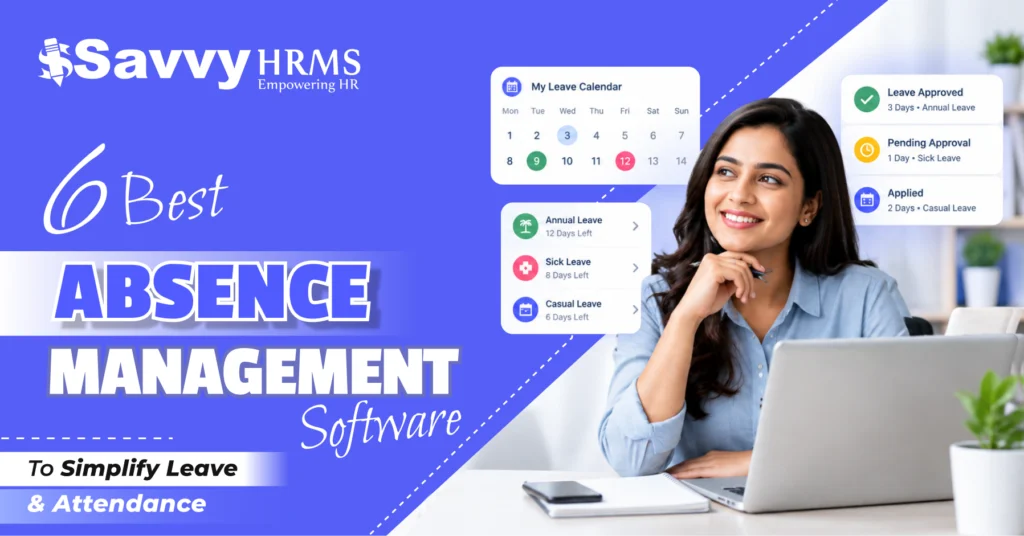
6 Best Absence Management Software to Simplify Leave & Attendance in 2026


-
AuthorRaghvendra Bhardwaj
-
 Last Updated
September 11, 2026
Last Updated
September 11, 2026
-
 Reading Time
17 Mins
Reading Time
17 Mins
The best absence management software helps businesses simplify employee leave, attendance, and absence tracking through automated workflows. Instead of depending on spreadsheets, emails, and manual records, HR teams can manage leave requests, approvals, balances, and attendance from one centralized system.
As businesses adopt hybrid work, flexible schedules, multiple shifts, and distributed teams, managing employee absences manually can become increasingly difficult. The right absence management system gives HR teams better visibility while helping employees manage leave and attendance with less effort.
In this blog, we compare 6 leading absence management software solutions for 2026: Savvy HRMS, Darwinbox, Zoho People, greytHR, HRMantra, and ZingHR. We evaluate them based on features, automation, attendance capabilities, scalability, integrations, usability, and suitability for modern Indian businesses.
What Is Absence Management Software?
Absence management software is an HR technology solution that helps organizations record, track, manage, and analyze employee absences and time-off. It brings leave applications, approvals, attendance records, leave balances, holiday calendars, and absence-related workflows into one centralized platform.
A traditional absence management process often involves spreadsheets, emails, physical forms, and separate attendance records. This can make it difficult for HR teams to maintain accurate leave balances and understand employee availability.
Modern employee absence management software automates much of this process. Employees can apply for leave online, managers can approve requests digitally, and HR teams can monitor attendance and absence records from a centralized dashboard.
Depending on the platform, an absence management system may also support:
- Leave policy configuration
- Leave accrual and carry-forward
- Leave encashment
- Compensatory leave
- Attendance tracking
- Shift management
- Holiday calendars
- Leave approval workflows
- Absence reporting
- Employee self-service
- Mobile attendance
- Payroll integration
In simple terms, absence management software helps businesses answer three important questions: Who is absent? Why are they absent? And how does that absence affect attendance, leave balances, and payroll?
Why Do Businesses Need Absence Management Software in 2026?
Employee absence management has become more complex as businesses manage hybrid employees, multiple locations, flexible schedules, different shifts, and diverse leave policies.
Manual processes can lead to incorrect leave balances, delayed approvals, attendance discrepancies, payroll errors, and poor visibility into workforce availability.
Businesses need absence management software in 2026 because it can help them:
- Centralize employee leave and absence information.
- Automate leave applications and approval workflows.
- Connect employee attendance with leave records.
- Reduce repetitive HR administration.
- Improve visibility into employee availability.
- Give employees greater self-service access.
- Apply consistent leave policies across teams.
- Generate useful absence and attendance reports.
- Reduce errors affecting payroll calculations.
- Support hybrid, remote, and distributed workforces.
For Indian businesses, an integrated leave and attendance management system can be especially valuable when leave, attendance, payroll, employee self-service, and workforce reporting are connected within one HR platform.
How We Ranked This Absence Management Software
We evaluated these absence management platforms using practical criteria that HR teams should consider before selecting leave and attendance software.
| Evaluation Criteria | What We Considered | Importance |
| Leave Management | Leave types, balances, accrual, carry-forward, and encashment | High |
| Attendance Management | Check-in/out, attendance tracking, regularization, and absence detection | High |
| Automation | Automated approvals, notifications, calculations, and workflows | High |
| Employee Self-Service | Employee access to leave, attendance, and requests | High |
| Reporting & Analytics | Absence reports, attendance insights, and workforce dashboards | Medium |
| Integration | Payroll, biometric, mobile, ERP, and other integrations | High |
| Scalability | Ability to support growing teams and multiple locations | High |
| Mobile Accessibility | Mobile leave applications, attendance, and approvals | Medium |
| Policy Flexibility | Custom rules for different employee groups | High |
| Indian Business Fit | Suitability for Indian leave, attendance, and payroll requirements | High |
| Ease of Use | Simplicity for employees, managers, and HR teams | Medium |
| Overall Value | Balance of functionality, scalability, and usability | High |
The rankings are based on these evaluation criteria and represent an editorial comparison. Actual suitability may vary depending on company size, workforce structure, selected modules, implementation requirements, and pricing plans.
At a Glance: 6 Best Absence Management Software
| Rank | Absence Management Software | Best For | Overall Fit |
| 1 | Savvy HRMS | Integrated HR, leave, attendance, and payroll management | Excellent |
| 2 | Darwinbox | Mid-sized and enterprise organizations | Excellent |
| 3 | Zoho People | Flexible HR and attendance management | Very Good |
| 4 | greytHR | Indian SMBs and payroll-focused HR teams | Very Good |
| 5 | HRMantra | Broad HRMS and workforce management | Good |
| 6 | ZingHR | Large and distributed workforces | Excellent |
1. Savvy HRMS
Savvy HRMS is an integrated HRMS solution that brings leave management, attendance, payroll, employee self-service, and other HR processes together. Its absence management capabilities support configurable leave policies, accrual, carry-forward, comp-off, encashment, leave calendars, approvals, attendance tracking, and HR reporting.
Key Features of Savvy HRMS
- Configure flexible leave policies for different employee groups, departments, locations, and employment categories.
- Automate leave accrual, eligibility, carry-forward, and encashment based on predefined organizational policies.
- Manage compensatory leave requests with simplified applications, approvals, and centralized tracking workflows.
- Track employee attendance accurately through biometric devices, web-based systems, and integrated attendance solutions.
- Monitor employee attendance using geo-fencing and geo-tagging for enhanced location-based workforce visibility.
- Enable convenient mobile attendance tracking with location-based check-ins for distributed and field employees.
- Integrate attendance and leave data smoothly with payroll for accurate salary processing.
- Generate comprehensive leave calendars, attendance reports, MIS reports, and workforce management insights.
- Empower employees to apply for leave, check balances, and manage requests through self-service.
Who Should Choose Savvy HRMS?
Savvy HRMS is a strong choice for Indian businesses that want leave, attendance, payroll, employee self-service, and HR operations connected within one platform. It suits growing organizations that need configurable policies and centralized workforce management without depending on multiple disconnected systems.
Who Might Not Need Savvy HRMS?
Organizations looking only for a basic standalone leave tracker may not need a broader HRMS platform. Very small teams with simple time-off requirements and limited attendance complexity could find a lightweight absence management solution sufficient for their needs.
Best For
Savvy HRMS is best for Indian businesses looking for integrated absence management, leave, attendance, payroll, and HR capabilities with configurable policies and centralized employee workforce management.
2. Darwinbox
Darwinbox is an enterprise-focused HCM platform that includes time, attendance, leave, scheduling, and workforce management capabilities. It supports configurable policies and multiple attendance methods for organizations with complex workforce structures.
Key Features
- Configure leave and attendance policies by employee attributes.
- Manage shifts, schedules, locations, and workforce structures.
- Support biometric, mobile, and location-based attendance.
- Automate absence-related workflows and notifications.
- Provide employee and manager self-service capabilities.
- Connect time, attendance, leave, and payroll workflows.
Who Should Choose Darwinbox?
Darwinbox is suitable for mid-sized and enterprise organizations managing complex employee structures, multiple locations, different shifts, and configurable HR policies. It works well for companies looking for comprehensive HCM capabilities beyond basic leave and absence tracking.
Who Might Not Need Darwinbox?
Small businesses that only require straightforward leave applications and attendance tracking may not need an enterprise-focused HCM platform. Organizations with simple HR workflows may prefer a smaller system with easier implementation and fewer advanced capabilities.
Best For
Darwinbox is best for mid-market and enterprise organizations managing complex workforce structures, multiple locations, shifts, attendance policies, and integrated HCM processes.
3. Zoho People
Zoho People provides leave and attendance management as part of its broader HR platform. It supports employee attendance, leave management, absence workflows, regularization, shifts, overtime, and employee self-service.
Key Features
- Track employee check-ins and check-outs efficiently.
- Manage leave policies, balances, approvals, and calendars.
- Automate absence processing through configurable workflows.
- Support attendance regularization and permission requests.
- Provide mobile access to leave and attendance.
- Configure attendance rules for different employee groups.
Who Should Choose Zoho People?
Zoho People is suitable for businesses looking for flexible HR, leave, and attendance management alongside broader HR capabilities. It can be especially useful for organizations already using other business applications within the Zoho ecosystem.
Who Might Not Need Zoho People?
Companies requiring highly specialized workforce management or extensive enterprise-level customization may need to compare Zoho People carefully with platforms designed for more complex operational requirements and larger workforce structures.
Best For
Zoho People is best for small and mid-sized businesses seeking flexible HR, leave, attendance, employee self-service, and broader business application integration.
4. greytHR
greytHR combines leave and attendance management with payroll and broader HR capabilities. It supports leave balances, attendance policies, shifts, employee self-service, absence tracking, regularization, and attendance reporting.
Key Features
- Manage employee leave balances and transactions.
- Configure shifts and attendance policies efficiently.
- Track late arrivals, early departures, and absences.
- Provide online and mobile attendance capabilities.
- Support location-based attendance and attendance controls.
- Connect leave and attendance information with payroll.
Who Should Choose greytHR?
greytHR is a suitable option for Indian businesses wanting an established HR and payroll platform with integrated leave and attendance management. It can work particularly well where payroll accuracy and attendance administration are closely connected.
Who Might Not Need greytHR?
Businesses looking only for a lightweight absence tracker may find its broader HR and payroll capabilities unnecessary. Organizations with highly specialized global workforce requirements should also compare its functionality with enterprise-focused international HCM platforms.
Best For
greytHR is best for Indian SMBs and growing organizations that want leave, attendance, payroll, employee self-service, and workforce administration in one platform.
5. HRMantra
HRMantra is a broad HRMS platform designed to support multiple HR processes, including attendance, leave, payroll, employee management, and workforce administration. It can suit organizations looking for a centralized HR technology environment.
Key Features
- Manage employee leave requests and approvals.
- Track attendance and employee work-time information.
- Support payroll-linked attendance and HR processes.
- Provide employee self-service for routine HR requests.
- Centralize employee information across HR processes.
- Generate reports for workforce administration and HR.
Who Should Choose HRMantra?
HRMantra can suit organizations wanting a broader HRMS rather than a standalone absence management solution. It is worth considering when HR teams want to bring leave, attendance, payroll, and employee administration into a centralized environment.
Who Might Not Need HRMantra?
Businesses with simple leave requirements may not need a comprehensive HRMS platform. Organizations prioritizing a highly specialized absence management experience should compare HRMantra’s workflow capabilities, usability, integrations, and implementation requirements with other available solutions.
Best For
HRMantra is best for organizations seeking broad HRMS functionality where absence, attendance, payroll, and employee administration can be managed through a centralized system.
6. ZingHR
ZingHR provides workforce management capabilities covering leave, time, attendance, rostering, and employee self-service. Its platform is designed to support organizations managing different workforce categories, locations, attendance methods, and leave policies.
Key Features
- Manage leave policies, accruals, encashment, and comp-off.
- Capture attendance using multiple available methods.
- Support mobile and location-based attendance tracking.
- Provide shift rostering and workforce scheduling.
- Connect approved leave with attendance and payroll.
- Offer employee and manager self-service capabilities.
Who Should Choose ZingHR?
ZingHR can suit large organizations, distributed workforces, field teams, and businesses managing multiple employee categories. Its workforce management capabilities are particularly relevant when attendance, rostering, leave, and payroll need to operate together.
Who Might Not Need ZingHR?
Smaller organizations with straightforward leave and attendance requirements may not require an extensive workforce management platform. Businesses prioritizing only basic PTO tracking could prefer a simpler leave management system.
Best For
ZingHR is best for large, distributed, field, and multi-location workforces that need integrated leave, attendance, rostering, workforce management, and payroll processes.
| Absence Management Software | Best For | Biggest Advantage | Potential Integration | Ideal Employee Size |
| Savvy HRMS | All Indian businesses | Integrated leave, attendance, payroll, and HR | Payroll, biometric, mobile, HR modules | 50 – 10,000+ |
| Darwinbox | Mid-market and enterprises | Configurable HCM and workforce workflows | Payroll, biometric, mobile, enterprise systems | 500+ |
| Zoho People | SMBs and growing companies | Flexible HR and business ecosystem | Business applications and attendance systems | 50 – 10,000+ |
| greytHR | Indian SMBs | HR, payroll, leave, and attendance combination | Payroll, attendance devices, mobile | 50 – 1,000+ |
| HRMantra | Broad HRMS requirements | Wide HR process coverage | Payroll and HR systems | 100 – 1,000+ |
| ZingHR | Large and distributed workforces | Workforce management capabilities | Payroll, biometric, ERP, workforce systems | 500+ |
Employee-size ranges are indicative suitability bands rather than strict product limits. Actual suitability depends on workforce complexity, selected modules, implementation, and organizational requirements.
What Features Should You Look for in Absence Management Software?
Selecting the best absence management software requires looking beyond basic leave applications. A strong solution should manage the complete absence lifecycle, from leave requests and approvals to attendance updates, reporting, employee self-service, and payroll impact.
1. Flexible Leave Policy Management
The software should allow HR teams to create and manage customized leave policies based on departments, locations, employee categories, employment types, eligibility rules, and organizational requirements.
2. Automated Leave Accrual and Carry-Forward
It should automatically calculate leave accruals, balances, eligibility, and carry-forward based on predefined policies, helping HR teams reduce manual calculations and maintain accurate employee leave records.
3. Integrated Attendance Management
Leave and attendance should work together smoothly, enabling HR teams to identify absences, monitor attendance gaps, manage regularization, and maintain consistent employee attendance and leave records.
4. Automated Leave Approval Workflows
The system should automate leave applications by routing requests to appropriate managers, sending notifications, following approval hierarchies, and updating leave records once requests are approved or rejected.
5. Employee Self-Service and Mobile Access
Employees should be able to apply for leave, check balances, view attendance, track requests, and manage absence-related activities through convenient web and mobile self-service options.
6. Payroll and Attendance Integration
Leave and absence information should integrate with payroll and attendance systems to support accurate salary calculations, unpaid leave processing, deductions, attendance records, and simplified payroll administration.
7. Reporting and Absence Analytics
The software should provide detailed reports on leave utilization, absence trends, attendance patterns, leave balances, employee availability, and workforce data to help HR teams make informed decisions.
How Does Absence Management Software Simplify Leave and Attendance?
The biggest advantage of an absence management system is its ability to connect employee leave and attendance data within a centralized workflow.
In a manual process, an employee may send a leave request through email, the manager approves it, HR updates a spreadsheet, another employee updates attendance, and payroll later checks the records. Each manual step creates opportunities for delays and errors.
Absence management software simplifies this process through automation.
1. Employee Applies for Leave
Employees can submit leave requests through web or mobile applications, selecting leave types, dates, duration, and reasons while accessing their available leave balances.
2. Manager Receives the Request
The system automatically routes leave requests to the appropriate manager or designated approver, ensuring timely reviews without depending on emails, paperwork, or manual follow-ups.
3. Leave Balance Is Checked
The system verifies available leave balances, eligibility, and applicable policies automatically, helping prevent invalid requests and ensuring employees use leave according to organizational rules.
4. Approval Is Recorded
Once the manager approves or rejects a request, the system automatically records the decision and updates the employee’s leave information for accurate tracking.
5. Attendance Is Updated
Approved absences can automatically reflect in attendance records, helping HR maintain accurate employee attendance information while reducing discrepancies between leave applications and attendance data.
6. Payroll Receives Relevant Information
When payroll is integrated, approved leave and applicable unpaid absences can flow into payroll processing, helping calculate salaries, deductions, and loss-of-pay accurately.
7. HR Gets Workforce Visibility
HR teams and managers can access leave calendars, attendance records, employee availability, and absence reports, providing a centralized view for workforce planning and management.
This creates a single source of truth for employee availability and reduces the administrative burden associated with manual absence tracking.
What Are the Benefits of Automating Absence and Leave Management?
Automating employee absence management can benefit HR teams, employees, managers, payroll teams, and business leaders.
1. Reduces Manual HR Work
Absence management software automates repetitive tasks such as leave tracking, balance updates, attendance corrections, reminders, and approval follow-ups, allowing HR teams to spend more time on strategic workforce activities.
2. Improves Leave Accuracy
Automated calculations help maintain accurate leave balances, accruals, eligibility, carry-forward, and adjustments while reducing errors caused by spreadsheets and manual data entry.
Key improvements:
- Fewer calculation errors
- Accurate leave balances
- Consistent policy application
3. Speeds Up Leave Approvals
Digital workflows automatically route leave requests to the right managers, helping organizations reduce approval delays and eliminate unnecessary paperwork or lengthy email communication.
4. Improves Employee Experience
Employees gain convenient self-service access to leave and attendance information, making everyday absence-related activities faster and easier.
Employees can:
- Check leave balances
- Apply for leave
- View attendance records
- Track request status
5. Improves Workforce Visibility
Centralized absence and attendance information helps managers understand employee availability, upcoming leave, and potential staffing gaps, making it easier to manage daily workforce requirements.
6. Supports Better Workforce Planning
Historical absence data can help HR teams identify recurring absenteeism patterns, understand leave utilization, and make informed staffing decisions based on workforce availability and departmental requirements.
Useful insights include:
- Absence trends
- Leave utilization
- Department-level patterns
- Employee availability
7. Improves Payroll Accuracy
Integrating leave, attendance, and payroll information reduces discrepancies caused by outdated or manually entered data. Approved absences and applicable unpaid leave can support more accurate salary calculations and deductions.
How Much Does Absence Management Software Cost in India?
There is no single standard price for absence management software in India. Pricing can depend on employee count, modules, deployment model, integrations, attendance devices, customization, implementation, and support requirements.
Some platforms offer absence management as part of a complete HRMS subscription, while others may price individual modules separately.
Before comparing prices, businesses should identify their actual requirements.
| Cost Factor | Why It Matters |
| Employee Count | Many HR platforms calculate pricing based on users or employees |
| Modules | Complete HRMS platforms may cost more than leave-only solutions |
| Attendance Integration | Biometric and advanced attendance integrations may affect costs |
| Mobile Features | Advanced mobile functionality can vary by plan |
| Customization | Complex workflows may require additional implementation |
| Implementation | Setup, migration, configuration, and training can add costs |
| Support | Premium support arrangements can affect total cost |
| Payroll Integration | Integrated payroll may influence overall pricing |
| Reporting | Advanced analytics and dashboards may depend on the plan |
Businesses should therefore compare the total cost of ownership, rather than evaluating software based only on its subscription price.
A lower-cost absence management tool may initially seem attractive but could become more expensive if the business later needs payroll integration, biometric attendance, mobile functionality, reporting, or customized workflows.
The best approach is to request a detailed quote based on the organization’s employee count, required modules, integrations, implementation needs, and support expectations.
How to Choose the Right Absence Management Software for Your Business?
The right absence management software depends on your workforce size, HR processes, attendance setup, leave policies, existing technology, and future growth plans.
Use this checklist before making your decision.
1. Define Your Absence Management Requirements
Identify your organization’s leave types, attendance processes, approval structures, employee categories, and absence policies. Choose software that can accommodate your existing requirements without creating unnecessary complexity or manual work.
2. Check Leave and Attendance Flexibility
Ensure the software supports customizable leave policies, accrual rules, carry-forward, compensatory leave, attendance tracking, regularization, shifts, and different employee categories according to your organization’s specific requirements.
3. Evaluate Payroll Integration
Choose a platform that integrates smoothly with your payroll system. Accurate leave and attendance data should flow into payroll to support salary calculations, deductions, unpaid leave processing, and payroll accuracy.
4. Consider Employee and Manager Self-Service
Employees should be able to apply for leave, check balances, view attendance, and track requests. Managers should easily review applications, check team availability, and approve or reject requests.
5. Review Reporting and Mobile Capabilities
Look for mobile access and comprehensive reporting that help HR teams monitor absences, attendance, leave utilization, employee availability, and workforce trends across departments and locations.
6. Consider Scalability, Support, and Total Cost
Evaluate implementation support, customer service, pricing, customization, integrations, and scalability. The software should remain suitable as your organization adds employees, locations, departments, shifts, and workforce categories
For example:
Employee applies for leave → manager approves → attendance updates → leave balance changes → payroll receives relevant information → HR generates a report.
This practical demonstration can help you determine whether the software genuinely fits your organization’s absence management requirements.
Conclusion
Effective absence management is important for maintaining accurate attendance, smooth leave processes, and better workforce availability. The right software can reduce manual work, improve accuracy, simplify approvals, and give HR teams greater visibility into employee absence patterns.
When choosing an absence management solution, businesses should consider their leave policies, attendance requirements, payroll integration, employee self-service, reporting capabilities, scalability, and overall cost. A suitable platform should simplify daily HR operations while supporting the organization’s evolving workforce needs.











Ready to simplify leave and attendance management?
Explore Savvy HRMS and bring absence, leave, attendance, payroll, and HR workflows together in one platform.
Frequently Asked Questions (FAQs)
1. What is an absence management system?
An absence management system is software that helps businesses manage employee leave, attendance, absences, approvals, leave balances, and related workforce information from a centralized platform.
2. What is the best software to track employee attendance?
The best software depends on your business size, attendance methods, workforce structure, and required features. Look for solutions offering biometric, mobile, web, geofencing, reporting, and payroll integration.
3. How does absence management software improve HR operations?
It automates leave requests, approvals, attendance updates, balance calculations, notifications, and reporting, helping HR teams reduce manual work, minimize errors, and manage employee absences more efficiently.
4. Can absence management software integrate with payroll?
Yes, many absence management platforms can integrate with payroll systems. This allows approved leave, unpaid absences, attendance information, and applicable deductions to support accurate salary processing.
5. Can employees apply for leave through absence management software?
Yes, most modern absence management solutions provide employee self-service features that allow employees to apply for leave, check balances, view attendance, track requests, and receive approval updates.