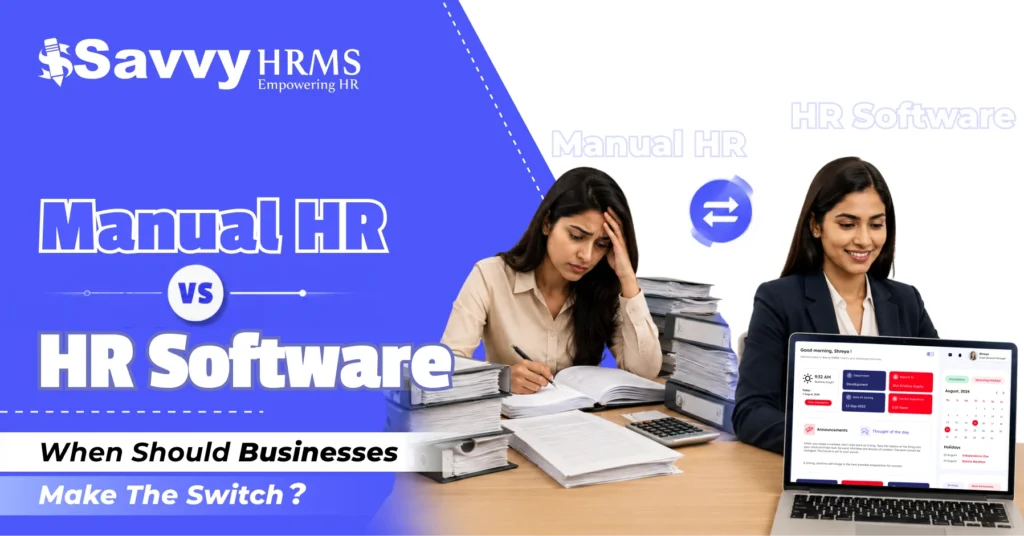
Manual HR vs HR Software: When Should Businesses Make the Switch?


-
AuthorRuchika Rajput
-
 Last Updated
September 03, 2026
Last Updated
September 03, 2026
-
 Reading Time
18 Mins
Reading Time
18 Mins
Are your HR teams still managing employee records, attendance, leave, payroll inputs, and reports through spreadsheets, emails, paper files, and manual approvals? If yes, you are not alone. Many small and growing businesses start with manual HR because it feels simple, familiar, and inexpensive.
But here is the real question: How long can manual HR processes continue to work as your business grows? As employee numbers increase, HR data becomes more complex, compliance requirements become harder to track, and repetitive administrative work takes up more of the HR team’s time.
The shift toward HR technology is already accelerating in India. SHRM reports that India’s HR technology market is expected to reach about USD 2.3 billion by 2033, while recent research cited by SHRM India says more than 70% of Indian organisations are accelerating digital HR adoption.
So, the decision is not simply about replacing Excel with an HRMS or Manual HR vs HR Software. It is about deciding when your existing HR management approach starts to limit efficiency, accuracy, visibility, and business growth.
What Is Manual HR Management and HR Software?
What Is Manual HR Management?
Manual HR management means handling employee-related processes using spreadsheets, paper documents, emails, physical files, individual applications, and manual calculations instead of a centralised HR system.
For example, an organisation may use:
- Excel for employee records
- Separate spreadsheets for attendance
- Email for leave approvals
- Paper or PDF documents for employee files
- Manual calculations for payroll inputs
- Separate files for performance reviews
- Email or messaging apps for HR communication
- Multiple spreadsheets for HR reports
This approach can work for a while, particularly for small businesses. However, the more processes you add, the more difficult it becomes to maintain consistency.
What Is HR Software?
HR software is a digital system that centralises and automates employee-related processes.
An HRMS, or Human Resource Management System, can bring functions such as employee management, attendance, leave, payroll, recruitment, onboarding, performance management, expense management, and reporting into one platform.
Instead of HR manually moving information between multiple spreadsheets, an HRMS can connect different HR processes and create a single source of employee data.
For example:
Employee joins → employee data is added → attendance is tracked → leave is updated → payroll receives relevant inputs → payslip is generated → reports are updated.
The exact workflow depends on the HRMS, but the basic idea is the same: less repetitive data handling and more connected HR management.
Why Are Businesses Still Depending on Manual HR Processes?
If HR software can automate so many tasks, why do businesses still depend on manual HR?
The answer is simple: manual HR often works well enough, until it doesn’t.
For a small company with 10, 20, or even 30 employees, maintaining a spreadsheet for employee information may not seem like a major problem. HR can update attendance, track leave, maintain salary information, and prepare reports manually.
There are several other reasons businesses continue with manual HR:
- Lower initial cost: Spreadsheets and paper-based processes appear cheaper than purchasing software.
- Familiarity: HR teams already know how to use Excel and other traditional tools.
- Small workforce: A small employee base may not initially create significant administrative pressure.
- Fear of change: Teams may worry that implementing HR software will be complicated.
- Lack of awareness: Some businesses may not realise how much time and effort automation can save.
- Existing processes: Companies may continue using manual systems simply because “that is how we have always done it.”
But growth changes the equation.
Every new employee adds another set of attendance records, leave transactions, salary details, documents, approvals, performance information, and compliance requirements. Eventually, HR is no longer managing a simple spreadsheet. It is managing multiple interconnected datasets.
That is where manual HR starts becoming difficult to scale.
Manual HR vs HR Software: What Are the Key Differences?
So, what really changes when a business moves from manual HR to HR software?
| Factor | Manual HR | HR Software / HRMS |
| Employee records | Multiple files and spreadsheets | Centralised employee database |
| Attendance | Manual entry or separate tools | Automated attendance tracking |
| Leave management | Emails, messages, spreadsheets | Digital leave requests and approvals |
| Payroll inputs | Manual collection and reconciliation | Integrated and structured payroll data |
| Reporting | Manual spreadsheet preparation | Automated reports and dashboards |
| Approvals | Email or physical approval | Configurable digital workflows |
| Data access | Often scattered across files | Centralised and role-based |
| Data accuracy | Depends heavily on manual entry | Reduced repetitive data entry |
| Employee self-service | Limited | Available through employee portals/apps |
| Scalability | Becomes difficult as headcount grows | Designed to scale with the workforce |
| HR analytics | Mostly manual reports | Real-time or automated workforce insights |
| Audit trail | Difficult to maintain consistently | Digital records and activity history |
The biggest difference is not simply paper versus software.
It is manual coordination versus connected HR processes.
HR software can automate repetitive workflows, route approvals, generate documents, and reduce the amount of re-keying information. SHRM identifies automation of data entry, scheduling, document generation, and workflow approvals as some of the key benefits of HR technology.
What Are the Signs That Your Business Has Outgrown Manual HR?
How do you know when it is actually time to make the switch?
There is no universal employee-count threshold. A company with 50 employees may need HR software earlier than another company with 150 employees because of its locations, shifts, compliance requirements, or HR complexity.
Instead of focusing only on headcount, look for these warning signs.
1. Your HR Team Is Spending Too Much Time on Administrative Work
If HR professionals spend hours every week updating spreadsheets, checking attendance, sending reminders, preparing reports, or following up on approvals, automation may be overdue.
HR should not spend most of its time simply moving information from one place to another.
2. Employee Data Exists in Multiple Places
Is employee information stored in Excel, email, Google Drive, paper files, and different HR tools?
If the answer is yes, you may already have a data-management problem.
Multiple sources make it harder to determine which information is correct.
3. Attendance and Leave Take Too Much Manual Effort
Are employees sending leave requests through email or WhatsApp? Does HR manually update leave balances? Are attendance corrections handled through spreadsheets?
These are strong signals that a digital workflow could make HR operations much easier.
4. Payroll Inputs Require Constant Cross-Checking
Payroll depends on accurate employee information.
When attendance, leave, overtime, salary changes, incentives, deductions, and employee master data are maintained separately, HR and payroll teams have to spend additional time reconciling information.
ADP’s 2025 research found that 38% of surveyed Indian businesses cited a lack of automated processes as the most common cause of payroll inaccuracies. The same study found that 75% of Indian businesses surveyed were affected by a shortage of payroll staff.
5. HR Reports Take Hours to Prepare
If management asks, “What is our current headcount?” or “What is our absenteeism rate?” and HR needs several spreadsheets to answer, it may be time to consider HR analytics and reporting tools.
6. Approvals Are Getting Lost
Leave approvals, expense claims, attendance corrections, and other HR requests can easily get buried in email threads.
Digital workflows can make the status of an approval much easier to track.
7. Your Business Is Hiring Rapidly
Growth is one of the clearest triggers.
India’s hiring activity increased significantly in 2024, with Foundit reporting a 31% year-on-year increase in recruitment in December 2024 and a 12% increase over the preceding six months.
When hiring accelerates, manual onboarding, employee documentation, and HR administration can quickly become bottlenecks.
8. Employees Keep Asking HR for Information
If employees regularly ask HR:
- “How many leaves do I have left?”
- “Where can I download my payslip?”
- “Has my leave been approved?”
- “Can I update my personal details?”
- “What is my attendance status?”
An employee self-service portal can reduce this repetitive workload.
9. HR Data Is Becoming Difficult to Secure
Employee information is sensitive. Keeping important HR data across email attachments, personal computers, USB drives, paper files, and unsecured spreadsheets increases the number of places where information can be exposed.
An HRMS with appropriate access controls can help organisations manage who can access specific employee information.
10. HR Cannot Easily Use Data for Decision-Making
If HR reports are mostly historical spreadsheets rather than connected workforce data, it becomes harder to identify trends.
This matters because HR is increasingly becoming data-driven. Deloitte India reported in July 2026 that 43% of organisations had reached advanced people analytics maturity, while more than 70% still relied on static reporting approaches.
If your HR team is spending more time preparing data than interpreting it, automation can help change that balance.
How Does HR Software Improve Everyday HR Management?
What does HR software actually change on a normal working day?
Quite a lot.
Instead of HR manually coordinating every small activity, an HRMS can create structured workflows for recurring processes.
1. Employee Management
HR can maintain employee profiles, job information, documents, contact details, reporting structures, and other records in one system.
2. Attendance Management
HR software can help capture attendance, manage shifts, track working hours, and process attendance-related requests.
3. Leave Management
Employees can submit leave requests digitally, managers can approve them, and leave balances can be updated automatically according to the configured rules.
4. Payroll Management
An integrated HRMS can bring employee information and relevant payroll inputs together, reducing the need to collect information from multiple spreadsheets.
5. Recruitment and Onboarding
Recruitment and onboarding workflows can help HR move from candidate selection to employee joining in a more organised way.
6. Performance Management
Instead of tracking appraisal information through separate documents, HR software can provide structured performance review workflows.
7. Employee Self-Service
Employees can access relevant information and complete common HR tasks themselves, reducing dependency on HR for routine requests.
8. Reporting and Analytics
HR leaders can access structured workforce data and generate reports without rebuilding spreadsheets every time management asks a question.
The goal is not to automate HR simply for the sake of automation.
The goal is to remove repetitive administrative work so HR can focus more on people, workforce planning, employee experience, and business priorities.
How Can HR Software Reduce HR Errors and Administrative Work?
Manual work creates opportunities for mistakes.
One incorrect number in a spreadsheet can affect a report. One missed attendance entry can affect payroll inputs. One outdated employee record can create confusion during an audit or internal review.
HR software helps reduce these risks by standardising processes.
1. Centralised Employee Data
Instead of maintaining several versions of employee information, businesses can maintain a central employee record.
2. Automated Calculations
Where supported by the software, automated calculations can reduce repetitive manual calculations for attendance, leave, payroll components, and other HR processes.
3. Workflow-Based Approvals
Leave, attendance corrections, expenses, and other requests can move through defined approval workflows.
4. Reduced Duplicate Data Entry
When systems are integrated properly, information does not need to be entered repeatedly into different files.
5. Better Visibility
Managers and HR teams can see the status of requests, employee information, and relevant reports from a central platform.
6. Better Data Consistency
Standardised fields, workflows, and validation rules can help reduce inconsistent data entry.
This is particularly important for payroll. SHRM notes that manual processes, disconnected systems, and unclear ownership can contribute to payroll errors, while connected HR and payroll data can help reduce manual calculations and data entry.
However, there is an important point to remember:
HR software does not automatically fix bad data.
If a company migrates inaccurate or duplicate employee records into a new HRMS, those problems can continue. SHRM recommends data cleansing and validation before implementation to avoid carrying old inconsistencies into the new system.
When Should a Business Switch From Manual HR to HR Software?
So, what is the right time to make the switch?
The right time is when the cost and complexity of manual HR processes become greater than the effort required to implement HR software.
For some businesses, that may happen at 50 employees. For others, it may happen at 100, 250, or even earlier.
Consider making the switch when:
- Your employee headcount is growing rapidly.
- HR is spending too much time on repetitive administrative work.
- Attendance and leave management are difficult to control.
- Payroll requires extensive manual reconciliation.
- HR data is spread across multiple files.
- Management needs faster workforce reports.
- Employees want self-service access.
- You operate across multiple locations or shifts.
- Compliance tracking is becoming difficult.
- HR errors are becoming more frequent.
- You are hiring more HR staff simply to handle administrative workload.
- Your current system cannot scale with your business.
A useful way to think about it is this:
Don’t wait until manual HR completely breaks. Switch when you can see that it will not scale with your next stage of growth.
What Should Businesses Consider Before Choosing HR Software?
Choosing an HRMS should not be based only on the number of features listed on a website.
The better question is:
“Will this HR software actually solve our HR problems?”
Before choosing a platform, consider the following.
1. Your Business Size and Growth Plans
Choose software that can support your current workforce and expected growth.
2. Required HR Modules
Identify the processes you actually need to automate.
These may include:
- Employee management
- Attendance management
- Leave management
- Payroll
- Recruitment
- Onboarding
- Performance management
- Expense management
- Employee self-service
- HR analytics
- Compliance management
3. Integration Capabilities
Ask whether the HRMS can integrate with the systems you already use.
A standalone HR system that requires employees to enter the same information repeatedly may simply replace one manual problem with another. SHRM specifically highlights integration gaps as a common implementation challenge.
4. Ease of Use
The best HR software is not necessarily the one with the longest feature list.
It is the one HR teams, managers, and employees can actually use.
5. Data Security and Access Control
Check how the system manages employee information, user permissions, authentication, backups, and access rights.
6. Reporting and Analytics
Look for dashboards and reports that help management understand workforce trends instead of simply storing employee data.
7. Mobile Accessibility
For businesses with field employees, distributed teams, or mobile workforces, mobile access can be particularly useful.
8. Implementation and Support
Ask:
- How long will implementation take?
- Who will migrate the existing data?
- What training is provided?
- Is customer support available?
- How are issues handled after go-live?
9. Pricing and Total Cost
Do not compare only subscription prices.
Consider implementation, migration, training, integrations, support, and future scaling costs.
10. Local HR and Payroll Requirements
For Indian businesses, the HRMS should support the payroll and compliance requirements relevant to the organisation’s workforce and locations.
How Can Businesses Successfully Transition From Manual HR to HR Software?
Moving from Excel and manual HR to an HRMS does not need to happen overnight.
A phased approach is often easier.
Step 1: Identify Your Current HR Problems
Start by documenting where your team spends the most time.
For example:
Problem: Payroll takes three days to prepare.
Cause: Attendance and salary data are stored separately.
Potential solution: Integrated attendance and payroll workflows.
This gives you a clear reason for implementing software.
Step 2: Clean Your Existing Data
Before migration, review employee records.
Remove:
- Duplicate records
- Former employees who should be archived
- Incorrect contact details
- Outdated salary information
- Duplicate documents
- Inconsistent employee IDs
Data cleansing is one of the most important steps in HRMS implementation. SHRM recommends completing this before going live rather than discovering data problems afterward.
Step 3: Select the Right HRMS
Shortlist platforms based on your actual requirements rather than choosing based only on brand recognition or the number of features.
Step 4: Start With High-Impact Processes
You do not have to automate everything at once.
You might start with:
- Employee database
- Attendance
- Leave management
- Payroll
- Employee self-service
Then expand into recruitment, performance management, expenses, analytics, and other areas.
Step 5: Train HR and Managers
Technology adoption depends on people.
Explain how the new HRMS will make everyday tasks easier instead of presenting it as simply another system employees must learn.
Step 6: Communicate With Employees
Employees should know:
- Why the company is changing the HR process
- What they need to do
- How to access the system
- Where to request support
- Which HR processes are moving online
Step 7: Run Checks Before Going Live
Verify employee records, salary information, attendance data, leave balances, workflows, permissions, and reports.
Step 8: Measure the Results
After implementation, compare:
- HR processing time
- Payroll preparation time
- Number of manual tasks
- Error frequency
- Employee queries
- Approval turnaround time
- Report preparation time
- Employee adoption
This tells you whether the HRMS is actually delivering ROI.
And remember: technology adoption matters. SHRM reported that nearly one in four organisations surveyed had new HR technology implementations that failed to meet adoption expectations, showing why implementation and user adoption matter just as much as selecting the software itself.
Is HR Software Worth the Investment for Small and Growing Businesses?
For a small business, HR software can initially feel like an unnecessary expense.
But the better question is not:
“Can we afford HR software?”
It is:
“What is our current HR process costing us?”
Think about the hidden costs of manual HR:
- Hours spent maintaining spreadsheets
- Repeated data entry
- Payroll reconciliation
- Manual report preparation
- Follow-ups for approvals
- Employee questions
- Data corrections
- Lost documents
- Compliance-related administrative work
- Additional HR headcount needed to handle repetitive tasks
When these costs add up, manual HR may not actually be cheaper.
There is also the cost of growth.
A process that works for 25 employees may become inefficient at 100 employees. A process that works at 100 employees may become extremely difficult at 500 employees.
That is why growing businesses should think about scalability, not simply current cost.
Recent PwC research found that 39% of Indian family businesses are prioritising digital transformation and AI, although adoption remains cautious for many organisations.
The takeaway is simple:
HR software can be worth the investment when it saves enough time, reduces enough administrative complexity, improves visibility, and supports growth.
How Can Savvy HRMS Help Businesses Move From Manual HR to Automation?
If your HR team is ready to move beyond spreadsheets and manual processes, Savvy HRMS can provide a centralised platform for managing multiple HR activities.
Instead of managing employee information, attendance, leave, payroll, performance, recruitment, and other processes across separate files, businesses can bring their HR operations into a connected HRMS environment.
Savvy HRMS can help businesses:
- Centralise employee information
- Automate attendance and leave management
- Simplify payroll processes
- Support employee self-service
- Streamline recruitment and onboarding
- Manage performance processes
- Generate HR reports and workforce insights
- Reduce repetitive administrative tasks
- Improve HR data visibility
- Support growing teams with scalable HR processes
The bigger advantage is the shift in how HR works.
Instead of asking:
“Which spreadsheet contains this information?”
HR can ask:
“What does our workforce data tell us?”
That is the real transition from manual HR to modern HR management.
For businesses moving from Excel, the objective should not be to digitise every manual process exactly as it currently exists. It should be to simplify the process, automate repetitive steps, and create better employee and HR experiences.
Conclusion
Manual HR processes are not automatically bad. For a very small organisation with straightforward requirements, spreadsheets and basic tools may be enough. The problem begins when the business grows faster than its HR processes can handle. More employees mean more data, more transactions, more approvals, more compliance responsibilities, and more opportunities for errors.
That is when the Manual HR vs HR Software discussion becomes important. If your HR team is spending too much time on repetitive administration, maintaining multiple spreadsheets, chasing approvals, reconciling payroll data, or preparing reports manually, it may be time to move to an HRMS.
The right HR software can help businesses replace fragmented HR administration with connected, automated, and scalable processes. The goal is not to remove the human side of HR. It is to remove unnecessary manual work so HR professionals can spend more time on the people and business decisions that actually matter.











Ready to move beyond spreadsheets?
Switch from manual HR processes to smarter, automated HR management with Savvy HRMS and build an HR function that is ready to grow with your business.
Frequently Asked Questions (FAQs)
1. What is the difference between manual HR and HR software?
Manual HR depends on spreadsheets, paperwork, emails, and repetitive data entry, while HR software centralises employee information and automates processes such as attendance, leave, payroll, recruitment, and performance management.
2. When should a business switch from manual HR to HR software?
A business should consider switching when HR spends too much time on administrative tasks, employee data is scattered across multiple files, payroll errors increase, approvals become difficult to track, or the existing HR process cannot support business growth.
3. Is HR software useful for small businesses?
Yes. HR software can help small businesses reduce repetitive administrative work, organise employee data, simplify attendance and leave management, and establish scalable HR processes before the workforce becomes more complex.
4. Can HR software reduce errors caused by manual HR processes?
Yes. An HRMS can reduce repetitive data entry, automate workflows and calculations, centralise employee information, and provide structured approval processes, helping minimise common human errors.
5. How does HR software help businesses move away from Excel?
HR software replaces fragmented spreadsheets with a centralised HR system where businesses can manage employee records, attendance, leave, payroll, performance, reports, and other HR processes through connected digital workflows.