Do you have trouble tracking accurate attendance, finding out how many of your employees are at work, or managing your remote employees effectively?
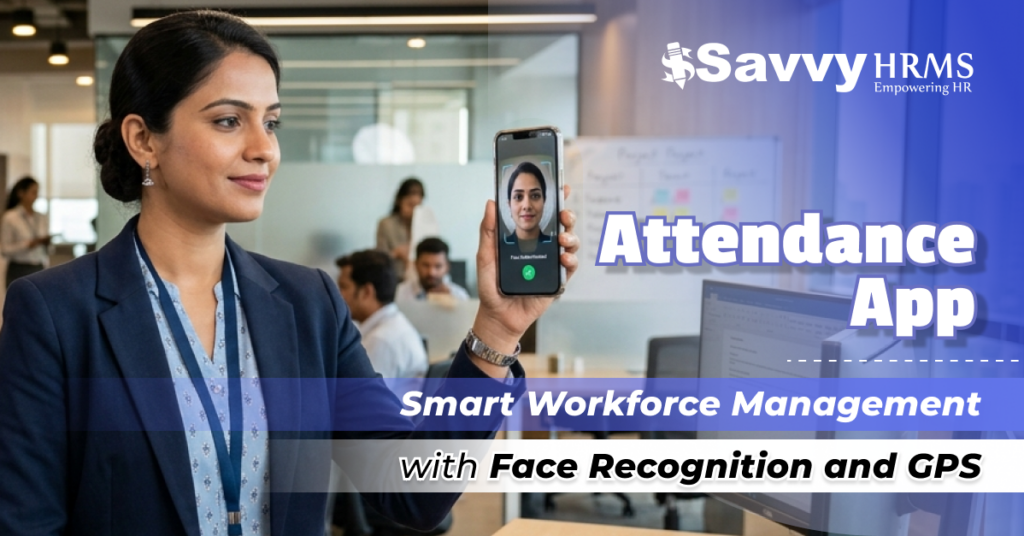
In this blog, you will learn about an advanced attendance app with facial recognition and GPS that will help make tracking your workforce easy, precise, and dependable.
Imagine a place of employment where you can obtain instant attendance records with exact locations throughout a shift; no need for any manual error. In this blog post, you will learn about the features, advantages, and methods for selecting the best attendance app for your organization.
What is Attendance App and Why Does It Matter for Organizations?
An attendance app is an online tool to assist businesses in managing employee attendance by utilizing mobile devices, biometrics, GPS technology, or a cloud-based system. It replaces unusable paper forms and outdated systems with automated, precise, and instant methods of monitoring attendance.
Modern attendance apps utilize advanced technologies such as facial recognition and GPS tracking for enhanced efficiency and transparency. Those who use the attendance app benefit greatly if their organizations have remote teams, field employees, or would like to enhance their HR processes.
Why does attendance app matter for organizations?
- Eliminating errors associated with manual entry.
- Reducing administrative burdens due to excessive paper.
- Eliminating time theft due to buddy punching.
- Guaranteeing accurate payroll.
- Real-time tracking of employees.
- Improved productivity as well as accountability of teams.
- Support for remote and hybrid work environments.
How Does a Mobile Attendance App Ensure Accurate Tracking?
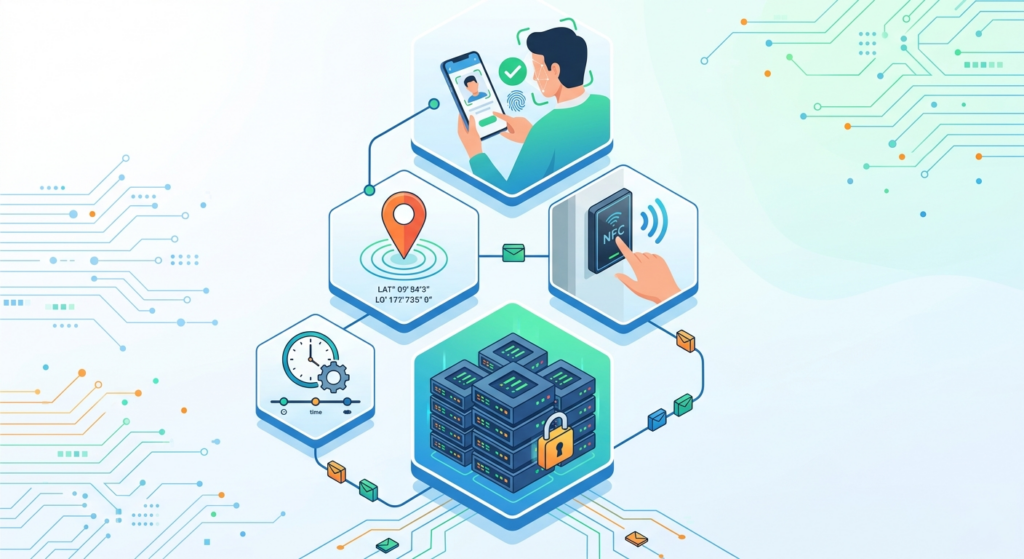
With a mobile attendance app, accurate tracking of employee attendance can be achieved through technological advancements such as GPS, facial recognition, and cloud-based syncing. The mobile attendance app can remove manual errors and verify an employee’s identity and location while also providing real-time visibility of attendance data for better management of the employee workforce.
1. Facial Recognition Verification
The mobile attendance app uses advanced facial recognition technology to confirm the identity of an employee before they can mark their attendance, thereby eliminating buddy punching and ensuring that only authorized employees are able to record their attendance.
2. Real-Time GPS Tracking
The mobile attendance app allows for real-time tracking of the employee’s location at the time of check-in and check-out. This is particularly useful for remote and field employees and ensures that employees are marking their attendance from the desired location.
3. Geo-Fencing Control
The mobile attendance app is capable of defining geo-fenced areas (i.e., predetermined work zones) in which employees are permitted to mark their attendance and prevents employees from marking their attendance in non-geo-fenced areas, thereby ensuring that the employee is marking their attendance according to company policy.
4. Cloud-Based Data Sync
The mobile attendance app automatically syncs attendance data to a central server in real-time so that managers can access and retrieve attendance records without any delays or manual updates.
5. Offline Attendance Capability
Employees can utilize the mobile attendance app to mark their attendance without needing internet access; therefore, the mobile attendance app will store the employee’s attendance data locally and sync that data when internet access becomes available. This feature allows for employee attendance to be captured accurately even in areas with little or no connectivity.
6. Anti-Spoofing Technology
It is equipped with technology that can detect whether attendance data has been changed (using fake images or manipulated locations); this technology applies security measures to ensure that attendance data is accurate and reliable, while at the same time, preventing fraudulent acts from taking place using employee attendance data.
What are the Key Features of the Mobile Attendance App?
1. Real-Time Tracking
Allows for immediate tracking of employee attendance, letting managers verify check-ins and check-outs live, making for transparent monitoring and excellent decision-making, as well as increasing productivity for all employees regardless of location or work-from-home status.
2. Facial Recognition
Utilizes cutting-edge AI-based facial recognition technology to check the identity of employees to ensure only authorized personnel are able to log in and punch in and out at work, thus stopping buddy punching and increasing accountability and accuracy for all employees.
3. GPS Location Captured
Captures an exact GPS location for each time attendance is recorded to confirm employees are physically present at their authorized work location (great for employees who work out in the field, employees who work remotely, and distributed workforces).
4. Fake GPS Detection
Detects and disables fake and spoofed GPS locations so that employees cannot manipulate their attendance location, therefore providing authenticity, reliability, and credibility to the attendance management system.
5. Offline Clocking
Allows employees to clock in and out of work without internet access and will automatically synchronize to the attendance management system once the employee has internet access again, therefore providing a smooth and continuous tracking experience for all employees, regardless of where they work.
6. Geofencing
A geofencing system defines boundaries of where employees can check in and clock in, thereby ensuring that employees are in the proper work zone for their attendance to count. This will improve attendance validity and eliminate a situation where an employee could clock in when not at work
7. Kiosk Mode
Kiosk mode is used to enable attendance marking (clocking in and out) on a shared device using facial recognition. This is valuable for on-site (e.g., factory or office) employees who could utilize one device to securely check in and out through facial recognition.
8. Project Tracking
Project tracking is used to capture attendance by project, allowing an organization to manage the time an employee works on each task, improving project management, resource allocation, and overall operational efficiency.
9. iOS & Android
This will provide a constant user experience for checking in and out of work across both iOS and Android devices, allowing employees the flexibility to use whatever device they want to use to check in and out of work.
10. HR Portal Synchronization
The application will sync attendance data with the organization’s HR portal automatically, eliminating the need for manual processing of payroll, leave, and employee records between the attendance application and HR portal.
11. Anti-spoofing Technology
Advanced anti-spoofing technology is used in the facial recognition technology to minimize attempts to fraudulently check in and out by determining if the image or video is real or fake.
Why Mobile Attendance App Important for Modern Organizations?
1. Increased Accuracy
A mobile attendance app allows for accurate tracking of attendance, which is achieved through automated attendance processes and the elimination of manual errors from the attendance process. This results in more confident data and better records for all departments.
2. Enhanced Productivity
By reducing the amount of time that is consumed by manually tracking attendance, employees and HR departments are able to assign their time to performing their core job duties, thereby increasing the organization’s overall productivity and operational efficiencies.
3. Support Remote Work
Facilitates the tracking of remote and field employee attendance, so that there is visibility and accountability for employees all around the world. This is important in today’s hybrid work environment.
4. Cost Efficiency
Reduces the administrative costs associated with a manual attendance system (including costs for paperwork and costs for error correction), and consequently, saves the organization money, while improving operational efficiencies.
5. Data-Driven Decisions
Provides management with real-time data and analytics, enabling them to make well-informed management decisions about workforce planning, employee performance evaluations, and the allocation of resources.
6. Enhanced Security
Provides advanced technologies (such as facial recognition technology and GPS tracking) that ensure secure attendance input is made and no fraudulent attendance is recorded, so that the company can continue to maintain the security and integrity of its data.
7. Compliance and Transparency
Maintains an accurate attendance record for all employees, thus ensuring that the company will be able to provide accurate records for audits and ensure that there is transparency between employees and management.
How to Choose the Best Attendance App for Your Organization?
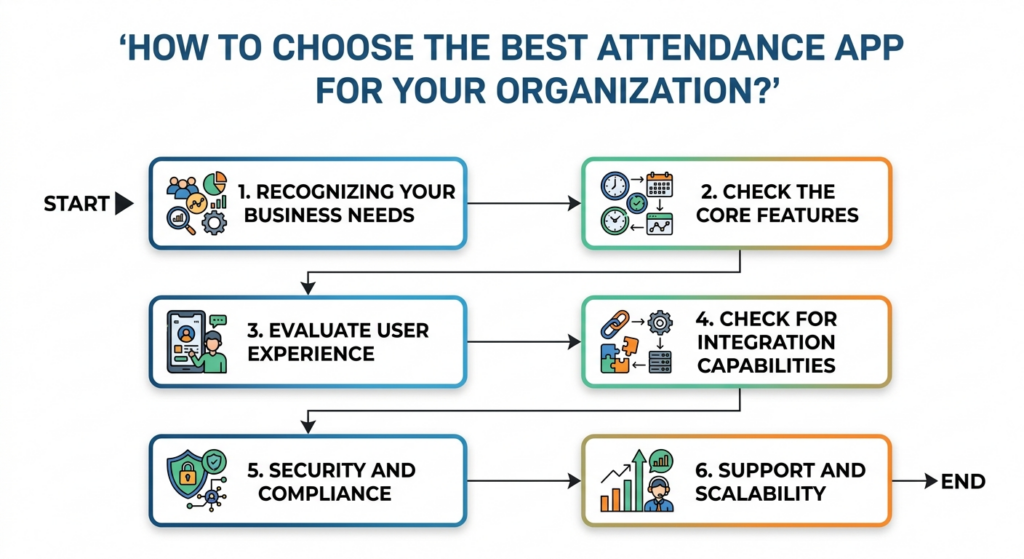
1. Recognizing Your Business Needs
Assess the needs of your organization for either remote tracking, biometric verification, or integration with existing systems to find an attendance program that is aligned with your operational goals and the structure of your workforce.
2. Check the Core Features
Make sure that the app has all of the core features: GPS tracking, facial recognition, geo-fencing, and real-time syncing of attendance to keep up with the demands of attendance management in the modern workforce.
3. Evaluate User Experience
When choosing an app, there should be an easy-to-use interface for both employees and administrators so that they will be able to adopt the system quickly with little to no training required.
4. Check for Integration Capabilities
Make certain that the attendance app you are considering integrates smoothly with your existing HRMS, payroll, and other business systems to create a simplified operation.
5. Security and Compliance
Make sure to find an app that has adequate security features, such as data encryption and anti-spoofing technology, to protect your sensitive employee information, as well as ensure regulatory compliance.
6. Support and Scalability
When choosing an attendance app, choose one that will grow along with your company and that offers quality customer support to help you implement and utilize the app as needed.
Why Savvy HRMS is the Best Choice?
Savvy HRMS‘s intelligent attendance app utilizes advanced technology such as facial recognition and GPS tracking. It provides organizations with an accurate, secure, and real-time method of tracking employee attendance.
Savvy HRMS’s user-friendly design and ease of integration make it easy for organizations to automate their attendance process, reduce attendance errors, and ultimately increase productivity. It can be implemented in any-sized organization.
Key Features of the Attendance App
- Advanced facial recognition for secure attendance tracking.
- Real-time GPS tracking for location verification of employees.
- Simple integration capabilities of the attendance app into existing HR and payroll systems.
- Mobile-friendly interface used by employees to access their attendance information.
- Very reliable data security and anti-spoofing capabilities.
- A scalable solution allows the application to be implemented in organizations of any size and may continue to scale as the organization becomes larger.
Conclusion
Modern attendance apps are not simply an application to track the presence of employees, but rather a complete package that increases accuracy, clarity, and productivity.
Through the utilization of advanced technologies such as GPS and face recognition, companies can manage their operations more efficiently. With the use of the correct attendance software, companies can save themselves from making mistakes, from any fraudulent activity, and from poor workforce management.
Improve your workforce management system with a smart attendance app and get started with Savvy HRMS today!
Book a Demo Today1. What is a self-attendance app for PC?
A self-attendance app for PC is a software that helps staff to record their attendance using a computer. This makes it possible for companies to monitor working hours, login times, and productivity without any interference.
2. Which is the best attendance app for businesses?
Different attendance apps may suit different companies, but some common criteria for determining the best one include real-time attendance, mobile attendance, facial or biometric recognition, and payroll integration.
3. How does self-attendance online work?
This refers to a process where employees can use a mobile or web-based interface to log in and out. Since the data will be recorded online, managers will be able to monitor attendance in real time from anywhere.
4. What is a face recognition attendance system?
Face recognition attendance involves the use of facial recognition technology that identifies people based on their facial features to automatically record attendance.
5. What is attendance tracking software?
An attendance tracking system is a technology-driven software that tracks employee attendance by recording their work hours, absences, leaves, and shift work.
6. Can attendance tracking software integrate with payroll?
Yes, most attendance tracking software can be easily integrated with payroll software, allowing for automatic salary calculation based on attendance.