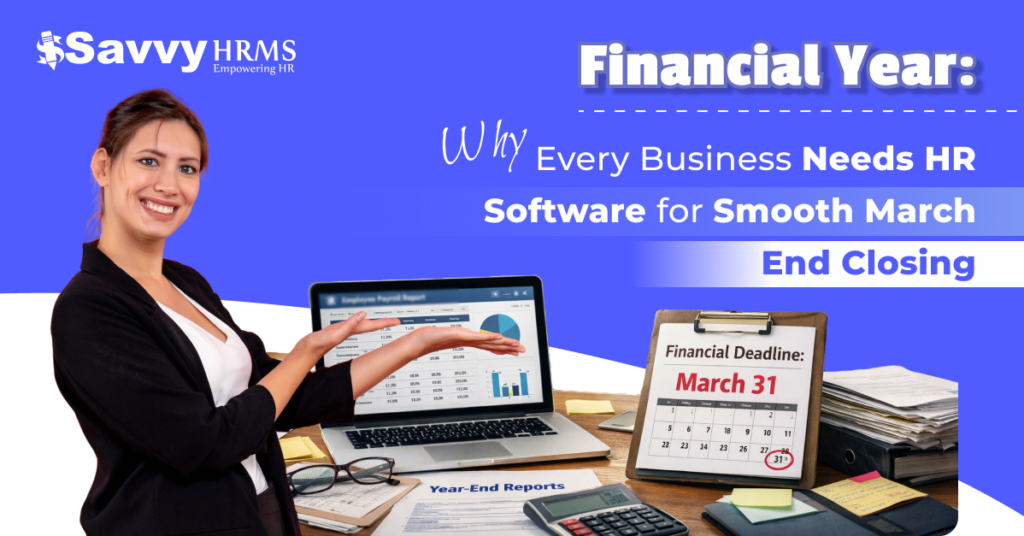
Is your HR team still relying on spreadsheets and panicking as March 31st approaches?
Every financial year, organisations face the same last-minute confusion, overdue payroll settlements, pending compliance filings, and a lot of employee data that just doesn’t add up. Sound familiar?
The good news? It doesn’t have to be this way. With the right HR software within your organization, your March-end closing can shift from a stressful race into a smooth and structured process.
Smart businesses are already using the software. If you haven’t invested in an HRMS yet, this financial year might just be the wake-up call you need.
What Makes March-End Closing Challenging for Businesses?
March-end closing is one of the most demanding times of the financial year, requiring HR and finance teams to work together to manage payroll, compliance, taxation, and employee data, all under tight deadlines.
Here’s what makes it so confusing:
1. Payroll Settlement Errors
Settling months of payroll data manually is slow and error-prone. Even small issues can set off compliance issues, delayed salaries, and unnecessary audit flags during the financial year closing.
2. Tax Filing Deadlines
As the financial year ends, TDS filings, Form 16 generation, and other statutory submissions crash. Missing deadlines results in penalties that directly impact business credibility and employee trust.
3. Leave and Attendance Mismatches
Unresolved leave balances and attendance issues complicate final payroll processing. HR teams struggle to validate data across various departments, causing delays in completing the financial year cycle.
4. Compliance Overload
From PF and ESI to professional tax, businesses must ensure all statutory deductions are correct and submitted. Managing this manually across multiple employees during the financial year-end is risky and exhausting.
5. Employee Data Inaccuracies
Outdated employee records, wrong bank details, incorrect designations, or missing documents create last-minute issues that slow down financial year-end closings significantly.
6. Coordination Gaps Between Teams
HR, finance, and management often work in silos. Without integrated systems, communication gaps during the financial year-end result in duplicated efforts, costly mistakes and penalties.
Why Is HR’s Role Crucial During Financial Year-End?
HR isn’t just a support operation during the financial year-end; it’s at the very centre of closing, handling everything from payroll finalisation to compliance documentation that the entire organization depends on.
Here’s exactly where HR steps up during the financial year process:
1. Payroll Finalisation
HR runs the final payroll run of the financial year. Any error at this stage affects salaries, tax deductions, and compliance filings, making accuracy absolutely non-negotiable during March-end.
2. Statutory Compliance Management
HR ensures PF, ESI, PT, and TDS obligations are correctly calculated and submitted before financial year deadlines. Non-compliance can result in heavy penalties and reputational damage for organizations.
3. Form 16 and Tax Documentation
HR coordinates the generation and distribution of Form 16 for all employees. This important document reflects the entire financial year’s earnings and deductions for income tax purposes.
4. Leave Encashment Processing
March-end often triggers leave encashment policies. HR must correctly calculate outstanding leave balances and process encashment correctly within the financial year’s payroll cycle.
5. Audit Readiness
HR maintains employment records, salary registers, and compliance documents. During financial year-end audits, these records must be accurate, accessible, and organized for internal and external review.
What Are the Key HR Tasks in March-End Closing?
1. Final Payroll Processing
Running the last payroll of the financial year, including all bonuses, arrears, and deductions, ensuring every employee’s earnings are correctly accounted for before March 31st.
2. TDS Calculation and Filing
Accurately computing tax deducted at source for all employees based on their total financial year earnings and submitting it to the income tax department within the deadline.
3. PF and ESI Submission
Ensuring Provident Fund and Employee State Insurance contributions are correctly deducted and submitted for the entire financial year, with no pending challans or issues.
4. Form 16 Generation
Preparing and distributing Form 16 to all employees as proof of TDS deduction, an important compliance task marking the formal close of the financial year.
5. Leave Balance Reconciliation
Reviewing, updating, and closing out leave balances for all employees, processing encashments where applicable, and carrying forward eligible balances to the new financial year.
6. Employee Data Verification
Auditing and correcting all employee master data, bank accounts, PAN details, designations, and compensation structures, before they roll over into the new financial year.
7. Salary Register Preparation
Collecting a complete, auditable salary register covering the whole financial year serves as an important reference document during statutory audits and management reviews.
8. Onboarding and Exit Settlement Clearance
Completing full and final settlements for employees who left during the financial year, ensuring all dues, gratuity, and compliance paperwork are correctly closed before March 31st.
How Does HR Software Simplify Payroll and Compliance?
Managing payroll manually during the financial year-end is like solving a confusing puzzle blindfolded. HR software automates calculations, statutory deductions, and filing schedules, saving teams hours of stressful, error-prone work.
Ever wondered how long your HR team actually spends on payroll during March? Studies suggest HR professionals lose up to 40% of their productive time on manual payroll tasks during the financial year-end, time that could be spent on strategic work.
With an HRMS, payroll software automatically applies the latest tax slabs, generates payslips instantly, and points out issues before they become compliance problems. The system does the heavy lifting so your team doesn’t have to.
And what about compliance? An integrated compliance management tracks every statutory deadline, PF, ESI, TDS, and PT, and sends automated reminders, ensuring your business never misses a financial year-end filing again.
- Auto-calculates TDS based on updated income tax records for the financial year.
- Generates Form 16 in bulk with a single click, saving days of manual effort.
- Tracks PF and ESI deadlines with built-in compliance calendar alerts.
- Maintains a full audit trail of every payroll transaction across the financial year.
- Addresses issues in employee data before the final payroll is processed.
- Syncs payroll data directly with the attendance and leave management module.
How Does HRMS Help Reduce Errors and Manual Work?
When every part of data flows through a single integrated platform, human errors are normal. HRMS eliminates the need for manual data entry across various departments, cutting financial year-end mistakes at the root.
1. Automated Data Sync
Leave, attendance, and payroll data sync automatically, eliminating manual transfers between systems and the errors that come with them during financial year closing.
2. Single Source of Truth
All employee data is stored in a centralised system. HR, finance, and management access the same real-time records, removing version conflicts during financial year-end reviews.
3. Rule-Based Payroll Engine
Payroll rules, overtime, deductions, and bonuses are pre-configured. The system applies them consistently every cycle, reducing dependency on human memory and financial year miscalculations.
4. Bulk Processing Capabilities
HRMS allows bulk actions, mass payslip generation, bulk Form 16 issuance, and group leave encashment, turning hours of manual work into minutes during the financial year rush.
5. Real-Time Validation Alerts
Built-in validation catches missing PAN numbers, incorrect bank details, or inconsistent salary structures before payroll is finalised, preventing costly financial year-end corrections.
6. Workflow Automation
Approval workflows for expense claims, leave requests, and salary revisions are automated. No more following approvals manually during the confusing financial year-end closing period.
Can HR Software Keep Your Business Audit-Ready?
Audit season is never pleasant, but it’s significantly less stressful when your HR software maintains organised, time-stamped records throughout the financial year. Every payroll entry, compliance filing, and employee document is logged automatically.
During a financial year-end audit, auditors look for salary registers, PF challans, TDS records, and employee documentation. With an HRMS, all of this is stored securely, searchable, and exportable within minutes, not hours.
The best part? HRMS doesn’t just prepare you for this financial year’s audit. It builds a complete historical record across multiple financial years, making trend analysis and multi-year audits smooth and stress-free for your entire team.
What Features Should You Look for in HR Software for Year-End Closing?
1. Automated Payroll Module
Look for a payroll software that auto-computes salaries, deductions, and taxes based on updated financial year rules, with support for variable pay, arrears, and bonus processing.
2. Compliance Management Module
A built-in compliance module should track PF, ESI, TDS, and PT deadlines, auto-generate challans, and send alerts, ensuring your business stays compliant throughout the financial year.
3. Leave and Attendance Integration
The HR software must smoothly integrate leave and attendance data with payroll, eliminating settlement errors during the financial year-end and ensuring accurate final salary calculations.
4. Employee Self-Service Portal
An ESS portal allows employees to download payslips, submit investment declarations, and access Form 16 independently, reducing HR’s workload significantly during the financial year closing.
5. Reporting and Analytics Module
Strong reporting tools should let you generate financial year salary summaries, headcount reports, attrition analytics, and compliance status dashboards with customizable filters and export options.
6. Document Management System
Centralised document storage for offer letters, contracts, PAN cards, and compliance certificates ensures your business is audit-ready at any point during or after the financial year.
7. Role-Based Access Control
Sensitive financial year data must be protected. Look for HRMS with granular access controls so only authorised persons can view, edit, or approve important payroll and compliance records.
Conclusion
So, don’t let March-end confusions cost your business time, money, and credibility. The right HR software transforms year-end closing from a fire drill into a well-executed, organized process your team can be proud of.
Savvy HRMS is built precisely for this, offering powerful payroll, compliance, leave, attendance, and document management modules that keep your business audit-ready every day of the financial year, not just March 31st.
Ready to close this financial year without the stress? Book a free demo with Savvy HRMS today and experience the difference smart HR software makes.